
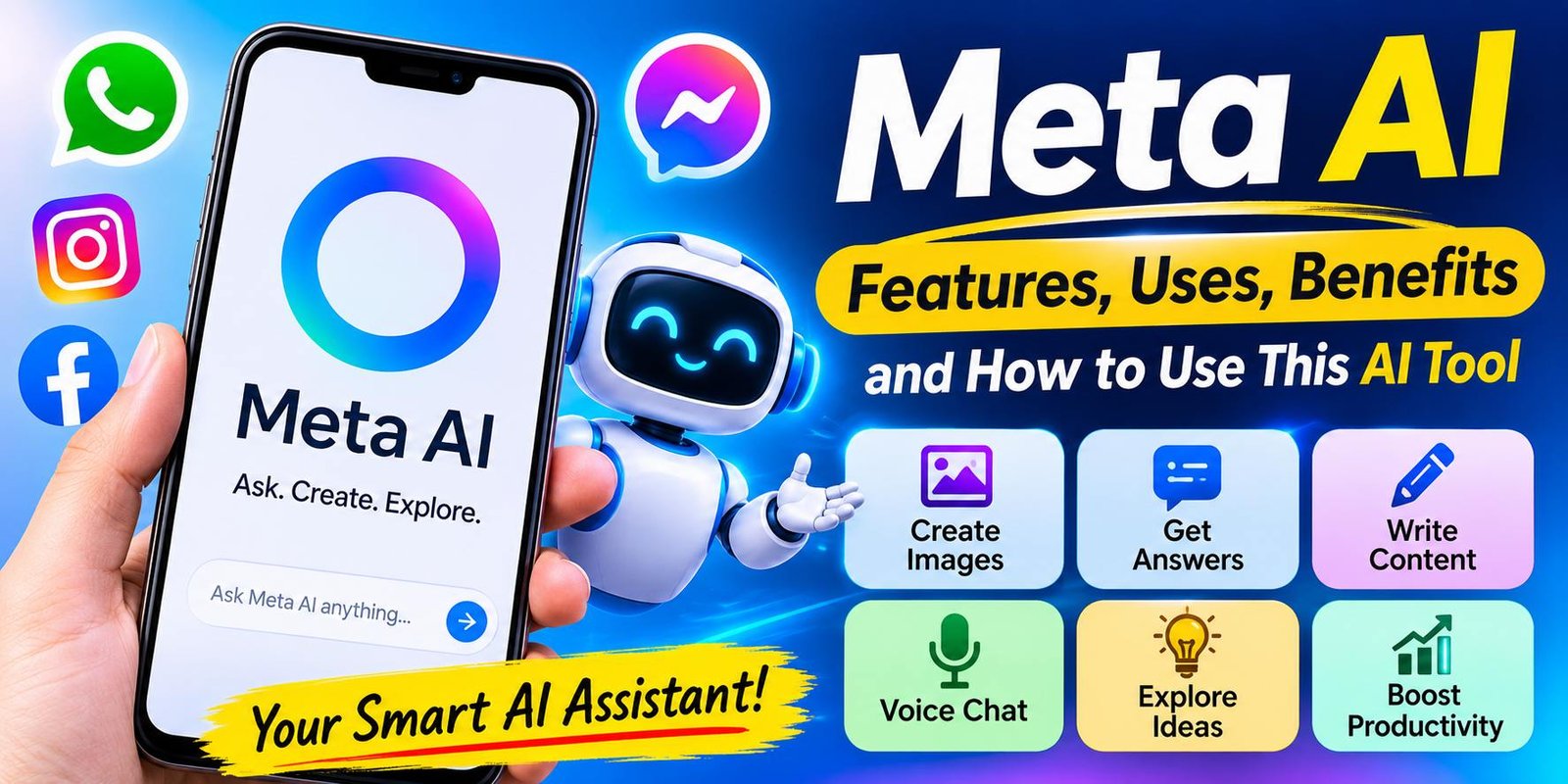
Meta AI: Features, Uses, Benefits, and How to Use This AI Tool
Introduction
Meta AI is an artificial intelligence tool that can help you answer questions, create images, write content, and find new ideas. It is made by Meta, the company behind Facebook, Instagram, WhatsApp, and Messenger. This AI assistant can make many daily tasks easier. You can ask it questions, get simple explanations, and explore creative ideas through a chat.
Many people use AI tools to save time and learn new things. For example, students can use Meta AI to understand difficult topics. Content creators can ask it for video ideas, captions, and writing tips. In addition, small business owners can use it to plan posts and prepare simple messages.
One of the main benefits of Meta AI is that it works with several Meta apps in supported regions. As a result, users may not need to open a separate website for every task. They can access the assistant from apps they already use.
Meta AI also offers features for image creation, voice chats, and information searches in supported experiences. However, the features may differ by country, device, and app version.
In this guide, you will learn what Meta AI is, how it works, and how to use it. We will also look at its main features, benefits, limits, and differences from ChatGPT.
What Is Meta AI?
This AI assistant is a smart digital assistant made by Meta. It uses artificial intelligence to understand questions and create helpful replies. You can talk to it by typing a message or using voice features where available.
Think of AI assistant as a helper for everyday digital tasks. You can ask it to explain a topic, write a short message, suggest a meal plan, or create an image from your idea.
For example, you can ask:
“Explain artificial intelligence in simple English.”
This AI assistant can give you an answer that is easy to understand. If you need more details, you can ask another question in the same chat.
The tool is linked to several Meta products. These include:
- Messenger
- Meta AI website
- AI assistant mobile app
However, access is not the same for everyone. Some users may see AI assistantin WhatsApp, while others may not have the same option.
AI assistant can help with many tasks, such as:
- Answering general questions.
- Explaining difficult topics.
- Writing captions and messages.
- Creating images from text.
- Sharing ideas for content.
- Helping with study plans.
- Supporting voice chats.
- Giving suggestions for daily tasks.
It is useful for quick help, but it is not always correct. Therefore, check important facts before using them.
How Does Meta AI Work?
This AI assistant works through artificial intelligence models. These models are designed to understand human language and create responses.
When you ask a question, the tool reads your message and works out what you need. It then creates an answer based on the information and abilities available to that version of the assistant.
For example, you might ask:
“Give me five tips for improving my English.”
This AI assistant can prepare a list of useful tips. After that, you can ask it to explain each tip with an example.
The tool can also work with other types of input in supported versions. For example, some experiences allow users to create or edit images and talk through voice.
Here is a simple look at the process:
- You enter a question: Type a message or use a supported voice feature.
- AI assistant reads your request: The system works out what you are asking.
- It creates a response: The assistant prepares an answer or result.
- You check the result: Read the response and decide if it meets your needs.
- You ask another question: Add details or request changes when needed.
The quality of an answer often depends on your instructions. A clear question usually gives the assistant a better idea of what you want.
Meta has also introduced newer AI models and features over time. However, not every new feature is available in every country or app.
Key Features of Meta AI
This AI assistant has several features that can help with work, learning, and creative tasks. Let’s look at the main ones.
1. Answering Questions
One of the most useful features of AI assistant is question answering. You can ask about technology, education, science, history, and many other subjects.
For example, a student can ask:
“Explain the water cycle in easy words.”
This AI assistant can give a simple answer with clear steps. You can also ask for a shorter version or request more examples.
This feature can save time when you need a quick explanation. Moreover, it can help beginners understand topics that seem difficult at first.
Still, you should check important answers with trusted sources. AI tools can sometimes give wrong or outdated information.
2. AI Image Generation
This AI assistant can create images from written instructions in supported experiences. This feature is useful for people who want to turn an idea into a visual design.
For example, you can enter:
“Create a realistic image of a modern home office with a wooden desk, laptop, green plants, and natural sunlight.”
The tool uses your description to create an image. You can improve your request by adding more details.
A good image prompt should include:
- Main subject.
- Background.
- Image style.
- Lighting.
- Colors.
- Important objects.
For example, if you want a cartoon image, mention that style in your prompt. On the other hand, if you need a realistic image, clearly say so.
Meta has continued to develop its image tools. However, image features and usage limits can vary between different versions of Meta AI.
3. Image Editing
This AI assistant also offers image editing features in supported experiences. These tools allow users to make changes to images with written instructions.
For example, you may want to change the background of a photo. You can upload an image and describe the change you want.
Try a prompt such as:
“Keep the person unchanged, but replace the background with a green garden.”
The assistant will try to follow your instructions. However, the result may not always be perfect.
Therefore, check the image before sharing it. This is especially important when using images for business, websites, or professional projects.
4. Voice Chat
Some versions of AI assistant allow users to speak instead of typing. This makes the tool easier to use when you are busy or do not want to write a long message.
For example, you can ask a question through your phone’s microphone. The assistant can then respond through the available voice feature.
Voice chat may help when you want to:
- Ask quick questions.
- Practice a conversation.
- Get a short explanation.
- Share ideas while doing other tasks.
- Use AI without typing.
In addition, some voice experiences support a more natural conversation. You may be able to change the topic or ask another question while speaking.
Keep in mind that voice options may not be available to every user. Check your app to see which features are supported.
5. Web Search and Information
Some This AI assistant experiences can help users find information from the web. This can be useful when you want to explore a subject or learn about a topic.
For example, you can ask:
“Explain the main features to check before buying a new laptop.”
The assistant can help you understand important points, such as battery life, memory, storage, and processor speed.
However, do not depend on a chatbot alone for current facts. Product prices, news, and technical details can change quickly.
For that reason, visit the original website when you need accurate information. Official company pages are often the best place to check product details.
6. Writing Help
This AI assistant can also help with simple writing tasks. You can ask it to prepare messages, captions, invitations, and short descriptions.
For example:
“Write a friendly birthday message for my best friend.”
It can create a draft that you can edit before sending.
Content creators can also use it to prepare social media captions. Similarly, students can ask for help with summaries and explanations.
However, always review the final text. Add your own ideas and make sure the message sounds natural.
7. Idea Generation
Sometimes, the hardest part of a project is finding a good idea. Meta AI can help you think of new topics and creative plans.
For example, a YouTube creator might ask:
“Give me ten video ideas about smartphone tips for beginners.”
The assistant can suggest different topics. You can then choose the best ones and develop them further.
This feature can also help bloggers, students, and small business owners. In addition, you can ask Meta AI to arrange ideas in a list or table.
How to Use Meta AI on WhatsApp
WhatsApp is one of the main places where users may find Meta AI. If the feature is available in your region and account, you can open it inside the app.
Follow these steps:
- Open WhatsApp on your phone.
- Look for the Meta AI icon or search option.
- Tap the available AI option.
- Open the chat with Meta AI.
- Type your question.
- Read the answer and ask a follow-up question if needed.
For example, you can write:
“Prepare a polite message to my teacher asking for one extra day to complete my homework.”
Meta AI can create a message for you. You can then edit it and send it yourself.
Some supported group chats may also allow users to interact with Meta AI. However, the exact method depends on the app version and available features.
If you cannot find Meta AI, update WhatsApp first. Also, check whether the feature is available in your country.
How to Use Meta AI on Instagram
Instagram users can also access Meta AI in supported versions of the app. It can help with captions, content ideas, and general questions.
Here is how to try it:
- Open Instagram.
- Look for the Meta AI option in the search or messaging area.
- Tap it if it is available.
- Write your question.
- Read the response.
- Ask for changes if needed.
For example, you can ask:
“Write five short captions for a photo of a beautiful beach.”
Meta AI can suggest different captions. You can select one and change it to match your own style.
This feature can save time for creators who post regularly. However, adding your own ideas will make your content more personal.
How to Use Meta AI on Facebook
Meta AI is also part of supported Facebook experiences. Users may be able to ask questions, explore ideas, and use creative features.
To try it, open Facebook and look for the Meta AI option. Its location may change as the app receives updates.
Once you open the assistant, type a question in the chat area.
For example:
“Suggest five simple post ideas for a small clothing business.”
Meta AI can provide a list of ideas that you can use as a starting point.
You should still review each suggestion before posting it. Add details about your business, products, and audience to make the content more useful.
How to Use Meta AI on Messenger
Messenger users may also find Meta AI in supported regions. It works like a chat assistant and can help with simple requests.
Follow these general steps:
- Open the Messenger app.
- Find the Meta AI option.
- Start a chat.
- Type your question.
- Read the answer.
- Continue the chat if you need more help.
For example, you could ask it to write an invitation for a family event.
In addition, you can ask for a shorter or more formal version. This makes it easier to prepare a message that suits your needs.
How to Use Meta AI on Its Website or App
You can also try Meta AI through its official website or mobile app where available.
to check the web experience.
Follow these steps:
- Open the Meta AI website.
- Sign in if required.
- Find the chat box.
- Type your question.
- Wait for the response.
- Ask another question if you need more details.
The separate website can be useful when you want to work on a longer task. You can also explore the features available in your account.
Some features may require an updated app or may only be available in selected regions. Therefore, check the official service for the latest access details.
How to Write Better Prompts for Meta AI
A prompt is simply an instruction that you give to an AI tool. A clear prompt helps the assistant understand your needs.
For example, a very short prompt might be:
“Write about computers.”
This request does not explain what type of information you need.
A better prompt would be:
“Explain how computers work for beginners. Use simple English and give three everyday examples.”
The second prompt gives more details. As a result, Meta AI has a clearer idea of what to create.
Use these tips to improve your prompts:
Explain Your Goal
Tell the assistant what you want to achieve. For example, say whether you need a school explanation, a social media caption, or a product summary.
Choose Simple Language
You do not need to use technical words. Write your request in normal language so it is easy to understand.
Mention Your Audience
Tell Meta AI who will read the answer. A guide for beginners may need a different style from a guide for experts.
Select a Format
You can request a list, table, short paragraph, email, or step-by-step guide.
Add More Details
If the first result is not useful, explain what is missing. You can ask the assistant to make the answer shorter, clearer, or more detailed.
Review the Final Result
Never assume the first answer is perfect. Read it, check important details, and make changes where needed.
How Students Can Use Meta AI
Students can use Meta AI to support their learning. It can explain difficult topics and help them prepare for exams.
For example, a student may ask:
“Explain the basics of computer networking in simple words.”
Meta AI can create an easy explanation. After that, the student can request practice questions to test their knowledge.
Other useful tasks include:
- Making study plans.
- Explaining difficult words.
- Preparing quiz questions.
- Summarizing notes.
- Finding presentation ideas.
- Practicing English conversations.
In addition, students can use it to understand topics before reading their textbooks.
However, students should not copy every answer into their assignments. They should learn the topic, check the facts, and write their final work in their own words. Always follow your school’s rules about AI use.
How Content Creators Can Use Meta AI
Content creators often need new ideas and regular posts. Meta AI can help them plan their work and prepare simple drafts.
For example, a blogger can ask for article ideas about mobile phones. A YouTube creator can request video topics. Meanwhile, an Instagram user can ask for caption suggestions.
Here are some common uses:
- Finding new content ideas.
- Writing social media captions.
- Preparing short video scripts.
- Creating image concepts.
- Planning weekly posts.
- Improving simple text.
- Making topic lists.
A good way to use Meta AI is to treat it as a helper, not a replacement for your own work.
For example, ask it for ten blog ideas. Then research the best topics and add useful information from trusted sources.
This approach can help you create better content while keeping your own voice.
Benefits of Using Meta AI
Meta AI offers several benefits for everyday users. Its features can be useful for learning, writing, and creative work.
1. Easy to Use
You can ask questions in normal language. There is no need to learn difficult commands before starting a conversation.
2. Access Through Meta Apps
In supported regions, users can open Meta AI through apps they already use. This can make it easier to try AI features.
3. Help With Writing
The assistant can prepare short messages, captions, and simple drafts. Therefore, it may save time when you need a starting point.
4. Creative Features
Image generation and editing tools can help users explore visual ideas. These features may be useful for personal projects and content planning.
5. Useful for Learning
Students can ask for explanations and practice questions. As a result, they can use the assistant as an extra learning resource.
6. Voice Options
Supported voice features allow users to speak instead of typing. This can be helpful when writing is not convenient.
7. Many Everyday Uses
You can use Meta AI for simple questions, brainstorming, planning, and other daily tasks. Its range of uses makes it a flexible assistant.
Limitations of Meta AI
Meta AI can be helpful, but it also has some limits. You should understand these limits before depending on it.
1. It Can Give Wrong Answers
AI tools do not always provide correct information. Sometimes, an answer may sound clear but contain a mistake.
Therefore, check important facts with reliable sources.
2. Features May Differ by Country
Not every user has access to the same features. Some tools may be available in one country but missing in another.
3. Images May Need Changes
AI-generated images can contain errors. For example, text may look strange or small details may appear incorrect.
Always check the image before publishing it.
4. It Cannot Replace Human Thinking
Meta AI can offer ideas and suggestions. However, it cannot make every decision for you.
You should use your own knowledge when dealing with important tasks.
5. Privacy Needs Attention
Do not share passwords, bank details, private documents, or other sensitive information with an AI assistant.
Also, read the privacy settings and information for the service you use.
Meta AI vs ChatGPT: What Is the Difference?
Meta AI and ChatGPT are two different AI assistants. Both can answer questions, help with writing, and support creative tasks.
However, they are made by different companies and offer different experiences.
| Feature | Meta AI | ChatGPT |
|---|---|---|
| Developer | Meta | OpenAI |
| Main purpose | AI help across Meta products and its own app | General-purpose AI assistant |
| Social app connection | Connected with supported Meta apps | Separate ChatGPT app and website |
| Text chat | Yes | Yes |
| Image features | Available in supported versions | Available in supported versions |
| Voice features | Available in supported versions | Available in supported versions |
| Common uses | Questions, social app tasks, and creative ideas | Writing, learning, research, and many other tasks |
Meta AI may be a good choice if you already use WhatsApp, Facebook, or Instagram. On the other hand, ChatGPT offers a separate workspace for many types of tasks.
Neither tool is best for everyone. Your choice should depend on the features you need and the service available in your region.
Is Meta AI Free to Use?
Meta AI has been offered as a free assistant in many supported experiences. Users can access its basic features without paying in those versions.
However, access and limits may change over time. Some advanced features may also have different rules or may be available only in selected regions.
For the latest details, visit the official Meta AI website. Check the information shown in your app before using any feature that may require payment.
Is Meta AI Safe to Use?
Meta AI can be useful for everyday tasks, but you should still protect your personal information.
Avoid sharing details such as:
- Passwords.
- Bank account information.
- Payment card numbers.
- Private documents.
- Confidential business information.
Also, check the privacy information and settings for the app you use.
Meta provides information about how its AI services work and offers controls for some AI experiences. However, the available options may differ by product and country.
For sensitive matters, use care and seek help from a qualified professional when needed.
Tips for Getting Better Results From Meta AI
You can improve your experience by following a few simple tips.
- Ask clear questions: Explain exactly what you need.
- Give useful details: Add information about your goal and audience.
- Use follow-up questions: Ask for more examples or a simpler answer.
- Check important facts: Use trusted websites to confirm information.
- Review images: Look for errors before sharing generated pictures.
- Protect your privacy: Never share passwords or sensitive details.
- Update your apps: New features may arrive through app updates.
- Check availability: Some features may not work in every country.
These simple habits can help you get better results. They can also reduce the risk of using incorrect information.
Frequently Asked Questions About Meta AI
1. What is Meta AI used for?
Meta AI is used to answer questions, explain topics, write messages, create images, and suggest ideas. It can help with many everyday tasks.
2. Can I use Meta AI on WhatsApp?
Yes, Meta AI is available on WhatsApp in supported regions. If the feature is available for your account, you can find it through the AI icon or search area.
3. Can Meta AI create images?
Yes, supported Meta AI experiences include image-generation features. You can describe the image you want and let the tool create a result.
4. Is Meta AI better than ChatGPT?
Both tools have useful features. Meta AI is closely linked to Meta apps, while ChatGPT offers a separate AI workspace. The better choice depends on your needs.
5. Can Meta AI understand voice commands?
Yes, some versions support voice conversations. You can speak to the assistant instead of typing when this feature is available.
6. Can students use Meta AI?
Yes, students can use it to understand lessons, prepare questions, and plan study time. However, they should check answers and follow school rules.
7. Is Meta AI available on Instagram?
Meta AI is available in supported Instagram experiences. Its features and location in the app may differ by country and account.
8. Do I need a separate app to use Meta AI?
No, not always. In supported regions, you may find Meta AI inside WhatsApp, Facebook, Instagram, or Messenger. A separate app and website are also available where supported.
9. Can Meta AI write social media captions?
Yes, you can ask it to create captions for Instagram, Facebook, and other platforms. You should edit the result to match your style.
10. Is Meta AI safe for personal information?
You should avoid sharing sensitive information such as passwords, payment details, or private documents. Check the privacy settings of the service before using it.
Final Thoughts
Meta AI is a useful AI tool for people who want help with questions, writing, images, and creative ideas. Its connection with WhatsApp, Facebook, Instagram, and Messenger makes it easy to explore in supported regions.
Students can use it to understand lessons. Similarly, content creators can use it to plan posts and find new ideas. Everyday users can also ask questions and get help with simple tasks.
However, Meta AI is not perfect. It can make mistakes, and some features may not be available in every country. Therefore, check important information before relying on its answers.
Overall, Meta AI can be a helpful assistant when you use it with care. Give clear instructions, review its results, and add your own knowledge to get the best value from this AI tool.





2 Comments