
DeepSeek AI: Features, Models, Pricing, and How to Use It
What Is DeepSeek AI?
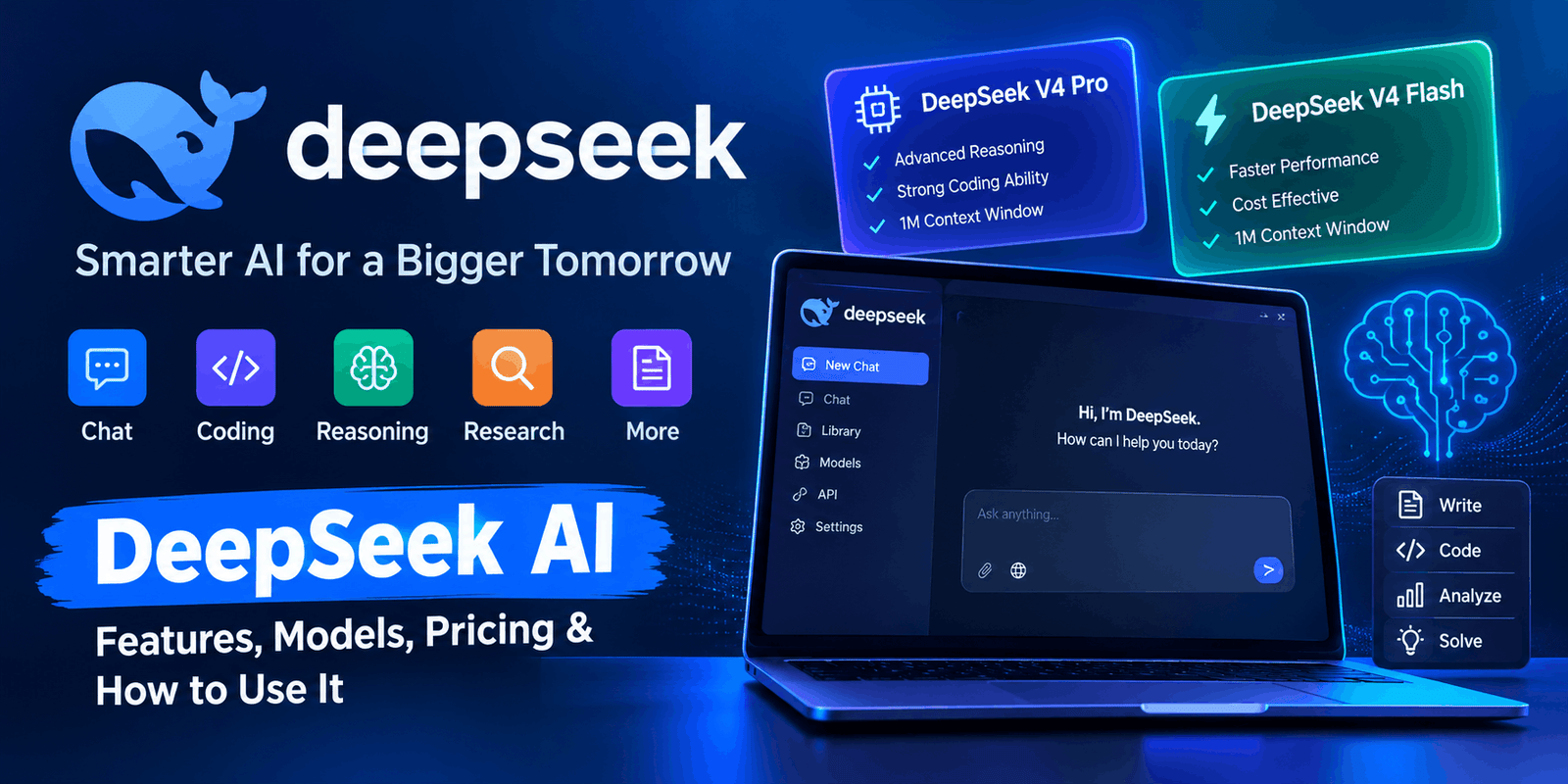
DeepSeek AI is an artificial intelligence platform designed for tasks such as writing, coding, reasoning, research, and problem-solving. It is developed by DeepSeek, an AI company focused on building advanced language models.
The platform has gained attention for its strong reasoning and coding abilities, as well as its focus on efficient AI models.
Today, DeepSeek offers web and mobile access for users, along with an API for developers who want to build their own applications. The official platform currently provides access to its latest V4 model family.
What Can DeepSeek Do?
DeepSeek can help with many everyday and professional tasks. For example, users can ask questions, write content, solve problems, analyze information, or get help with programming.
Here are some common uses.
1. Writing Content
DeepSeek can help users create and improve written content.
You can use it to:
- Write blog posts
- Create outlines
- Rewrite text
- Summarize information
- Write emails
- Generate ideas
- Improve grammar
- Create social media content
For instance, you can give it a topic and ask for a simple article outline. Then, you can improve the outline with additional instructions.
2. Coding
Coding is one of the major areas where DeepSeek is useful.
It can help developers:
- Write code
- Explain code
- Find bugs
- Fix errors
- Create functions
- Understand programming concepts
- Review existing code
- Plan software projects
In addition, the latest V4 models are designed with strong agent and coding capabilities. DeepSeek says V4 Pro includes enhanced agentic capabilities and strong performance on coding tasks.
3. Mathematics and Reasoning
AI reasoning is another important use case.
You can give the model a difficult problem and ask it to explain the solution step by step. This can be useful for mathematics, logic, programming, and other tasks that require careful reasoning.
However, users should still verify important answers because AI models can make mistakes.
4. Research and Information
DeepSeek can also help organize and explain information.
For example, you can ask it to compare two ideas, summarize a topic, create research notes, or explain a complex subject in simpler language.
As a result, it can be useful for students, researchers, writers, and professionals.
DeepSeek V4 Models
The current DeepSeek V4 family includes DeepSeek-V4-Pro and DeepSeek-V4-Flash. Both models support a 1M-token context length and offer thinking and non-thinking modes.
DeepSeek V4 Pro
V4 Pro is the more powerful model in the current V4 lineup.
It is designed for complex tasks, advanced reasoning, coding, and agent workflows.
DeepSeek says V4 Pro has 1.6 trillion total parameters with 49 billion active parameters and is designed to compete with leading closed models.
Therefore, V4 Pro can be a strong choice when a task needs more reasoning or advanced agent capabilities.
DeepSeek V4 Flash
V4 Flash is designed to be faster and more economical.
It has 284 billion total parameters with 13 billion active parameters. DeepSeek describes it as a faster and more cost-effective option while maintaining strong reasoning abilities.
For many everyday tasks, a faster model can be more practical than using the most powerful option.
What Is the 1M Context Window?
One of the notable features of the current V4 models is their 1 million token context length.
In simple terms, a large context window allows the model to work with a much larger amount of information in a single task.
This can be useful when working with:
- Long documents
- Large codebases
- Research material
- Extended conversations
- Large project files
DeepSeek says 1M context is now the standard across its official services.
DeepSeek AI Features
The platform offers several useful capabilities.
Thinking and Non-Thinking Modes
The V4 models support both thinking and non-thinking modes.
The thinking approach is useful when a task needs more careful reasoning. On the other hand, non-thinking responses can be useful when speed is more important.
DeepSeek also provides different thinking effort levels for V4 Pro and V4 Flash, allowing users to choose a lower or higher level based on the complexity of a task.
Agent Capabilities
Agent features allow AI models to handle more complex workflows instead of simply answering one question.
This can be useful for coding, research, and multi-step tasks.
The latest V4 release places a strong focus on agent capabilities.
API Support
Developers can connect DeepSeek to their own applications through its API.
The API supports OpenAI-compatible and Anthropic-compatible formats. Developers can use the current V4 Flash and V4 Pro models through the API.
This makes the platform useful not only for individual users but also for software developers and businesses.
Tool Calling
The current V4 models support tool calls.
This allows developers to build applications where the model can interact with external tools and workflows.
Therefore, DeepSeek can be used as part of larger AI applications rather than only as a chatbot.
Is DeepSeek Free?
Yes. DeepSeek provides free access through its consumer services.
Users can access DeepSeek through the official web experience and mobile app. The official website currently promotes free access to its intelligent model.
However, API usage is billed separately.
This means a person using the chatbot and a developer using the API may have different costs.
DeepSeek API Pricing
DeepSeek API pricing is based on the number of tokens used.
The current API documentation lists different prices for V4 Flash and V4 Pro. It also uses peak and off-peak pricing, with off-peak rates set at half of peak rates.
DeepSeek V4 Flash API
Current listed peak pricing includes:
- Cache-hit input: $0.014 per 1M tokens
- Cache-miss input: $0.44 per 1M tokens
- Output: $1.32 per 1M tokens
DeepSeek V4 Pro API
Current listed peak pricing includes:
- Cache-hit input: $0.044 per 1M tokens
- Cache-miss input: $1.32 per 1M tokens
- Output: $3.96 per 1M tokens
Off-peak prices are lower. DeepSeek notes that prices can change, so developers should check the official pricing page before calculating project costs.
How to Use DeepSeek
Getting started is simple.
Step 1: Open DeepSeek
Visit the official DeepSeek website and sign in or create an account.
Step 2: Start a Conversation
Enter your question or task into the chat box.
For example:
Explain artificial intelligence in simple English for a beginner.
Step 3: Give Clear Instructions
A detailed prompt usually gives the model more useful information.
You can tell it:
- What you want
- Who the audience is
- What format you need
- How long the answer should be
- What writing style to use
For example, instead of asking for “an article about AI,” you could request a beginner-friendly article with headings, examples, and FAQs.
Step 4: Review the Response
Read the answer carefully after it is generated.
AI can sometimes produce incorrect information. Therefore, verify important facts before using the result for business, education, or publication.
Step 5: Refine the Answer
If the first response is not suitable, give another instruction.
For example:
Make this section shorter and easier for beginners.
The model can then revise the content.
DeepSeek for Content Creation
DeepSeek can be useful for bloggers and content creators.
A content workflow could look like this:
Topic → Research → Outline → Draft → Editing → FAQs → Final Review
For example, you can ask the AI to create a blog outline first. Then, you can improve each section separately.
However, AI-generated content should not simply be published without editing.
Add your own examples, experience, research, and useful information. This helps create content that provides real value to readers.
DeepSeek for Developers
Developers can use DeepSeek for many programming tasks.
For example, you can ask it to explain an error, create a function, review code, or suggest a solution to a programming problem.
The V4 models are also designed for agentic coding workflows. DeepSeek has highlighted integrations with tools such as Claude Code, OpenClaw, and OpenCode.
In addition, the API supports OpenAI and Anthropic API formats, which can make integration easier for developers already familiar with those interfaces.
DeepSeek vs Other AI Chatbots
There are many AI assistants available today, including ChatGPT, Claude, Gemini, and others.
Each platform has different strengths.
DeepSeek stands out for its focus on reasoning, coding, open model development, long context, and cost-efficient API access.
However, the best AI tool depends on the user’s needs.
If you need writing assistance, coding help, research, or AI development, it can be worth testing several platforms before choosing one.
Advantages
There are several reasons users and developers may want to try DeepSeek.
Free Consumer Access
The official DeepSeek platform provides free access to its AI service.
Strong Coding Support
The V4 family places a strong focus on coding and agent workflows.
Large Context Window
The current V4 models support up to 1M tokens of context.
API Availability
Developers can integrate the models into their own applications.
Flexible Reasoning
V4 models support different thinking modes and reasoning effort levels.
Limitations to Consider
No AI tool is perfect.
AI Can Make Mistakes
DeepSeek can sometimes produce incorrect or incomplete answers. Important information should be verified.
API Costs
Although consumer access is free, developers pay for API usage based on token consumption.
Features Can Change
AI platforms update their models and features regularly. Therefore, information about pricing or model availability can become outdated.
Privacy Matters
Before entering sensitive information into any online AI service, users should review the platform’s privacy and data policies.
Is DeepSeek Worth Trying?
For people interested in AI chatbots, coding, reasoning, and AI development, DeepSeek is worth exploring.
The free consumer service makes it easy to test the platform. Meanwhile, the V4 model family offers a large context window, advanced reasoning, agent features, and API access.
Developers can also use the API to build applications around the V4 models.
Therefore, DeepSeek can be useful for both casual users and technical teams.
Frequently Asked Questions
What is DeepSeek AI?
DeepSeek AI is an artificial intelligence platform that provides models for chat, reasoning, coding, research, and AI development.
Is DeepSeek free?
Yes. DeepSeek provides free access through its consumer web and mobile services. API usage is charged separately.
What is DeepSeek V4?
DeepSeek V4 is the company’s current model family. It includes V4 Pro and V4 Flash, with support for a 1M-token context window.
What is DeepSeek V4 Pro?
V4 Pro is the more powerful model in the V4 lineup. It is designed for advanced reasoning, coding, and agent workflows.
What is DeepSeek V4 Flash?
V4 Flash is a faster and more economical model designed for efficient AI workloads.
Can DeepSeek write code?
Yes. DeepSeek can generate, explain, review, and troubleshoot code. Its current V4 models also focus strongly on agentic coding tasks.
Can developers use DeepSeek API?
Yes. Developers can integrate DeepSeek models into applications through the API. The API supports OpenAI-compatible and Anthropic-compatible formats.
Does DeepSeek have a mobile app?
Yes. DeepSeek provides a mobile app in addition to its web service.
Final Thoughts
DeepSeek has grown into a powerful AI platform for everyday users, developers, and businesses. It can help with writing, coding, research, reasoning, and complex AI workflows.
The latest V4 family adds a 1M-token context window, flexible thinking modes, stronger agent capabilities, and API support.
For beginners, the free consumer service provides an easy way to explore AI. For developers, the API offers a way to build applications using DeepSeek’s latest models.
If you are looking for an AI tool for coding, reasoning, writing, or AI development, DeepSeek is a platform worth exploring.



3 Comments