Perplexity AI: Features, Uses, Benefits, and Complete Guide
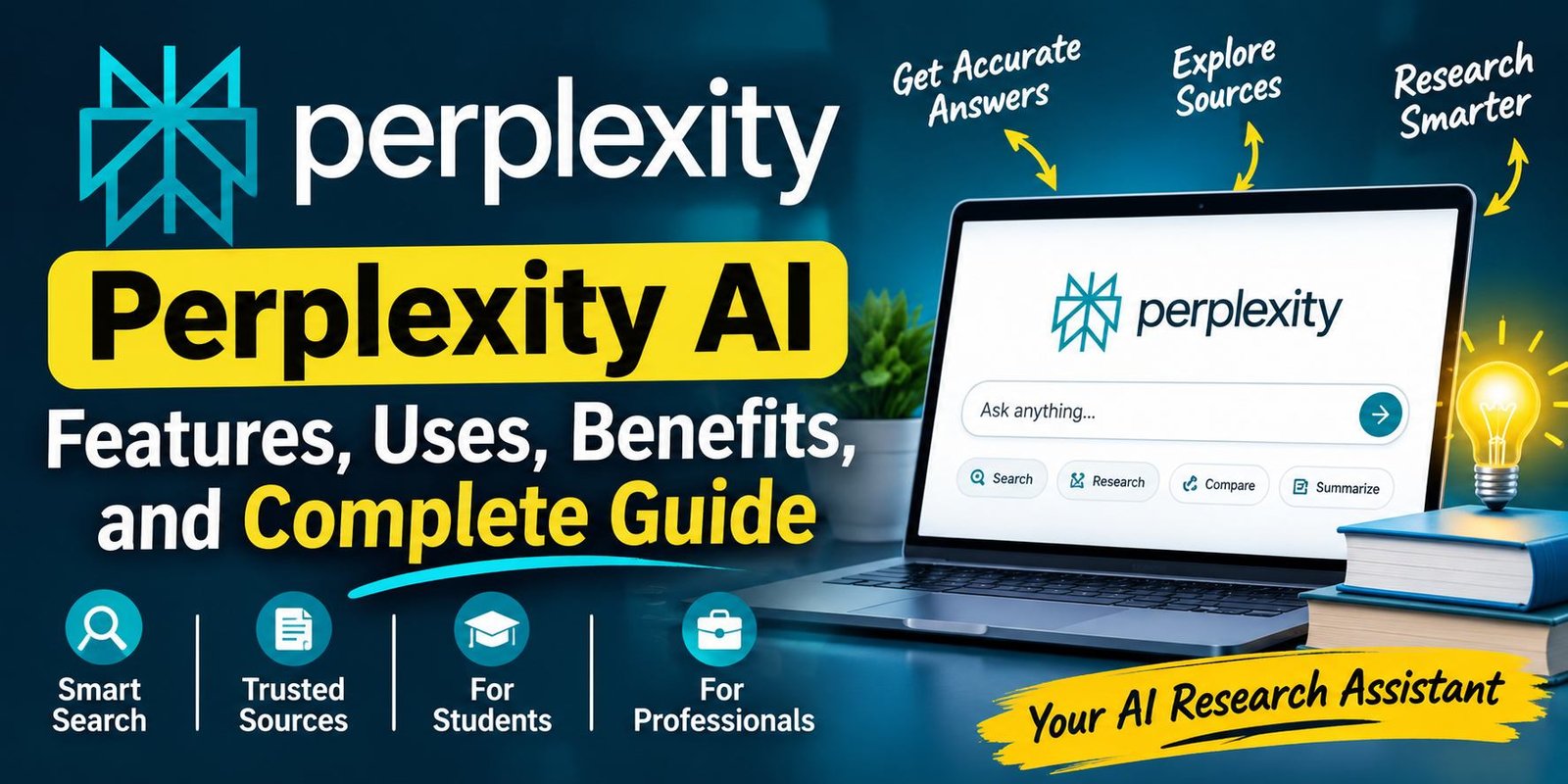
Perplexity AI is an AI-powered search and research tool that helps people find useful information from the internet. It answers questions in natural language, summarizes relevant information, and provides source links so users can explore the original content. Whether you are a student, blogger, researcher, or professional, this tool can make online research easier and help you understand unfamiliar topics.
This approach can be useful when you are learning a new skill, comparing technology products, preparing a report, or exploring a complicated subject. You can begin with a simple question and then continue with more specific requests.
However, using an AI research service requires some care. A well-written answer is not necessarily a correct answer. You still need to examine the references, check important details, and use your own judgment.
This guide explains how the platform works, what you can do with it, where it can help, and what to consider before depending on it for research.
Understanding Perplexity AI
Perplexity AI is an online AI-powered search and answer service. It is designed to help people find information through conversational questions.
Think of a situation where you want to learn about computer processors. You could visit several technology websites, read product explanations, and compare different articles. Alternatively, you can ask the platform to explain how processors work and identify the differences between common processor types.
It attempts to collect relevant information and present a readable answer. References are included so you can visit the original pages and learn more.
The service is not simply a replacement for every traditional search engine. It offers another way to explore information, particularly when you want an explanation rather than a list of pages.
People may use it for:
- Learning about unfamiliar subjects.
- Exploring technology and software.
- Finding information for school projects.
- Comparing products and services.
- Preparing early research notes.
- Understanding recent developments.
- Discovering useful websites and documents.
It is available through its website and supported mobile applications. Some additional tools and usage limits depend on the account and subscription.
What Makes Its Search Experience Different?
Traditional search usually begins with keywords. You enter a phrase, receive a list of results, and decide which pages deserve your attention.
A conversational answer engine changes that process. You can describe what you want to know in a complete question. The system then attempts to interpret your request, search for relevant material, and prepare a response.
For example, compare these two searches:
Traditional keyword search: Best laptops for students.
Conversational research question: What should a university student consider when choosing a laptop for programming, online classes, and everyday work?
The second question gives more context. It explains the intended user and the tasks that matter.
The platform can use that information to prepare a more focused answer. You can then ask about memory, storage, battery life, or processor requirements.
This makes the experience feel more like a research conversation. Nevertheless, the quality of the response depends on the question, available sources, and the system’s interpretation.
How the Platform Produces Answers
Perplexity AI Understanding the basic process helps you use the service more effectively. Although its underlying technology is complex, the general workflow can be explained in a few stages.
Step 1: It Interprets Your Request
When you enter a question, the system examines its meaning and context.
A request such as “Explain computer memory” is broad. It could refer to RAM, storage, or memory management. A more detailed question can reduce confusion.
For example, you could ask, “Explain the difference between RAM and storage to someone buying their first laptop.”
Now the intended subject and audience are clearer.
Step 2: It Looks for Useful Material
The service searches for information that may answer the question. Depending on the subject, it can identify relevant articles, documentation, research pages, and other online resources.
The usefulness of the findings depends on the available material. A topic with strong official documentation may produce more dependable references than a subject with limited or conflicting information.
Step 3: It Organizes the Findings
After finding relevant material, the system uses an AI model to prepare a response.
It may combine related points, explain technical terms, and arrange information into sections. The result is intended to be easier to read than a collection of unrelated search snippets.
However, summarizing several sources can sometimes remove important context. This is why the original pages remain valuable.
Step 4: It Shows References
The response may include links to the websites used during the research process.
These links give you a way to investigate the information independently. You can check publication dates, read full explanations, and compare different viewpoints.
Do not assume that every citation proves the sentence beside it. Open the source and confirm that it supports the claim.
Step 5: It Continues the Discussion
You can ask another question without starting the entire process again.
Suppose you first ask about electric vehicles. After receiving an explanation, you could ask how battery warranties work or why charging speeds differ.
Follow-up questions make it possible to move from a general introduction to a more detailed investigation.
Features That Can Make Research Easier
The platform includes several features and modes intended for different types of questions. Availability can vary by plan, region, and product updates.
Conversational Search
Conversational search is the main part of the experience. It allows you to ask questions using ordinary language.
You do not need to create a perfect list of search terms. Instead, explain what you are trying to understand.
For example:
- Why does a laptop become hot during gaming?
- What is the purpose of a graphics card?
- How does two-factor authentication protect an account?
- What should a beginner know about website hosting?
- Why do some smartphones receive software updates for longer?
The system attempts to provide an explanation that matches your question.
This feature is especially useful when you are not sure which technical terms to search for.
Follow-Up Research
Perplexity AI single answer may not cover everything you need. Follow-up questions allow you to investigate smaller parts of a subject.
Imagine you are researching website hosting. Your first question might ask what hosting means. You can then explore shared hosting, cloud hosting, server resources, backups, and security.
Each question helps narrow the subject. This is a practical way to build understanding gradually.
Pro Search
Pro Search is an advanced research option intended for questions that need additional investigation.
A basic request might ask for the meaning of cybersecurity. A more demanding request could compare security approaches used by small businesses and large organizations.
Advanced search modes can explore a question more deeply and provide a more developed response. Their availability and usage limits depend on the current subscription.
Deep Research
Deep Research is intended for larger research tasks that involve several related questions and sources.
For example, a person planning to start an online store might need to investigate payment systems, shipping options, website platforms, customer support, and security.
Rather than treating each subject as completely separate, a research process can organize the findings into a broader report.
This can be helpful for early planning and background research. Still, check the original sources before using the report in a business decision or formal publication.
Source References
References are an important part of the research experience.
They help users move beyond a generated summary and inspect the material behind it. This is valuable when a response includes technical details, statistics, product information, or recent developments.
For stronger results, give priority to:
- Official product documentation.
- Government information pages.
- Original scientific studies.
- University research.
- Statements from the relevant organization.
- Reputable publications with clear editorial standards.
A large number of references does not automatically mean that an answer is reliable. Source quality matters more than source quantity.
File-Based Questions
Depending on your plan and the available tools, you may be able to provide documents and ask questions about their contents.
For example, a user reviewing a lengthy PDF could ask for its main subject, important sections, or an explanation of unfamiliar terms.
A business professional might use this approach to review a report. A student could use it to understand a reading document.
Always compare important summaries with the original file. Pay particular attention to numbers, dates, quotations, and instructions.
Spaces and Research Organization
Organizing research becomes important when you work on several subjects at once.
Spaces or project-related features can help keep related conversations and materials together, depending on the tools available in your account.
A student might organize separate research areas for different courses. A content creator could keep notes for individual website topics.
This can make ongoing work easier to manage because related information is less likely to become mixed with unrelated conversations.
Model Choices
Some subscription options provide access to different Perplexity AI models or advanced modes.
Different models may be suited to different tasks. For example, a research question may need strong reasoning, while another request may focus on explaining a technical concept in simple language.
Available model choices can change as the service develops. Check the current interface for the models included in your account.
Creative and Image Tools
Some plans may provide access to image-generation or other creative capabilities.
These tools can help explore visual concepts for presentations, projects, and online content. Their availability and limits may differ from ordinary search features.
Generated visuals should be reviewed before publication. AI-created images can contain inaccurate details, unusual text, or misleading representations.
How to Start Using Perplexity AI
You do not need advanced technical knowledge to begin. A clear question and a little practice are enough for basic research.
Visit the Official Website
Open:
Check the website address before entering your account details. This is a useful habit when using any online service.
Sign In or Explore Available Access
Follow the sign-in instructions shown on the website. Account options and available features may change over time.
Some basic search access may be available without subscribing to a paid plan. Signing in can provide access to account-based features, depending on the current offering.
Write a Complete Question
Use the search box to explain what you want to learn.
Instead of typing only “Wi-Fi,” try:
“Explain how a home Wi-Fi router sends an internet connection to different devices.”
A complete question gives the system more context and helps it understand your goal.
Read the Response Carefully
Look at the explanation and its references. If you find an important statement, open the linked page and verify it.
Do not skip this step when researching prices, technical specifications, product releases, or other information that can change.
Continue With More Specific Questions
Ask for clarification when the response is too general.
You could request:
- A beginner-friendly explanation.
- A comparison of two options.
- A list of advantages and disadvantages.
- An example from everyday life.
- A summary of the most important points.
Specific follow-up questions often produce more useful results than repeating the original request.
Keep Useful Research Organized
If your account provides saved history or project features, use them to organize important conversations.
You can keep research for different projects separate and return to it when needed.
Practical Uses for Students
Students can use an Perplexity AI research assistant as a learning aid. It can help explain topics, discover reading material, and prepare revision notes.
Understanding Difficult Lessons
Some educational subjects include unfamiliar language and complicated explanations.
A student studying computer networking, for example, might find the difference between a router, modem, and network switch confusing.
They can request a simple explanation with everyday examples. This can make the subject easier to approach before returning to the textbook.
Exploring Assignment Topics
An assignment often begins with a broad subject. Students may not know which areas deserve attention.
They can use conversational research to discover related questions, important terms, and possible sources.
However, they should read the original material and follow their institution’s rules for AI assistance.
Preparing Revision Material
The service can help organize a chapter into a list of major ideas.
A student might request short definitions, practice questions, or a revision outline.
These materials can support study sessions, but students should check them against their course syllabus.
Practicing Explanations
Learning becomes stronger when you can explain an idea in your own words.
Students can ask for a topic to be explained at different levels of difficulty. They can then attempt to describe it without looking at the answer.
This approach encourages understanding rather than simply copying generated text.
How Bloggers and Content Creators Can Use It
Perplexity AI Online publishers need to research subjects before writing useful articles. An AI search service can help with the preparation stage, but it should not become the author of an entire website.
Discovering Reader Questions
A writer can explore the questions people may have about a subject.
For example, a guide about laptop battery problems could cover charging habits, battery health, power settings, and troubleshooting.
These ideas can help a writer plan sections that answer real reader concerns.
Checking Technical Background
Technology topics often contain terms that are unfamiliar to general readers.
A writer covering cloud computing may need to understand servers, data storage, virtualization, and network access.
An AI explanation can provide an introduction. The writer should then confirm technical details through reliable documentation.
Building a Research Outline
You can request a list of subjects that deserve attention in an article.
Use that list as a planning aid, not as a final structure that must be followed word for word.
Add your own examples, practical steps, and original explanations. Remove sections that do not help the reader.
Verifying Product Information
Product articles require careful research because specifications, prices, and availability can change.
Use official manufacturer pages for technical specifications. Check current retailer information for prices and availability.
Never publish a product claim simply because an AI response presents it confidently.
Improving Content Quality
The platform can help a writer identify unfamiliar terms or discover additional sources.
However, originality comes from the writer’s own research, reasoning, experience, and presentation. Changing the wording of an existing article is not enough to create genuinely valuable content.
Business and Professional Applications
Professionals can use conversational research to prepare for projects, understand unfamiliar industries, and organize background information.
Exploring a New Market
A business owner considering a new product category may need to understand customer needs, competitors, and industry developments.
An initial research session can identify areas that deserve further investigation.
Before investing money, confirm findings through reliable industry data, customer research, and direct market evidence.
Comparing Software Services
Businesses often need to compare software platforms.
A research question might cover their main functions, supported integrations, intended customers, and limitations.
The final decision should also consider actual costs, security requirements, customer support, and the company’s existing systems.
Preparing Internal Documents
Research summaries can provide background material for meetings and internal reports.
Employees should review the information and keep links to important sources. This allows colleagues to check the evidence instead of relying on an unexplained AI summary.
Learning About Industry Changes
Professionals can explore new technical developments and industry terms.
For example, a person working in digital marketing might research changes in online advertising or analytics tools.
The platform can provide an introduction, while official announcements and specialist publications offer additional detail.
Free and Paid Access: What Should You Know?
The service offers different access options. Features, plan names, usage allowances, and prices may change.
For this reason, check the official website before making a payment.
Free Access
The free option is a reasonable starting point for people who want to explore conversational search.
It may suit users who:
- Ask occasional questions.
- Need basic online research.
- Want to explore unfamiliar topics.
- Prefer answers with source links.
- Do not regularly use advanced tools.
Some advanced features may have restrictions or separate subscription requirements.
Pro Subscription
The Pro option is intended for users who need more frequent access to advanced research capabilities.
Depending on the current offering, it may provide additional model choices, higher limits, file-related tools, and other advanced features.
It may be useful for people who research regularly for education, work, or content creation.
Max Subscription
Max is aimed at users with heavier research and productivity needs.
It may offer higher access to selected tools compared with lower subscription levels. The exact benefits should be checked on the official plan page.
Choosing the Right Option
Do not pay for features that you rarely use.
Start by identifying your main requirement. If you only need occasional answers, basic access may be enough. If you frequently prepare detailed reports or use advanced research modes, compare the paid options.
Official plan information is available at:
Perplexity AI and ChatGPT: Understanding the Difference
Both services use AI, but they offer different experiences and strengths.
Perplexity places a strong emphasis on online search, research, and cited answers. ChatGPT is a general-purpose assistant that can support writing, brainstorming, explanations, coding, and other tasks.
When Research Is Your Main Goal
Perplexity can be a useful starting point when you want to explore a subject and inspect the references behind an answer.
ChatGPT can also search the web when its search tools are available. It can help explain findings, discuss different viewpoints, and organize information.
When Writing Is Your Main Goal
ChatGPT can assist with drafting, rewriting, planning, and creative tasks.
Perplexity can help gather background information and develop an understanding of a topic before writing begins.
When You Need to Check Sources
Both services can provide source links in supported search experiences.
The important point is not which interface displays more links. What matters is whether the sources are relevant, trustworthy, and actually support the statements.
Which Should You Use?
Choose according to the work you need to complete.
For online research, Perplexity is worth exploring. For broader conversational and writing assistance, ChatGPT may be more suitable.
You can also use both during a project: research a topic first, verify the findings, and then use a writing assistant to organize your own ideas.
Advantages of Using Perplexity AI
The platform offers several benefits when users understand its purpose and limitations.
A More Direct Research Experience
Instead of starting with a long list of search results, users can receive an organized explanation. This can make an unfamiliar topic easier to approach.
Easier Discovery of Sources
References give users a path to the original material. This can help when they want to investigate a claim or find further reading.
Natural Question Writing
Users can describe their information needs in ordinary language. They do not need to know every technical keyword before starting.
Useful Follow-Up Conversations
Related questions can be asked in the same conversation. This helps users explore a subject gradually.
Support for Different Types of Work
Students, writers, researchers, and professionals can use the platform for different purposes.
Options for More Detailed Research
Advanced research tools may help with questions that involve several subjects and sources.
Important Limitations
AI research tools can save time, but they should not be treated as final authorities.
Incorrect Information Is Possible
The system may misunderstand a question or produce an inaccurate explanation.
A confident tone does not prove that a statement is correct.
Online Sources Vary in Quality
Some websites publish incomplete, outdated, or misleading information.
Check who created a source, when it was published, and whether it provides evidence for its claims.
References Need to Be Checked
A link beside an answer is a starting point for verification, not a guarantee of accuracy.
Open the page and read the relevant information yourself.
Advanced Features May Be Restricted
Some tools require a paid plan or have usage limits.
Review the current subscription details before relying on a particular feature for regular work.
Broad Questions Can Produce General Answers
A question without enough context may lead to a response that does not match your real needs.
Explain your audience, purpose, and preferred level of detail to improve the request.
Privacy Should Not Be Ignored
Avoid sharing passwords, private financial information, confidential business files, or personal records without understanding the service’s data policies.
Organizations should follow their own security rules before uploading internal material.
Ways to Get More Useful Answers
The quality of your research depends partly on how you ask questions. These simple habits can improve the process.
Explain the purpose. Tell the system whether you are studying a subject, comparing products, or preparing a business report.
Give enough context. Mention the device, software version, audience, or situation when it affects the answer.
Ask for current information. When researching a changing subject, specify the relevant date or year.
Request original sources. Ask for manufacturer documentation, official announcements, government pages, or original studies.
Use follow-up questions. If an explanation is unclear, ask about one specific part rather than repeating the whole request.
Check important facts. Verify numbers, dates, prices, and technical claims through the original sources.
Compare viewpoints. When a topic is disputed, review more than one credible source.
Keep your own judgment involved. Treat AI-generated research as assistance, not as a substitute for careful thinking.
Is It Suitable for Everyday Research?
For many ordinary questions, a conversational search service can be convenient.
You might use it to understand a technical term, learn about a new subject, compare general concepts, or discover sources for further reading.
For example, someone who wants to understand the difference between Wi-Fi 6 and Wi-Fi 7 could begin with a simple question. They could then ask about speed, compatibility, and practical benefits.
This is a useful learning process because it starts with a broad explanation and moves toward details.
However, some subjects require more careful investigation. Medical, legal, financial, and safety-related decisions should not depend on an AI-generated response alone. Consult qualified professionals and authoritative sources when necessary.
Frequently Asked Questions
What is Perplexity AI mainly used for?
It is mainly used to search for information, answer questions, explore subjects, and organize research findings. It can also support certain file and advanced research tasks, depending on the available plan.
Can I use Perplexity AI without paying?
A free access option is available. It can be suitable for basic searches and occasional research. Some advanced capabilities may require a subscription.
Does it show where its answers come from?
The platform can display references and links alongside its answers. Users can open these pages to inspect the original material.
Is it useful for school and university work?
It can help students understand subjects, discover reading material, and prepare revision notes. Students should follow their institution’s rules and verify information before including it in assignments.
Can bloggers use it for article research?
Yes. Bloggers can use it to explore topics, identify reader questions, and find background sources. They should write original explanations and independently verify facts before publishing.
Is it the same as a traditional search engine?
No. Traditional search engines generally present a list of pages. This service focuses on preparing conversational answers using AI and providing references to relevant sources.
Is Perplexity Pro necessary?
Not for everyone. People with occasional research needs may find free access sufficient. A paid plan may be worth considering when advanced tools or higher usage limits are important.
Can it make mistakes?
Yes. It can misunderstand questions, summarize information incorrectly, or rely on weak sources. Always verify important claims.
Can it help with product comparisons?
It can organize information about different products and explain their features. Check current prices, availability, and specifications through official product pages before purchasing.
Is it available on smartphones?
The service can be accessed through its website and supported mobile applications. Availability may vary by device and region.
Final Verdict
Perplexity AI provides an alternative way to search for and understand online information. Its conversational approach can make research feel more direct, while source references give users an opportunity to investigate the original material.
It can be useful for learning, writing preparation, product research, and professional tasks. Advanced tools may also support larger research projects.
The most effective way to use it is to remain involved in the research process. Ask clear questions, inspect references, compare important claims, and add your own understanding.
An AI tool can make information easier to explore, but good research still depends on careful reading and sound judgment.