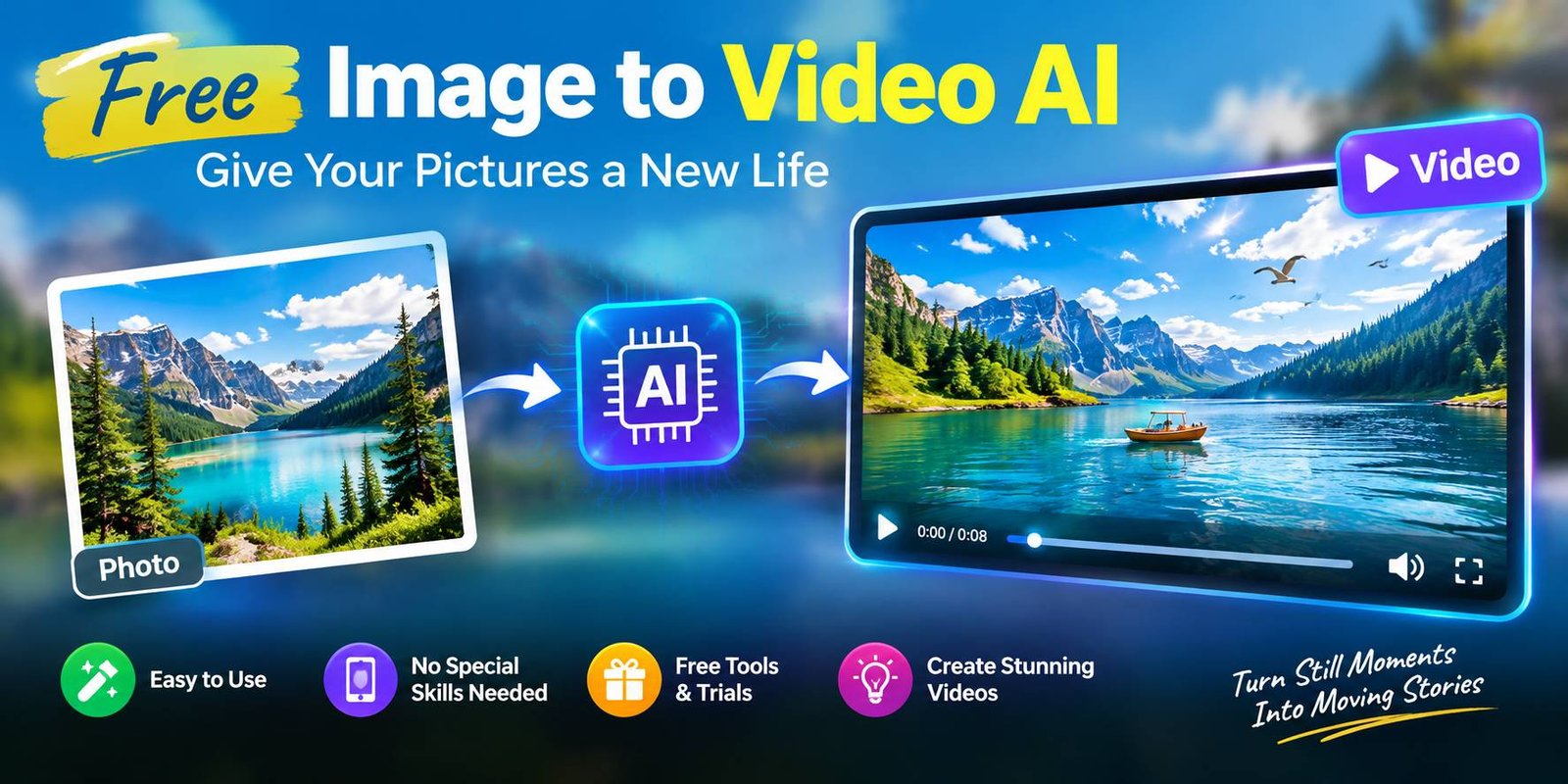
Free Image to Video AI: Give Your Pictures a New Life
Free image to video AI technology gives beginners a way to experiment with animation without purchasing professional editing software. A picture of a rainy street can become a moving city scene, while an illustration of a bird can be transformed into a creative animated clip.
The process is simple in principle: provide a picture, explain the movement you imagine, and let the software generate a video. However, the quality of the result depends on the image, your instructions, and the capabilities of the chosen platform.
This article explains how the technology works, how to prepare your images, and how to use the results responsibly.
Understanding AI-Powered Photo Animation
Traditional animation often requires artists to create or adjust many individual frames. AI-based animation approaches the task differently by predicting how a scene might change over time.
For example, imagine a photograph of a street market. You might want the fabric above the stalls to sway, sunlight to shift across the pavement, and the camera to move forward slowly. An image-to-video model attempts to create those visual changes while retaining the general appearance of the original scene.
The generated clip is not a recording of something that actually happened. It is a computer-generated interpretation of your image and instructions.
Free-image-to-video-ai access also differs between providers. One platform might give new users a limited trial, while another may provide a small number of credits. Some features, including high-quality exports, may require payment.
Preparing an Image Before Animation
The source picture plays an important role in the final result. A little preparation can help you avoid unnecessary attempts.
Choose a Clear Subject
Select an image in which the main object is easy to recognize. A single flower, a mountain road, or a cup of coffee on a table can provide a straightforward starting point.
When the picture contains too many overlapping objects, the generated movement may become less predictable.
Check the Lighting
Images with visible details and balanced lighting are often easier to work with. Very dark areas can hide important features, while extremely bright areas may lose texture.
You do not need a perfect photograph. You simply need an image that communicates the scene clearly.
Think About the Intended Motion
Before uploading anything, decide what should happen in the clip. Perhaps the camera should approach the subject, tree branches should move in the wind, or water should flow gently.
Having one clear objective makes it easier to describe the desired result.
Creating an Animated Clip From Start to Finish
Although every platform has its own interface, the general workflow is easy to understand.
Step 1: Find a Suitable Online Service
Look for an AI generator that specifically supports image-based video creation. Read its current pricing information and confirm that the free option includes the feature you intend to use.
Check whether registration is required and whether the service allows you to download the completed video.
Step 2: Upload Your Photograph
Choose the image you prepared earlier. If the platform provides cropping or framing options, adjust the picture to suit your intended video format.
Keep a copy of the original image so you can compare it with the generated result.
Step 3: Describe the Scene in Words
Many generators accept a written prompt. Rather than simply typing “make this picture move,” explain the action you want to see.
Here is an example for a countryside photograph:
“Create a gentle morning scene. Let thin clouds drift above the hills while the grass moves slightly in the breeze. Use a slow forward camera movement and maintain the natural appearance of the landscape.”
The instructions identify the movement, the atmosphere, and the camera behavior without introducing too many competing actions.
Step 4: Review the Generated Preview
After processing finishes, watch the entire clip. Check whether the movement looks believable and whether the important features of the original photograph remain recognizable.
If the result contains unwanted changes, consider simplifying your instructions before generating another version.
Step 5: Save the Final Video
When you are satisfied, export the clip if the service permits it. Check the available file format, resolution, watermark policy, and usage permissions before publishing it elsewhere.
Interesting Projects You Can Create
Photo animation can serve practical purposes as well as creative experiments.
Animated Scenes for Storytelling
Writers and video creators can use illustrated locations as the starting point for short scenes. A deserted railway platform, an old house, or a misty forest can become part of a visual story.
For consistent characters, use prompts carefully and inspect each generated scene because AI may change a character’s appearance between clips.
Eye-Catching Website Graphics
Website owners can experiment with subtle motion to support an article or explain an idea. For example, an animated illustration might help introduce a travel destination or a nature-related topic.
Keep decorative videos relevant to the page and avoid effects that make reading difficult.
Creative Business Presentations
A business presentation can sometimes benefit from an animated visual instead of a static photograph. A carefully generated background scene may help establish the mood of a project.
For products, however, verify every visible detail. AI-generated motion can change the shape, label, or appearance of an item.
Digital Art Experiments
Artists can test how their illustrations look with moving backgrounds, drifting particles, or gradual camera changes. This approach offers a way to explore motion without manually drawing every frame.
Personal Memory Projects
Some generators can add subtle movement to old family photographs or travel pictures. Use this feature thoughtfully, especially when the free-image-to-video-ai include people who have not agreed to be animated.
What to Examine in a Free AI Generator
A service should be judged by more than the word “free” on its homepage.
Available Credits
Find out how many generations are included and whether credits renew. A service that provides only a small trial might be useful for testing but unsuitable for a large project.
Export Restrictions
Some platforms limit resolution, add a watermark, or restrict downloads on free accounts. Make sure the output meets your needs before spending time generating several clips.
Creative Controls
Look for options that help you direct the animation. These may include prompt instructions, camera movement, image guidance, or adjustments to motion intensity.
Reliability of Results
A useful generator should produce results that are reasonably close to your instructions. Try a simple image first to assess how well the service handles the kind of content you intend to create.
Data Handling
Review the platform’s privacy information before submitting personal or business images. Also check whether uploaded material may be retained or used to improve the provider’s services.
Common Problems and How to Improve Them
Free image to video ai animation can produce unexpected results. Understanding common problems makes experimentation easier.
The Image Changes Too Much
Sometimes the generated clip alters the subject instead of preserving its appearance. Try requesting minimal movement and explicitly asking the system to retain the original composition.
The Animation Looks Unnatural
Movement that is too fast or complicated may produce distracting effects. Reduce the number of actions and use more restrained instructions.
Objects Become Distorted
Hands, faces, small text, and intricate structures can be difficult for some models to reproduce consistently. Inspect these details closely, particularly when the video represents a real person or product.
The Result Does Not Match the Prompt
A prompt describes your intention, but it does not guarantee the model will follow every instruction. Change one part of the prompt at a time so you can identify which wording produces a better result.
Responsible Use of AI-Generated Videos
Animated images can appear convincing even when the depicted movement never occurred. This matters when creating content involving real people, public events, or commercial products.
Obtain appropriate permission before animating photographs of other people. Avoid presenting a synthetic scene as genuine footage when that could mislead viewers.
If you intend to publish a video commercially, examine the terms governing both the original image and the generated output. A free account does not necessarily provide unrestricted commercial rights.
For sensitive images, choose a service whose privacy practices meet your requirements or avoid uploading the material altogether.
Frequently Asked Questions
Can I create an animated video without paying?
Yes, some services offer free credits, introductory trials, or limited free accounts. The available features vary, so check the provider’s current terms.
Does this technology work with illustrations?
Many free-image-to-video-ai generators accept illustrations as well as photographs. Results depend on the image style and the model’s capabilities.
Can I make a vertical video for social media?
That depends on the platform’s supported aspect ratios and export settings. Check the available dimensions before starting your project.
Why does a generated video sometimes contain visual errors?
The AI creates new frames based on patterns learned during training. It may struggle with complex movement or fine details, causing objects to change shape or appearance.
Is an AI-generated clip suitable for commercial use?
It may be, but you should check the service’s licence, the rights associated with the original image, and any relevant publishing rules before using the clip commercially.
What is the best way to start?
Choose a simple image and describe a single movement. Once you understand how the generator responds, experiment with different camera directions, speeds, and visual styles.
Conclusion
AI-powered image animation provides a new way to work with photographs, illustrations, and digital artwork. Instead of leaving every picture unchanged, you can explore how movement might improve a story, presentation, or creative project.
Begin with a clear image, decide what you want the viewer to notice, and describe that action in straightforward language. Review the output carefully and adjust your instructions when necessary.
Before choosing a free service for regular use, compare its credit allowance, export restrictions, privacy practices, and licensing terms. These details matter just as much as the quality of the animation itself.