: OpenWrt Explained: Features, Uses, Performance and Setup
Introduction
Modern internet connections depend on routers to connect computers, smartphones, televisions, smart home devices, and other network equipment. Most routers come with built-in software that handles everyday networking tasks. While this software is convenient, it does not always provide enough control for people who want to customize their network. This is where OpenWrt becomes an interesting option.
OpenWrt is a Linux-based firmware distribution created for routers and embedded networking devices. It gives users access to a more flexible operating environment where they can manage network traffic, configure wireless connections, install additional software, and adjust security settings. Instead of being limited to the features selected by a router manufacturer, users can choose from a wide range of supported networking tools.
The project is particularly interesting because it combines an established Linux foundation with software designed specifically for networking hardware. It can turn a compatible router into a customizable networking platform for homes, laboratories, small offices, and technical learning environments.
Whether someone wants to understand router firmware, experiment with network configurations, or manage connected devices more effectively, OpenWrt offers several possibilities. Understanding its architecture, capabilities, and limitations is important before deciding whether it is the right choice.
Understanding the Purpose of OpenWrt
OpenWrt is designed to give users greater freedom when managing compatible networking devices. Traditional router firmware is generally developed around a manufacturer’s selected features. These may include wireless configuration, parental controls, password management, and basic firewall settings.
OpenWrt follows a different approach. It provides a broader software environment that can be adapted to different networking requirements. Users can configure the operating system through a graphical interface, command-line tools, or configuration files.
Its modular design is an important part of this approach. Rather than including every possible networking application in every installation, OpenWrt allows users to add supported packages when they need additional functionality.
For example, someone managing a home network may want basic routing and wireless access. Another user might require network monitoring, additional firewall controls, or a VPN configuration. The available software packages make these different setups possible on supported hardware.
OpenWrt is maintained as an open-source project, which means developers and contributors can inspect its code, report problems, improve features, and participate in development.
The Technology Behind OpenWrt
OpenWrt is built around several software components that work together to operate a networking device. Understanding these components helps explain why the system offers more configuration freedom than many standard router interfaces.
Linux-Based Architecture
The Linux kernel handles communication between the operating system and the router’s hardware. It manages memory, processor resources, device drivers, and important networking operations.
Because OpenWrt uses Linux, it benefits from a mature ecosystem of networking technologies. However, hardware support still depends on the drivers and device-specific work available for each router.
System Configuration
OpenWrt uses configuration files and supporting services to manage network interfaces, wireless settings, system behavior, and other functions.
This approach makes configurations easier to inspect and reproduce. Experienced administrators can work directly with configuration files rather than depending entirely on graphical settings.
Network Services
A router needs several services to provide normal internet connectivity. These may include DHCP, DNS forwarding, routing, and firewall management.
OpenWrt provides tools for configuring these services according to the needs of a particular network.
Software Packages
The package system allows users to add compatible applications and utilities.
Package availability depends on the device architecture, firmware release, storage capacity, and configured software repositories. This is why not every application is available for every router.
OpenWrt Features That Make It Different
The value of OpenWrt comes from the level of control it offers. Its features can support simple networking arrangements as well as more advanced environments.
Flexible Routing Options
Routing determines how information moves between different networks. OpenWrt provides configuration options for managing routes, interfaces, and gateways.
Users can create network arrangements that separate different groups of devices. For example, computers used for everyday work can remain on a primary network while guest devices connect through a separate network.
These configurations are useful when a router needs to handle more than one type of connection.
Detailed Wireless Controls
Wireless performance depends on several factors, including hardware quality, signal strength, interference, channel selection, and device compatibility.
OpenWrt provides access to wireless settings that may be hidden or unavailable in some manufacturer interfaces.
Depending on the supported wireless hardware, users can configure network names, encryption settings, channels, frequency bands, and access point behavior.
It is important to remember that software cannot create wireless capabilities that the physical router does not support.
Network Segmentation
Network segmentation divides a larger network into smaller sections. This can help separate devices according to their purpose.
A home network, for example, might contain computers, visitors’ smartphones, and smart home equipment. Keeping these groups separate can reduce unnecessary communication between devices.
OpenWrt supports network interfaces, VLAN configurations on compatible hardware, and firewall rules that help administrators build these arrangements.
Traffic Prioritization
When many devices share one internet connection, some applications may compete for available bandwidth.
OpenWrt supports traffic management solutions that can prioritize selected network activities. This can be useful when video meetings, online learning, or other time-sensitive applications need more consistent performance.
Traffic management does not increase the bandwidth purchased from an internet provider. Its purpose is to manage how existing network capacity is used.
DNS Configuration
DNS translates domain names into IP addresses so devices can locate online services.
OpenWrt allows administrators to configure DNS-related services and forwarding behavior. Depending on the installed software, users can also explore additional DNS features.
Correct DNS configuration can improve network administration and help apply consistent settings across connected devices.
Firewall Customization
A firewall controls which network connections are permitted or restricted.
OpenWrt provides detailed firewall configuration through its administration interface and underlying system tools.
Administrators can create rules for different network zones, interfaces, and traffic types. This is particularly useful when a network contains several groups of devices with different access requirements.
Additional Software Support
The OpenWrt package ecosystem allows users to extend the router beyond its original basic purpose.
Available software can provide monitoring, network services, additional security functionality, and administrative utilities.
The main advantage is that users can select tools according to their requirements instead of installing unnecessary features.
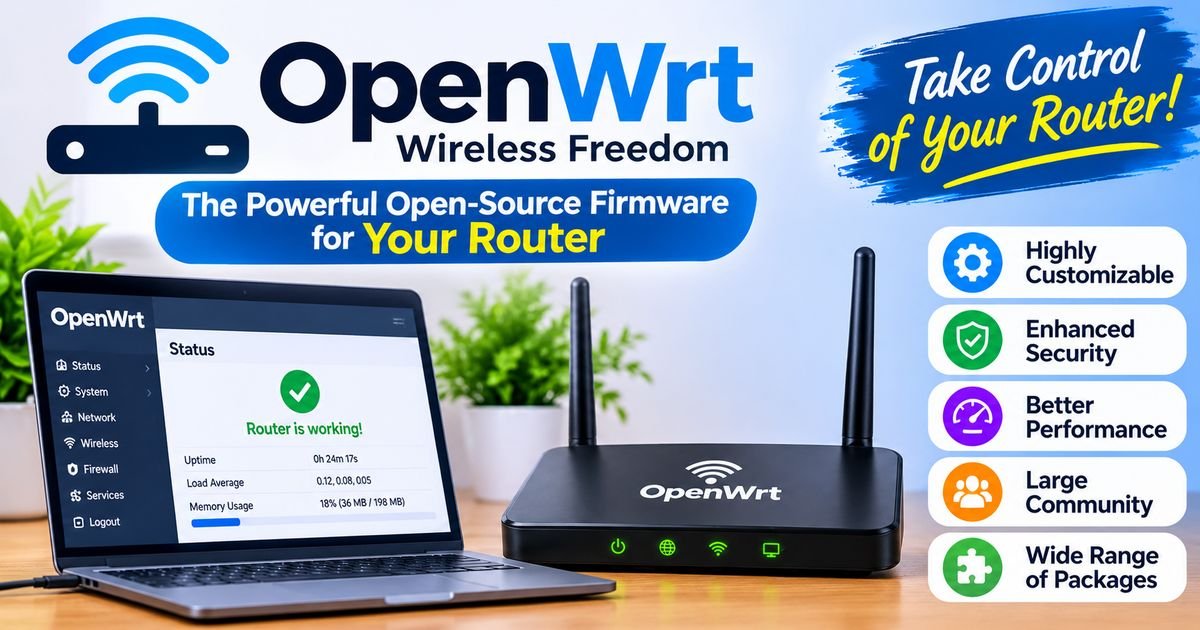
Exploring the OpenWrt Administration Interface
Managing router software can become complicated when every setting requires a terminal command. OpenWrt addresses this through LuCI, its commonly used web administration interface.
LuCI provides a browser-based environment for handling many everyday configuration tasks. Users can open the router’s local administration address and access the available management pages.
The interface generally includes system information, wireless settings, network configuration, firewall management, and software administration.
System Information
The status section provides information about the router’s operation. Depending on the device and installed components, users can inspect processor activity, memory usage, network statistics, and system details.
This information is useful when checking whether a router is operating normally.
Wireless Configuration
The wireless section allows users to manage supported Wi-Fi interfaces.
It provides options for network names, encryption, wireless channels, and access point settings.
Network Administration
Network settings allow administrators to manage interfaces, IP addresses, routing, and related services.
These options are especially important when connecting OpenWrt to an existing home or business network.
Software Management
The software section provides access to package installation and package information.
Users should check available storage before installing additional applications, particularly on routers with limited flash memory.
System Administration
System administration includes important settings such as passwords, backups, firmware maintenance, and other device management functions.
Users should secure this section because it controls access to the router’s configuration.
Can OpenWrt Be Used on an Old Router?
One interesting reason people explore OpenWrt is the possibility of using compatible networking hardware beyond its original factory software.
However, an older router is not automatically suitable for OpenWrt.
The exact hardware revision must be checked because manufacturers sometimes release different versions of the same router model. These versions may contain different processors, wireless chipsets, or storage components.
Memory and flash storage are also important. A device with very limited resources may support only a basic OpenWrt installation and may not have enough space for additional packages.
Wireless driver availability is another consideration. A router may support core networking functions while offering limited support for certain wireless features.
Before installing OpenWrt on an older device, users should check its official device page and review the available firmware information.
OpenWrt Installation: What Users Should Understand
Installing OpenWrt is a device-specific process rather than a single procedure that works on every router.
The correct method depends on the manufacturer’s firmware, bootloader, hardware design, and available recovery options.
A careful preparation process can reduce unnecessary problems.
Research the Exact Router Model
Begin by identifying the complete router model and hardware revision.
Check the official OpenWrt Table of Hardware and locate the matching device page.
Read the installation information, supported features, known limitations, and recovery instructions.
Understand Firmware Image Types
OpenWrt provides different image types for different purposes.
Some images are intended for initial installation, while others are used when upgrading an existing OpenWrt installation.
Choosing the wrong image can cause installation problems. The official instructions for the exact router should always take priority.
Prepare Existing Network Information
Before changing router firmware, record important internet configuration details.
These may include connection type, provider credentials, VLAN requirements, and other settings needed to restore internet access.
A backup of the existing router configuration can also be useful, although manufacturer configuration files may not be compatible with OpenWrt.
Follow the Official Installation Procedure
Use the documented procedure for the specific hardware.
Do not interrupt firmware installation, disconnect power unexpectedly, or experiment with unrelated firmware files.
If the process fails, consult the device’s recovery instructions rather than trying random installation methods.
Complete Initial Configuration
After installation, configure administrator access, network connectivity, wireless settings, and firewall protection.
Test the basic connection before adding optional packages or advanced networking features.
OpenWrt for Home Network Management
Home networks have become more complicated as households connect additional devices to the internet.
A typical home may include laptops, smartphones, gaming consoles, televisions, cameras, printers, and smart appliances.
OpenWrt provides configuration options that can help organize these devices.
Managing Guest Access
A guest network allows visitors to access the internet without joining the primary household network.
This is useful because visitors generally do not need access to personal computers, printers, or shared network storage.
With appropriate network separation and firewall rules, OpenWrt can support this type of arrangement.
Organizing Smart Home Devices
Smart home equipment often uses network connections to communicate with mobile applications and cloud services.
Some users prefer to place these devices on a separate network. This can make it easier to control which devices communicate with computers and other trusted equipment.
OpenWrt offers the configuration tools needed for such network designs on compatible hardware.
Improving Network Visibility
Network monitoring tools can help users understand how connected devices use available resources.
Administrators may be able to review traffic statistics, interface activity, and system performance.
This information can make troubleshooting easier when a particular device experiences connection problems.
OpenWrt in Small Offices
Small businesses often need more control over their internet connections than a basic home router provides.
OpenWrt can support certain small office requirements when installed on suitable hardware.
For example, a business may want to separate employee devices from visitor Wi-Fi. It may also need specific firewall policies or different network interfaces for its equipment.
OpenWrt provides tools for configuring these arrangements.
However, businesses should carefully consider their operational requirements before using consumer router hardware for important services.
Factors such as reliability, performance, technical support, hardware replacement, security maintenance, and backup connectivity should be evaluated.
OpenWrt is a flexible platform, but it does not automatically replace a complete enterprise networking solution.
OpenWrt and Network Security
Router security affects every device connected to a network. A poorly configured router can expose services and create unnecessary risks.
OpenWrt offers several tools that can help administrators build a more controlled networking environment.
Strong Administrative Credentials
The router’s administrator account should use a strong, unique password.
This reduces the risk of unauthorized access through weak or reused credentials.
Regular Maintenance
Users should monitor official project updates and apply suitable security fixes.
Before upgrading, review release information and check whether the installed device and packages are supported.
Restricted Management Access
Administrative services should not be exposed unnecessarily.
For most home networks, router management should remain accessible only through trusted local connections unless a carefully secured remote administration arrangement is required.
Firewall Review
Firewall rules should match the actual needs of the network.
Unnecessary services and open ports should be avoided. Administrators should also understand the effect of each rule before applying it.
Package Awareness
Installing additional software can increase the number of services running on a router.
Users should install only packages they need and keep them maintained.
OpenWrt Performance and Hardware Requirements
Software features are only useful when the hardware can run them reliably.
A router’s processor, memory, flash storage, network ports, and wireless chipset all affect the experience.
Processor Performance
The processor handles routing operations and other software tasks.
Features such as VPN encryption can place additional demands on the CPU. A low-powered device may deliver limited performance when handling intensive tasks.
Available Memory
System memory is used by the operating system, networking services, and installed packages.
A router with limited RAM may experience difficulties when running multiple demanding applications.
Storage Capacity
Flash storage holds the operating system and installed packages.
Users should avoid installing unnecessary software when available storage is limited.
Network Hardware
Ethernet port speeds and wireless hardware influence the maximum performance a router can deliver.
OpenWrt can manage supported hardware, but it cannot transform a slower physical interface into a faster one.
OpenWrt Compared With Other Router Firmware
Different router firmware projects serve different audiences.
OpenWrt is known for its modular architecture, package management, and detailed configuration options.
DD-WRT is another alternative firmware project that provides a collection of advanced router features through its own interface.
Manufacturer firmware is generally designed around the specific router model and often focuses on simple everyday management.
The differences become clearer when considering user requirements.
Someone who wants straightforward Wi-Fi configuration may find factory firmware sufficient.
A user who wants Linux-based customization and access to additional packages may prefer OpenWrt.
Someone already familiar with another firmware project may choose according to hardware support and available features.
There is no universal winner. Device compatibility, maintenance requirements, and individual networking needs should guide the decision.
Common OpenWrt Mistakes to Avoid
Some problems occur because users make configuration changes without fully understanding their effects.
Installing Firmware for the Wrong Device
A similar product name does not guarantee hardware compatibility.
Always check the exact model and revision.
Ignoring Available Storage
Installing too many packages can consume the router’s limited flash storage.
Review package requirements before adding software.
Changing Multiple Settings at Once
When troubleshooting, changing several network options simultaneously makes it difficult to identify the source of a problem.
Make changes carefully and verify each result.
Forgetting Configuration Backups
A backup provides a useful recovery reference when settings need to be restored.
Create backups before major changes or firmware upgrades.
Using Weak Security Settings
Weak passwords and unnecessary exposed services can make router administration less secure.
Review security settings regularly.
Is OpenWrt Suitable for Beginners?
OpenWrt can be used by beginners, but the learning experience depends on their expectations.
Someone who only wants to change a Wi-Fi password may find ordinary router firmware easier.
A beginner interested in learning networking can gradually explore OpenWrt through its graphical interface.
It is useful to start with simple tasks such as viewing connected devices, checking network status, configuring wireless access, and changing administrator credentials.
More advanced subjects, including VLANs, firewall zones, routing policies, and VPN services, should be explored after understanding basic networking concepts.
The official documentation and community resources can help users learn how different components work.
OpenWrt Troubleshooting Guide
When a router behaves unexpectedly, checking basic system information can help identify the issue.
Internet Connection Is Unavailable
Check the WAN connection, physical cables, provider settings, and network interface status.
Some internet providers require specific authentication or VLAN configuration.
Wireless Devices Cannot Connect
Review the wireless interface, network security settings, and access point configuration.
Also check whether the connected device supports the selected wireless settings.
Router Uses Too Many Resources
Check processor and memory activity.
A resource-heavy package or demanding network feature may be responsible for increased usage.
LuCI Is Not Loading
Confirm that the computer is connected to the router and using the correct local IP address.
If the web interface is unavailable, consult the official troubleshooting documentation and use an appropriate recovery method.
Software Packages Cannot Be Downloaded
Check internet connectivity, available storage, repository configuration, and firmware compatibility.
An outdated package list or an unsupported repository can also cause installation errors.
The Future of OpenWrt
OpenWrt continues to develop as an open-source networking project.
Its community works on hardware support, security improvements, software maintenance, documentation, and new functionality.
Modern networking environments increasingly include connected appliances, smart devices, remote work equipment, and wireless access points. These changes create ongoing demand for flexible networking software.
OpenWrt’s modular design makes it useful for exploring different networking requirements without depending entirely on manufacturer-provided interfaces.
However, long-term success also depends on maintaining device support, improving security, and keeping software compatible with changing hardware.
Users interested in the project’s future can follow its official announcements, development discussions, and release information.
Frequently Asked Questions
What exactly does OpenWrt do?
OpenWrt replaces compatible router firmware with a Linux-based operating system. It provides tools for managing wireless networks, routing, firewall rules, software packages, and other networking functions.
Is OpenWrt a router or an operating system?
OpenWrt is an operating system designed primarily for routers and embedded networking devices. It runs on compatible hardware rather than being a physical router itself.
Does OpenWrt cost money?
No. OpenWrt is free and open-source software. Users can access its official downloads and documentation without purchasing a software license.
Can OpenWrt replace my router’s original software?
Yes, on supported devices. However, users should check compatibility and installation requirements before replacing manufacturer firmware.
Does OpenWrt support Wi-Fi 6?
Support depends on the router’s hardware, wireless chipset, drivers, and OpenWrt release. Check the official device documentation before assuming a particular wireless standard is supported.
Can OpenWrt block advertisements?
Compatible packages can provide network-level advertisement filtering. Results vary depending on the filtering software, DNS configuration, and individual applications.
Can I use OpenWrt without Linux knowledge?
Yes. LuCI provides a graphical interface for many common tasks. Advanced configuration may still require familiarity with Linux and networking concepts.
Does OpenWrt support multiple networks?
Yes. It supports multiple network interfaces and network segmentation features on compatible hardware.
Is OpenWrt good for gaming?
OpenWrt can help administrators configure traffic management and network settings. However, it cannot guarantee lower ping or eliminate internet provider problems.
Where can I download OpenWrt?
Users can find official firmware downloads, documentation, and supported hardware information on the OpenWrt website at https://openwrt.org/.
Conclusion
OpenWrt provides an alternative approach to managing networking hardware. Instead of relying entirely on the limited options offered by standard router firmware, users can work with a flexible Linux-based system that supports advanced configuration and additional software.
Its networking tools can be useful for home environments, small offices, technical experiments, and educational projects. Features such as network segmentation, firewall management, wireless configuration, traffic control, and package installation make it a versatile platform.
At the same time, users should understand that OpenWrt requires compatible hardware and careful configuration. Router performance, available storage, wireless support, and maintenance requirements all influence the final experience.
For anyone interested in learning how routers work or gaining more control over a compatible networking device, OpenWrt is worth exploring. Its open-source development model and flexible architecture make it an important project in the networking software community.