Free QR Code: Features, Uses, Creation, and Benefits
Introduction
A Free QR Code is a useful digital tool that allows people to share information through a simple image that can be scanned using a smartphone. Instead of typing a website address, searching for a business, or manually entering contact details, users can scan a QR code and access the required information within seconds. This technology has become increasingly popular among website owners, small businesses, educational institutions, restaurants, marketers, and everyday smartphone users.
The growing use of smartphones has made QR codes an important part of modern communication. Businesses use them to connect customers with online stores, promotional campaigns, product information, and customer support pages. Individuals can use them to share personal websites, social profiles, digital documents, and contact information.
One reason people search for a Free QR Code solution is that creating a basic QR code does not necessarily require expensive software or technical experience. Several online tools provide simple generation options that make the process accessible to beginners.
However, creating a useful QR code involves more than producing a square image. Users should understand how the technology works, what information can be stored, how scanning applications interpret the code, and which features are available without payment.
This article explains the technology behind QR codes, practical creation methods, available formats, customization possibilities, business applications, limitations, and important considerations for choosing a suitable QR code service.
Understanding the Technology Behind a Free QR Code
QR codes are two-dimensional machine-readable symbols designed to store information in a compact visual format. The technology was developed to make information retrieval faster and more convenient.
A traditional barcode generally stores information through parallel lines. A QR code uses a square arrangement of small modules that represent encoded information.
The pattern can contain different types of data, including website addresses, text, contact information, and other supported content.
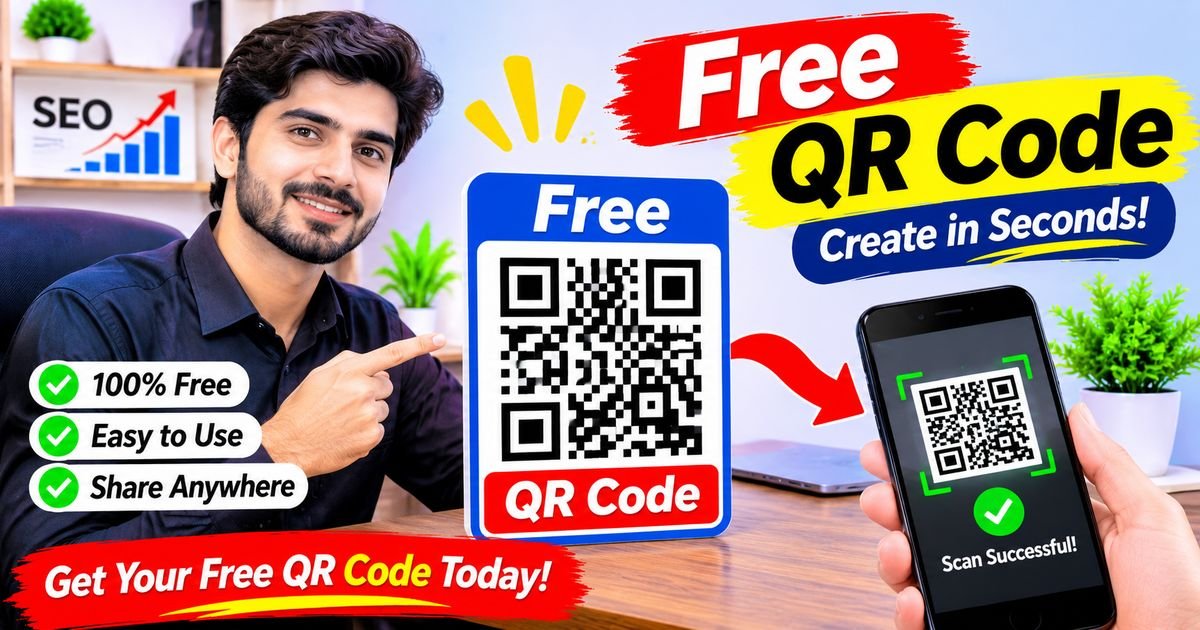
A Free QR Code generator converts information supplied by the user into a pattern that compatible scanning software can recognize.
Why QR Codes Are Called Quick Response Codes
The name Quick Response refers to the technology’s ability to provide fast access to encoded information.
QR codes contain positioning elements that help scanning devices recognize their orientation. This makes them readable from different directions.
Their design also includes error correction, which can help scanners recover information when a portion of the code is damaged or obscured.
These characteristics have helped QR codes become useful in retail, transportation, advertising, education, and other industries.
How Information Is Stored
Information is converted into a digital representation before being arranged within the QR pattern.
The amount of information a code can store depends on several factors, including the type of content and the selected encoding mode.
Short website addresses generally require less space than long blocks of text.
A more complex code may contain smaller visual modules, making printing quality and image size especially important.
How Smartphone Cameras Read QR Codes
Modern smartphone cameras can recognize QR patterns through built-in scanning features.
When a camera detects a code, the software identifies its structure and processes the encoded information.
The resulting information may appear as a website link, contact option, message, or another supported action.
The user can then decide whether to open or use the information.
What Makes a Free QR Code Generator Useful?
A QR code generator removes much of the technical work involved in creating a scannable image.
Instead of manually encoding information, users provide their content through a simple interface.
The software handles the conversion and produces a downloadable QR code.
Simple Creation Process
Most online generators provide an interface where users select a content category and enter the required details.
The tool then creates the corresponding image.
This makes the process suitable for people who have limited technical knowledge.
Different Information Options
A Free QR Code service may support several content categories.
Depending on the platform, users may generate codes for websites, plain text, email addresses, telephone numbers, contact cards, and wireless network information.
Not every generator supports every category.
Downloadable Images
Many basic services allow users to download the generated code as an image.
The downloaded file can then be inserted into websites, presentations, documents, posters, or printed materials.
Available formats depend on the service.
Flexible Applications
QR codes can be used for both personal and professional purposes.
A student might share a presentation, while a business owner could connect customers with a product catalogue.
The same basic technology supports many different communication needs.
Important Features to Look for in a Free QR Code Tool
Not all generators provide identical functionality.
Before choosing a platform, it is useful to understand which features matter for the intended project.
Multiple Content Categories
A suitable generator should support the information type required by the user.
For example, someone sharing a website needs a URL option, while a restaurant may prefer a menu link.
Choosing the correct category can make the final experience more convenient.
Preview Before Downloading
A preview allows users to inspect the generated image before saving it.
This is useful for checking whether the pattern looks complete and whether the selected design is suitable.
However, a preview alone cannot confirm that the code works correctly. Actual scanning is still necessary.
Image Quality
The generator should provide an image that remains clear when used in its intended location.
A low-quality image may become difficult to scan after enlargement or printing.
For larger designs, vector formats such as SVG can be useful when available.
Customization Options
Some tools provide color selection, pattern styles, borders, and logo placement.
These options can help users create branded designs.
Nevertheless, customization should not make the code difficult to recognize.
Clear Pricing Information
A service advertised as free should clearly explain which features are available without payment.
Some providers offer free static codes but charge for dynamic functionality, analytics, or account management.
Understanding these differences can prevent unexpected subscription costs.
Creating a Free QR Code for Different Types of Information
The information you want to share determines which type of QR code is appropriate.
Selecting the correct format helps users reach the intended destination without unnecessary steps.
Creating a Website QR Code
Website QR codes are among the most common types.
They contain a web address that can be opened through a compatible scanning application.
For example, a business may create a code that directs customers to its official homepage.
Website owners can also use codes to share specific articles, registration pages, product listings, and service information.
Before generating the image, check that the URL is complete and correct.
Creating a QR Code for Contact Information
Contact QR codes provide a convenient way to share personal or professional details.
Depending on the supported format, the code may contain a person’s name, telephone number, email address, and other contact fields.
When scanned, a compatible device may offer an option to save the details.
This can be useful at conferences, business meetings, networking events, and professional exhibitions.
Creating a QR Code for WiFi Access
Wireless network information can also be represented through a QR code.
This may allow compatible smartphones to connect to a network without requiring users to manually enter the password.
Homeowners, offices, hotels, and restaurants may find this feature convenient.
However, network owners should understand that anyone who can scan a publicly displayed code may potentially access the network.
Creating a QR Code for Email Communication
An email QR code can contain an email address and, depending on the supported format, additional message information.
Scanning it may open the default email application.
This can reduce the effort required to contact a company or service provider.
For customer support purposes, a code may be placed on packaging, invoices, or printed instructions.
Creating a QR Code for Telephone Numbers
A telephone QR code stores a number in a format that compatible devices can interpret.
After scanning, a smartphone may display an option to place a call.
This can be useful for service providers, local businesses, appointment information, and emergency contact details.
Users should verify the number before distributing the code.
Creating a QR Code for Social Media
Social media links can be shared through QR codes.
A creator may direct visitors to a public profile, while a business can connect customers with its social media pages.
This provides an alternative to manually searching for an account.
The destination should be the correct official profile rather than an unrelated or impersonating account.
Free QR Code Design: Making Codes Easy to Recognize
Design can influence how a QR code looks when placed on marketing materials or digital documents.
A well-designed code should balance appearance with functionality.
Choosing Appropriate Colors
Many generators allow users to change the color of the QR pattern.
A strong difference between the foreground and background generally helps scanning software recognize the modules.
Dark patterns on light backgrounds are a common and reliable design choice.
Very similar colors should be avoided because they can reduce readability.
Adding Logos and Branding
Some QR platforms provide options for placing a logo in the center of the image.
This can make the design more recognizable as part of a company’s visual identity.
However, logos should not cover too much of the encoded pattern.
Use a generator that supports suitable error correction and test the finished design on different devices.
Selecting Pattern Styles
Certain tools allow users to change the appearance of the modules and corner markers.
These choices can create a more distinctive visual presentation.
For important business materials, it is better to prioritize dependable scanning over complicated decoration.
Maintaining the Quiet Zone
The quiet zone is the clear space surrounding a QR code.
It helps scanning software distinguish the code from nearby text, graphics, and background elements.
Removing this space or placing decorative objects too close to the pattern can make scanning less reliable.
Static and Dynamic QR Codes Explained
Understanding static and dynamic QR codes is important when selecting a generator.
Although both can look similar, their underlying functionality is different.
Static QR Code Features
A static code contains the selected information directly within its encoded pattern.
For example, a static website code stores the destination address as part of the QR data.
If the destination changes, the original code does not automatically update.
A replacement code generally needs to be created and distributed.
Static codes are useful for permanent information that is unlikely to change.
Many Free QR Code generators provide basic static functionality without requiring a subscription.
Dynamic QR Code Features
A dynamic code usually directs users through a managed URL or service.
The destination may be updated through the provider’s account dashboard without changing the printed image.
This can be useful for businesses that regularly update promotions, product information, or campaign destinations.
Some services also provide scan statistics and other management features.
However, dynamic QR services may depend on subscriptions and continued provider availability.
Understanding the Main Difference
The most important difference is how the destination is managed.
Static codes are generally independent of a QR management dashboard after creation.
Dynamic codes may depend on the provider’s infrastructure to redirect users.
A business should consider long-term availability before placing managed codes on permanent materials.
Practical Business Applications of a Free QR Code
QR technology can support communication between companies and their customers.
Its usefulness comes from connecting physical materials with online information.
Retail Stores
Retailers can place QR codes on product labels, shelves, receipts, and advertisements.
A customer may scan a code to access product specifications, care instructions, or additional information.
This can make shopping information easier to find.
Restaurants and Cafes
Restaurants can use codes to share digital menus, opening hours, contact details, and customer feedback forms.
A digital menu can be updated without replacing every printed copy, provided the QR code points to an address that remains unchanged.
The menu itself should be mobile-friendly and easy to navigate.
Real Estate Businesses
Property agencies can use QR codes on signs and brochures.
Potential customers may scan a code to open a property listing, view photographs, or request additional details.
This can help connect offline advertising with online property information.
Hotels and Guest Services
Hotels can use QR codes to share information about available services, restaurant menus, facilities, and local attractions.
Guests may also use them to access contact details and service request pages.
The information should be accurate and available in a convenient format.
Educational Institutions
Schools, colleges, and training centers can include QR codes in educational materials.
Students may use them to access course resources, reading materials, presentation slides, and assignment information.
Teachers can also use them to connect classroom materials with online resources.
Healthcare Information
Healthcare organizations may use QR codes to provide access to appointment information, educational resources, and official service pages.
Sensitive personal or medical information should not be placed in publicly accessible codes.
Organizations should use appropriate privacy and security controls for confidential information.
Using a Free QR Code for Personal Projects
QR codes are not limited to commercial activities.
Individuals can use them for several everyday projects.
Personal Websites
A personal QR code can direct visitors to a portfolio, blog, or professional website.
This may be useful when sharing printed resumes or presentation materials.
Student Projects
Students can include codes in posters, assignments, and presentations.
These codes may link to additional research, supporting documents, or demonstrations.
Family Events
People organizing celebrations can use codes to share event schedules, location information, or photo collections.
The destination should be accessible to the intended audience.
Digital Invitations
An invitation can include a code that directs guests to an event page or attendance form.
This may simplify the process of sharing event details.
Personal Contact Sharing
A contact QR code can make it easier to exchange information during meetings and social events.
Users should decide which details they want to make available before generating a public code.
Free QR Code for Marketing and Advertising
Marketing campaigns often combine printed and digital communication.
QR codes provide a simple way to connect these two channels.
Printed Advertising
Businesses can add a code to flyers, brochures, posters, and promotional cards.
Scanning the code may open a product page or campaign website.
The destination should clearly explain the offer mentioned in the printed advertisement.
Product Promotions
A product promotion can use a QR code to direct customers to additional details, demonstrations, or promotional information.
Businesses should make sure that the destination remains available throughout the campaign.
Customer Feedback
Companies may use QR codes to open customer feedback forms.
This can provide a convenient way for visitors to share their experiences.
The form should be short enough to complete easily on a smartphone.
Campaign Measurement
Businesses that require detailed performance information may consider dynamic QR services with analytics.
These platforms can provide information about scans and campaign activity, depending on their features and privacy practices.
A basic static QR code does not automatically provide detailed tracking.
Common Problems When Using a Free QR Code
Even a correctly generated code can become difficult to use under certain conditions.
Understanding common problems helps users improve reliability.
QR Code Is Not Scanning
A scanner may struggle to recognize a code if the image is blurry, too small, damaged, or poorly contrasted.
Try using a clearer image and increasing its size.
Check that the surrounding area is free from distracting graphics.
Website Does Not Open
A code may scan successfully but direct users to an unavailable webpage.
This can happen when the URL is incorrect or the destination has been removed.
Test the complete destination address before distributing the image.
Printed Code Looks Blurry
Printing a small image at a larger size can reduce its clarity.
Use a high-quality original file and suitable printing settings.
If available, consider an SVG version for designs that require resizing.
Customized Code Is Difficult to Scan
Decorative colors, unusual patterns, and oversized logos may interfere with recognition.
Try a simpler design with stronger contrast.
Always test the final version after customization.
QR Code Stops Working
A static code may stop being useful if the destination is removed.
A dynamic code may stop working if its provider disables the redirect or the relevant subscription expires.
For long-term projects, consider how the destination and service will be maintained.
Security and Privacy Considerations
QR codes make information easier to access, but convenience should not replace security awareness.
A QR pattern can contain a legitimate link or direct users to an untrustworthy destination.
Verify Every Destination
Before sharing a code, scan it using a trusted device and inspect the destination.
Make sure the website address belongs to the intended organization.
Avoid distributing a code without confirming where it leads.
Avoid Sensitive Public Information
Anyone with access to a publicly displayed code may be able to scan it.
Do not encode passwords, private documents, or confidential personal details in a code intended for public distribution.
Choose a Trustworthy Generator
Read the platform’s privacy policy and understand how submitted information is handled.
Avoid services that request unnecessary personal details for basic code creation.
Be Careful With Unexpected Codes
Users should be cautious when scanning unfamiliar QR codes found on posters, public notices, or unsolicited messages.
A scanning device may display a destination, but that does not guarantee the destination is safe.
Protect Business Campaigns
Organizations should review their codes regularly.
If a printed campaign points to an outdated page, update the destination where possible or replace the printed code.
Dynamic services may help with destination management, but their continued availability should be considered.
Choosing a Free QR Code Generator for Your Needs
The right tool depends on the type of information being shared and the expected lifespan of the code.
A simple personal project may require only basic generation and downloading.
A larger marketing campaign may need design control, analytics, and destination management.
Check Free Plan Restrictions
Review which features are available without payment.
Pay attention to download restrictions, code limits, account requirements, and trial periods.
A platform should clearly explain whether the generated code is static or dynamic.
Review Supported Formats
Check whether the generator offers the image formats required for your project.
PNG is convenient for many ordinary uses.
SVG can be useful for professional layouts and resizing when supported.
Consider Ease of Use
A good interface should make it clear where to enter information and how to download the result.
Beginners generally benefit from a straightforward workflow.
Examine Customization Options
If the code will appear in branded materials, color and logo controls may be useful.
However, basic scanning reliability should remain the main priority.
Think About Long-Term Availability
A code used for a temporary event has different requirements from one printed on permanent product packaging.
Consider whether the destination is likely to change and whether the service depends on an active account.
Best Practices for Publishing QR Codes
Once a QR code has been created, the next step is making it accessible to the intended audience.
Good placement and clear instructions can improve the overall experience.
Place the Code Where People Can See It
A code should be positioned in a visible location.
Avoid placing it where people cannot comfortably reach or scan it.
Explain What the Code Does
A short instruction can tell users what they will access.
For example, a restaurant may write that scanning the code opens its menu.
This gives people a reason to interact with the code.
Make Sure the Destination Works on Mobile
Most QR scans happen on smartphones.
The destination should load correctly on smaller screens and should not require unnecessary steps.
Test Before Distribution
Check the code on different smartphones and scanning applications.
For printed materials, test the actual printed version rather than relying only on the digital preview.
Keep Information Updated
Review important QR destinations periodically.
Remove broken links and update outdated content.
This is especially important for businesses that use codes in long-term advertising.
The Future of Free QR Code Technology
QR codes continue to develop alongside mobile devices, digital services, and changing customer expectations.
Their ability to connect physical objects with digital information gives them a wide range of potential applications.
Smarter Retail Experiences
Retail businesses may use QR codes to provide more detailed product information and digital support.
Customers can access online resources without searching manually.
Improved Product Transparency
Manufacturers can use digital links to share product specifications, instructions, and relevant documentation.
This may make information more accessible throughout the customer journey.
Greater Use in Events
Events may continue using QR codes for schedules, registration information, digital tickets, and venue details.
Their convenience makes them useful for communicating information to large groups.
Better Integration With Mobile Services
Smartphone operating systems and applications continue to support QR scanning.
This makes it easier for people to interact with codes without installing separate scanning software.
More Personalized Digital Experiences
Businesses may use managed QR systems to direct different campaigns toward relevant information.
The quality of these experiences will depend on how responsibly organizations manage data and destinations.
Frequently Asked Questions
Can I Create a Free QR Code Without Paying?
Yes. Many online services allow users to generate basic static QR codes without paying. Some providers may charge for dynamic codes, advanced customization, or analytics.
How Long Does a Free QR Code Last?
A static QR code generally has no automatic expiration date. However, its usefulness depends on whether the information or destination it contains remains available.
Can I Use a Free QR Code for My Business?
Yes. Businesses can use QR codes on product packaging, advertisements, menus, business cards, and promotional materials.
Do I Need an Application to Scan QR Codes?
Many modern smartphones can scan QR codes directly through their camera applications. Older devices may require compatible scanning software.
Can I Change a QR Code After Creating It?
The information in a static code generally cannot be changed without generating a replacement. Some dynamic services allow users to update destinations through an account dashboard.
Can I Add My Logo to a QR Code?
Some generators provide logo customization. However, the logo should not cover too much of the pattern because this may affect scanning reliability.
Is a Free QR Code Suitable for Printing?
Yes. A downloaded QR image can be used in printed materials if it has sufficient clarity, contrast, and size. Always test the printed version before distributing it.
Can QR Codes Contain Personal Information?
They can contain certain types of personal information, such as contact details. However, users should avoid placing sensitive information in publicly accessible codes.
What Is Better for Business: Static or Dynamic QR Codes?
Static codes are suitable for permanent destinations. Dynamic codes may be more useful when businesses need to update destinations or review scan analytics.
Why Is My QR Code Not Working?
Common causes include a damaged image, insufficient contrast, incorrect URL, small printing size, or a poorly customized pattern.
Can I Share a PDF Through a QR Code?
Yes. You can create a code containing a link to a PDF stored on an accessible website or file-sharing service. The document’s sharing permissions must allow the intended audience to open it.
Are Free QR Code Generators Safe?
Their safety depends on the provider and its data practices. Choose a reputable service, review its privacy information, and test the generated destination before sharing the code.
Final Thoughts
A Free QR Code is a convenient way to connect people with digital information through a simple scanning process. It can support website sharing, business communication, educational projects, event organization, product information, and personal contact exchange.
The main advantage is accessibility. Users can create a basic code without advanced technical knowledge and often without paying for specialized software.
However, choosing the correct type of QR code is important. Static codes work well for information that does not need regular updates, while dynamic services may provide additional management options.
Design quality, destination reliability, privacy, and security should also be considered. A QR code should remain easy to scan and should direct users to the information they expect.
For individuals and businesses, the best approach is to select a generator based on actual requirements, test every code before publishing it, and maintain the linked information over time. When used correctly, QR codes provide a practical connection between printed materials and the digital wor