
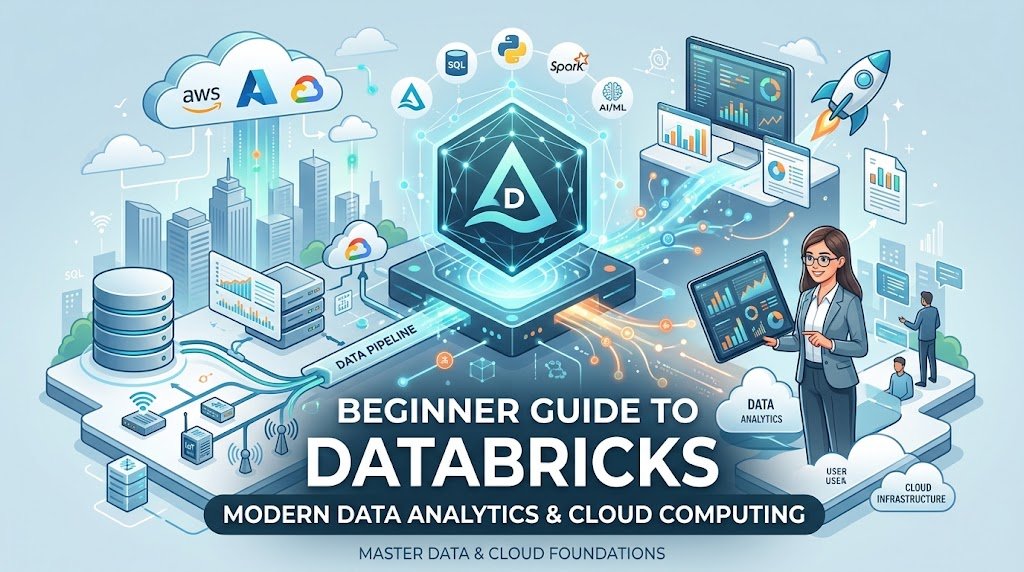
What Is Databricks? A Simple Guide for Beginners
This is where Databricks can help. It gives technical teams a place to work with data, develop analytical solutions, and explore artificial intelligence tools. Instead of treating each task as a completely separate project, teams can connect different parts of their data workflow.
In this guide, you will discover what Databricks does, why businesses use it, and what beginners should know before trying the platform.
What Is Databricks Used For?
Databricks is a cloud-based data platform designed to support several kinds of technical work. These include preparing information, running large data-processing jobs, exploring business results, and developing machine learning solutions.
Imagine that a company operates an online shop. Its information may include customer orders, product details, website activity, and delivery records. Looking at each source separately can make it difficult to understand the business as a whole.
A team can use Databricks to process these sources and prepare them for analysis. Employees may then investigate buying habits, compare product performance, or estimate future demand.
The platform is useful for more than retail businesses. Financial services, healthcare organizations, manufacturers, and technology companies may also use data platforms to support their operations. Their exact needs and responsibilities differ, so the way they use Databricks will differ as well.
How Does Databricks Work?
A typical data project begins with information that is scattered across different locations. The team must prepare that information before it can answer meaningful questions.
Bringing Information Together
First, engineers connect the required data sources. These might include files, databases, business applications, or cloud storage.
For example, a delivery company could combine shipment records with customer orders. Having the information available for a shared workflow makes it easier to study delivery performance.
Preparing Reliable Data
Raw information is not always ready for analysis. It may contain missing values, inconsistent formats, or duplicate entries.
The team cleans and transforms the data before using it. This step matters because inaccurate input can lead to misleading reports and unreliable predictions.
Exploring Patterns
After preparing the data, analysts can ask questions about it. They might compare monthly revenue, identify busy periods, or investigate why some products sell better than others.
Databricks supports SQL and other programming tools that help teams perform these tasks. The tools they choose depend on their experience and the complexity of the project.
Developing Data and AI Solutions
Some projects go beyond traditional reporting. Data scientists may use prepared datasets to train and test machine learning models.
For instance, a business could study past sales to estimate which products might need restocking. The model would still require careful testing because estimates are not guaranteed to match future results.
Using the Results
Finally, teams can share their findings through reports, dashboards, or applications. Business leaders can use these insights when planning budgets, managing stock, or improving services.
The goal is to make data more useful, rather than simply collecting larger amounts of it.
Important Databricks Features
Databricks includes tools for different stages of data work. Understanding the main concepts can help beginners see where the platform fits into a project.
Apache Spark
Apache Spark is an open-source technology used to process data across computing resources. Databricks provides a managed environment for working with Spark and building data-processing workflows.
This can help teams handle workloads that are too large or complex for a simple spreadsheet.
Lakehouse Design
A lakehouse combines ideas associated with data lakes and data warehouses. Data lakes can hold a wide range of information, while data warehouses commonly support structured queries and reporting.
The lakehouse approach aims to support different data workloads within a more unified environment. Its effectiveness depends on the architecture, configuration, and needs of the organization.
Delta Lake
Delta Lake is an open-source storage framework that adds useful management features to data lakes. It supports transactions and helps teams manage tables as information changes.
These capabilities can improve reliability when data pipelines regularly add, update, or process records.
SQL and Notebooks
SQL allows users to query structured information without writing a full program for every task. Notebooks provide an interactive place to combine code, explanations, and results.
Consequently, analysts and developers can explore information, test ideas, and document their work in a shared workflow.
Machine Learning Tools
Databricks also supports machine learning workflows. Depending on the tools and services being used, teams can prepare training data, compare experiments, and manage models.
These features can support AI projects, but they do not automatically make a model accurate. Good data, careful evaluation, and ongoing monitoring remain important.
Who Can Benefit From Databricks?
Databricks is mainly useful for people and organizations that need to work with substantial amounts of data or connect several data-related tasks.
Data engineers can use it to build workflows that move and transform information.
Data analysts can explore datasets, run queries, and prepare information for reports.
Data scientists can investigate patterns and develop machine learning models.
Software developers can build applications that rely on processed data or AI capabilities.
Business teams can use insights from data projects to understand performance and support planning.
However, a company does not need Databricks simply because it has data. A small organization with basic reporting needs may be better served by a spreadsheet or a simpler database solution.
Databricks vs. Apache Spark
These names are related, but they describe different things.
Apache Spark is an open-source processing engine. It provides technology for working with data at scale and can run in different computing environments.
Databricks is a broader platform that offers managed data tools and services, including support for Spark. It also provides capabilities for collaboration, analytics, and AI workflows.
Think of Spark as a data-processing technology and Databricks as an environment that brings several data tools together. Organizations can use Spark independently, so Databricks is not the only way to run it.
Databricks vs. Snowflake
Databricks and Snowflake both support cloud data workloads, but teams may choose them for different reasons.
Databricks is often considered for projects that combine data engineering, distributed processing, analytics, and machine learning. It offers workflows that appeal to teams working with code and varied data sources.
Snowflake is widely used for cloud data storage, SQL analysis, and sharing data across organizations. It also supports additional data and AI capabilities.
Neither platform is automatically the right choice for every business. Companies should compare their workloads, staff experience, security requirements, integrations, and expected costs before making a decision.
Is Databricks a Database?
Databricks is more than a conventional database. A database generally organizes information so that applications and users can store, retrieve, or update it.
Databricks provides a broader environment for working with data from different sources. Teams can prepare datasets, run processing jobs, analyze information, and build machine learning workflows.
It can work with databases and other storage systems rather than replacing every system an organization already uses.
Benefits of Using Databricks
The platform offers several potential advantages, especially when data projects become complex.
Connected Workflows
Teams can use one platform for multiple stages of a project. This may reduce the effort required to coordinate separate tools, although organizations still need to design and manage their workflows properly.
Flexible Data Processing
Databricks supports distributed processing for workloads that require computing resources beyond a single machine. This can be useful when datasets grow or processing tasks become more demanding.
Different Ways to Work
Users can choose from SQL, notebooks, and supported programming languages. This flexibility allows team members to approach tasks according to their skills and responsibilities.
Collaboration
Shared project tools can help engineers, analysts, and data scientists coordinate their work. Clear documentation and suitable access controls are still needed to keep projects organized.
Data and AI Support
Businesses can use prepared data for reporting and machine learning projects. Connecting these activities may help teams move from investigating a problem to testing a possible solution.
Challenges to Consider
Before adopting Databricks, organizations should understand the practical challenges as well as the benefits.
Learning Requirements
New users may find the platform difficult at first because it involves several data concepts and tools. Learning SQL and basic data processing provides a useful foundation.
Python can also help users perform more flexible tasks, especially when projects involve automation or machine learning.
Managing Costs
Cloud platforms can charge for computing resources, storage, and other services. Spending depends on the services selected and how the workloads run.
Teams should review current pricing, monitor usage, and remove unnecessary resources where appropriate. They should also estimate costs before running large or repeated jobs.
Technical Complexity
A powerful data platform can be unnecessary for a small project. If a business only needs a simple report, introducing a complex system may create more work than value.
The best approach is to identify the actual problem first and choose tools that match it.
Security and Governance
Organizations must consider who can access their information, where it is stored, and how it is protected. Configuration and governance practices play an important role in meeting business and regulatory requirements.
Teams should review the security options available for their environment instead of assuming that every setting is automatically suitable.
How Beginners Can Learn Databricks
You do not need to learn every feature at once. A practical learning plan can make the platform easier to understand.
Start with basic data concepts, including tables, columns, records, and file formats. Then practise SQL so you can filter, sort, group, and combine information.
After that, explore Python if your goals involve data transformation or machine learning. You can then read the official Databricks documentation and follow a beginner project.
For your first project, choose a small dataset containing sales, expenses, or inventory records. Load the data, check for errors, run a few queries, and summarize what you discover.
This exercise will help you understand the main stages of a data workflow. Once you are comfortable with the basics, you can explore more advanced topics such as distributed processing and machine learning.
Is Databricks Free?
Databricks access and pricing depend on the available plan, selected services, and current terms. Some learning options may be available, but users should not assume that every feature or workload is free.
Before creating an account or launching a project, check the official Databricks pricing information. Review how computing, storage, and other services are billed, and set spending controls when available.
For learning, begin with the options Databricks currently offers and avoid running workloads you do not understand.
Frequently Asked Questions
What does Databricks do?
Databricks helps teams process, manage, and analyze data. It also provides tools for data engineering, collaboration, and machine learning workflows.
Is Databricks suitable for beginners?
Yes, beginners can learn it gradually. Basic knowledge of SQL and data concepts is helpful, while Python can support more advanced projects.
Do I need to know coding to use Databricks?
Not for every task. SQL can handle many common queries, but programming skills are useful for complex data transformations and machine learning projects.
Is Databricks the same as a data warehouse?
No. Databricks supports data warehousing and analytics, but its capabilities also cover data engineering, lakehouse workflows, and AI development.
Why do companies choose Databricks?
Some companies choose it to bring data processing, analytics, and AI work into a connected environment. The benefits depend on their workloads, technical needs, and operating costs.
How can I start learning Databricks?
Learn basic data concepts and SQL first. Then explore the official documentation and practise with a small dataset before moving on to more advanced features.
Conclusion
Databricks provides a flexible environment for organizations that need to process data, explore business information, and develop AI solutions. Its tools can support several stages of a project, from preparing raw information to sharing useful results.
Still, the platform requires suitable skills, thoughtful configuration, and cost management. Smaller projects may not need all of its capabilities.
If you are a beginner, focus on the basics and practise with a simple dataset. As your skills improve, you can explore the tools that best match your goals.





One Comment