Apple Watch Charger Guide: Fast Charging & Fixes (2026)
The right Apple Watch charger decides how fast your watch recharges, how long its battery stays healthy, and whether you can get through a busy day without a dead screen. Many owners buy the first cable they find, then wonder why their watch charges slowly or not at all. This guide explains which Apple Watch charger fits each model, what you need for fast charging, and how to fix common charging problems.
Apple’s own support page, published on September 17, 2026, supplies the speed and compatibility details below. Where other sources disagree or I could not confirm a point, the article says so.
Which Apple Watch Models Support Fast Charging?
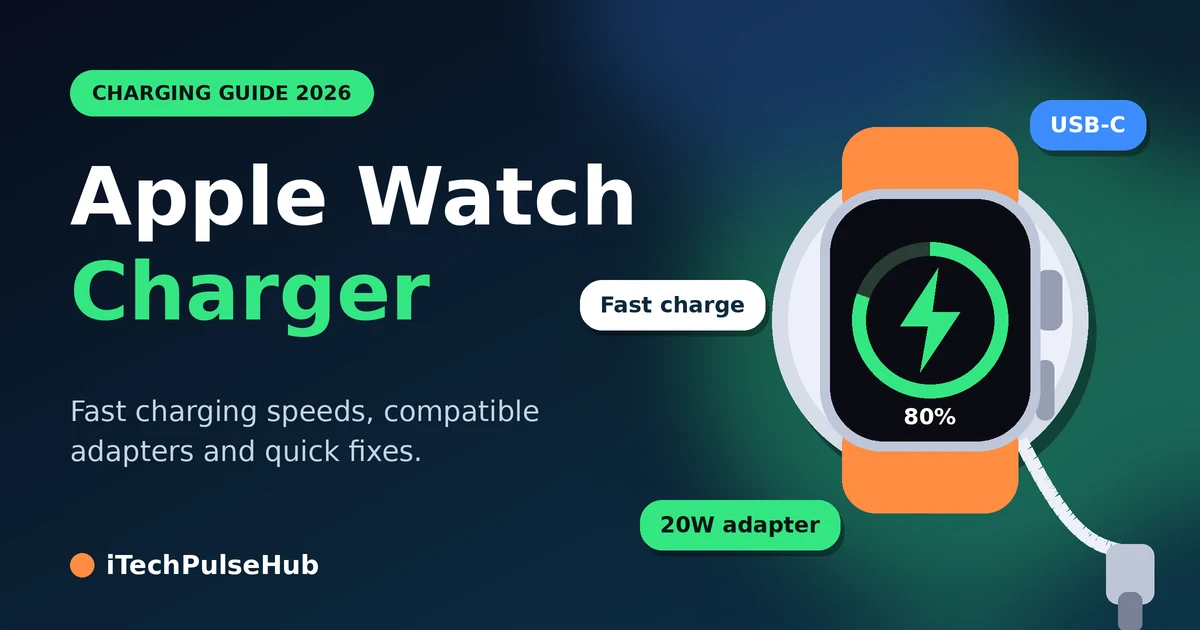
Fast charging works on Apple Watch Series 7 and later, Apple Watch SE 3, and Apple Watch Ultra and later. If you own a Series 6 or an earlier SE, you cannot fast charge, even with a new cable. Those older watches shipped with a magnetic charging cable that lacks the fast-charging function.
Apple’s page lists these 0 to 80 percent charge times:
| Apple Watch model | Time to reach 80% |
|---|---|
| Series 10 and later | About 30 minutes |
| Series 7, 8 and 9 | About 45 minutes |
| SE 3 | About 45 minutes |
| Ultra 3 and later | About 45 minutes |
| Ultra and Ultra 2 | About 1 hour |
Apple also reports that 15 minutes on the charger adds up to 12 hours of battery life on the Series 12, up to 18 hours on the Ultra 4, and up to 8 hours on the SE 3. Apple measured these figures in lab tests, so your results will vary with your settings and usage.
What You Need for Apple Watch Fast Charging
A fast Apple Watch charger setup needs two parts: the right cable and the right power adapter.
The Cable
Fast charging requires Apple’s USB-C Magnetic Fast Charging Cable. You can recognize it by the USB-C connector and the aluminum ring around the magnetic puck. A cable with a USB-A plug will not give you fast charging.
Watch out for one regional exception. In countries with WPT regulation, Apple sells the watch with a WPT-compliant cable. A “WPT” label on the aluminum puck marks this cable, and it does not support fast charging.
The Power Adapter
Apple lists its 18W, 20W, 29W, 30W, 35W, 61W, 87W, 96W and 140W USB-C power adapters as compatible. A third-party USB-C adapter also works if it supports USB Power Delivery at 5W or more. This means the USB-C charger you already use for your iPhone or laptop will probably work. Check the wattage printed on the adapter, and look for USB-PD support.
Series 12 and Ultra 4 Owners
Apple ships a newer cable with these two models. Apple says this cable charges them faster than older chargers, and you can identify it by the model number A3277 printed on the USB-C plug. Keep that cable in your bag for travel, since an older cable will not give you the full speed on these watches.
Does Apple Watch Come with a Charger?
Every new Apple Watch includes a charging cable. Models from Series 7 onward ship with the Magnetic Fast Charger to USB-C Cable. Apple’s support page describes the power adapter as something you also need, so plan to use a USB-C adapter you already own or buy one separately.
How to Charge Your Apple Watch Faster
Apple gives several practical tips for the quickest charge:
- Use the cable from your watch’s box. Apple says the original charger guarantees the fastest speed for your model.
- Avoid heat and cold. Fast charging might not work in conditions that are too cold or too hot.
- Leave the watch alone. Charging takes longer if you keep the display on, install software updates, or transfer media during charging.
- Expect a slower first fast charge. Your first fast charge after pairing with an iPhone can take longer.
- Keep your iPhone nearby if you use cellular. Apple recommends this while the watch charges.
Can You Use a Regular Wireless Phone Charger?
Usually not. Sources do not fully agree on this point. Some describe Apple Watch charging as Qi-based, but several accessory makers say a standard Qi pad for phones will not charge the watch. One manufacturer explains that regular Qi pads for phones are not compatible because of the different coil design. The safe approach is to buy a charger that lists Apple Watch support by name. Test any new pad with your own watch and return it if it does not work.
What About Third-Party Apple Watch Chargers?
Good third-party options exist, especially 3-in-1 stands that charge a phone, earbuds and a watch together. Macworld’s 2026 roundup, for example, includes docks from Belkin and Journey that fast charge the watch. Follow these rules when you shop:
- Look for MFi (Made for iPhone and Apple Watch) certification on the box or product page.
- Confirm that the listing says “fast charging” for your exact model if speed matters to you.
- Avoid very cheap, unbranded pucks. One manufacturer warns that non-certified chargers can slow charging or damage your battery. Treat that as a manufacturer’s view, but certification is still a sensible safety check.
- Remember that you may still need to supply your own wall adapter.
What About Apple’s MagSafe Duo Charger?
The MagSafe Duo Charger works with Apple Watch, but Apple points users who want fast charging to the USB-C Magnetic Fast Charging Cable. The Duo suits you if you want a travel-friendly iPhone and watch charger, but it is not the best choice for speed.
Can You Charge Apple Watch with a Power Bank?
Yes, if the power bank has a dedicated Apple Watch charging module or you connect Apple’s cable to its USB-C port. One accessory maker suggests a certified third-party magnetic charger or a power bank with a built-in Apple Watch charging module. For fast charging, check that the power bank’s USB-C port supports USB Power Delivery.
How to Protect Your Apple Watch Battery While Charging
Good charging habits matter as much as the Apple Watch charger itself.
Optimized Battery Charging is on by default. It learns your daily routine and reduces the time your watch spends fully charged, which lowers battery wear. Apple adds that supported models also offer Optimized Charge Limit. Turning off Optimized Charge Limit can increase battery wear and shorten its lifespan. If you need a full charge before a trip, you can charge past the limit for that day, then let the feature work normally again.
You can read Apple’s full explanation at support.apple.com/105106.
Other habits that help:
- Keep the watch and charger clean and dry.
- Avoid charging in hot places, such as a parked car.
- Remove any plastic film from both sides of a new charger.
- Replace frayed or bent cables.
Why Is My Apple Watch Not Charging?
Most charging failures have simple causes. Work through these steps in order.
- Check what the screen shows. A red lightning bolt means the watch needs charging, and it turns green once charging starts. If the screen is blank, charge for up to 30 minutes.
- Check every connection. Plug the cable fully into the adapter, plug the adapter fully into the outlet, and use the cable and adapter that came with the watch.
- Remove any plastic wrap. Remove it completely from both sides of the charger.
- Clean the back of the watch and the puck. Wipe the magnetic charger with a clean, dry cloth, because dirt can block the transfer of power.
- Try another outlet, adapter or cable. This tells you which part has failed.
- Force restart the watch. Hold the side button and Digital Crown together for at least 10 seconds, or until the Apple logo appears.
- Contact Apple Support. If nothing works, the battery or the watch hardware may need service.
If the screen says the accessory is not supported, test again with Apple’s original cable before you blame the watch.
Which Apple Watch Charger Should You Buy?
Use this quick guide:
| Your situation | Best choice |
|---|---|
| You own Series 7 or newer and want speed | Apple’s USB-C Magnetic Fast Charging Cable with a 20W USB-C adapter |
| You own Series 12 or Ultra 4 | The cable in the box (model A3277) |
| You travel often | A compact USB-C adapter plus a spare official cable |
| You charge several devices | A certified 3-in-1 stand that supports Apple Watch fast charging |
| You own Series 6 or older | Any compatible magnetic charger; fast charging is not available |
| You work at a desk | A stand or dock with a charging puck for nightstand-style display |
Frequently Asked Questions About the Apple Watch Charger
What Apple Watch charger do I need?
You need a magnetic Apple Watch charger and a USB power adapter. For fast charging on Series 7 or newer, use Apple’s USB-C Magnetic Fast Charging Cable with a USB-C adapter that supports USB Power Delivery.
How long does an Apple Watch take to charge?
It depends on your model. Apple lists about 30 minutes to reach 80 percent for Series 10 and later, about 45 minutes for Series 7 to 9, SE 3 and Ultra 3 and later, and about an hour for the original Ultra and Ultra 2.
Can I charge my Apple Watch with an iPhone charger?
You can use the USB-C wall adapter that comes with or works for your iPhone, provided it supports USB Power Delivery. You cannot use the iPhone’s own cable, because the watch needs its magnetic cable.
Does Apple Watch come with a power adapter?
Apple includes a charging cable. Apple’s support page treats the power adapter as something you also need, so check your box and buy a USB-C adapter if you do not have one.
Can I use a third-party Apple Watch charger?
Yes, but choose an MFi-certified product from a trusted brand, and check that it supports your model’s fast charging if speed matters.
Can I charge Apple Watch on a regular wireless charger?
Usually not. Standard phone charging pads often do not work with the watch, so pick a charger that explicitly lists Apple Watch support.
Is it safe to charge my Apple Watch overnight?
Yes. Optimized Battery Charging reduces the time the watch stays at 100 percent, and it is on by default. Keep it on for the best battery health.
What does the red lightning bolt mean?
It means the watch needs power. It turns green when charging starts. If you see only a blank screen, charge the watch for up to 30 minutes before you test further.
Can I fast charge an older Apple Watch?
No. Fast charging needs Series 7 or later, SE 3, or Ultra and later. Older models still charge with a compatible magnetic charger at normal speed.
Can I charge my Apple Watch with a power bank?
Yes, with a certified charger or a power bank that includes an Apple Watch charging module, or with Apple’s cable in a USB-C Power Delivery port.
Conclusion
The best Apple Watch charger for most people is Apple’s own USB-C Magnetic Fast Charging Cable paired with a 20W USB-C adapter. It gives you the fastest charging on Series 7 and later, and it avoids the compatibility problems that cheap accessories can cause. Keep Optimized Battery Charging on, avoid heat, and clean your charger now and then.
Check your watch model today, confirm which cable you own, and buy only what your model can actually use.