YouTube MP3 Downloader Guide
Introduction
A YouTube MP3 downloader is a tool or service that people often search for when they want to listen to audio outside the YouTube platform. The idea is simple: users may want to enjoy music, educational discussions, interviews, lectures, podcasts, or other audio content without keeping a video open on their screens.
However, downloading audio from online video platforms involves more than choosing a format. Users should understand copyright rules, platform policies, privacy concerns, and the potential risks associated with third-party websites. Not every video is available for downloading, and not every online converter is trustworthy.
This guide explains what a YouTube MP3 downloader means, how audio formats work, what features users commonly look for, and which legal options are available. It also discusses security concerns and explains how creators can manage audio from content they own or are authorized to use.
Whether you are researching audio tools or looking for a convenient way to manage your own recordings, understanding these points can help you make better decisions.
What Is a YouTube MP3 Downloader?
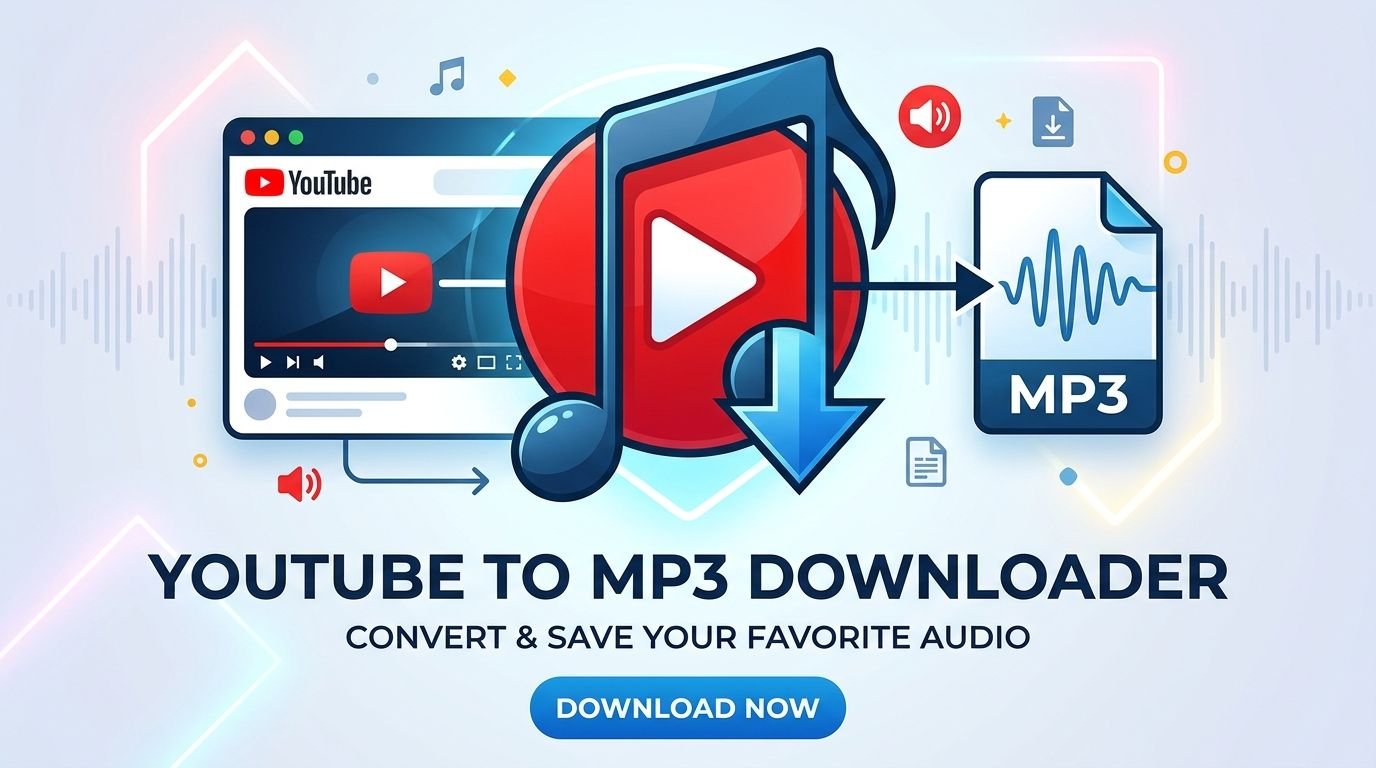
A YouTube MP3 downloader is a term commonly used for software, websites, or applications that claim to extract audio from YouTube videos and provide it as an MP3 file.
MP3 is a widely supported digital audio format. It allows audio files to be stored in a relatively compact size while remaining compatible with many devices, including computers, smartphones, tablets, and portable music players.
People search for YouTube MP3 downloader services for different reasons. Some want to listen to educational material while traveling, while others want to organize recordings or access audio they have permission to download.
It is important to understand that a tool’s technical ability does not automatically make every download legal or permitted. Copyright owners control how their protected material may be copied and distributed. YouTube also has its own terms governing the use of its platform and content.
For this reason, users should choose authorized ways to access or download audio instead of assuming that every publicly available video can be converted into a separate file.
Why Do People Search for YouTube MP3 Downloader Tools?
Online searches for YouTube MP3 downloader tools are common because people consume a wide range of audio and video content. Different users have different needs, and understanding those needs helps explain the popularity of this search term.
Listening Without Watching a Video
Some online videos contain information that does not require constant visual attention. For example, a lecture, language lesson, interview, or discussion may be useful even when someone is not watching the screen.
Audio-only listening can be convenient when users are completing other activities. However, the availability of an audio-only version depends on the content owner’s permissions and the platform’s supported features.
Managing Personal Recordings
Content creators sometimes need audio versions of their own videos. They may want to organize original recordings, prepare a podcast version, or keep a separate copy for editing.
Creators should use the original project files or official account download options whenever possible. This helps preserve quality and avoids unnecessary conversion.
Saving Educational Material
Students and learners frequently use video platforms to find tutorials, explanations, language lessons, and educational discussions.
Some creators provide downloadable audio files or publish their material under licenses that allow reuse. When such options are available, users can access the material according to the stated conditions.
Improving Accessibility
Audio versions can make certain types of content easier to access. Some people prefer listening instead of watching, while others use audio alongside transcripts, captions, or screen-reading tools.
Creators can support accessibility by publishing transcripts, captions, and authorized audio downloads.
Understanding the MP3 Audio Format
MP3 stands for MPEG-1 Audio Layer III. It is a compressed audio format designed to reduce file size while maintaining a listening experience suitable for many everyday situations.
The format became popular because it made digital audio easier to store, share, and play on different devices.
How MP3 Compression Works
MP3 uses lossy compression. This means that some audio information is removed during encoding to reduce the overall file size.
The amount of compression can affect sound quality. A smaller file may be easier to store, but it may not preserve every detail of the original recording.
This is why users should consider their intended use before selecting an audio format or quality level.
MP3 Compatibility
One major advantage of MP3 is broad device compatibility. Most modern smartphones, computers, media players, and audio applications can play MP3 files.
This makes MP3 a practical option for people who want a format that works across different operating systems and devices.
MP3 Compared With Other Audio Formats
MP3 is not the only available audio format. Other common formats include AAC, WAV, FLAC, and OGG.
AAC is widely used in digital media and can provide efficient compression. WAV is often used for uncompressed audio storage and editing. FLAC offers lossless compression, which preserves the original audio data. OGG is another format used by various applications and services.
The best format depends on the intended purpose. Casual listening, professional editing, archiving, and music production may require different choices.
Important Features People Look for in an Audio Downloader
When researching a YouTube MP3 downloader, users often compare different features. Understanding these features can help people evaluate legitimate audio tools and avoid unreliable services.
Audio Quality
Audio quality is an important consideration when managing digital recordings. The original recording quality, encoding method, and selected format can all affect the final result.
A conversion process cannot restore audio details that were never present in the source recording. If the original file has low quality, changing its format will not automatically improve it.
Creators who need high-quality audio should preserve their original recordings whenever possible.
File Compatibility
A useful audio management tool should support formats that work with the user’s devices and software.
MP3 is popular because it is widely supported, but other formats may be more suitable for particular editing or archival tasks.
Before choosing a tool, users should check its supported formats and confirm that their intended device can play the resulting files.
Simple Interface
A clear interface makes software easier to understand. Users should be able to identify the main features without dealing with confusing advertisements or unnecessary steps.
Legitimate software should explain its purpose, permissions, and limitations clearly.
A website that uses misleading download buttons, unexpected redirects, or confusing pop-ups should be treated cautiously.
Privacy Protection
Privacy is another important feature. Some online services request access to personal information, while others may collect browsing or usage data.
Users should read privacy policies and avoid providing unnecessary personal details.
A tool should not require unrelated account credentials or access to sensitive information simply to manage an audio file.
Device Support
People use different devices for audio management. A tool may be designed for Windows, macOS, Android, or another platform.
Users should check official system requirements before installing software. They should also avoid applications distributed through unknown websites.
Is Using a YouTube MP3 Downloader Legal?
The legality of downloading audio depends on several factors, including copyright ownership, permission, licensing, and the terms of the platform.
A video being publicly available does not mean that its audio is free to copy. Copyright protection may apply to music, performances, recordings, films, interviews, and other creative works.
Copyrighted Music
Commercial songs and music videos are usually protected by copyright. Downloading or converting this material without permission may violate copyright law or platform rules.
Users should not assume that a third-party downloader provides legal permission to copy copyrighted content.
Public Domain Content
Some works are in the public domain and may be available for reuse without obtaining permission from a copyright owner.
However, users should verify the status of the specific recording. A composition and a particular sound recording can have separate copyright protections.
Creative Commons Licenses
Some creators publish content under Creative Commons licenses. These licenses can allow certain types of reuse, but the conditions vary.
For example, a license may require attribution, prohibit commercial use, or require derivative works to use the same license.
Users should read the actual license rather than relying only on a general label.
Content You Own
If you created and own a video, you generally have more control over its audio and may be able to download your original content through official creator tools.
You should still consider whether the video includes music, images, or other material licensed from someone else.
Owning a video does not automatically mean owning every element included in it.
Official Ways to Access YouTube Audio
People who want convenient access to YouTube content should consider the platform’s official features and creator-provided options.
YouTube Premium
YouTube Premium provides supported viewing and listening benefits in eligible regions. Depending on the device and availability, subscribers may be able to download content for offline access within the YouTube application.
These downloads are generally designed for playback through the service rather than as independent MP3 files.
Users should review the current subscription details and regional availability before subscribing.
YouTube Music
YouTube Music is designed for music discovery and listening. It provides access to music content through its supported service features.
Depending on the subscription and region, offline listening may be available through the application.
This option is useful for people who primarily want to listen to music rather than manage individual audio files.
Creator-Provided Downloads
Some creators provide audio downloads through their official websites, podcast pages, or other authorized platforms.
This is often the simplest option when someone wants a separate audio file.
Users should check the creator’s instructions and follow any licensing or attribution requirements.
Downloading Your Own Content
Creators can use official YouTube account tools to manage and download eligible videos they have uploaded.
For editing purposes, keeping original project files and source audio is usually better than relying on a compressed version of a published video.
How Content Creators Can Manage Their Own Audio
YouTube creators often work with several types of media files. Managing original audio properly can make future editing projects easier.
Keep Original Audio Files
Whenever possible, creators should save their original audio recordings separately from their published videos.
Original files can be useful for editing, creating podcast versions, correcting mistakes, and producing content for other platforms.
Use Audio Editing Software
Audio editing applications can help creators improve recordings, remove unwanted background noise, adjust volume, and prepare files for publication.
The right application depends on the creator’s experience and project requirements.
Beginners may prefer a simple editor, while experienced creators may need more advanced tools.
Check Music Licenses
Creators should confirm that music and sound effects are licensed for their intended use.
A track that is permitted in one project may not automatically be permitted in another. Some licenses also have restrictions involving monetization, attribution, or distribution.
Keeping license information can prevent confusion later.
Maintain Backup Copies
Audio files can be lost because of device problems, accidental deletion, or storage failures.
Creators should maintain backup copies of important recordings. Cloud storage and external drives can both be useful, depending on the user’s needs.
Security Risks of Unofficial YouTube MP3 Downloader Websites
Not every website that advertises audio conversion is safe. Some services may contain misleading advertisements, unwanted downloads, or privacy risks.
Users should be especially careful when a website asks them to install unknown software or provide unnecessary information.
Misleading Download Buttons
Some websites display multiple buttons that look similar. A visitor may accidentally click an advertisement instead of the intended page control.
Unexpected redirects and suspicious pop-ups are warning signs.
Users should leave websites that repeatedly open unrelated pages or attempt to download unknown files.
Unwanted Software
Unknown installers may contain unwanted applications or potentially harmful software.
Users should download programs from official developer websites or trusted application stores.
Before installing anything, review its publisher, permissions, and system requirements.
Fake Browser Notifications
Some websites ask visitors to allow browser notifications. These notifications may later display misleading advertisements or suspicious links.
Users should avoid granting notification permission to websites they do not trust.
Browser notification permissions can usually be reviewed through the browser’s settings.
Privacy and Tracking
Some online services collect technical information about visitors. This may include browser details, usage information, or other data described in the privacy policy.
Users should avoid services that do not clearly explain their data practices.
They should also avoid entering passwords or payment details on websites that do not have a clear and trustworthy purpose.
Fake Software Updates
A website may display a message claiming that a browser, media player, or device needs an urgent update.
Users should not install updates through random advertisements. Software updates should come from the official developer or the device’s trusted update system.
How to Identify a Trustworthy Audio Tool
Choosing reliable software requires more than looking at its advertised features. Users should examine the developer, website, permissions, and available documentation.
Check the Developer
A trustworthy application should identify the company or developer responsible for it.
Look for an official website, support information, and clear product documentation.
If the publisher is unknown and there is no reliable information about the software, avoid installing it.
Review Permissions
Applications should request permissions that make sense for their purpose.
A basic audio utility should not need unrelated access to personal accounts or sensitive information.
Review permissions before installation and remove access that is no longer required.
Read Independent Reviews
Reviews can provide useful information about performance and usability. However, not every online review is genuine.
Look for detailed feedback from multiple sources rather than relying on a single promotional article.
Check for Updates
Reliable software is usually maintained by its developer. Updates may address compatibility issues, bugs, and security weaknesses.
Users should obtain updates through official channels.
Avoid Unrealistic Promises
Be cautious of websites that promise unlimited downloads, perfect audio quality, or guaranteed safety without explaining how their service works.
A responsible provider should describe limitations and avoid misleading claims.
YouTube MP3 Downloader on Different Devices
People use different devices to access online audio. The safest approach is to use official platform features and authorized files that are compatible with the device.
Windows Computers
Windows computers support many audio formats and editing applications.
Users can organize authorized MP3 files through folders, media players, and audio management software.
For creator projects, desktop editing applications may provide additional control over sound quality and file organization.
macOS Computers
Mac computers support common audio formats and provide access to various media applications.
Creators can use compatible software to edit recordings, organize projects, and export audio in supported formats.
It is important to download applications from trusted sources and review system permissions.
Android Devices
Android smartphones support many common audio formats, including MP3.
Users can play authorized audio files through compatible media applications. They should install applications through trusted sources and review permissions carefully.
Unknown APK files from random websites can create security and privacy risks.
iPhone and iPad
Apple devices support audio playback through compatible applications and services.
Users can manage authorized files through supported file management and media applications.
Official services are generally a more reliable option than unfamiliar websites that promise direct conversion.
Common Problems With Audio Files
Audio management can sometimes involve technical problems. Understanding the possible causes makes troubleshooting easier.
The File Does Not Play
An audio file may fail to play because of an unsupported format, incomplete download, damaged file, or application issue.
Users can check the file extension and try a trusted media player that supports the format.
Poor Audio Quality
Poor sound may come from the original recording, low-quality encoding, background noise, or incorrect editing settings.
Converting a low-quality recording into another format does not restore missing audio information.
Creators should work with the highest-quality original recording available.
Missing Audio Information
Some audio files may not contain useful titles, artist names, album information, or artwork.
Users can organize their personal audio collections by adding accurate metadata through a trusted media management application.
Large File Sizes
File size depends on several factors, including duration, format, and encoding settings.
Lossless formats generally require more storage than compressed formats.
Users should choose a format based on their needs rather than automatically selecting the smallest possible file.
Compatibility Issues
An older media player may not support every modern audio format.
Users can check the device’s supported formats or use an updated player from a trusted developer.
YouTube MP3 Downloader Alternatives
People searching for a YouTube MP3 downloader may actually need a music service, audio editor, podcast application, or file manager.
The following alternatives serve different purposes.
YouTube Music
YouTube Music is designed for music discovery and playback. It allows users to explore songs, albums, artists, and playlists through its supported features.
It is a suitable option for people who want a dedicated music experience within the YouTube ecosystem.
Spotify
Spotify is a popular music and podcast streaming platform. It offers music discovery, playlists, and listening features.
Offline listening availability depends on the plan, region, and supported application features.
Apple Music
Apple Music provides access to a large music catalog through supported devices and applications.
Users can explore albums, playlists, and artists while managing their listening preferences.
VLC Media Player
VLC is a media player that supports many audio and video formats. It is useful for playing compatible files that users already own or are authorized to access.
Its broad format support makes it a practical option for local media playback.
Audacity
Audacity is an audio editing application used for recording and editing sound.
It can help creators work with voice recordings, interviews, and other audio projects. Users should obtain it from its official distribution source.
Podcast Applications
Dedicated podcast applications provide another way to access spoken-word content.
Many podcast publishers make episodes available through official feeds and supported applications. Some also provide authorized downloads for offline listening.
Best Practices for Downloading and Managing Audio Legally
Responsible audio management protects both users and content creators.
Respect Copyright Ownership
Before downloading or reusing an audio recording, check whether you own it or have permission to use it.
Do not assume that a publicly accessible video is free from copyright restrictions.
Read License Conditions
If a creator offers a downloadable recording, review the stated license.
Some materials may be available for personal listening but not for commercial use or redistribution.
Use Official Sources
Whenever possible, obtain audio through official websites, creator pages, trusted applications, or authorized distribution services.
This reduces the chance of encountering misleading downloads or unwanted software.
Keep Personal Information Private
Avoid providing unnecessary information to websites offering audio services.
Never enter account passwords into unfamiliar pages or follow suspicious requests for payment information.
Maintain Organized Files
Use clear folder names and accurate file information to keep personal recordings organized.
For important projects, maintain separate backup copies.
Who Can Benefit From Audio Management Tools?
Audio management tools can support many different users, depending on their needs.
Students
Students may use audio applications to organize recorded lessons, language exercises, and educational material they are permitted to access.
Listening can be useful for revision, especially when combined with notes and transcripts.
Teachers
Teachers can prepare authorized audio lessons, classroom recordings, and educational resources.
They should ensure that any third-party music or recordings included in their material are properly licensed.
Content Creators
Creators can use audio editors and file management tools to prepare original recordings for videos, podcasts, and other projects.
Keeping source files makes it easier to update content in the future.
Podcasters
Podcasters often work with interviews, voice recordings, background music, and sound effects.
A reliable editing workflow can help them organize these elements and prepare episodes for publication.
General Users
Everyday users may simply want a convenient way to play audio files on their devices.
A trusted media player and properly obtained audio files are usually enough for this purpose.
Frequently Asked Questions
What Is a YouTube MP3 Downloader?
A YouTube MP3 downloader is a general term for a website, application, or service that claims to turn YouTube video audio into an MP3 file. Users should consider copyright rules and platform terms before using such services.
Is YouTube MP3 Downloader Free?
Some third-party services advertise free access, while others may include subscriptions, advertisements, or additional features. A free service is not automatically safe or legally authorized.
Can I Download YouTube Videos as MP3 Files?
The availability of downloads depends on the platform’s supported features and the content owner’s permissions. Users should use official download options or obtain audio directly from authorized sources.
Is It Legal to Convert YouTube Music to MP3?
The answer depends on copyright ownership, permission, licensing, and applicable platform terms. Converting copyrighted music without authorization may violate copyright law or platform rules.
Does YouTube Premium Provide MP3 Files?
YouTube Premium offers supported offline viewing and listening features in eligible regions. Offline downloads are generally intended for playback within the YouTube application, not as separate MP3 files.
What Is the Best Audio Format?
MP3 is a practical format for broad compatibility and smaller file sizes. FLAC is useful when preserving original audio data is important, while WAV is commonly used in professional audio workflows.
Are Online Audio Converter Websites Safe?
Safety varies between services. Some websites may contain misleading advertisements, suspicious redirects, or unwanted downloads. Users should avoid unknown services and review privacy and security information.
Can I Download Audio From My Own YouTube Videos?
Creators may use official account tools to manage eligible videos they have uploaded. Keeping original audio and project files is also a useful way to preserve high-quality recordings.
Does Changing an Audio File to MP3 Improve Its Quality?
No. Converting a file into MP3 does not automatically improve its sound. MP3 uses lossy compression, so the result depends on the original recording and encoding settings.
Can MP3 Files Play on Smartphones?
Yes. MP3 is supported by most modern smartphones and many media applications. Users should still confirm that their chosen application supports the particular file.
What Are the Best Alternatives to YouTube MP3 Downloader Websites?
Official music services, podcast applications, creator-provided downloads, and trusted media players can provide safer ways to access and manage audio.
Why Should I Avoid Unknown Downloader Applications?
Unknown applications may contain unwanted software, request unnecessary permissions, or collect personal information. Users should install software from official developer websites or trusted application stores.
Conclusion
A YouTube MP3 downloader is a popular search term among people who want more flexibility when accessing online audio. However, choosing an audio tool should involve more than looking for a quick conversion option.
Copyright permissions, platform rules, privacy, software security, and file compatibility all matter. Users should avoid assuming that every publicly available video can legally be converted into an independent audio file.
For music listening, official services such as YouTube Music and other authorized platforms can provide convenient options. For personal recordings and creator projects, original audio files, trusted editing applications, and official account tools are often more appropriate.
By understanding the MP3 format, checking licensing conditions, and choosing reliable software, users can manage audio more responsibly. The best solution is one that meets the user’s needs while respecting creators’ rights and protecting personal information