Bracket Maker: A Complete Guide to Creating Tournament Brackets
Introduction
Organizing a tournament can be challenging, especially when several teams or players are participating. Whether it is a school competition, gaming event, sports league, office activity, or friendly contest, organizers need a clear way to manage matches and determine winners. This is where a bracket maker becomes useful.
A bracket maker is a digital tool that helps users create tournament brackets, arrange participants, schedule matches, and follow competition progress. Instead of drawing a tournament structure manually, organizers can use an online generator or dedicated application to create an organized bracket in less time.
Tournament brackets make competitions easier to understand because they show which participants compete against each other and how winners move forward. Depending on the format, a bracket can include elimination rounds, semifinal matches, final rounds, or multiple stages.
Today, bracket maker tools are used for many different activities. Sports teams use them to organize competitions, gaming communities create brackets for esports events, teachers arrange classroom tournaments, and businesses use them for friendly contests.
This guide explains what a bracket maker is, how it works, which tournament formats are available, and what features users should consider before choosing a tool. It also explores practical examples, common mistakes, and tips for creating a successful tournament.
What Is a Bracket Maker?
A bracket maker is a website, software application, or digital tool designed to create and manage tournament brackets. It provides a structured layout that shows participants, matches, winners, and the path toward the championship.
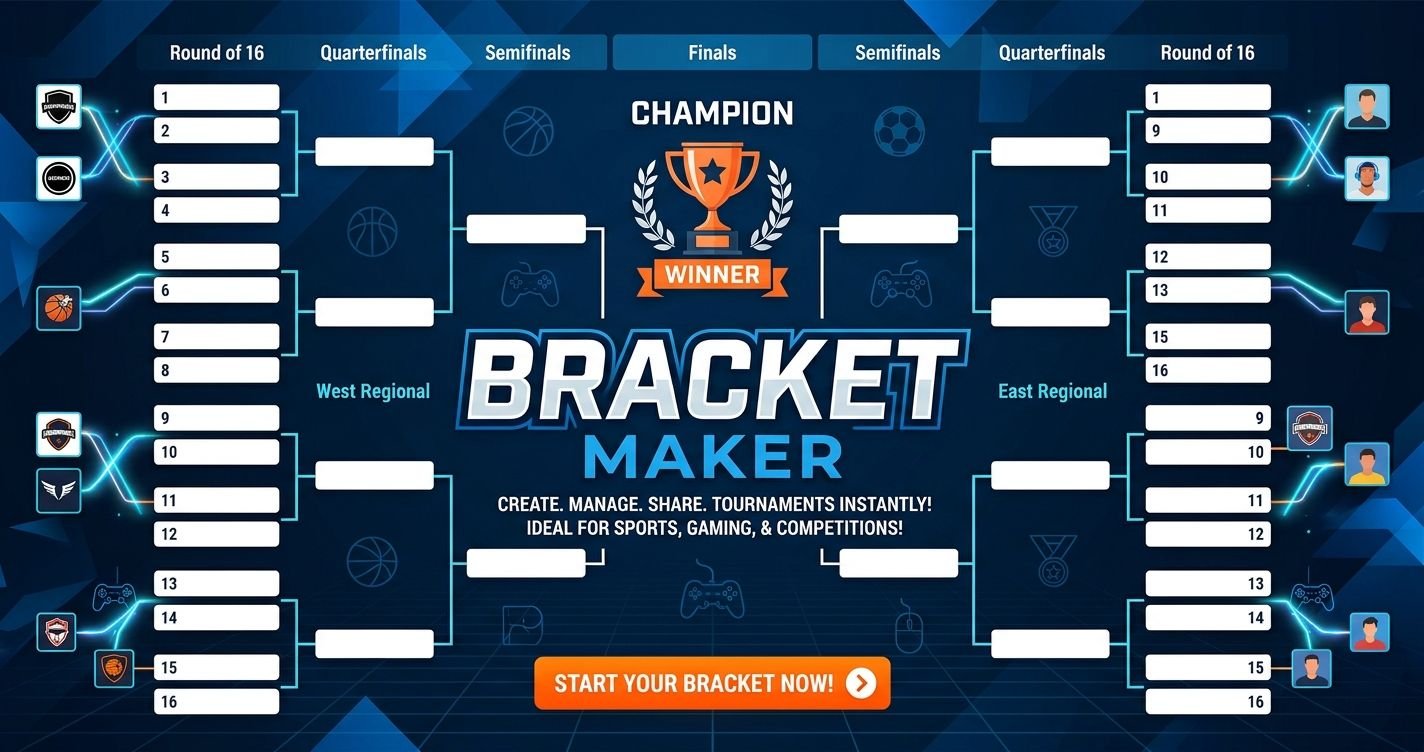
A tournament bracket is essentially a visual representation of a competition. It explains how participants are matched and how the tournament progresses from one round to the next.
For example, imagine a competition involving eight teams. In a single-elimination format, teams are divided into four opening matches. The four winners move to the semifinals, and the two semifinal winners compete in the final.
A bracket maker can organize this structure automatically after users enter the participants and select a tournament format.
Some tools provide basic bracket generation, while others include additional options such as score tracking, match scheduling, participant registration, and sharing features.
The main purpose is to make tournament organization easier, more consistent, and more understandable for everyone involved.
Why Are Bracket Maker Tools Popular?
Bracket maker tools have become useful for organizers who want to manage competitions without creating complicated spreadsheets or drawing tournament diagrams manually.
Faster Tournament Organization
Creating a tournament bracket manually can take time, particularly when many participants are involved. Organizers must decide how participants will be matched, calculate the number of rounds, and make sure the competition structure is correct.
A bracket maker can automate much of this work. Users enter the participants, choose a format, and generate a bracket using the available features.
This saves time and allows organizers to focus on other responsibilities.
Clear Match Structure
Participants often want to know when they will play, who their opponents are, and what happens after a match.
A bracket provides this information in a visual format. Each round is connected to the next, making the competition easier to follow.
Spectators can also understand the tournament without needing a separate explanation of every stage.
Easier Score Management
Some bracket maker platforms allow organizers to enter match results and update the tournament automatically.
When a match is completed, the winning participant can be moved into the appropriate position in the next round.
This reduces the amount of manual work required during an event.
Better Communication
A digital bracket can be shared with participants, teams, coaches, and spectators.
Instead of sending separate messages about every match, organizers can provide one central tournament link when the platform supports public sharing.
This makes it easier for everyone to access the same competition information.
Suitable for Different Events
Bracket maker tools are not limited to professional sports. They can also support gaming competitions, classroom activities, community events, and informal contests.
Their flexibility makes them useful for both small gatherings and larger organized tournaments.
How Does a Bracket Maker Work?
The exact process depends on the platform, but most bracket maker tools follow a similar workflow.
Step 1: Choose a Tournament Format
The first step is selecting the type of competition.
Common formats include single elimination, double elimination, round robin, and other multi-stage arrangements.
The correct format depends on the number of participants, available time, and competition rules.
Step 2: Add Participants
After selecting the format, organizers enter the names of teams, players, or groups.
Some tools allow participants to be added manually, while others may support importing names from a file or registration system.
Accurate participant information is important because incorrect names can create confusion later.
Step 3: Arrange the Seeding
Seeding determines how participants are positioned within the bracket.
Organizers may use rankings, previous results, random placement, or another method based on the event’s rules.
Some small tournaments do not require formal seeding. In those cases, random placement may be sufficient.
Step 4: Generate the Bracket
Once the participants and tournament format are ready, the tool creates the bracket structure.
It displays the opening matches and the path through later rounds.
Some platforms automatically add empty positions when the number of participants does not fit the selected bracket size.
Step 5: Schedule Matches
Organizers can assign dates, times, and locations if the selected platform supports scheduling.
This is particularly useful for competitions that take place over several days.
For smaller events, match scheduling may be handled separately.
Step 6: Enter Results
After each match, organizers record the result.
Depending on the platform, the winner may automatically advance to the next round.
It is important to verify results before publishing updates so that participants are placed correctly.
Step 7: Complete the Final Round
The tournament continues until the required final match is completed.
The bracket then shows the winner and the overall competition structure.
Some tools also support third-place matches, consolation rounds, or additional placement matches.
Different Types of Tournament Brackets
A bracket maker may offer several tournament formats. Understanding their differences helps organizers select the most suitable structure.
Single-Elimination Bracket
Single elimination is one of the simplest tournament formats.
A participant is removed from the main competition after losing one match. Winners advance to the next round until only one participant remains.
For example, an eight-team tournament begins with four matches. The four winners enter the semifinals, followed by a final between the remaining two teams.
The main advantage is simplicity. It is relatively easy to organize and can work well when time is limited.
However, one loss ends a participant’s chance of winning the championship. This may not be ideal for events where organizers want everyone to play multiple matches.
Double-Elimination Bracket
Double elimination gives participants another opportunity after their first loss.
Competitors move through a winners bracket. After losing, they may enter a losers bracket, where they continue competing for a place in the final.
This format is popular in some gaming and sports competitions because one early defeat does not immediately end a participant’s tournament journey.
However, double-elimination brackets are more complicated than single-elimination structures. They may require more matches and additional scheduling.
Round-Robin Tournament
In a round-robin tournament, each participant competes against every other participant, or against every other participant in their assigned group.
Points are awarded according to the event’s rules. The participant with the best overall record may become the winner.
This format provides more playing opportunities than single elimination.
However, the number of matches increases as more participants are added. It can therefore require considerable time and careful scheduling.
Group-Stage Tournament
A group-stage tournament divides participants into smaller groups.
Competitors play within their groups, and the best-performing participants advance to another stage.
The next stage may use single elimination or another format.
This structure is useful for larger competitions where organizers want participants to play more than one match before entering the knockout stage.
Swiss-Style Tournament
A Swiss-style tournament pairs participants with others who have similar performance records.
Competitors generally play a set number of rounds without being eliminated after a single loss.
The final standings are determined using the event’s scoring and tie-breaking rules.
This format is often used in chess, card games, and other competitions where organizers want many participants to remain active across multiple rounds.
A bracket maker may not support every Swiss-style feature, so users should check the platform’s available formats before starting.
Important Features of a Good Bracket Maker
Not every bracket maker provides the same experience. Some are designed for simple competitions, while others offer more advanced tournament management features.
Easy-to-Use Interface
A clear interface makes it easier to create and manage brackets.
Users should be able to find participant settings, tournament formats, and match results without navigating through confusing menus.
A beginner-friendly platform should explain important options in simple language.
Multiple Tournament Formats
A useful bracket maker should support the formats required by its intended audience.
Single elimination may be enough for a small event, while larger competitions may need double elimination or round-robin options.
Having several formats gives organizers more flexibility.
Automatic Bracket Generation
Automatic generation reduces the amount of manual work involved in creating a competition structure.
After participants and settings are entered, the tool should generate the appropriate rounds and match positions.
Users should still review the bracket to confirm that the structure matches the event rules.
Participant Management
Participant management allows organizers to add, edit, remove, or arrange teams and players.
This is helpful when registrations change or a competitor withdraws before the tournament begins.
Some platforms may also provide registration forms or participant lists.
Score Tracking
Score tracking helps organizers record the results of completed matches.
Advanced tools may support automatic winner advancement and tournament updates.
For competitions involving multiple games or sets, users should check whether the platform supports the required scoring rules.
Seeding Options
Seeding allows organizers to position participants based on rankings or other criteria.
This can be important when a competition has established performance levels.
Random seeding may be appropriate for casual events, while ranked competitions may need a more structured approach.
Sharing and Publishing
A sharing feature allows organizers to distribute the bracket through a link or downloadable file.
Public sharing can help spectators and participants follow competition progress.
Users should review privacy settings before making a bracket publicly available.
Mobile Compatibility
Many people access tournament information through smartphones.
A mobile-friendly bracket maker should display participant names, matches, and results clearly on smaller screens.
Organizers may also benefit from being able to update results while attending an event.
Export and Print Options
Some tools allow users to export brackets as images, PDFs, or other supported formats.
This can be useful for printing tournament schedules or including bracket information in event documents.
Users should check which export options are available before selecting a platform.
Online Bracket Maker vs Desktop Software
Bracket maker tools are available in different forms. Online services and desktop applications both have advantages.
Online Bracket Makers
An online bracket maker runs through a web browser.
Users can often access it without installing additional software. This makes online tools convenient for organizers who work across different devices.
Some services also support sharing and collaborative management.
However, certain online features may require an account or internet connection. Availability can also vary depending on the provider.
Desktop Bracket Software
Desktop software is installed on a computer.
It may offer offline functionality or more specialized options for managing local competitions.
Desktop applications can be useful when organizers prefer working with files stored on their own devices.
However, installation, updates, and device compatibility should be considered.
Which Option Is Better?
The best option depends on the tournament’s requirements.
An online tool may be more convenient for a small event where participants need to view a shared bracket.
Desktop software may be suitable for organizers who prefer offline access or need specialized management features.
Before choosing either option, compare supported formats, sharing capabilities, pricing, and ease of use.
How to Create a Tournament Bracket for Different Events
A bracket maker can be used in many settings. The basic process remains similar, but the rules may change depending on the activity.
Sports Tournaments
Sports organizers can use brackets for football, basketball, tennis, badminton, volleyball, and other competitions.
They should consider match duration, available playing areas, team availability, and rest periods.
For larger events, scheduling is especially important because several matches may need to take place on the same day.
Esports Competitions
Gaming tournaments often use single-elimination or double-elimination formats.
A bracket can show which players or teams face each other and how winners progress.
Organizers should also publish clear rules about game settings, match reporting, disconnections, and result verification.
School Competitions
Schools can use bracket maker tools for classroom games, quizzes, spelling competitions, and sports days.
A simple structure helps teachers manage participants and explain how the competition works.
For younger participants, the rules should be easy to understand and communicated before the event starts.
Office Events
Companies may organize friendly competitions to encourage teamwork and participation.
Examples include table tennis, board games, quiz events, and recreational sports.
A digital bracket can help organizers coordinate matches without creating complicated schedules.
Community Events
Local clubs and community groups can use brackets to manage friendly tournaments.
The organizer should consider the number of participants, event location, available equipment, and the time required to complete the competition.
A straightforward format is often easier for casual events.
Common Mistakes When Creating Tournament Brackets
Even with an automatic bracket maker, organizers should review their tournament settings.
Choosing the Wrong Format
A tournament format should match the event’s goals.
Single elimination may be too restrictive for a competition where everyone should receive multiple playing opportunities.
Round robin may be too time-consuming when many participants are involved.
Organizers should estimate the number of matches before making a final decision.
Entering Incorrect Participant Names
Spelling mistakes and duplicate entries can create confusion.
Before generating the bracket, check every participant’s name and remove duplicate registrations.
Ignoring Seeding Rules
If the event uses rankings, participants should be placed according to the published seeding method.
Changing positions without a clear reason can create disagreements.
Forgetting Match Scheduling
A bracket may show the match structure without providing a complete schedule.
Organizers should communicate dates, times, and locations separately when the tool does not support scheduling.
Failing to Verify Results
Incorrect scores can move the wrong participant into the next round.
Results should be checked before they are confirmed or shared publicly.
Not Explaining Tournament Rules
Participants should understand how winners advance, how ties are handled, and what happens if someone cannot attend.
Clear rules reduce misunderstandings during the event.
Is a Free Bracket Maker Enough?
Many users search for a free bracket maker because they want to organize a competition without paying for specialized software.
A free tool can be enough for basic events, especially when the organizer only needs to enter names and create a simple bracket.
However, free services may have limitations.
Some may restrict the number of participants, remove advanced formats, or limit customization and sharing features.
Others may display advertisements or require an account for certain functions.
Before using a free platform, review its feature list and terms.
For a small school competition or friendly gaming event, a basic bracket generator may be all that is needed.
For a large competition involving registration, scheduling, multiple stages, and detailed statistics, a more advanced platform may be worth considering.
How to Choose the Right Bracket Maker
Choosing a bracket maker becomes easier when organizers understand what their event requires.
Consider the Number of Participants
The number of players or teams affects the tournament structure.
A small competition may only need a basic bracket, while a larger event may require group stages or multiple rounds.
Check whether the platform supports the expected number of participants.
Identify the Required Format
Make sure the tool supports the tournament format you intend to use.
Do not assume that every bracket generator supports double elimination, round robin, or Swiss-style competitions.
Review Customization Options
Some organizers need to add event names, logos, match locations, or custom rules.
Others only need a simple bracket.
Choose a tool that offers the level of customization required without making the process unnecessarily complicated.
Check Sharing Features
If participants and spectators need to follow the event, look for convenient sharing options.
A public link may be useful, but organizers should also consider whether participant information should remain private.
Compare Pricing
Some services provide free basic features and paid advanced options.
Review subscription details carefully and check whether important features are restricted to paid plans.
Test the Tool Before the Event
Creating a sample tournament is a useful way to understand the platform.
Test participant entry, bracket generation, score updates, and sharing before using the tool for a real competition.
This can help identify problems before the event begins.
Tips for Running a Successful Tournament
A good bracket is only one part of a successful competition. Organizers should also prepare the event properly.
Publish the Rules in Advance
Participants should know the format, scoring system, match duration, and tie-breaking rules before the tournament starts.
Written rules help everyone understand what to expect.
Confirm Participants
Check registrations before generating the final bracket.
If someone withdraws, update the participant list according to the tournament rules.
Create a Realistic Schedule
Allow enough time for matches, breaks, and unexpected delays.
A schedule that is too tight can create unnecessary pressure for organizers and participants.
Assign Match Responsibilities
For larger events, assign someone to report scores or confirm results.
This makes tournament management more organized.
Keep the Bracket Updated
Update match results as soon as they have been verified.
Participants should have access to the latest information.
Communicate Changes Clearly
If a match time or location changes, inform the affected participants.
Clear communication is important throughout the event.
Frequently Asked Questions
What Is a Bracket Maker?
A bracket maker is a digital tool used to create and manage tournament brackets. It helps organizers arrange participants, display matches, and track winners as a competition progresses.
Is a Bracket Maker Free?
Some bracket maker tools offer free basic features. Others provide paid plans with additional options such as advanced tournament formats, customization, registration, and reporting.
How Do I Make a Tournament Bracket?
Choose a tournament format, enter participant names, arrange seeding if necessary, and generate the bracket. After matches are completed, record the results and update the next rounds.
What Is a Single-Elimination Bracket?
A single-elimination bracket removes participants from the main competition after one loss. Winners advance through the rounds until one participant wins the final.
What Is a Double-Elimination Bracket?
A double-elimination bracket gives participants an opportunity to continue competing after their first loss. They may move into a losers bracket and continue toward the final.
Can I Make a Bracket for 8 Teams?
Yes. An eight-team single-elimination tournament normally includes four opening matches, two semifinal matches, and one final.
Can I Use a Bracket Maker for Gaming Tournaments?
Yes. Bracket maker tools can organize gaming competitions, including esports events and casual multiplayer tournaments. Organizers should select a format that matches the game’s competition rules.
Can I Create a Round-Robin Tournament?
Some bracket maker platforms support round-robin tournaments. In this format, each participant plays against every other participant or every participant within an assigned group.
Can I Share My Tournament Bracket?
Many online bracket makers provide sharing features. Depending on the platform, users may be able to share a public link, export an image, or download a bracket document.
Do I Need to Install Bracket Maker Software?
Not always. Many bracket makers operate directly through a web browser. Desktop applications are another option for users who prefer installed software or offline access.
Is a Bracket Maker Useful for Schools?
Yes. Teachers can use bracket makers for classroom games, quizzes, sports competitions, and other school activities. A clear tournament structure makes it easier to manage participants.
Which Tournament Format Is Best?
There is no single best format for every event. Single elimination is simple and quick, double elimination allows another opportunity after a loss, and round robin provides more matches for each participant.
Conclusion
A bracket maker is a useful solution for anyone who needs to organize a tournament. It simplifies the process of arranging participants, generating match structures, tracking results, and showing how competitors move toward the final.
Different tournament formats serve different purposes. Single elimination works well for short competitions, double elimination provides another opportunity after a loss, and round robin allows participants to compete against more opponents.
The right bracket maker depends on the number of participants, required features, event rules, and available time. Organizers should compare supported formats, participant management, score tracking, sharing options, and pricing before selecting a platform.
Whether you are planning a school activity, sports event, gaming competition, or community tournament, a well-organized bracket can make the experience easier to manage. With clear rules, accurate results, and proper communication, a bracket maker can help turn a complicated competition into an organized and enjoyable event.