
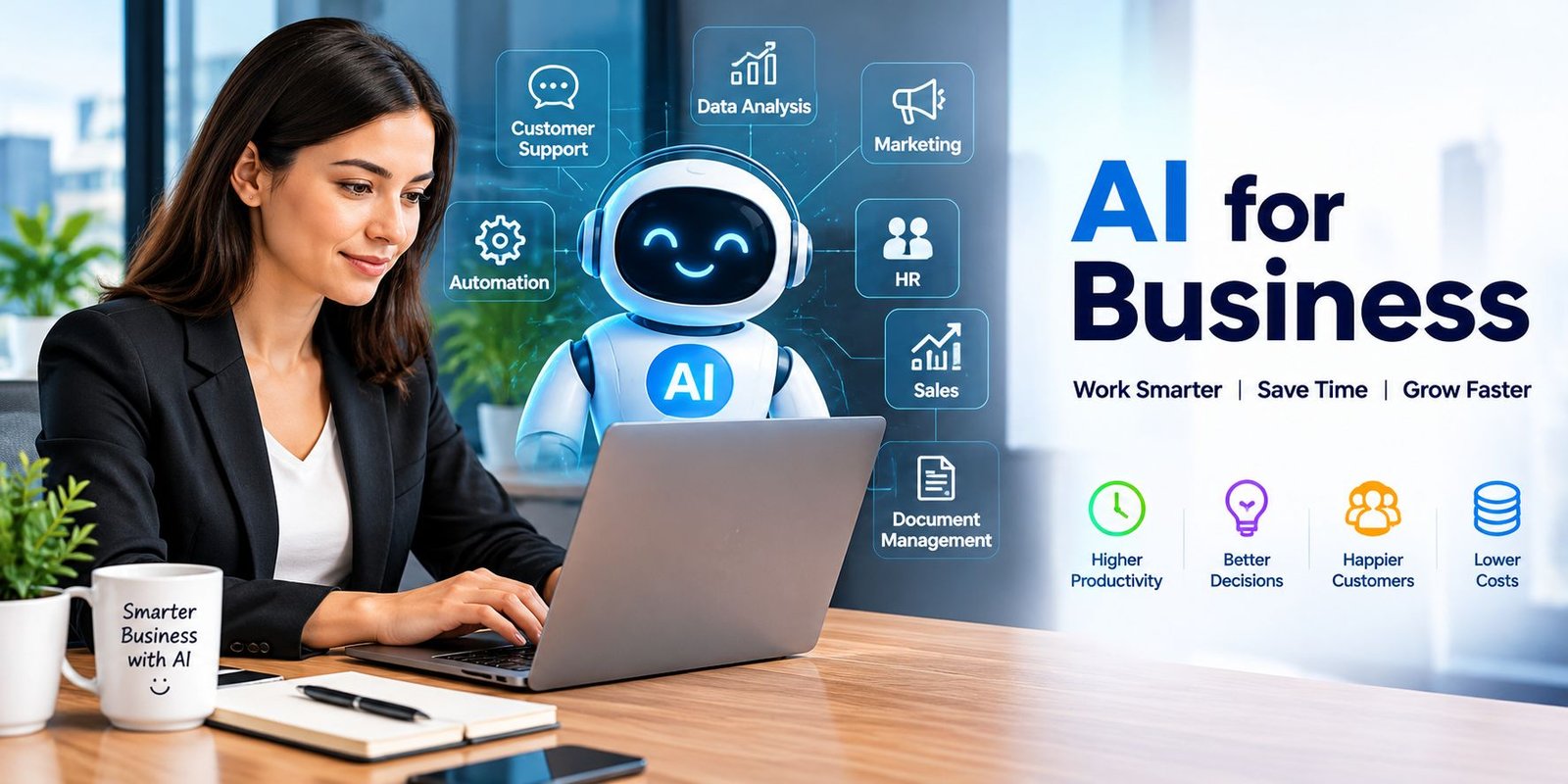
AI for Business: A Practical Guide for Modern Companies
AI for Business offers a way to bring computer-based intelligence into selected parts of this work. Instead of asking employees to perform every repetitive step themselves, a company can use AI to assist with research, communication, organization, analysis, and other activities.
The useful question is not simply whether a company should use artificial intelligence. The better question is where it can create a real improvement.
What Is AI for Business?
AI for Business describes the use of artificial intelligence within commercial and workplace activities.
AI systems can work with information such as written language, numbers, images, customer messages, documents, and records. Depending on the software, they may summarize information, classify content, generate drafts, recognize patterns, or assist with routine decisions.
For example, an online retailer could use an AI system to sort customer messages into categories. A finance team might use software to organize reports. A marketing employee could use an AI assistant to turn research notes into an initial content draft.
The exact application depends on the company’s workflow.
Why Are Companies Interested in AI?
Many business processes contain repetitive work.
Employees may copy information between systems, answer similar questions, prepare routine documents, review large amounts of text, or create the same type of report every week.
AI can assist with some of these activities. This can free employees to spend more time on tasks that require experience, judgment, creativity, or direct communication.
The goal is not simply to make a business use more technology. The goal is to make selected processes easier or more efficient.
Business Areas Where AI Can Help
Artificial intelligence can fit into different parts of an organization.
Customer Support
Customer service teams often receive repeated questions.
An AI assistant can deal with straightforward requests such as product information, basic instructions, or common account questions. When a situation becomes unusual or sensitive, the conversation can be transferred to a human representative.
This creates a division between routine questions and cases that require personal attention.
Marketing Departments
Marketing teams work with customer research, campaign information, written content, and performance figures.
AI can help generate starting ideas, organize research, summarize campaign data, or create rough drafts.
A human should review the final material to make sure it matches the company’s message and contains accurate information.
Sales Teams
Salespeople spend time communicating with potential customers and maintaining records.
AI can assist by summarizing conversations, organizing lead information, and preparing notes. This can reduce administrative work surrounding the sales process.
Human Resources
HR departments manage job descriptions, applications, employee questions, internal documents, and other information.
AI can assist with some administrative activities, such as preparing drafts or organizing large amounts of text.
Sensitive employment decisions should still receive appropriate human oversight.
Operations
Business operations often involve repeated procedures.
AI can help identify unusual patterns, sort incoming information, or support workflows that involve large quantities of data.
This can be particularly useful when employees would otherwise spend considerable time checking information manually.
Examples of AI in Everyday Business Work
You do not need a complicated AI system to find practical uses.
A company could use AI to:
- Turn meeting discussions into notes
- Create a first draft of an email
- Summarize a long document
- Sort incoming customer messages
- Suggest product content
- Examine sales information
- Organize research
- Prepare simple reports
- Classify documents
- Generate ideas for marketing campaigns
These examples show that AI can be useful even when it does not make the final business decision.
Advantages of Using AI
The benefits vary from one company to another, but several areas are worth considering.
Employees Can Spend Less Time on Routine Work
When software handles part of a repetitive process, employees may have more time for work that requires human input.
Large Amounts of Information Become Easier to Review
AI can process substantial amounts of text or structured information quickly. It can then present the material in a more manageable form.
Customers May Receive Faster Responses
An automated assistant can respond to basic questions without waiting for a support employee to become available.
Workflows Can Become More Organized
AI can assist with sorting, classification, summarization, and other steps that often slow down office processes.
Businesses Can Experiment With New Workflows
AI allows companies to test different ways of completing tasks. A business can compare the new method with its existing process and keep the approach that works better.
AI for Small Business Owners
Small companies often have limited staff, which makes repetitive work especially noticeable.
A small business owner could use AI for tasks such as preparing product descriptions, organizing customer messages, researching topics, drafting emails, or reviewing basic business information.
The important part is choosing a task with a clear purpose.
For example, instead of purchasing several AI subscriptions at once, a small business could first test one tool that reduces the time spent preparing weekly reports.
AI Automation Explained
Automation means allowing software to complete a sequence of actions with little manual involvement.
AI adds another capability because it can work with less structured information.
For instance, a normal automation rule might move every form submission into a folder. An AI-assisted workflow could first examine the submission, determine its subject, summarize it, and then send it to the relevant department.
This can make some business workflows more flexible.
However, automated systems should have clear limits. If an action could cause financial, legal, or customer-related harm, human review may be appropriate.
Choosing an AI Tool for a Company
There are many AI products available, but popularity alone should not determine the choice.
Before selecting software, consider:
The Actual Business Problem
Start by identifying what you want to improve.
Ease of Use
Employees should be able to understand the basic workflow without unnecessary complexity.
Data Handling
Check how the service treats information entered into the system, especially if the company handles confidential material.
Integration
A tool becomes more useful when it can work with the software the business already uses.
Cost
Consider both the subscription price and the time required to set up and maintain the system.
Quality of Results
Test the software with real-world examples before making a large commitment.
Risks Businesses Should Understand
AI can create problems when companies use it without proper controls.
AI Can Make Mistakes
A generated answer may look convincing even when the information is wrong. Important material should receive human review.
Confidential Data Needs Care
Employees should not automatically place private customer, financial, legal, or company information into an AI service.
Employees Need Clear Guidance
A company should explain which AI tools are approved and what types of information employees may use with them.
Automation Can Spread Errors
If incorrect information enters an automated workflow, the system may repeat the mistake quickly.
This is why testing and monitoring matter.
A Simple Way to Introduce AI
Businesses can reduce unnecessary risk by starting with a small experiment.
Step 1: Choose One Time-Consuming Activity
Find something employees perform frequently.
Step 2: Record the Existing Process
Measure how much time the task currently takes and identify the steps involved.
Step 3: Test an AI Solution
Use a limited trial rather than changing the entire workflow immediately.
Step 4: Check the Results
Look for errors, missing information, unnecessary steps, and unexpected behavior.
Step 5: Compare the Outcome
Ask whether the new process actually saves time, improves quality, or reduces workload.
Step 6: Expand Only If It Works
If the experiment produces useful results, gradually apply the approach to similar tasks.
AI Does Not Remove the Need for People
One common misunderstanding is that artificial intelligence can handle every business responsibility by itself.
In reality, employees still provide context and accountability.
A company might use AI to prepare a customer response, but a worker can check the details before sending it. Similarly, AI may highlight a pattern in sales data, while a manager decides what that pattern means for the business.
This combination can be more practical than relying entirely on either people or software.
Measuring the Value of AI
A business should have a way to judge whether an AI project is actually useful.
Possible measurements include:
- Time saved
- Cost reduction
- Response speed
- Error rate
- Customer satisfaction
- Employee workload
- Output quality
- Number of completed tasks
Without measurement, it can be difficult to know whether an AI tool is helping or simply adding another layer of software.
What Does the Future Hold?
Artificial intelligence will likely become more common inside business software and workplace workflows.
Instead of opening a separate AI application, employees may increasingly interact with AI features directly inside the programs they already use.
This could make AI assistance more natural, but businesses will still need to think about accuracy, privacy, security, and human responsibility.
The technology will continue to change, so companies should focus on flexible processes rather than depending on one particular AI product forever.
Frequently Asked Questions
What does AI for Business mean?
It means applying artificial intelligence to workplace and commercial activities such as customer support, marketing, administration, analysis, and automation.
Is AI useful for a small business?
Yes. A small company can use AI for focused tasks such as drafting content, organizing information, handling routine questions, or summarizing documents.
Can AI completely run a business?
AI can assist with many processes, but a business still needs people for leadership, accountability, relationships, judgment, and decisions that require context.
How can AI help employees?
It can reduce some repetitive work, summarize information, organize material, generate drafts, and assist with research.
What should companies avoid when using AI?
Companies should avoid blindly trusting generated information, exposing confidential data without understanding the service’s policies, and automating important decisions without suitable oversight.
Final Thoughts
AI for Business is best viewed as a practical tool rather than a magic solution.
A company can use artificial intelligence to handle selected tasks, organize information, assist employees, and improve certain workflows. The strongest results usually come from starting with a specific problem and measuring the outcome.
Businesses that combine AI with human judgment can gain useful efficiencies while keeping people responsible for the decisions that matter most.
SEO Details
SEO Title: AI for Business: Uses, Benefits and Automation
Meta Description: Explore AI for business, including practical uses, automation, benefits, risks, tools, and simple ways companies can start using artificial intelligence.
Focus Keyphrase: AI for Business
Slug: ai-for-business
Related Keywords: business AI, AI tools for business, artificial intelligence for companies, AI automation, AI productivity, AI for small business
Image Alt Text: AI for Business helping companies manage digital tasks



One Comment