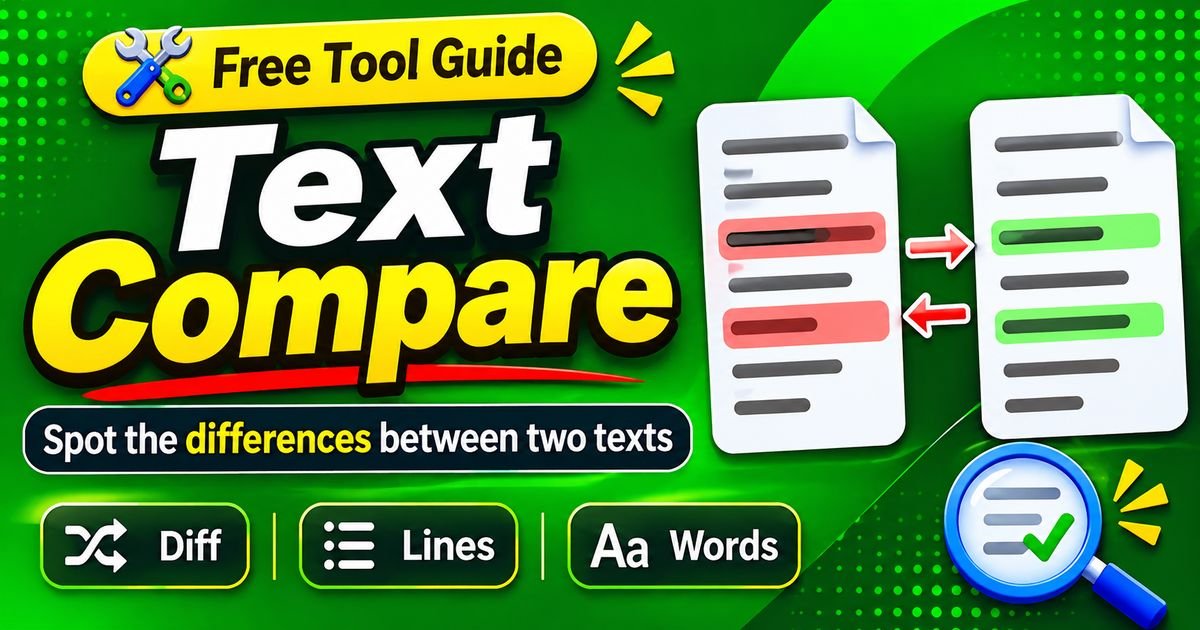
Text Compare: Compare Two Texts Online
Text Compare is a useful online solution for identifying differences between two versions of written content. Whether you are editing an article, reviewing a business document, updating website information, or checking an assignment, comparing text can make the entire process easier. Instead of reading two documents repeatedly to discover small changes, you can use a text comparison tool to highlight differences automatically.
In today’s digital world, written information is regularly created, modified, and updated. Students prepare assignments, bloggers publish articles, developers change programming files, and businesses maintain important documents. During these activities, multiple versions of the same content are often created. Remembering every modification can become difficult, especially when documents contain thousands of words.
This is where Text Compare becomes valuable. It allows users to examine two text versions and identify added words, removed sentences, modified paragraphs, and other changes. Most online comparison services provide a straightforward interface where users can paste their content and receive results within a short time.
Another advantage is accessibility. Many text comparison tools operate directly through web browsers, meaning users do not need to install additional software for basic tasks. They can compare content from a computer, laptop, tablet, or compatible smartphone.
However, not every comparison tool offers identical features. Some focus on individual words, while others examine characters, lines, and complete documents. Understanding these differences can help users select an appropriate service.
This guide explains how Text Compare works, why it matters, which features are useful, and how students, writers, developers, and businesses can benefit from comparing written information.
What Is Text Compare?
Text Compare is the process of examining two pieces of written content to identify their similarities and differences. It helps users understand what has changed between an original document and a revised version.
For example, imagine that a writer prepares an article containing 2,000 words. After reviewing the first draft, the writer decides to improve several paragraphs, replace unclear expressions, and add additional information. The updated article may look similar to the original, but several changes have been made.
Reading both versions separately could take considerable time. A text comparison tool makes this process easier by analyzing the documents and showing their differences.
Depending on the platform, the comparison results may identify newly added words, deleted material, replaced expressions, spelling corrections, punctuation changes, and modifications to paragraph structure.
Text comparison is useful for many types of written information. Students can compare assignment drafts, editors can review article revisions, businesses can examine updated reports, and developers can identify changes in technical files.
It is important to understand that Text Compare is not automatically a plagiarism checker. A standard comparison tool examines two inputs supplied by the user. A plagiarism checker generally examines submitted material against external sources or databases.
Both technologies involve analyzing text, but their purposes are different.
How Does Text Compare Work?
Most online text comparison tools use algorithms that examine two text inputs and identify differences. Although the technology varies between services, the general process follows several common stages.
Receiving Two Text Versions
The first stage involves providing the original and updated content.
Many online services display two separate text boxes. The first is used for the original version, while the second contains the revised version.
For example, a blogger might paste an older article into the first field and an updated article into the second.
Some advanced platforms also support document uploads, allowing users to compare compatible files without manually copying every paragraph.
Analyzing the Content
After receiving both text inputs, the comparison system processes their content.
It examines words, characters, lines, and matching sequences to understand where the documents are similar and where they differ.
Some tools compare text at the word level, while others focus on individual characters or complete lines.
The selected comparison method affects how the results are displayed.
Identifying Added Words
When the updated version contains information that does not appear in the original document, the tool can identify it as additional content.
For example, a writer may add a new paragraph explaining how a particular application works.
The comparison result can highlight the newly added material, making it easier to review.
Finding Removed Information
A text comparison tool can also identify words or sentences that appeared in the original document but are missing from the updated version.
This feature is especially helpful when editing lengthy documents.
Sometimes, important information may be deleted accidentally while rewriting a paragraph. Reviewing the comparison results can help users notice missing content before completing the document.
Highlighting Modified Sections
Not every change involves adding or removing complete sentences.
A writer might replace one expression with another, correct a spelling mistake, or rewrite an entire paragraph.
The comparison system identifies these differences and presents them in a visual format.
Users can then examine the surrounding content to understand whether the modification improves the document.
Why Is Text Compare Important?
Text comparison is important because digital documents are rarely completed in one attempt. Most writing projects involve revisions, corrections, feedback, and updates.
Without a comparison tool, reviewing every change manually can become difficult.
Saves Time During Editing
One of the most important benefits of Text Compare is that it reduces manual review time.
Instead of reading two long documents from beginning to end, users can examine a report showing the sections that have changed.
This is especially useful for lengthy articles, business reports, and technical documentation.
Makes Document Reviews Easier
Editors and writers often work with several versions of the same document.
A comparison tool makes it easier to understand which paragraphs have been modified and which sections remain unchanged.
This creates a more organized editing process.
Helps Identify Accidental Changes
Small modifications can sometimes affect the meaning of written information.
For example, changing a number, removing a word, or modifying an instruction may create an unintended problem.
Highlighting differences helps users identify these changes before sharing the final document.
Supports Team Collaboration
When multiple people contribute to one document, different versions may circulate between team members.
Comparing those versions provides a clearer understanding of what each person has changed.
This can reduce confusion during collaborative projects.
Improves Document Management
Organizations regularly update policies, reports, product descriptions, and internal instructions.
Text comparison helps maintain a clearer record of revisions and supports document quality control.
Main Features of Text Compare Tools
Different text comparison platforms provide different capabilities. Basic services focus on highlighting differences, while advanced applications may offer additional controls.
Side-by-Side Comparison
Side-by-side comparison displays the original and updated text in separate sections.
Users can examine both versions simultaneously and identify changes more easily.
This layout is particularly useful when reviewing lengthy articles, reports, and documents.
It also makes it easier to follow how a paragraph has changed between two versions.
Inline Difference Highlighting
Some tools present differences directly within a combined text view.
Instead of displaying two documents in separate columns, they show changes inside one comparison area.
This approach can be convenient when examining short passages or smaller documents.
Word-Level Comparison
Word-level comparison focuses on differences between complete words.
It can identify new vocabulary, removed expressions, and replaced terms.
For example, changing the sentence “This tool is useful” to “This application is helpful” produces several word-level differences.
This feature is particularly useful for writers, bloggers, and editors.
Character-Level Comparison
Character-level comparison examines individual letters, numbers, spaces, and symbols.
It can help identify spelling mistakes, punctuation changes, and small differences that may not be obvious during normal reading.
Developers may also use this method when comparing technical strings.
Line-Level Comparison
Line-level comparison examines complete lines instead of individual words.
It is useful for programming code, configuration files, scripts, and structured documents.
Developers can quickly identify which lines have been added, removed, or modified.
Copy and Paste Support
Many online Text Compare tools allow users to paste content directly into two input fields.
This makes comparison convenient because users do not need to prepare separate files for every task.
They can copy information from a word processor, browser, email, or note-taking application.
Document Upload Support
Some advanced comparison platforms support document uploads.
Depending on the service, supported formats may include TXT, DOCX, and other common document types.
Before uploading a file, users should check whether its format is supported.
Clear and Reset Options
A clear or reset function allows users to remove existing content from the comparison fields.
This is useful when performing multiple comparisons during one session.
It also prevents information from an earlier comparison from accidentally remaining in the input fields.
Downloadable Comparison Results
Certain platforms allow users to export or download their comparison reports.
This can help editors and business teams maintain records of revisions.
However, this feature is not available on every free comparison website.
How to Use Text Compare Online
Using an online text comparison tool is generally simple. Most services follow a similar process, although their interfaces and available features may differ.
Step 1: Choose a Comparison Tool
Start by selecting a text comparison service that supports your requirements.
If you only need to compare short paragraphs, a basic browser-based tool may be enough.
For larger documents, consider a platform that supports longer text inputs and appropriate file formats.
Step 2: Prepare the Original Text
Open the document containing your original content.
Select the information you want to compare and copy it.
Paste the copied content into the first comparison field.
Make sure you have selected the complete text because missing paragraphs can affect the final results.
Step 3: Add the Updated Text
Open the revised document and copy its content.
Paste it into the second comparison field.
This version should contain the modifications you want to examine.
Check both inputs before continuing to avoid unnecessary comparison errors.
Step 4: Start the Comparison
After entering both versions, select the compare option.
The system will analyze the content and generate a report.
Processing time depends on document length, platform performance, and the comparison algorithm.
Step 5: Review the Differences
Examine the highlighted sections carefully.
Look for added words, removed sentences, modified expressions, and changes in paragraph structure.
Read the surrounding sentences because the visual difference alone may not explain the meaning of a change.
Step 6: Make Necessary Corrections
If the comparison reveals an unwanted modification, return to your working document and correct it.
You can compare the content again after making corrections.
For important documents, always review the final version before publishing or sharing it.
Text Compare for Students
Students regularly prepare assignments, research papers, educational notes, and project reports.
These documents usually pass through several editing stages before completion.
Text comparison can help students understand their revisions and improve their writing process.
Reviewing Assignment Drafts
A student may prepare an initial assignment and later revise it after receiving feedback.
The updated version might include corrected grammar, clearer explanations, additional examples, and improved paragraphs.
Comparing both versions helps identify the changes made during editing.
Checking Research Notes
Students sometimes collect information from several sources and organize it into personal notes.
Comparing older and updated notes can help them identify missing information or reorganized sections.
They should still verify important facts using reliable educational sources.
Working on Group Projects
Group assignments often involve contributions from multiple students.
One person may update a document while another reviews its content.
A comparison tool helps team members understand what has changed between different versions.
Developing Better Writing Skills
Students can also use Text Compare to study their editing habits.
For example, comparing an early draft with a revised version may reveal repeated spelling mistakes, unclear expressions, or unnecessary sentences.
Understanding these patterns can help improve future writing.
Text Compare for Writers and Bloggers
Writers and bloggers regularly update existing content to improve readability, accuracy, and usefulness.
They may change headings, rewrite introductions, add examples, or remove outdated information.
Text comparison makes it easier to review these modifications.
Reviewing Published Article Updates
Suppose a blogger publishes an article and later decides to expand it with additional information.
The revised article may contain new explanations, corrected facts, and updated recommendations.
Comparing both versions allows the writer to examine the changes before publishing the updated content.
Managing Multiple Article Drafts
Long-form articles often pass through several writing stages.
A writer may prepare an initial draft, improve the structure, receive editorial feedback, and create a final version.
Text comparison helps identify the differences between each stage.
Maintaining Consistent Content
Websites often contain multiple articles covering related subjects.
Editors may need to maintain consistent terminology and descriptions across different pages.
Comparing revised content can help identify unexpected wording changes.
Reviewing Client Feedback
Freelance writers sometimes receive documents containing requested corrections.
After completing the edits, they can compare the original draft with the revised version.
This provides a convenient way to review the completed work.
Text Compare for Developers
Text comparison is also important in software development.
Developers regularly modify programming files, scripts, configuration settings, and technical documentation.
Even a small change can influence how a program behaves.
Comparing Source Code
Developers can compare two versions of a source code file to identify added, removed, and modified lines.
This is useful when reviewing changes before including them in a software project.
Specialized development tools may also provide syntax highlighting and version-control integration.
Reviewing Configuration Files
Configuration files contain settings that control software behavior.
When an application experiences problems after an update, comparing the previous and current configuration files may help identify relevant modifications.
Developers should still test corrections before applying them to important systems.
Understanding Team Contributions
Software projects frequently involve multiple developers.
One developer may update a function while another modifies related files.
Comparison tools help team members review these changes before combining their work.
Comparing Technical Documentation
Developers also maintain installation guides, API documentation, and troubleshooting instructions.
Comparing earlier and updated documentation can help identify missing steps and revised technical information.
Text Compare for Businesses
Businesses create and manage different types of written information.
Examples include proposals, reports, company policies, product descriptions, and customer communication.
Keeping these documents accurate is important for professional operations.
Comparing Business Reports
A company may revise a report after receiving new information.
Comparing the previous and updated versions helps reviewers identify changes in wording, figures, and explanations.
Numbers should receive particular attention because even a small numerical modification may have significant consequences.
Reviewing Company Policies
Organizations sometimes update their internal policies.
A text comparison tool can help employees identify revised sections and newly added requirements.
For legally important documents, qualified professional review remains necessary.
Managing Business Proposals
Proposals often pass between employees, managers, and clients.
Each person may suggest modifications before the final document is approved.
Comparing drafts helps teams understand those changes and maintain a clearer revision process.
Updating Customer Communication
Businesses regularly revise email templates, product descriptions, and customer support responses.
Text comparison can help identify changes before updated communication materials are distributed.
Text Compare vs. Plagiarism Checker
Text comparison and plagiarism detection are different processes, even though both involve examining written information.
A Text Compare tool analyzes two specific text inputs supplied by the user.
A plagiarism checker generally examines submitted content against external sources, published material, or available databases.
For example, if someone wants to identify changes between an old blog article and its updated version, a text comparison tool is appropriate.
If someone wants to investigate whether an article contains material similar to existing publications, a plagiarism detection service may be more suitable.
Comparing two documents does not automatically establish whether their content is original.
Similarly, plagiarism detection results require careful interpretation and should not be treated as a complete judgment without examining the matching sources.
Understanding this distinction helps users select the correct technology for their requirements.
Text Compare vs. Grammar Checker
A grammar checker and a text comparison tool perform different tasks.
Grammar checkers examine writing for possible spelling, punctuation, grammatical, and style problems.
Text comparison tools identify differences between two versions of content.
Both can be useful during the editing process.
For example, a grammar checker might suggest changing a sentence to improve its clarity. After accepting the suggestion, a comparison tool can show exactly how the sentence changed.
Using both approaches can make document editing more organized.
Advantages of Free Text Compare Tools
Many online platforms provide basic text comparison features without charging users.
These services can be useful for students, writers, bloggers, and people who occasionally review documents.
Easy Accessibility
Browser-based comparison tools are generally accessible through computers, laptops, tablets, and compatible smartphones.
Users can open the website without installing dedicated desktop software.
Simple Operation
Most basic services provide a straightforward interface.
Users enter two text versions and start the comparison.
This makes them suitable for people with limited technical experience.
No Special Equipment
A standard device with an internet connection is generally sufficient for using an online comparison service.
Users do not need specialized hardware for ordinary text comparisons.
Helpful for Everyday Editing
Free comparison tools can help with assignments, short reports, website content, and ordinary document revisions.
They provide a convenient way to review changes without purchasing advanced software.
Limitations of Online Text Comparison
Although Text Compare tools are helpful, they are not perfect.
Understanding their limitations can help users avoid incorrect assumptions.
Text Length Restrictions
Some free services limit the amount of content users can compare.
Large documents may need to be divided into smaller sections.
Before starting, check whether the selected platform supports your document length.
Formatting Differences
Two documents may contain identical wording but different spacing, line breaks, or paragraph arrangements.
Depending on the comparison settings, these differences may appear in the results.
This can make a report look more complicated than necessary.
Limited Understanding of Context
A comparison algorithm can identify changed words without understanding their meaning.
For example, replacing one technical expression with another may create a difference even when the intended meaning remains similar.
Users must evaluate the changes themselves.
File Compatibility Problems
Not every online comparison service supports all document formats.
Some accept plain text only, while others provide support for additional file types.
Checking compatibility before uploading documents can prevent unnecessary problems.
Internet Dependency
Browser-based services generally require an internet connection.
This may be inconvenient when users need to compare documents in locations without reliable connectivity.
Privacy Concerns
Some websites process submitted text through their servers.
Users should read the privacy policy before submitting sensitive or confidential information.
For professional documents, an approved offline application may be a better option.
How to Choose the Best Text Compare Tool
Selecting the right comparison service depends on your requirements.
A simple tool may be suitable for short passages, while professional editing or software development may require advanced features.
Look for an Easy Interface
A good comparison service should have a clear and understandable layout.
The original and updated text fields should be properly identified.
Users should be able to perform basic comparisons without navigating unnecessary menus.
Check Comparison Accuracy
The platform should consistently identify additions, deletions, and modifications.
You can test a service using sample text containing a few known differences.
This provides a basic understanding of how its comparison system works.
Examine Text Limits
If you regularly work with long documents, check the maximum supported input size.
Choosing a service with suitable limits can prevent interruptions during important tasks.
Review Supported Formats
Check whether the tool supports the document formats you regularly use.
A simple text-only service may not be suitable for complex documents.
Consider Privacy Protection
Review the platform’s privacy policy and data-handling information.
Avoid submitting passwords, private messages, financial information, or confidential business documents to unfamiliar websites.
Check Mobile Compatibility
Some users prefer comparing documents through smartphones or tablets.
A responsive interface can make the process easier across different screen sizes.
Common Mistakes When Using Text Compare
Users sometimes misunderstand comparison results because of small mistakes during the preparation process.
Avoiding these problems can improve the overall experience.
Comparing Incomplete Documents
If one document contains missing paragraphs, the results may show large differences that do not reflect the actual revisions.
Always check that both text inputs are complete.
Ignoring the Context
A highlighted word may look important without changing the overall meaning of a sentence.
Read the surrounding paragraph before deciding whether a modification is necessary.
Using the Wrong Comparison Method
Character-level comparison may produce too many details when reviewing a lengthy article.
Word-level or line-level comparison may be more suitable depending on the document.
Choose a method that matches your task.
Overlooking Numerical Changes
Numbers, dates, measurements, and percentages can be particularly important.
Review them carefully instead of focusing only on ordinary wording changes.
Ignoring Privacy Information
Some users paste confidential content into online services without checking how the information is processed.
Read the privacy information before submitting documents.
Tips for Getting Better Text Compare Results
A few simple practices can make document comparisons more effective.
First, keep an unchanged copy of the original document. This provides a reliable reference when reviewing later versions.
Second, use complete text inputs. Missing sections can produce misleading results.
Third, select the appropriate comparison level. Word-level comparison is useful for articles, while character-level comparison may be better for identifying small spelling changes.
Fourth, review highlighted modifications in context. A changed expression does not necessarily mean the meaning of a paragraph has changed.
Fifth, save important document versions separately. This makes it easier to return to an earlier draft when necessary.
Finally, review the final document manually. Automated comparison can identify differences, but it cannot replace professional judgment or factual verification.
Is Text Compare Safe to Use?
The safety of an online comparison service depends on how it handles submitted information.
Some services may process text within the browser, while others may send content to external servers.
Their privacy practices can vary significantly.
Before using an unfamiliar service, examine its privacy policy and understand whether submitted content is stored or retained.
Avoid entering sensitive information into websites that do not clearly explain their data-handling practices.
For confidential business documents, consider using approved desktop software or an organization-managed platform.
Users should also make sure they are visiting the correct website and avoid downloading unknown files from untrusted sources.
Can Text Compare Identify Every Difference?
A comparison tool can identify many differences between two text inputs, but its accuracy depends on the algorithm, settings, and quality of the supplied content.
It may successfully identify added words, deleted sentences, and modified paragraphs.
However, it may not understand why a change was made or whether the updated wording is better.
For example, two sentences can communicate similar ideas while using completely different vocabulary.
A comparison system may highlight nearly the entire sentence even when the overall meaning remains close.
Similarly, a tiny change to a technical term or number may have a major effect on the document.
Therefore, automated results should be treated as a review aid rather than a complete replacement for human evaluation.
Text Compare for Website Content Management
Website owners regularly update pages to improve accuracy, readability, and usefulness.
These changes may involve product descriptions, landing pages, tutorials, support articles, and frequently asked questions.
Text comparison helps website managers examine previous and updated versions.
Updating Product Descriptions
Online stores may revise product descriptions when specifications or availability information changes.
Comparing versions helps identify modifications to features, compatibility information, dimensions, and other details.
This is particularly useful when managing large product catalogs.
Maintaining Help Articles
Support pages often change as applications and services receive updates.
A comparison tool can show which instructions have been added, modified, or removed.
This helps content managers review updated guidance before publishing it.
Reviewing SEO Content
Website editors may revise headings, titles, introductions, and paragraphs during content optimization.
Comparing different drafts helps them understand how the wording and structure have changed.
However, a text comparison tool does not measure search rankings or guarantee improved SEO performance.
Keyword research, search intent, technical optimization, and content quality require separate evaluation.
Text Compare on Mobile Devices
Text comparison is also possible on smartphones and tablets when the selected service supports mobile browsers.
Users can copy text from a document application, paste it into comparison fields, and examine the results.
This can be convenient for short tasks, quick editing checks, and reviewing messages.
However, smaller screens may make lengthy comparison reports difficult to read.
A desktop or laptop generally provides a more comfortable workspace for extensive documents.
Mobile users should also check whether the website displays both text fields correctly and allows them to scroll through long results.
The Future of Text Comparison Technology
Text comparison technology continues to develop as digital writing and collaboration become more advanced.
Traditional systems mainly focus on identifying differences between words, characters, and lines.
Modern approaches can combine these functions with artificial intelligence and natural language processing.
AI-Assisted Document Reviews
AI-powered systems may help users understand changes by generating summaries of revised content.
For example, an advanced service might explain that a paragraph has been expanded, a requirement has been removed, or a particular section has been rewritten.
These explanations can make lengthy comparison reports easier to understand.
However, AI-generated summaries should always be checked against the original documents.
Improved Collaboration Features
Future comparison platforms may provide more advanced collaboration options.
Revision histories, comments, shared documents, and permission controls can help teams manage changes more effectively.
These features may become increasingly important for organizations that regularly work with large collections of documents.
Better File Compatibility
As users work with different document formats, comparison services may continue improving their ability to process structured information.
This could make it easier to examine content from different applications without manually converting every file.
More Accessible Comparison Tools
Simple interfaces and improved mobile support may make text comparison easier for people with different levels of technical experience.
The overall goal is to make document review faster, clearer, and more convenient.
Frequently Asked Questions About Text Compare
What Is Text Compare Used For?
Text Compare is used to identify differences between two written documents or text passages. It can highlight added words, removed sentences, modified paragraphs, and other changes.
Is Text Compare Free?
Many online comparison services provide free basic features. However, advanced options such as larger document limits, file uploads, and downloadable reports may require payment.
Can I Compare Two Long Articles?
Yes, provided the selected platform supports their combined text length. Some services impose input restrictions, so check the limitations before starting.
Does Text Compare Detect Plagiarism?
A standard Text Compare tool does not necessarily detect plagiarism. It examines two supplied text inputs, while plagiarism checkers generally search for matching content across external sources or databases.
Can I Compare Text Without Installing Software?
Yes. Many online comparison services operate directly through web browsers. Users can paste two text versions and examine the results without installing additional applications.
Can Text Compare Identify Deleted Words?
Yes. Most basic comparison systems can identify words or sentences that appeared in the original version but are missing from the updated version.
Can It Identify Added Sentences?
Yes. Comparison tools can generally highlight additional words, phrases, and sentences that appear in one version but not the other.
Is Text Compare Useful for Students?
Yes. Students can use it to review assignment revisions, compare research notes, examine writing improvements, and understand how their drafts have changed.
Can Developers Use Text Comparison Tools?
Yes. Developers can compare source code, configuration files, scripts, and technical documentation. Specialized development applications may provide additional features.
Is Online Text Comparison Secure?
Security depends on the individual service. Users should review its privacy policy and avoid submitting confidential information to unfamiliar websites.
Does Text Compare Work on Smartphones?
Many online comparison tools support mobile browsers. However, lengthy comparison reports may be easier to examine on a desktop or laptop.
Can Text Compare Identify Formatting Changes?
Some services can identify differences involving spaces, line breaks, and paragraph arrangements. The available features depend on the comparison platform.
What Is the Difference Between Word-Level and Character-Level Comparison?
Word-level comparison identifies differences between complete words, while character-level comparison examines individual letters, numbers, symbols, and punctuation marks.
Can I Compare Two Versions of the Same Document?
Yes. Comparing an original document with an updated version is one of the most common uses of text comparison technology.
Does Text Compare Guarantee Accurate Results?
No comparison service should be treated as completely error-free. Results depend on the algorithm, document structure, input quality, and selected settings.
Conclusion
Text Compare is a practical solution for identifying differences between two versions of written content. It helps students, writers, developers, editors, and businesses review document changes without manually examining every line.
Its main advantage is the ability to make revisions easier to understand. Whether someone is updating a website article, reviewing an assignment, examining programming code, or managing business documents, text comparison can simplify the process.
Choosing the right tool depends on the type of content being examined. Basic browser-based services may be sufficient for short passages, while extensive projects may require advanced desktop applications or dedicated document management software.
Although automated comparison can save time and reveal important changes, users should always review the results carefully. Understanding the context of each modification is essential, particularly when working with technical, academic, or business information.
By preparing documents correctly, selecting suitable comparison settings, and reviewing highlighted differences, users can make Text Compare a valuable part of their everyday digital workflow.