
GoLand: A Complete Guide to JetBrains Go IDE
Choosing the right development environment can make a noticeable difference when working on Go projects. A good IDE can reduce repetitive work, make code easier to understand, and bring essential development tools together in one place.
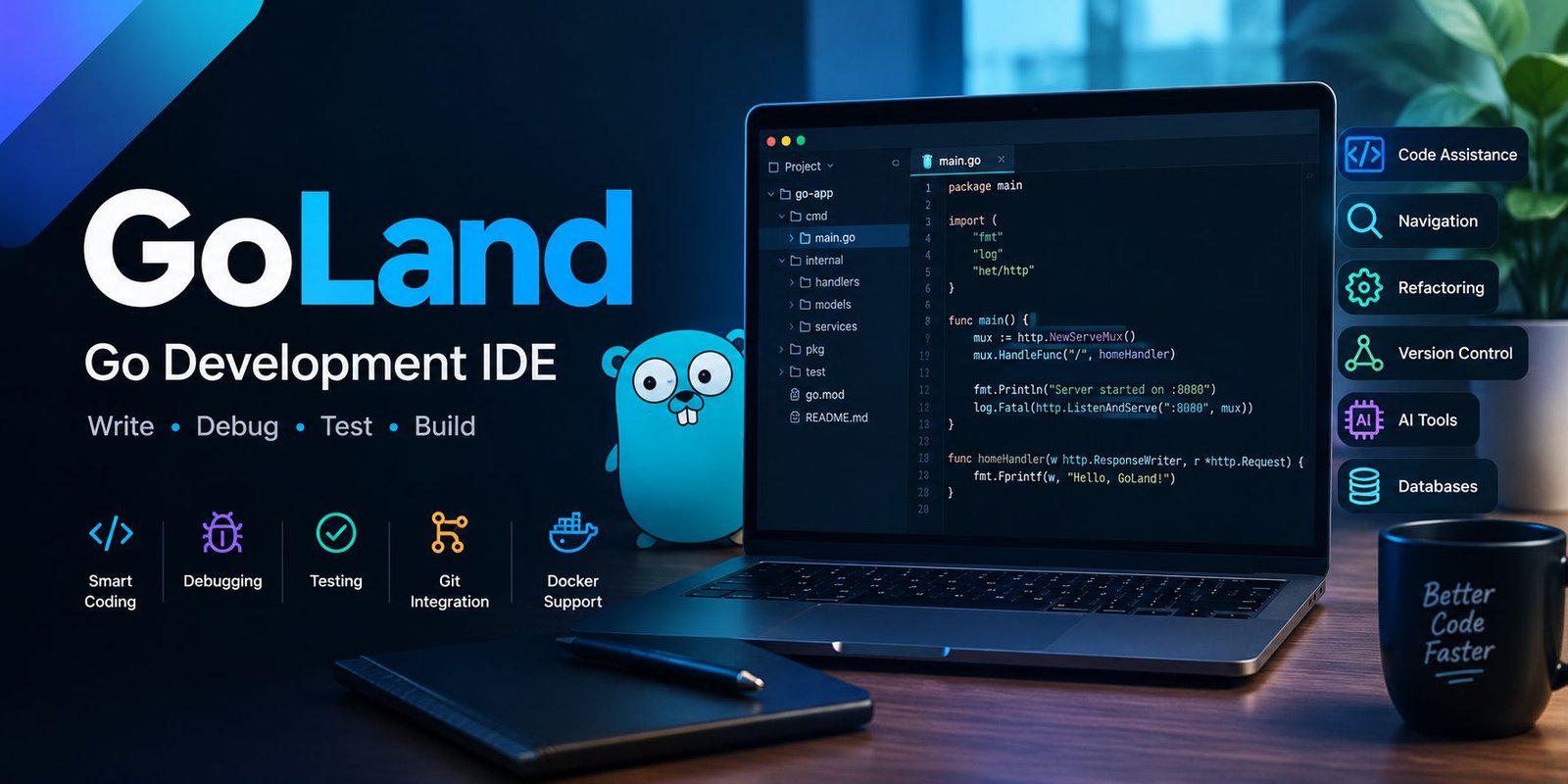
GoLand is JetBrains’ dedicated development environment for Go. It is designed to support the complete development workflow, from writing and navigating code to testing, debugging, version control, and working with modern development tools. JetBrains describes it as an IDE built for professional Go development.
For developers who spend a significant amount of time building applications with Go, having specialized tooling can make everyday tasks more organized.
This guide explains what GoLand is, what it offers, how it works, and what beginners should know before getting started.
What Is GoLand?
GoLand is an integrated development environment created by JetBrains for programmers working with the Go programming language.
Instead of relying on separate applications for editing, debugging, testing, version control, and other development tasks, an IDE brings many of these functions into one workspace.
GoLand includes features designed specifically around Go development while also supporting technologies commonly used alongside Go applications.
According to JetBrains, the IDE is intended to help developers write, test, debug, and deploy applications within the same development environment.
Who Uses GoLand?
The software can be useful for a wide range of developers, including:
- People learning Go
- Backend developers
- Web application developers
- Cloud developers
- API developers
- Software engineering teams
- Developers maintaining large Go codebases
- Professionals working with containers and infrastructure
Beginners can use its guided development features, while experienced programmers can take advantage of navigation, refactoring, debugging, testing, and automation tools.
Why Use a Dedicated Go IDE?
A basic text editor can be enough for small programs. As a project grows, however, developers often need more than syntax highlighting.
Large projects may contain hundreds or thousands of files, external dependencies, tests, configuration files, and multiple branches.
An IDE can connect these pieces.
Less Manual Work
Automatic code completion, inspections, formatting, navigation, and refactoring can reduce repetitive tasks.
Instead of manually searching through a project, developers can use IDE features to locate definitions, references, files, and symbols.
Better Project Awareness
GoLand works within the context of a project. Its project-based approach supports code assistance, refactoring, and consistent development workflows.
This becomes particularly useful when working with larger repositories.
Main Features of GoLand
GoLand combines several development tools inside one application.
Smart Code Completion
The editor provides context-aware completion suggestions while you write code.
JetBrains documents smart completion as one of its core coding-assistance features. It can also add relevant package imports when appropriate.
This can reduce typing and help developers discover available symbols without leaving the editor.
Code Inspections
The IDE can analyze code while you work.
When it detects a potential problem, it can provide an inspection and, where appropriate, suggest a quick fix.
This allows developers to address certain issues before they become larger problems.
Refactoring Tools
Changing code in a large project can be risky when performed manually.
GoLand provides refactoring operations such as renaming and extracting code. These tools are designed to make structural changes more manageable.
Fast Navigation
Developers frequently need to jump between files, functions, declarations, implementations, and usages.
GoLand provides navigation features intended to make these transitions faster.
Working With Go Projects
Starting a project is one of the first things new users need to understand.
The current GoLand documentation explains that projects can be created, opened, or checked out from a version-control system.
Creating a New Project
A typical workflow is:
- Open GoLand.
- Select File → New → Project.
- Choose the appropriate Go project type.
- Configure the Go SDK.
- Create the project.
- Start adding source files.
For modern Go development, Go modules are the default project approach in the current documentation.
Why Go Modules Matter
Go modules help manage project dependencies.
They also allow developers to work outside the traditional GOPATH-based project structure and make dependency management more practical for modern applications.
Code Formatting and Go Tools
Keeping source code consistently formatted is an important part of maintaining a Go project.
GoLand includes integration with common Go development tools.
gofmt Integration
The IDE includes formatting support and can work with gofmt.
JetBrains documentation explains that GoLand can format Go code and manage imports while you work. It can also run formatting actions automatically when configured to do so.
Other Go Tools
GoLand also provides access to Go tools from within the IDE.
This means developers can perform many common development tasks without constantly switching between the editor and command-line environment.
Debugging Go Applications
Finding a problem in running code is often easier with a debugger than by adding temporary print statements everywhere.
GoLand includes a debugger with features such as:
- Watches
- Expression evaluation
- Inline values
- Breakpoints
- Application debugging
- Test debugging
JetBrains lists debugging as one of the IDE’s built-in development capabilities.
Why Debugging Matters
A debugger allows developers to pause execution and inspect what the program is doing.
For example, you can examine variable values, follow program execution, and investigate where unexpected behavior occurs.
This can be especially useful when working with complex backend applications.
Testing in GoLand
Testing is another major part of Go development.
The IDE includes a dedicated interface for running and debugging tests, benchmarks, and checks.
Running Tests
Developers can execute tests directly from the development environment rather than manually navigating to every test file.
This can make repeated testing more convenient during development.
Code Coverage
GoLand can display coverage information when coverage is generated.
This can help developers understand which portions of an application are being exercised by tests.
Git and Version Control
Modern software projects often depend on Git for source-code management.
GoLand includes Git integration for activities such as:
- Viewing changes
- Managing branches
- Reviewing history
- Handling merges
- Working with repositories
JetBrains also continues to improve Git workflows. GoLand 2026.1 introduced first-class Git worktree support, allowing developers to work with multiple branches simultaneously through separate worktrees.
Why Git Integration Helps
Keeping version-control operations inside the IDE means developers can move between editing and source-management tasks without constantly switching applications.
This can be particularly useful for teams working on large repositories.
GoLand and AI-Assisted Development
AI-assisted programming has become part of modern development workflows, and current versions of GoLand include AI capabilities.
The GoLand documentation describes AI features such as coding agents, context-aware chat, in-editor assistance, external agents through the Agent Client Protocol, and support for connecting different AI services.
AI Code Assistance
AI tools can help developers explore code, generate suggestions, explain sections of a project, and perform certain editing tasks.
However, generated code should still be reviewed by the developer.
AI assistance is best treated as a development aid rather than a replacement for understanding the application.
Coding Agents
Current GoLand versions can work with coding agents capable of handling multi-step development tasks.
According to JetBrains, supported workflows can include planning work, editing files, running commands, and executing tests while allowing the developer to review the changes.
What’s New in GoLand 2026.2?
The 2026.2 release introduced several notable additions.
Go Optimization Tools
One major addition is the Go Optimization tool window.
JetBrains says it brings profiling, escape analysis, and struct optimization into a more unified workflow. Developers can profile regular Go applications and inspect CPU and memory behavior.
Official go fix Integration
GoLand 2026.2 also integrates the official go fix tool.
This can help developers apply certain Go language and standard-library modernization updates from within the IDE.
AI Improvements
The release also expanded AI functionality with reusable agent skills, configurable AI completion providers, and GitHub Copilot access through the JetBrains AI experience.
Better Large-Project Performance
JetBrains reports improvements to code analysis, inspections, highlighting, and navigation for large projects.
These changes are intended to keep the development environment more responsive as projects become more complex.
Working With Docker and Databases
Go applications are often connected to databases, containers, APIs, and other services.
GoLand provides integrations that can support these workflows.
Docker
JetBrains lists Docker support among the available integrations, including management of containers and Docker Compose services through the IDE’s tooling.
Database Tools
The IDE also provides database-related capabilities.
Developers can work with SQL, connect to databases, execute queries, and inspect database structures without necessarily leaving the development environment.
Using JavaScript With GoLand
GoLand is primarily focused on Go, but modern applications frequently combine backend and frontend technologies.
JetBrains documentation states that GoLand supports JavaScript, TypeScript, HTML, CSS, and related frontend development workflows.
This can be useful when a project contains both a Go backend and a web-based frontend.
GoLand vs a Basic Code Editor
A basic editor can be lightweight and flexible.
GoLand takes a different approach by providing a larger collection of integrated development features.
Basic Editor
A simple editor may be suitable when you:
- Write small scripts
- Make quick file changes
- Prefer minimal software
- Already rely heavily on command-line tools
GoLand
A full IDE can be more useful when you:
- Work on larger Go applications
- Need advanced navigation
- Debug applications regularly
- Run many tests
- Perform frequent refactoring
- Use Git extensively
- Work with Docker or databases
- Want integrated development assistance
The better choice depends on your workflow rather than simply the number of features available.
Is GoLand Suitable for Beginners?
Yes, beginners can use GoLand, although the number of available features may initially feel overwhelming.
A new Go developer does not need to learn every tool immediately.
Start With the Basics
A beginner can initially focus on:
- Creating a Go project
- Writing a simple program
- Running the application
- Reading compiler or inspection messages
- Creating basic tests
- Learning how to debug
- Understanding Git
Once these basics become familiar, more advanced features can be introduced gradually.
JetBrains also provides a Quick Start guide and tutorials for people learning the environment.
Tips for Getting More From GoLand
The IDE becomes more useful when its features are incorporated into your normal workflow.
Learn Important Shortcuts
Keyboard shortcuts can reduce the time spent navigating menus.
Start with only the commands you use frequently rather than trying to memorize everything.
Use Inspections
Do not ignore editor warnings automatically.
Some inspections can reveal problems or suggest improvements before code reaches production.
Use the Debugger
Learning how breakpoints and watches work can save significant debugging time.
Keep Dependencies Organized
Use Go modules and maintain a clear dependency structure.
Integrate Git Into Your Routine
Commit changes regularly and use version-control tools as part of everyday development.
Advantages of GoLand
Several characteristics make the IDE attractive to Go developers.
Dedicated Go Support
The environment is designed around Go rather than treating it as an optional language.
Strong Code Navigation
Large projects can become easier to explore with symbol search, references, declarations, and related navigation features.
Integrated Debugging and Testing
Developers can work on code, run tests, and investigate problems from the same environment.
Broad Development Integrations
Docker, databases, Git, frontend technologies, and other tools can fit into the same workflow.
AI-Assisted Workflows
Current versions provide several ways to use AI assistance during development.
Possible Drawbacks to Consider
No development environment is perfect for every programmer.
GoLand may feel more complex than a lightweight editor, especially for someone writing only small Go programs.
The large number of features can also require time to learn.
Developers who prefer a minimal environment may prefer a simpler editor combined with command-line tools.
The important question is whether the integrated features actually improve your workflow.
Frequently Asked Questions
What is GoLand used for?
GoLand is used for developing applications with the Go programming language. It provides tools for coding, navigation, testing, debugging, refactoring, version control, and other development tasks.
Is GoLand made by JetBrains?
Yes. GoLand is a JetBrains IDE specifically designed for professional Go development.
Can beginners use GoLand?
Yes. Beginners can start with basic Go projects and gradually learn the IDE’s more advanced features.
Does GoLand support Git?
Yes. Git integration is included, along with tools for branches, history, merges, and other version-control tasks.
Does GoLand support Docker?
Yes. JetBrains lists Docker and Docker Compose-related capabilities among its integrations.
Does GoLand have AI features?
Current versions include AI-assisted coding features, coding agents, context-aware AI chat, and support for external agents.
What is the latest GoLand version discussed here?
This article reflects GoLand 2026.2 information available from JetBrains, including its optimization tools, go fix integration, AI improvements, and performance work.
Final Thoughts
GoLand is a specialized development environment built around the needs of Go programmers. It combines code assistance, navigation, refactoring, testing, debugging, Git integration, and development tooling in one workspace.
Its newer releases also add capabilities for performance analysis, code modernization, AI-assisted development, and large-project workflows.
For developers building anything beyond very small Go programs, the value of an IDE comes from how well its tools fit into the daily development process. GoLand provides a broad set of features designed to support that process from the first line of code through testing and ongoing maintenance.





One Comment