Edge Surf: Complete Guide to Microsoft Edge Surf Game
What Is Edge Surf?
Edge Surf is a surfing-themed game built into Microsoft Edge. It gives users a quick way to play a simple arcade-style game directly through the browser without installing a separate game.
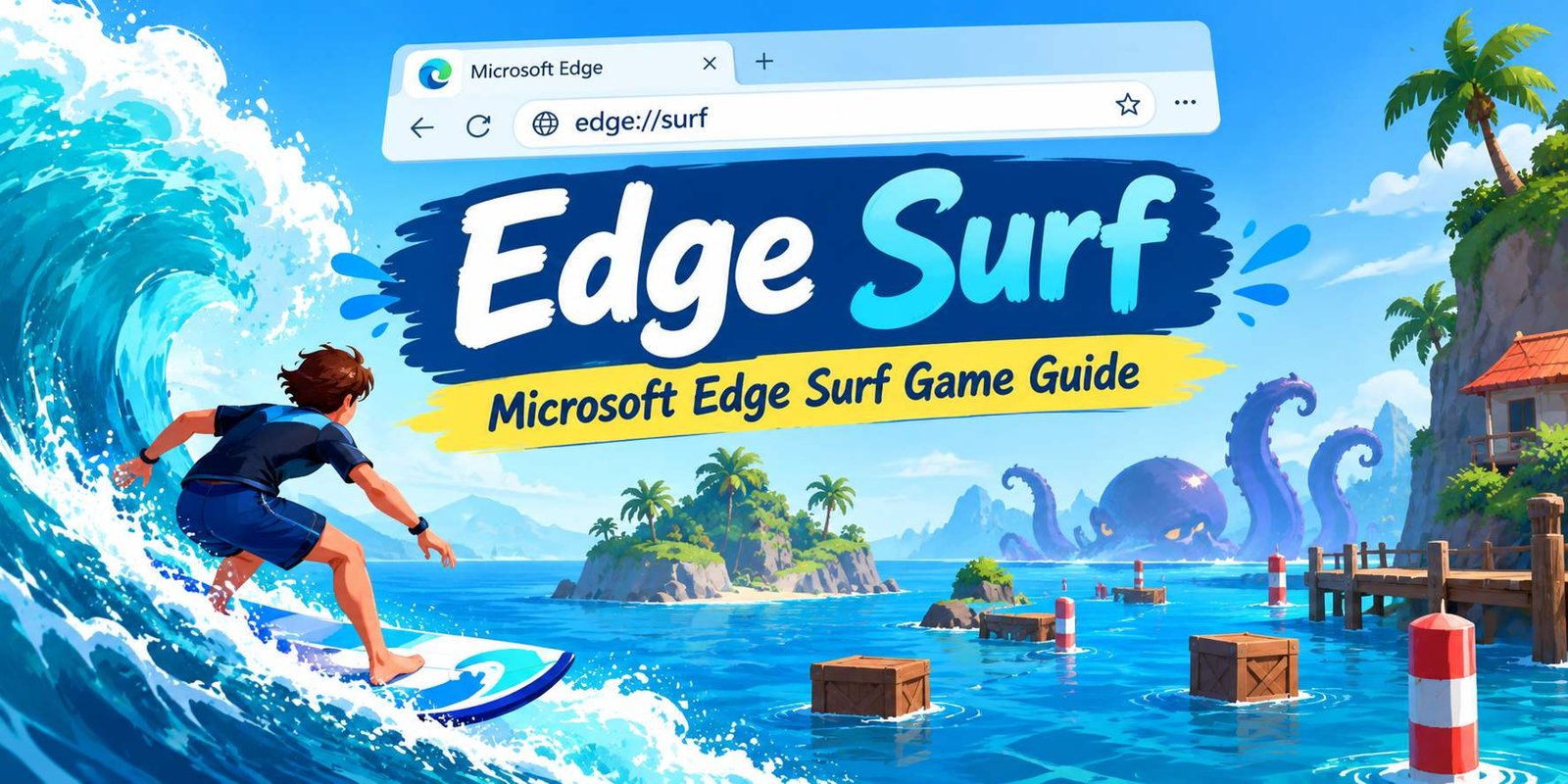
The main idea is easy to understand: control a surfer as they move through the water, avoid obstacles, and try to continue for as long as possible. The game also includes a Kraken that can become an additional challenge during a run.
One reason the game is convenient is that you do not need to search for a third-party gaming website. Microsoft provides direct access through the Edge browser.
Where Can You Find Edge Surf?
Open Microsoft Edge and type:
edge://surf
into the address bar. Press Enter, and the Surf game can start directly from the browser. Microsoft specifically provides this address as the way to access the game.
How to Play Edge Surf
Getting started is straightforward.
Step 1: Open Microsoft Edge
Launch the Microsoft Edge browser on a compatible device.
Step 2: Enter the Surf Address
Click the address bar and type:
edge://surf
Then press Enter.
Step 3: Choose a Game Mode
The game provides three modes, giving players different ways to approach the challenge.
Step 4: Start Surfing
Once the game begins, focus on controlling your character and avoiding obstacles. The longer you stay in the game, the more important timing and movement become.
What Are the Edge Surf Game Modes?
One of the interesting parts of Microsoft’s browser game is that it is not limited to a single style of play.
Microsoft describes three modes: Endless, Zig Zag, and Time Trial.
Endless Mode
Endless mode focuses on continuing your run for as long as possible.
There is no simple finish line to aim for. Instead, the challenge is to survive, avoid hazards, and improve your distance.
This mode can be useful when you want a relaxed game that gradually becomes a test of concentration.
Zig Zag Mode
Zig Zag mode changes the objective by introducing a more structured route.
Instead of simply trying to travel endlessly, you need to navigate through a slalom-style path. This makes movement and positioning especially important.
Time Trial Mode
Time Trial adds a race-against-the-clock element.
The objective is to complete the challenge while managing your movement and avoiding obstacles. Players who enjoy short challenges may prefer this format.
What Obstacles Appear in the Game?
The water may look simple, but the course contains different hazards.
Microsoft’s description mentions obstacles such as islands and other objects in the environment. Microsoft’s broader description also mentions breakwaters, docks, palm trees, and the Kraken.
Islands and Structures
Objects in the water can interrupt your route. Staying aware of what is ahead gives you more time to react.
The Kraken
The Kraken is one of the game’s recognizable hazards. It adds another challenge to an otherwise simple surfing experience.
Why Timing Matters
Moving too early or too late can send your surfer directly into an obstacle. Instead of making constant movements, try to watch the path ahead and react deliberately.
Which Devices Can You Use to Play?
Microsoft says Edge Surf supports several input methods.
You can use:
- Keyboard and mouse
- Touch controls
- Xbox controller
- PlayStation controller
- Switch Pro controller
- Xbox Adaptive Controller
The exact availability of features can vary depending on the device, market, and browser version.
Playing With a Keyboard and Mouse
A keyboard and mouse provide a familiar setup for desktop users.
If you are already using Edge on a computer, this is one of the simplest ways to start.
Playing on a Touch Device
Touch input can provide a more direct way to control the game on supported devices.
Using a Game Controller
If you prefer traditional gaming controls, Microsoft also supports several popular controllers.
Can You Play Edge Surf Offline?
One of the notable features of the game is its connection with Edge’s offline experience.
Microsoft describes Surf as a game that can be played when the browser is offline.
This makes it useful when you have temporarily lost your internet connection and want something simple to do while waiting for your connection to return.
However, browser policies can affect whether the game is available. Microsoft documents an AllowSurfGame policy that can disable the Surf game on managed devices.
Why Do People Like Microsoft Edge Surf?
A browser game does not need to compete with large console or PC games to be useful.
Its main appeal is convenience.
No Separate Game Installation
You can access it through an Edge address rather than searching for an external game download. Microsoft says the game can be started directly through edge://surf.
Quick to Start
There are only a few steps between opening Edge and starting a game.
Different Ways to Play
The three modes give players different challenges instead of forcing everyone into the same format.
Simple Gameplay
The basic objective is easy to understand, making the game approachable for casual browser gaming.
Edge Surf Tips for Better Gameplay
Although the controls are simple, a few habits can make your runs more consistent.
Look Ahead
Do not focus only on your current position. Watch the upcoming route so you have enough time to react.
Avoid Unnecessary Movement
Constantly changing direction can make it harder to maintain control.
Learn the Route
If you repeatedly play the same mode, you may become more familiar with how its challenges work.
Practice Short Runs
You do not have to play for a long time. Short sessions can help you understand movement and obstacle timing.
Try Different Modes
If Endless feels repetitive, switch to Zig Zag or Time Trial. Each mode changes the type of challenge you face.
What to Do If Edge Surf Does Not Open
Sometimes the game may not behave as expected.
Check Your Edge Version
Make sure Microsoft Edge is reasonably up to date. Browser features can change across versions.
Type the Address Correctly
Enter:
edge://surf
directly into the Edge address bar.
Do not search for it as an ordinary web query if you simply want to open the built-in game.
Restart Microsoft Edge
If the page does not load correctly, close Edge and open it again.
Check Device Restrictions
If you are using a managed computer, an administrator may have disabled the Surf game through an Edge policy. Microsoft documents the AllowSurfGame policy for this purpose.
Is Edge Surf a Free Game?
The game is built into Microsoft Edge, so there is no separate game purchase required simply to access the built-in Surf experience.
You can open the browser and enter edge://surf to launch it.
That makes it different from many games that require a separate download, installation, or account before you can start.
Edge Surf vs Traditional Browser Games
Traditional browser games can cover many genres, from puzzles and strategy games to multiplayer experiences.
Edge Surf is different because it is integrated directly into Microsoft Edge.
Built Into the Browser
You do not have to visit a separate gaming site to find the Surf experience.
Designed for Quick Sessions
Its simple concept makes it suitable for short breaks.
Multiple Input Options
Microsoft supports keyboard, mouse, touch, and several controllers.
Frequently Asked Questions
How do I open Edge Surf?
Open Microsoft Edge and enter edge://surf in the address bar. Press Enter to launch the game.
Is Edge Surf an online game?
The Surf game is designed to work as an offline browser game, although availability can depend on the browser, device, and administrative settings.
How many modes does the Surf game have?
Microsoft currently describes three modes: Endless, Zig Zag, and Time Trial.
Can I use a controller?
Yes. Microsoft lists support for Xbox, PlayStation, Switch Pro, and Xbox Adaptive Controller, in addition to keyboard, mouse, and touch input.
Do I need to download Edge Surf?
No separate game download is required to launch the built-in experience. Type edge://surf into the Edge address bar.
Why is Edge Surf unavailable on my computer?
A browser policy may disable the game, particularly on managed devices. Microsoft documents the AllowSurfGame policy for controlling access to the feature.
Final Thoughts
Edge Surf is a convenient built-in game for Microsoft Edge users who want a quick browser-based activity without installing a separate title.
Its three modes—Endless, Zig Zag, and Time Trial—offer different challenges, while support for keyboard, mouse, touch, and several controllers gives users multiple ways to play.
If you already have Microsoft Edge, getting started is simple: open the browser, enter edge://surf, and begin your run.