Gamma AI: Features, Uses, Benefits, Pricing, and Complete Guide
Introduction
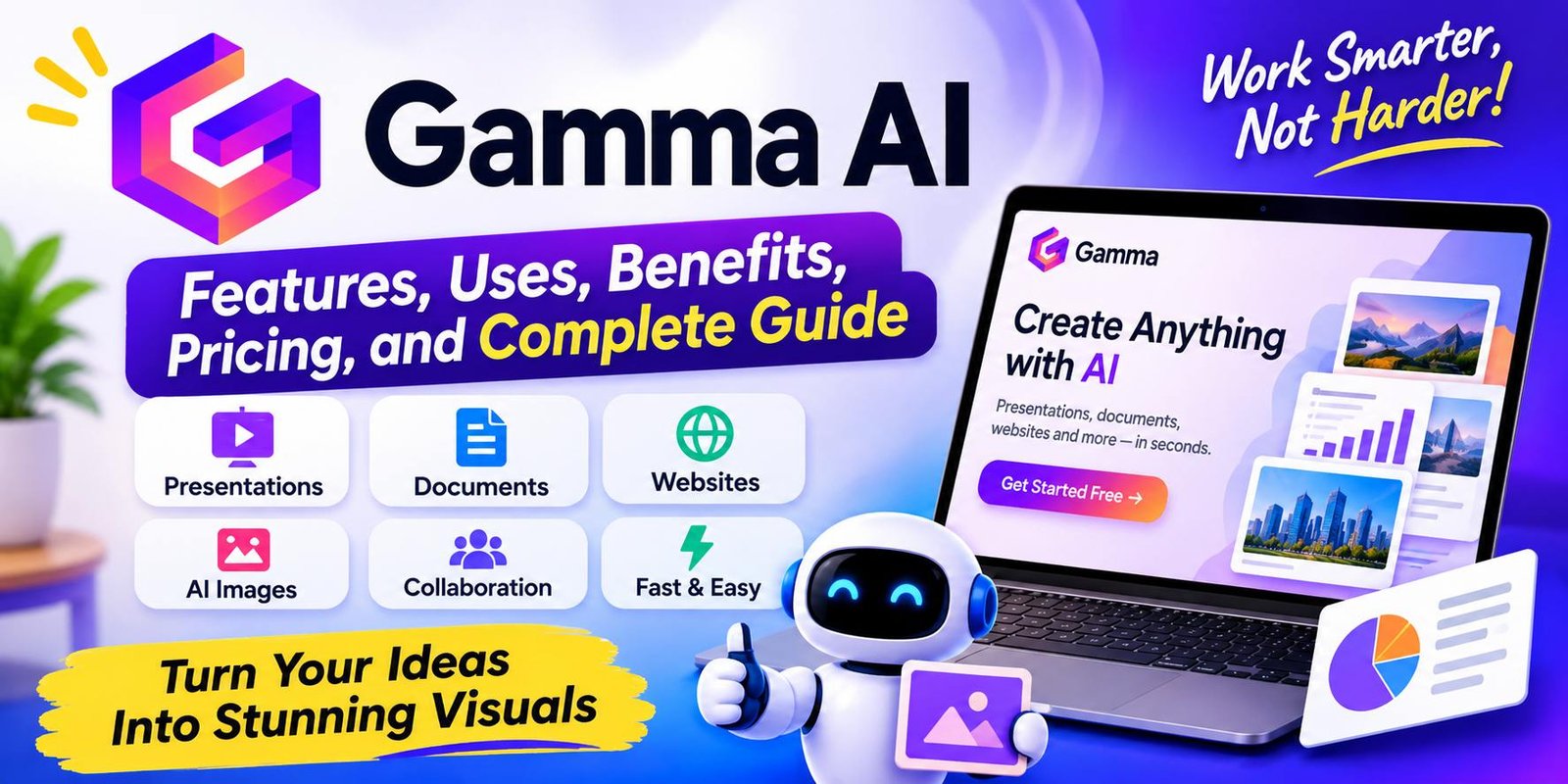
Gamma AI is an AI-powered tool that helps people create presentations, documents, websites, and visual content. It turns simple ideas and written instructions into well-designed projects. Instead of spending hours making slides by hand, users can describe what they need and let Gamma prepare a first draft.
Creating a good presentation takes time. You need to write useful content, choose images, arrange slides, and select the right colors. For beginners, these tasks can feel difficult. However, Gamma makes the process easier with AI tools and ready-made designs.
Students can use it for school projects. Teachers can prepare lesson slides, while business owners can create proposals and reports. In addition, freelancers can use it to show their work to clients.
Gamma is not just a presentation maker. It also supports documents, simple websites, and social media content. This makes it useful for different types of users.
In this guide, you will learn about Gamma’s main features, uses, benefits, pricing, and limits. You will also learn how to create your first project and decide whether the platform is right for you.
What Is Gamma AI?
Gamma is an AI-powered platform that helps users turn ideas and information into visual content. It makes it easier to create presentations, documents, websites, and other online materials.
Traditional presentation software usually starts with a blank slide. You must add headings, write text, choose images, and arrange every item yourself. This can take a lot of time, especially when you have many slides to create.
Gamma offers a different way to work. You can enter a topic, write a prompt, or provide existing information. The platform then helps organize your content and gives it a suitable design.
For example, a student can enter a topic about climate change and ask Gamma to create an educational presentation. The tool can prepare sections about causes, effects, and possible solutions.
Similarly, a business owner can provide product details and create a sales presentation. A teacher can turn lesson notes into slides for students.
The first version is editable, so you can change the text, images, and layout before sharing it.
What Can You Create With Gamma?
Gamma supports different types of projects, including:
- Presentations: Create school projects, business proposals, reports, and pitch decks.
- Documents: Prepare guides, reports, summaries, and business documents.
- Websites: Build simple web pages and publish them online.
- Social media content: Make visual posts and other online graphics.
- Visual content: Add images and other design elements to your projects.
Therefore, Gamma can be useful for people who need more than ordinary slide presentations.
How Does Gamma AI Work?
Gamma uses artificial intelligence to turn your instructions into organized content. The process is simple, even for people who have never used an AI presentation tool.
1. Enter Your Instructions
First, provide a topic, idea, outline, or document. Explain what you want to create and who will view it.
For example, instead of writing only “Digital Marketing,” use a more detailed prompt:
“Create a beginner-friendly presentation about digital marketing. Include its main types, benefits, examples, and useful tips for small businesses.”
This gives Gamma more information about your needs.
2. Organize the Information
After receiving your instructions, Gamma helps arrange the content into sections.
For example, a digital marketing presentation may include:
- Introduction to digital marketing
- Search engine optimization
- Social media marketing
- Email marketing
- Paid advertising
- Marketing plans
- Measuring results
This structure gives your presentation a clear direction.
3. Create the Design
Next, Gamma adds layouts, colors, text styles, and visual elements. You can select a theme that matches your topic.
The platform helps keep the design consistent across the project. As a result, you do not need to adjust every item by hand.
4. Edit Your Project
Once Gamma creates the first version, you can make changes. For example, you can edit text, replace images, change layouts, and remove unwanted sections.
You can also use available AI editing tools to improve your content.
5. Share or Export Your Work
Finally, choose how you want to share your project. Gamma supports online sharing and several export options.
You can use a link to show your work online. Alternatively, export it into a supported file format for later use.
Main Features of Gamma AI
Gamma offers several features that make content creation easier. These tools help users spend less time on design and more time improving their ideas.
1. AI Presentation Generator
The AI presentation generator is one of Gamma’s main features.
Users can enter a topic, write instructions, or provide existing information. Gamma then creates a first draft with headings, text, and visual layouts.
For example, a freelancer can provide details about a service and ask Gamma to prepare a client proposal. The project may include service details, goals, prices, and expected results.
However, the first version should not be treated as finished work. Always check the facts and improve the content before sharing it.
2. AI Writing Tools
Good writing is important for every presentation. However, many people find it difficult to explain their ideas in simple words.
Gamma offers AI writing tools that can help users create and improve text. Depending on the available features, you may be able to change the wording, adjust the tone, or add more details.
For example, you can make a technical explanation easier for beginners to understand. Similarly, a business proposal can be rewritten in a more formal style.
Remember to read the final text. This helps you remove repeated ideas and correct mistakes.
3. Smart Design Layouts
A presentation should look clean and easy to read. If text and images are placed in the wrong positions, the audience may find it difficult to follow the message.
Gamma uses ready-made layouts to arrange headings, text, and images. This saves time because users do not need to place every item manually.
In addition, these layouts help beginners create better-looking projects without advanced design skills.
4. Themes and Design Changes
Themes help keep the same design throughout a project.
Gamma provides different design styles that users can apply to their content. These styles help control colors, fonts, and the overall look.
For example, a company may want to use the same colors in its presentations and website. A clean theme can also make a school project look more organized.
Some advanced design and branding options may require a paid plan.
5. AI Image Generation
Images can make a presentation more interesting and easier to understand.
Gamma supports AI image tools and visual options that help users add images to their projects.
For example, a presentation about solar energy can include pictures of solar panels and renewable energy systems.
However, images should match the subject. Do not add pictures only to fill empty space. Also, check that the visuals do not show incorrect details.
6. Documents and Reports
Gamma can also help users create written documents.
You can use it to prepare reports, business proposals, guides, and summaries. Simply provide your information and let the platform arrange it into sections.
After that, review the text and make changes where needed.
This feature can help people who want a clear document without starting with a blank page.
7. Website Creation
Another useful feature is website creation.
Gamma can help users build simple web pages and publish them online. For example, you may create a basic portfolio, event page, or product introduction page.
This is useful when you need a simple online page without building a complete website from scratch.
However, Gamma may not be the best choice for websites that need advanced features, large blogs, online stores, or complex settings. In those cases, a dedicated website platform may be a better option.
8. Import Existing Files
You do not always need to start a new project.
Gamma supports importing PowerPoint and PDF files. This allows users to work with information they have already prepared.
For example, a teacher can import an old presentation and update its design. A business owner can use an existing PDF as a starting point for a new project.
After importing, check the text and layout. Some parts may need small changes.
9. Export and Sharing Options
Once your project is ready, you can share it or export it into a supported format.
Common options include:
- PDF: Good for reading, printing, and sending documents.
- PowerPoint: Useful when you want to continue editing slides in compatible software.
- PNG: Helpful for sharing individual slides or visual cards.
- Online link: Allows people to view your project in a browser.
However, the exported design may look slightly different in another program. Therefore, open the file and check it before sharing.
10. Teamwork and Collaboration
Working with other people is easier when project files can be shared online.
Gamma offers sharing and collaboration tools for different work needs. Team members can use shared projects to review information and work on content together.
For example, a marketing team can prepare a campaign presentation and share it with other members.
Available team features and sharing controls may depend on the selected plan. Always check access settings before sharing private business information.
How to Use Gamma AI: Step-by-Step Guide
Getting started with Gamma is simple. You do not need advanced design skills or special training.
Step 1: Visit the Official Website
Create an account or sign in if you already have one.
Gamma works through a web browser, so you can start creating content online.
Step 2: Choose a Project Type
After opening your account, select the type of content you want to create.
Depending on the available options, you may be able to choose a presentation, document, website, or social media project.
Select the option that matches your goal.
Step 3: Write a Clear Prompt
Now, explain what you want Gamma to create.
For example:
“Create a professional presentation about artificial intelligence in education. Include an introduction, common uses, benefits, challenges, real examples, and a conclusion. Use simple English and a clean design.”
A detailed prompt helps Gamma understand your needs.
Step 4: Check the Suggested Outline
Gamma may prepare an outline before creating the full project.
Read the suggested headings and sections. Make sure the information follows a clear order.
If something important is missing, add it before moving forward.
Step 5: Select a Theme
Choose a design theme that matches your subject.
For example, a business presentation may need a clean and formal look. On the other hand, a school project may look better with a colorful theme.
Always choose a style that keeps the text easy to read.
Step 6: Generate the Project
After checking your prompt and theme, start the creation process.
Gamma will prepare the first version of your project. The time needed can depend on the length and type of content.
Step 7: Edit the Content
Do not share the first version without checking it.
Read the headings and paragraphs. Replace images that do not match your topic, remove repeated information, and correct any mistakes.
You can also change the layout if something does not look right.
Step 8: Share or Export Your Work
When the project is ready, select a sharing or export option.
Use PDF when you need a fixed document. Choose PowerPoint if you want to make more slide changes later.
An online link is also useful when you want people to view the latest version through a browser.
Best Uses of Gamma AI
Gamma can help people in education, business, marketing, and other fields.
Gamma AI for Students
Students often need presentations for school assignments and research projects.
Gamma can help organize notes and turn them into a first draft. For example, a student can create a presentation about air pollution, including its causes, effects, and possible solutions.
This can save preparation time. However, students should read the information, check facts, and follow their school’s rules about AI use.
Gamma AI for Teachers
Teachers can use Gamma to prepare lesson slides and learning materials.
For example, a science teacher can provide lesson notes and ask Gamma to organize them into a presentation.
This may make lesson preparation easier. In addition, teachers can edit the slides to match the needs of their students.
Gamma AI for Business Owners
Business owners often need proposals, company profiles, product presentations, and reports.
Gamma can help create a first draft of these materials.
For example, a small business owner can provide product details, target customers, and key benefits. The platform can then help arrange this information into a sales presentation.
Before sharing it, check all prices, claims, and company details.
Gamma AI for Freelancers
Freelancers can use Gamma to create portfolios, client proposals, and service presentations.
A designer may use it to show previous work. Meanwhile, a marketing freelancer can prepare a campaign proposal for a new client.
These materials can help explain services in a clear way.
Gamma AI for Marketing Teams
Marketing teams need presentations for product launches, campaigns, and reports.
Gamma can help turn campaign notes into organized visual content. It can also help teams prepare project summaries.
However, always check statistics, product details, and marketing claims before publishing.
Gamma AI for Startups
Startups often need pitch decks to explain their business ideas to investors and partners.
Gamma can help arrange details about the problem, solution, target market, business model, and growth plans.
Still, founders must provide correct financial details and realistic business information. AI should not create financial claims without proof.
Gamma AI Pricing: Is It Free?
Gamma offers a free plan and paid subscription options. The available features, prices, and usage limits can change over time.
Therefore, check the official pricing page before choosing a plan.
Free Plan
The free plan is useful for people who want to try Gamma before paying.
The official pricing page lists features such as:
- 400 starter AI credits.
- Up to 10 cards per prompt.
- Basic presentations, documents, websites, social content, and images.
- Importing PDF and PowerPoint files.
- Exporting to PDF, PowerPoint, PNG, and Google Slides where supported by the current plan.
This plan can be a good starting point for students and casual users.
However, it has limits on AI usage and some advanced features.
Plus Plan
The Plus plan is designed for users who need more creation options.
Its listed benefits include:
- Higher content creation limits.
- Removal of Gamma branding.
- Access to advanced AI image models.
- More AI creation options.
This plan may suit freelancers, students, and professionals who create projects regularly.
Pro Plan
The Pro plan offers more tools for professional users.
Depending on the current plan details, it may include:
- Premium AI image models.
- Custom branding.
- More sharing and analytics options.
- Custom domain publishing.
- API access.
These tools may help businesses and creators manage regular content work.
Ultra Plan
The Ultra plan is designed for people who need higher AI usage and access to advanced models.
Its listed benefits may include:
- Higher AI usage limits.
- Access to advanced text, image, and video models.
- More custom domain options.
- Early access to selected features.
It may be more useful for heavy users than people who only create a few presentations.
Which Gamma Plan Should You Choose?
Your choice depends on how often you use the platform.
- Choose Free if you want to test Gamma.
- Consider Plus if you create presentations often and want fewer limits.
- Consider Pro if you need advanced branding and business tools.
- Consider Ultra if you need much higher AI usage.
Before paying, compare the current plans and prices.
Benefits of Using Gamma AI
Gamma offers several benefits for people who create visual content.
1. Saves Time
Creating slides by hand can take hours. Gamma helps prepare the first version much faster.
As a result, users can spend more time checking information and improving the message.
2. Easy for Beginners
Not everyone knows how to design a professional presentation.
Gamma offers ready-made layouts and themes. Therefore, beginners can create organized content without learning complex design tools.
3. Supports Different Content Types
Gamma is not limited to presentations. It also supports documents, websites, and social media content.
This gives users more ways to work on different projects.
4. Helps Organize Ideas
A large topic can be difficult to explain in one place.
Gamma can divide information into smaller sections. This makes the content easier to read and follow.
5. Offers Sharing and Export Options
Users can share projects online or export them into supported formats.
For example, PDF is useful for sending a finished document. PowerPoint is helpful when more slide editing is needed.
6. Reduces Manual Design Work
Automatic layouts and themes reduce the need to move every item by hand.
Because of this, users can focus more on writing and checking the content.
Limitations of Gamma AI
Although Gamma is useful, it also has some limits. Knowing them can help you decide when to use it.
1. AI Content May Contain Mistakes
AI tools can sometimes produce incorrect facts or old information.
This can be a problem in technical, financial, and business presentations.
Always check important facts before sharing your project.
2. Limited Control Over Some Designs
Automatic layouts save time, but they may not always match your exact idea.
Users who need full control over every design detail may prefer traditional presentation software.
3. Free Plan Has Limits
The free plan includes limited AI usage and may show Gamma branding.
If you create projects regularly, you may need a paid plan.
4. PowerPoint Formatting May Change
Gamma has its own way of arranging content.
When you export a project to PowerPoint, some parts may look different. Therefore, check the exported file before using it in an important meeting.
5. Internet Access Is Needed
Gamma is an online platform. You generally need an internet connection to create and edit projects.
If you need to work offline, export your project first.
6. Human Review Is Still Needed
Gamma can prepare a first draft, but it cannot fully understand every business need or personal choice.
You should review the text, images, facts, and design before using the final project.
Gamma AI vs PowerPoint
Gamma and Microsoft PowerPoint both help users create presentations. However, their working styles are different.
Gamma focuses on AI-assisted content creation and automatic layouts. It is useful when you want to turn a topic or document into a first draft quickly.
PowerPoint gives users more control over slide design, animations, and formatting. It is often a better choice when detailed editing is important.
| Feature | Gamma | PowerPoint |
|---|---|---|
| AI-assisted creation | Yes | AI tools depend on the Microsoft plan |
| Automatic layouts | Yes | Templates and design tools |
| Manual design control | Available | Extensive |
| Online sharing | Yes | Yes |
| PowerPoint export | Yes | Native format |
| Best for | Fast content creation | Detailed slide editing |
Neither tool is the best choice for everyone.
Gamma is useful when you want to create a first draft quickly. PowerPoint may be better when you need detailed control.
You can also use both tools together. Create the first version in Gamma, export it to PowerPoint, and make final changes there.
Gamma AI vs Canva
Canva is another popular platform for visual design.
It supports presentations, social media graphics, posters, documents, and many other types of content.
Gamma focuses more on turning ideas and existing information into organized presentations and documents. Canva offers a wider design workspace with many templates and editing tools.
Choose Gamma when you want help creating structured presentations and documents.
On the other hand, Canva may be better when you need different types of graphics and marketing designs.
The right choice depends on your project and the features you need.
Tips for Getting Better Results With Gamma
The quality of your project depends partly on the instructions you provide.
Use these simple tips to improve your results.
Write Clear Prompts
Avoid using only one or two general words.
Explain your topic, audience, and goal. Also, mention the sections you want to include.
Think About Your Audience
A presentation for school students should use different language from a business report.
Tell Gamma who will read or view your project. This can help create more suitable content.
Check Every Section
Read the generated text carefully. Remove repeated points and correct mistakes.
A good presentation should explain useful information without adding unnecessary text.
Choose Relevant Images
Select pictures that match your subject.
For example, use solar panel images in a presentation about solar energy. Avoid pictures that do not help explain the topic.
Keep Your Branding Consistent
If you are creating business content, use the same colors, fonts, and logo where available.
This gives your work a more professional look.
Review the Exported File
Always open the exported PDF or PowerPoint file before sharing it.
Check the text, images, page layout, and readability.
Is Gamma AI Worth Using?
Gamma can be a useful choice if you regularly create presentations, reports, documents, or simple web pages.
Its main benefit is that it helps turn ideas into organized visual content. Instead of building every slide by hand, you can start with a prompt and improve the result.
Students can use it for assignments. Teachers can prepare lesson slides, while freelancers can create client proposals. Businesses can also use it for reports and product presentations.
However, Gamma should be treated as an assistant, not a complete replacement for human work.
AI-generated content needs checking and editing. If you need exact design control or advanced presentation features, traditional software may still be a better choice.
The free plan gives beginners a way to test the platform. Later, you can compare the paid plans if you need more features.
Overall, Gamma is worth trying if you want to make visual content more easily.
Frequently Asked Questions About Gamma AI
1. What is Gamma AI used for?
Gamma is used to create presentations, documents, websites, and social media visuals with AI assistance. Users can enter a topic or provide existing information to create a first draft.
2. Is Gamma AI free to use?
Yes. Gamma offers a free plan with starter AI credits and limited features. Paid plans provide more usage and additional tools.
3. Can Gamma create presentations automatically?
Yes. You can enter a topic or prompt, and Gamma can prepare an initial presentation with text and visual layouts. You can edit the result before sharing it.
4. Can I use Gamma without design experience?
Yes. Gamma is made to help beginners create visual content. Its ready-made themes and layouts make the process easier.
5. Can Gamma export presentations to PowerPoint?
Yes. Gamma supports PowerPoint export. However, some formatting may change when you open the file in PowerPoint.
6. Can I export Gamma presentations as PDF?
Yes. PDF export is available. Check your current plan to see whether Gamma branding appears on the exported file.
7. Is Gamma better than PowerPoint?
It depends on your needs. Gamma is useful for AI-assisted creation, while PowerPoint offers more detailed control over slide design.
8. Can students use Gamma?
Yes. Students can use it to organize research and prepare school presentations. They should check the facts and follow their school’s rules about AI tools.
9. Can Gamma create websites?
Yes. Gamma supports simple website creation and online publishing. However, complex websites may need a dedicated website platform.
10. Does Gamma need an internet connection?
Yes, an internet connection is generally needed for online creation and editing. You can export your finished projects for offline viewing.
11. Can I edit a presentation after Gamma creates it?
Yes. You can change the text, images, layouts, and other parts of your project. The first version is only a starting point.
12. Is Gamma good for business presentations?
Yes. Businesses can use Gamma for proposals, reports, pitch decks, and product presentations. Always check company information and business claims before sharing.
Conclusion
Gamma makes it easier to turn ideas and written information into visual content. Its AI presentation generator, writing tools, themes, document features, and website options can help many types of users.
The platform can save time by preparing a first draft and arranging the content. However, users should still check facts, improve the writing, and review the final design.
If you want an easier way to create presentations and other visual projects, Gamma is worth testing. Start with the free plan, create a small project, and see whether its tools match your needs.