Free AI Detector Tools: Complete Guide to Checking AI- Content
Artificial intelligence has completely changed the way content is created. From blog posts and student essays to marketing copy and social media captions, a huge portion of the text we read online today is either fully or partially written by AI tools like ChatGPT, Gemini, and Claude.
This shift has created a growing need for reliable AI detector tools — software that can analyze a piece of writing and estimate whether it was generated by a human or a machine.
If you are a teacher checking assignments, a content creator making sure your work passes originality checks, an SEO professional protecting your site’s rankings, or simply someone curious about a piece of text, a free AI detector can save you time and give you peace of mind.
In this guide, we will explore what AI detectors are, how they work, why they matter, and which free tools are worth using in 2026.
What Is an AI Detector?
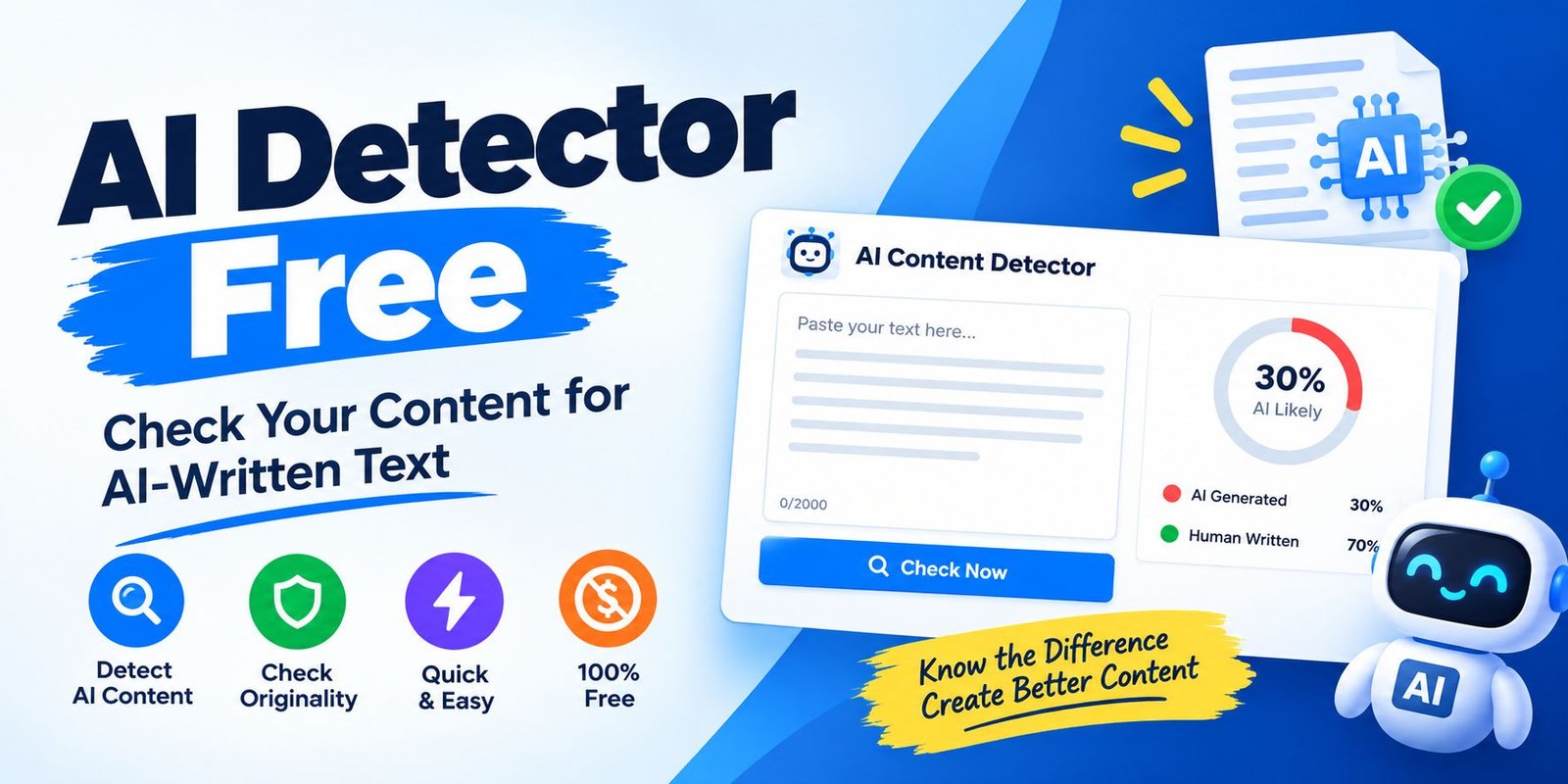
An AI detector is a specialized tool that examines written text and calculates the probability that it was produced by an artificial intelligence language model rather than a human writer. These tools typically analyze patterns such as sentence structure, word predictability, repetition, and overall writing “rhythm” to make their assessment.
Most AI detectors don’t give you a simple yes-or-no answer. Instead, they provide a percentage score indicating how likely it is that the content is AI-generated. For example, a detector might say a piece of text is “82% likely to be AI-written” rather than declaring it definitively as machine-made.
It is important to understand that no AI detector is perfect. Even the most advanced tools can produce false positives (flagging human writing as AI) or false negatives (missing AI-generated content that has been edited or paraphrased). Because of this, AI detection results should always be treated as a helpful signal rather than an absolute verdict.
Why Do People Use AI Detectors?
There are several common reasons people turn to AI content checkers:
1. Academic Integrity Teachers, professors, and educational institutions use AI detectors to check whether students have submitted their own original work or relied heavily on AI writing tools.
Many universities now have official policies requiring students to disclose AI usage, and detectors help enforce these rules.
2. SEO and Content Quality Search engines have become increasingly focused on rewarding genuinely helpful, well-written content. While AI-generated content is not automatically penalized, low-quality or “thin” AI content can hurt search rankings.
Website owners use AI detectors to make sure their published articles read naturally and meet quality standards before they go live.
3. Publishing and Editorial Standards Many blogs, magazines, and content platforms require contributors to disclose whether AI tools were used in the writing process. Editors use detection tools as part of their quality control process.
4. Personal Verification Freelance writers often run their own work through a detector before submitting it to clients, just to confirm that heavy editing or paraphrasing hasn’t accidentally left behind patterns that could be flagged.
How Do Free AI Detectors Work?
Most AI detection tools rely on a combination of linguistic and statistical techniques, including:
- Perplexity analysis – measuring how predictable or “surprising” word choices are. AI-generated text tends to be more statistically predictable than human writing.
- Burstiness detection – looking at variation in sentence length and structure. Human writers naturally mix short and long sentences, while AI output can sometimes be more uniform.
- Pattern recognition models – trained on large datasets of both human and AI text to recognize subtle stylistic fingerprints left behind by specific language models.
- Multi-model scanning – some advanced tools attempt to identify which specific AI model (such as GPT-4, GPT-5, Gemini, or Claude) may have produced the text, based on known stylistic tendencies of each model.
The accuracy of these methods varies significantly depending on whether the text has been edited or paraphrased after being generated. Independent benchmarks in 2026 found that while several detectors could correctly identify unedited AI text with accuracy in the 85–95% range, that number often dropped by 15 to 30 percentage points once the same text was lightly rewritten or “humanized.”
Top Free AI Detector Tools to Try in 2026
Here is an overview of some of the most widely used free AI detection tools available this year:
1. GPTZero
One of the most recognized names in AI detection, GPTZero is trusted by thousands of schools and universities worldwide. It offers sentence-level highlighting, which shows exactly which parts of a document are most likely AI-generated, along with a free monthly word allowance for casual users.
2. Copyleaks
Copyleaks stands out for its generous free scanning limit, allowing users to check a large chunk of text without creating an account. It also supports multiple languages, making it a solid choice for international users and multilingual content teams.
3. ZeroGPT
ZeroGPT is popular for offering unlimited free checks with no signup required. It is a convenient option for quick, casual checks, though independent testing suggests it can be less consistent than some paid alternatives.
4. Scribbr
Originally built with students in mind, Scribbr’s free AI detector is straightforward and easy to use, with a reasonable word limit per scan. It is a good option for people who want a simple, no-frills checking experience.
5. Sapling
Sapling offers a free detector focused on short-form text, making it a handy choice for checking emails, social posts, or short paragraphs rather than long-form articles.
6. Grammarly’s AI Detector
As part of the widely used Grammarly platform, this detector offers a free word allowance and integrates detection alongside grammar and style checking, making it convenient for writers who already use Grammarly for editing.
Tips for Using AI Detectors Effectively
To get the most reliable results from any free AI detector, keep these best practices in mind:
- Cross-check with more than one tool. Since no detector is 100% accurate, running your text through two or three different tools gives you a more balanced picture.
- Use longer text samples. Very short snippets are harder for detectors to analyze accurately. Longer passages generally produce more reliable scores.
- Don’t treat the score as final proof. Especially in academic or professional settings, use detection results as a starting point for a conversation, not as definitive evidence.
- Be aware of false positives. Non-native English speakers and writers with a very structured, formal style are sometimes incorrectly flagged as AI. Always apply human judgment alongside any automated score.
- Check for updates. AI detection technology and AI writing models are both evolving quickly, so the accuracy and features of these tools can change from month to month.
Final Thoughts
As AI writing tools continue to become more advanced and widely used, the demand for reliable, free AI detectors will only keep growing. Whether you’re an educator verifying student work, a content creator protecting your site’s SEO performance, or simply someone who wants to understand the origins of a piece of text, today’s free detection tools offer a practical and accessible way to get quick insights.
That said, it’s worth remembering that AI detection is still an evolving science. No tool can guarantee perfect accuracy, and results should always be paired with common sense and, where possible, a second opinion from another detector. By using these tools responsibly and understanding their limitations, you can make more informed decisions about the content you read, write, and publish.