Skylight Calendar 2: Features, Setup & Complete Guide
Keeping track of school schedules, appointments, activities, birthdays, and family plans can become difficult when everything is spread across different calendars and devices. The Skylight Calendar 2 is designed to bring those schedules together in one easy-to-view digital display.
In this guide, we’ll look at what the Skylight Calendar 2 is, how it works, its useful features, who it may be suitable for, and what to consider before buying one.
What Is Skylight Calendar 2?
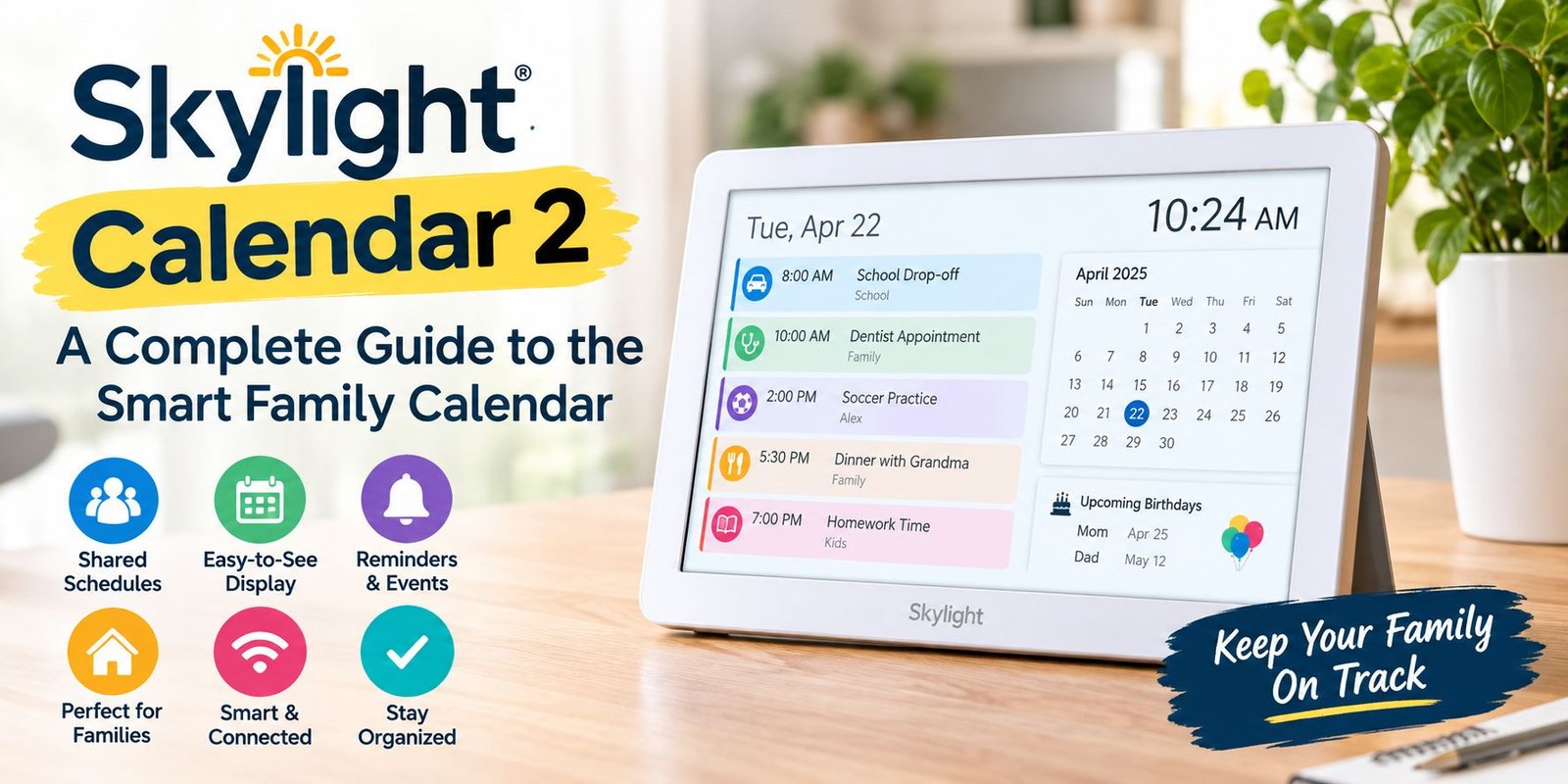
The Skylight Calendar 2 is a digital family calendar designed to display schedules and important events on a dedicated screen. Instead of relying only on a phone or computer, families can use a shared display where everyone can quickly see upcoming plans.
It is particularly useful for households where multiple people have different appointments, activities, work schedules, or school events.
Why Use a Digital Family Calendar?
A traditional paper calendar can be useful, but it requires manual updates and may not be accessible when you’re away from home. A digital calendar can make schedule management more convenient because information can be updated electronically and viewed by everyone in the household.
Skylight Calendar 2 Features
The exact features available can depend on the model, software, and subscription services associated with the product. However, the main idea behind the Skylight Calendar 2 is to provide a centralized place for managing family schedules.
Shared Family Scheduling
One of the biggest benefits of a family calendar is having multiple schedules visible in one place. Parents, children, or other household members can organize their activities without maintaining completely separate systems.
Easy-to-See Calendar Display
A dedicated display can make upcoming events easier to notice than notifications hidden inside a smartphone.
For example, a family could use the calendar to keep track of:
- School activities
- Doctor appointments
- Sports practices
- Work schedules
- Birthdays
- Family events
- Vacations
- Important reminders
Digital Organization
The Skylight Calendar 2 can help reduce the need to repeatedly ask other family members about upcoming plans. When schedules are organized in one location, everyone can check the calendar and understand what is happening.
How Does Skylight Calendar 2 Work?
The basic concept is straightforward. You connect the digital calendar with supported scheduling services or accounts and use the display as a shared family planning tool.
Once schedules are synchronized, upcoming events can be viewed from the dedicated screen.
Setting Up Your Calendar
A typical setup process involves:
- Positioning the calendar in a convenient location.
- Connecting it to your home network.
- Following the setup instructions provided with the device.
- Connecting supported calendar accounts.
- Organizing family members and schedules.
- Customizing the calendar according to your household’s needs.
Always follow the manufacturer’s current setup instructions because software and account requirements can change.
Who Can Benefit From Skylight Calendar 2?
The device may be particularly useful for busy households that need a simple shared scheduling system.
Families With Children
Parents can use a shared calendar to keep school activities, sports, appointments, and family events organized.
Busy Couples
Couples with different work schedules can use a shared display to see important commitments without checking separate calendars.
Large Households
The larger the household, the more difficult it can become to coordinate everyone’s schedules. A centralized calendar can make those plans easier to understand.
Skylight Calendar 2 vs. a Traditional Calendar
A paper calendar is inexpensive and doesn’t require an internet connection, but it usually requires manual updates.
A digital family calendar offers a different approach by making it easier to manage electronic schedules and display them in a shared location.
The right option depends on your household’s needs, budget, and preference for digital technology.
Things to Consider Before Buying
Before purchasing a Skylight Calendar 2, consider several factors.
Price and Additional Costs
Check the current product price and whether any optional or required subscription services apply to the features you want.
Calendar Compatibility
Make sure the calendar services you currently use are supported. Compatibility is particularly important if your family already relies on multiple digital calendars.
Screen Placement
Think about where the device will be installed. A location that the family naturally passes throughout the day can make a shared calendar more useful.
Internet Requirements
Because smart displays can depend on internet connectivity and cloud services, check the manufacturer’s requirements before purchasing.
Is Skylight Calendar 2 Worth Considering?
The answer depends on how your household manages schedules.
If your family frequently uses multiple digital calendars and wants a dedicated shared display, the Skylight Calendar 2 can be an interesting solution. If you only have a few appointments and already manage everything comfortably through a phone, a dedicated calendar display may be less necessary.
The most important thing is to compare the features, compatibility, ongoing costs, and your family’s actual scheduling needs before making a purchase.
Final Thoughts
The Skylight Calendar 2 is designed around a simple idea: make family schedules visible and easier to organize in one shared location.
For households dealing with school events, work commitments, appointments, activities, and busy daily routines, having a dedicated digital calendar can make planning more convenient. Before buying, however, check the latest specifications, supported calendars, pricing, and subscription requirements to make sure the device matches your needs.
A good family calendar should not simply display dates—it should help everyone understand what is happening and stay organized.
Frequently Asked Questions
What is Skylight Calendar 2?
Skylight Calendar 2 is a digital calendar designed to help households organize and display shared schedules.
Is Skylight Calendar 2 suitable for families?
It can be useful for families that need a centralized place to view multiple schedules, appointments, activities, and events.
Can I connect digital calendars to Skylight Calendar 2?
Supported calendar integrations can depend on the current software and product configuration. Check the manufacturer’s latest compatibility information before purchasing.
Does Skylight Calendar 2 require internet?
Smart calendar features can depend on internet connectivity. Check the current manufacturer’s requirements for the specific model.
Is Skylight Calendar 2 better than a paper calendar?
They serve different purposes. A paper calendar is simple and inexpensive, while a digital family calendar can provide electronic scheduling and a shared display. The better choice depends on your household’s needs.