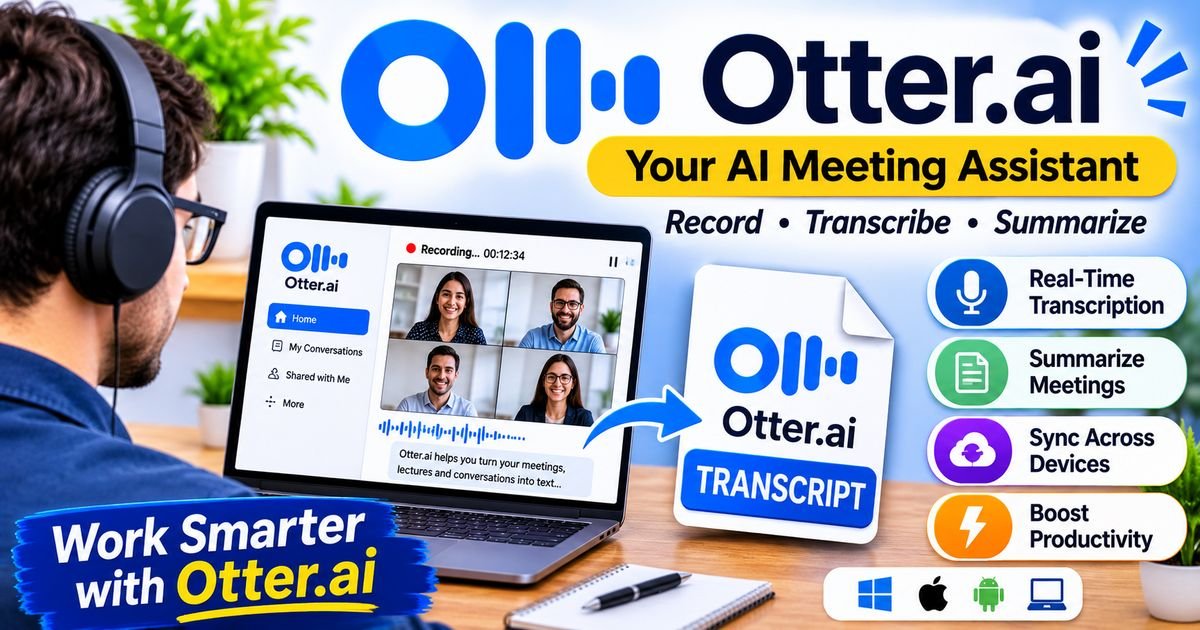
Otterai: Features, Benefits, Pricing, and How This AI Tool Works
Introduction
Otterai is an artificial intelligence-powered transcription platform that helps users convert spoken conversations into written text. It is designed for students, teachers, business professionals, journalists, remote workers, and anyone who wants to manage conversations more efficiently. With Otter.ai, users can record discussions, generate transcripts, review meeting notes, and use AI-powered tools to understand important information without manually writing everything.
As artificial intelligence becomes increasingly important in everyday work, transcription platforms are changing how people manage meetings and conversations. Otterai provides a convenient way to capture spoken information and turn it into searchable digital content. Instead of spending hours listening to recordings and preparing notes, users can benefit from automated transcription and available AI features.
The platform offers several capabilities, including automatic speech recognition, speaker identification, meeting summaries, transcript editing, and integrations with selected communication services. These tools can help individuals and teams save time while keeping important information organized.
In this complete guide, we will explore Otterai, explain how it works, discuss its main features, examine its benefits and limitations, and help you understand whether this AI transcription platform is suitable for your needs.
What Is Otterai?
Otterai is an AI-powered transcription and meeting assistant that converts spoken conversations into written documents. Its main purpose is to make audio information easier to understand, organize, search, and share.
Traditional note-taking requires someone to listen carefully and write down important details during a conversation. This process can become difficult when meetings are long or multiple people are speaking. Automated transcription helps reduce this workload by converting speech into text.
Otterai uses speech recognition technology to analyze audio and identify spoken words. It then creates a transcript that users can review and edit. Depending on the available features and subscription, the platform can also generate summaries and organize important conversation details.
The service is useful in several situations, including:
- Online business meetings.
- Educational lectures.
- Professional interviews.
- Team discussions.
- Research conversations.
- Personal voice notes.
- Remote collaboration.
One important advantage is that users can revisit written conversations instead of listening to entire recordings repeatedly.
How Does Otterai Work?
Otterai works through artificial intelligence and automatic speech recognition. These technologies process audio recordings and convert recognizable speech into written information.
The platform follows a general workflow that makes transcription easier for beginners and professionals.
1. Audio Recording
The first step involves capturing a conversation through a supported recording option. Users can record suitable discussions or use supported meeting integrations.
Good recording quality is important because unclear audio can affect the final transcript.
2. Speech Recognition
After receiving the audio, the system processes spoken information using speech recognition technology.
It analyzes speech patterns and attempts to identify individual words and sentences. The quality of this process depends on several factors, including pronunciation, background noise, and microphone quality.
3. Text Generation
Once the audio has been processed, Otterai generates a written transcript.
Users can read the conversation, review different sections, and correct errors when necessary.
4. AI-Powered Summaries
The platform also provides AI-related meeting features that can help users understand longer discussions.
Instead of reviewing every sentence, users can examine an available summary to identify the main topics and important information.
5. Saving and Organizing Transcripts
After transcription, users can manage their conversations through the available workspace features.
They can revisit transcripts, search for specific information, and use supported sharing options.
This process makes Otterai useful for people who regularly manage spoken information.
Main Features of Otterai
Otterai provides several tools that support transcription and meeting productivity. These features are designed to reduce manual work and make conversation records easier to manage.
Automatic Speech-to-Text Transcription
Automatic transcription is one of the most important capabilities of Otterai.
It converts spoken language into written text without requiring users to type every sentence manually. This feature can save time during meetings, interviews, lectures, and discussions.
Users can review the generated content and make corrections where needed.
For example, a student attending a permitted lecture can use transcription to create a written reference for later revision. Similarly, a business professional can review a meeting transcript when preparing project updates.
AI Meeting Summaries
Long meetings often contain many details, but participants may only need a short overview of the discussion.
Otterai provides AI-powered summarization features that help users review important information more quickly.
A meeting summary may highlight major discussion topics and useful details from the conversation.
These summaries can help users understand what happened during a meeting without reading the complete transcript.
However, users should always verify important decisions and instructions against the original conversation.
Speaker Identification
Speaker identification helps distinguish between different participants in a recorded discussion.
For example, a business meeting may include a manager, employees, and clients. Identifying different speakers makes it easier to understand who contributed specific information.
Otterai provides speaker-related transcription capabilities that can help organize conversations.
However, automated speaker labels may sometimes require correction, especially when participants have similar voices or speak at the same time.
Searchable Conversation Records
Searching through long recordings can take considerable time.
Otterai makes conversation information easier to find by providing searchable transcripts.
Users can search for relevant words and phrases rather than listening to an entire recording again.
This feature is particularly useful when someone needs to locate a project update, important instruction, or specific discussion point.
Meeting Integrations
Otterai supports integrations with selected communication and meeting platforms.
These integrations can help users manage transcription during compatible online meetings.
Services such as Zoom, Google Meet, and Microsoft Teams are commonly used for remote communication. Users should check the current integration requirements before connecting their accounts.
Transcript Editing
Automatic transcription is helpful, but it is not always completely accurate.
Otterai provides transcript management capabilities that allow users to review and correct generated text.
This is especially important when conversations include:
- Personal names.
- Technical terminology.
- Business information.
- Numbers and dates.
- Product names.
- Specialized vocabulary.
Editing helps improve transcript readability and makes the final document more useful.
Audio Recording and Playback
Recording and playback capabilities help users manage spoken information.
Users can review supported recordings alongside their transcripts to understand the original context.
This can be useful when checking an unclear sentence or verifying an important statement.
Collaboration and Sharing
Modern workplaces require teams to share information efficiently.
Otterai provides collaboration-related capabilities that help users work with transcripts and conversation records.
Depending on account permissions and subscription features, users can share relevant information with colleagues.
This can help team members understand discussions even when they were unable to attend a meeting.
Benefits of Using Otterai
AI transcription tools provide several advantages for individuals and organizations. Otterai combines speech recognition and meeting management capabilities to make everyday communication easier.
Saves Time During Meetings
Taking notes while participating in a discussion can be difficult.
People must listen, understand information, and write important details simultaneously. This can cause them to miss parts of a conversation.
Otterai helps reduce this problem by generating transcripts automatically.
Users can concentrate on the discussion and review the written record afterward.
Improves Productivity
Productivity depends on how efficiently people manage information.
Automated transcription reduces the amount of manual work required to document conversations.
This allows professionals to spend more time on important responsibilities instead of preparing lengthy meeting notes.
Makes Information Easier to Find
Written transcripts provide a convenient way to search previous discussions.
Instead of playing an entire recording, users can search for specific terms and review relevant sections.
This is especially useful for projects that involve multiple meetings.
Supports Better Organization
Keeping conversation records organized can prevent misunderstandings.
Otterai provides tools that help users manage available transcripts and meeting information.
Organized records can be useful when reviewing project progress or checking previous instructions.
Helps Remote Teams
Remote teams often communicate through online meetings.
Members may work from different locations and time zones, making it difficult to remember every discussion.
Transcripts and summaries can help team members stay informed and review important information.
Supports Educational Activities
Students can use transcription tools to review permitted lectures and educational discussions.
Written records can help them revisit explanations, identify important concepts, and prepare study materials.
Teachers may also use transcription tools to organize selected educational conversations.
Who Should Use Otterai?
Otterai is designed for different types of users who regularly work with spoken information.
Students
Students often attend lectures, online classes, and educational discussions.
Transcription can help them create written references for reviewing lessons.
Instead of depending entirely on handwritten notes, students can review available transcripts and identify important concepts.
They should still participate actively in classes and follow their institution’s recording policies.
Teachers and Educators
Teachers can use transcription technology to organize permitted educational discussions.
It may help them prepare written learning resources and review recorded explanations.
Transcripts can also make spoken information easier to revisit.
Business Professionals
Business professionals frequently participate in meetings involving clients, employees, and project partners.
Otterai can help create searchable meeting records and make important information easier to review.
This may reduce confusion about instructions and project updates.
Journalists and Researchers
Journalists often conduct interviews that contain important statements and background information.
Transcription tools can help convert recorded interviews into written documents.
Researchers may also find transcripts useful when organizing permitted interviews and discussions.
All quotations and important statements should be checked against the original recordings before publication.
Remote Workers
Remote employees often depend on video meetings to communicate with colleagues.
Otterai can help them review available meeting information and understand discussions they could not attend.
Content Creators
Content creators can use transcription to organize spoken ideas.
For example, a creator may convert a recorded discussion into a transcript and use it as a starting point for planning an article, podcast, or video script.
How to Use Otterai
Getting started with Otterai is relatively simple. Beginners can follow these general steps to understand the platform.
Step 1: Visit the Official Website
Open your preferred browser and visit the official website:
Explore the homepage to learn about the platform and its available features.
Step 2: Create an Account
Choose the available registration option and follow the instructions.
You may be asked to provide an email address or use a supported account connection.
Complete the registration process before accessing your workspace.
Step 3: Explore the Dashboard
After signing in, explore the dashboard.
Become familiar with the available recording, transcription, conversation management, and account settings.
Understanding the interface can make your first experience easier.
Step 4: Start a Recording
Select an available recording option when you are ready to capture a conversation.
Make sure the microphone is working correctly.
Always obtain appropriate permission before recording other people.
Step 5: Generate a Transcript
After capturing audio, allow the platform to process the conversation.
The system will generate a written transcript based on the recognized speech.
Processing time may depend on recording length and the available service features.
Step 6: Review the Written Content
Open the generated transcript and check its accuracy.
Pay special attention to names, numbers, dates, and technical expressions.
Correct any mistakes before using the information.
Step 7: Review Available AI Summaries
If your account includes AI summarization, explore the generated meeting summary.
Compare important information with the original discussion to ensure that the summary accurately represents the conversation.
Step 8: Save and Organize Your Work
Use the available organization and sharing tools to manage your transcripts.
Keeping your records organized makes it easier to locate information in the future.
Otterai Pricing and Subscription Options
Pricing is an important consideration when selecting an AI transcription service.
Otterai offers different subscription options for people with different usage requirements. The available features and limits can vary according to the selected plan.
Free Plan
The free plan provides an opportunity to explore the platform without immediately purchasing a subscription.
It includes access to selected basic features, although usage limits apply.
This option may be suitable for beginners and occasional users who want to test automatic transcription.
Paid Subscription Plans
Paid plans are designed for users who need additional functionality or higher usage limits.
Depending on the current subscription, these plans may provide additional transcription capacity and advanced productivity features.
Professionals who regularly attend meetings may find a paid option more suitable.
Business Plans
Business-focused subscriptions are designed for teams and organizations.
They may include additional collaboration, administration, and workspace management capabilities.
Organizations should compare available features before choosing a subscription.
How to Choose the Right Plan
The best subscription depends on your requirements.
Consider the following points:
- How frequently do you record conversations?
- How many minutes of transcription do you need?
- Do you need advanced AI features?
- Will you share transcripts with a team?
- Do you require meeting integrations?
Review the official pricing page for current limits and subscription details before making a purchase.
Otterai for Online Meetings
Online meetings have become an important part of education and professional communication.
Teams use video conferencing to discuss projects, exchange information, and make decisions.
Otterai can help organize these discussions by generating transcripts and supporting meeting-related workflows.
Using Otterai With Zoom
Zoom is widely used for business meetings, online classes, and virtual events.
Compatible Otter.ai integrations can help users manage transcription during supported Zoom meetings.
Users should check their account settings and integration permissions before starting.
Official website: https://zoom.us/
Using Otterai With Google Meet
Google Meet is commonly used by businesses, schools, and remote teams.
Otter.ai supports compatible workflows involving Google Meet, depending on current availability and account configuration.
This can help users create written references for online discussions.
Official website: https://meet.google.com/
Using Otterai With Microsoft Teams
Microsoft Teams is a communication platform used by organizations for meetings and collaboration.
Compatible Otter.ai workflows can help users manage conversation records.
Before connecting services, review the required permissions and organizational policies.
Official website: https://www.microsoft.com/microsoft-teams/
Otterai for Students and Education
Educational activities involve a large amount of spoken information.
Students may need to remember explanations, definitions, examples, and instructions from different classes.
Otterai can help make this information easier to review through written transcripts.
Reviewing Class Lectures
Students can use permitted recordings to revisit lessons after class.
A transcript can help them understand explanations that were difficult to follow during the original lecture.
Creating Study Materials
Written transcripts can provide a starting point for preparing study notes.
Students can identify important information and organize it into shorter revision documents.
Supporting Online Learning
Online education often includes video lectures and group discussions.
Transcription tools can help students review spoken information without repeatedly watching complete recordings.
Improving Accessibility
Written content can provide another way to access spoken information.
People who prefer reading alongside listening may find transcripts useful.
However, transcription accuracy and supported languages should be considered before relying on the platform.
Otterai for Businesses and Professional Teams
Businesses regularly exchange information through meetings and discussions.
Keeping accurate records can help organizations manage projects and improve communication.
Managing Project Discussions
Project meetings often involve deadlines, responsibilities, and important decisions.
Written transcripts can help employees review what was discussed.
This may reduce misunderstandings when several people are working on the same project.
Organizing Client Conversations
Client meetings may include important requirements and feedback.
Professionals can use permitted recordings and transcripts to review the discussion when preparing follow-up work.
Improving Team Communication
Team members do not always attend every meeting.
Available transcripts and summaries can help people understand previous discussions and stay informed.
Supporting Documentation
Conversation records can provide useful reference material when preparing internal documents.
However, confidential business information should only be recorded and shared according to company policies.
Otterai Mobile App
Otter.ai provides mobile applications for supported devices.
Mobile access allows users to manage available transcription and recording features without always using a desktop computer.
This can be helpful for professionals, students, and people who frequently work away from their desks.
Mobile Recording
Supported mobile features can help users capture conversations and create transcripts.
A clear microphone connection and quiet environment can improve recording quality.
Reviewing Transcripts
Users can access available conversation records and review written content through supported mobile features.
This makes it easier to revisit important information while traveling or working outside the office.
Managing Conversations
Mobile access can help users organize and manage available transcripts.
The exact options may vary depending on the device and account subscription.
Is Otterai Accurate?
Transcription accuracy is one of the most important factors when selecting an AI-powered speech recognition platform.
Otterai can generate useful transcripts, but results are not guaranteed to be completely accurate.
Several factors can influence transcription quality.
Audio Quality
Clear recordings generally make speech recognition easier.
Background noise, poor microphones, and distant speakers can reduce accuracy.
Speaking Speed
Very fast speech can sometimes make words difficult to recognize.
Encouraging participants to speak clearly can improve the overall recording experience.
Multiple Speakers
When several people speak simultaneously, the system may struggle to separate their words.
This can create mistakes in the transcript.
Accents and Pronunciation
Different accents and pronunciation styles can affect speech recognition.
Users should check supported language capabilities and review important passages carefully.
Technical Vocabulary
Industry-specific terminology and uncommon names may be recognized incorrectly.
Manual editing is important when transcripts contain specialized information.
Privacy and Security Considerations
Privacy is an important part of using any AI transcription service.
Meeting recordings and transcripts may contain personal conversations, confidential business details, and sensitive information.
Before using Otterai, users should understand how their data is handled.
Obtain Permission Before Recording
Always inform participants when recording a conversation and obtain appropriate permission.
Recording laws and organizational policies can vary.
Review Privacy Settings
Check the platform’s privacy and account settings.
Understand who can access your recordings and transcripts.
Protect Account Information
Use a strong password and available security features.
Avoid sharing login information with other people.
Understand Data Handling
Read the official privacy policy to understand how audio recordings and transcripts are stored and processed.
Businesses should evaluate whether the platform meets their data protection requirements.
Avoid Unnecessary Sharing
Do not share confidential transcripts through public links or with people who do not need access.
Responsible information management helps reduce privacy risks.
Advantages and Disadvantages of Otterai
Every software platform has strengths and limitations. Understanding both sides can help users make a better decision.
Advantages of Otterai
- Converts spoken conversations into written text.
- Reduces manual note-taking.
- Provides searchable transcripts.
- Offers AI-powered meeting summaries.
- Supports selected meeting integrations.
- Helps students review educational discussions.
- Makes meeting information easier to organize.
- Provides supported mobile and desktop access.
- Helps teams manage conversation records.
Disadvantages of Otterai
- Automated transcription may contain mistakes.
- Background noise can affect results.
- Some features require paid subscriptions.
- Usage restrictions may apply.
- Speaker identification may need corrections.
- Supported languages and capabilities may vary.
- Recording requires attention to privacy and permission.
- AI-generated summaries may miss important context.
These limitations do not make transcription tools useless. They simply show why users should review important information before relying on it.
Otterai Alternatives
Although Otterai offers useful transcription capabilities, other platforms provide similar services.
Users should compare available features, subscription costs, and supported integrations before selecting a tool.
Notta
Notta is an AI transcription platform that converts audio and video into written text.
It provides tools for managing transcripts and reviewing recorded conversations.
It may be useful for people who want an alternative transcription service.
Fireflies.ai
Fireflies.ai is an AI meeting assistant designed to help users manage conversations and meeting information.
It provides transcription and AI-related meeting features for professionals and teams.
Descript
Descript is a multimedia editing platform with transcription capabilities.
It can be useful for content creators, podcasters, and video editors who work with recorded speech.
Microsoft Teams
Microsoft Teams includes meeting and transcription-related features in supported configurations.
Organizations already using Microsoft’s productivity environment may find its built-in tools convenient.
Google Meet
Google Meet offers meeting-related features, including transcription in supported editions and configurations.
Users should review the available options associated with their accounts.
Tips for Getting Better Results With Otterai
Using transcription software correctly can improve the overall experience.
The following practices can help users produce more useful transcripts.
Use a Quality Microphone
A reliable microphone helps capture clearer speech.
Poor recording equipment can introduce audio problems that affect transcription quality.
Choose a Quiet Environment
Background noise may interfere with speech recognition.
Whenever possible, record conversations in a quiet location.
Encourage Clear Communication
Participants should speak clearly and avoid talking over one another.
This can make conversations easier to process.
Review Important Information
Always check names, dates, numbers, and technical terms.
Correcting mistakes is especially important when transcripts are used for professional purposes.
Organize Your Records
Keep transcripts organized so you can locate important conversations later.
Use available organization features according to your workflow.
Check Subscription Limits
Review your account’s transcription allowance and feature availability.
This can help prevent unexpected interruptions during important work.
Otterai vs Manual Note-Taking
Manual note-taking and AI transcription are two different approaches to managing spoken information.
Manual notes allow users to select important details and write them in a shorter format.
Automated transcription can capture more of a conversation without requiring someone to type continuously.
However, automated transcripts may include unnecessary details and recognition errors.
A combination of both methods can be useful.
For example, users can create a transcript with Otterai and then prepare a shorter document containing important decisions, instructions, and tasks.
This approach provides a detailed reference while keeping final notes easy to understand.
The Future of AI Transcription Technology
Artificial intelligence continues to change how people interact with digital communication tools.
Speech recognition systems are becoming increasingly important in education, business, media production, and remote collaboration.
Future developments may improve language support, transcription quality, speaker identification, and automated summaries.
AI tools may also provide more advanced ways to organize information and search large collections of conversations.
Otterai belongs to this growing category of productivity technology.
Its usefulness will depend on how effectively it improves its services, protects user information, and supports the needs of different audiences.
Users should continue evaluating accuracy, privacy, pricing, and available features when choosing transcription software.
Frequently Asked Questions About Otterai
1. What is Otterai used for?
Otterai is used to convert spoken conversations into written transcripts. It also provides meeting-related tools, AI summaries, and features for managing recorded discussions.
2. Is Otterai free to use?
Otter.ai offers a free plan with limited usage. Paid subscriptions provide additional features and higher usage allowances.
3. Does Otterai work with Zoom?
Otter.ai supports compatible Zoom workflows through available integrations and account settings. Users should check the current requirements before connecting the services.
4. Can Otterai transcribe Google Meet?
Yes, Otter.ai supports compatible Google Meet workflows, depending on current integration availability and account configuration.
5. Can students use Otterai?
Students can use Otter.ai to create transcripts of permitted lectures and educational discussions. These transcripts can help them review lessons and prepare study materials.
6. Does Otterai create meeting summaries?
Yes, its AI features can generate summaries of supported conversations. These summaries help users review important discussion points.
7. Is Otterai accurate?
Otter.ai can generate useful transcripts, but accuracy depends on recording quality, pronunciation, background noise, and other factors.
8. Can Otterai identify different speakers?
Yes, it provides speaker identification capabilities that help distinguish between participants. However, some speaker labels may require manual corrections.
9. Does Otterai have a mobile app?
Yes, Otter.ai provides mobile applications for supported devices. Users can access available recording and transcription features through their accounts.
10. Is Otterai safe?
Users should review its privacy policy, security controls, and data practices before uploading sensitive information. They should also obtain appropriate recording permission.
11. Can Otterai summarize long meetings?
Yes, its AI-powered features can summarize supported conversations and help users understand the main discussion points.
12. Who should use Otterai?
Students, teachers, journalists, business professionals, remote workers, and content creators may benefit from its transcription capabilities.
13. Does Otterai replace manual note-taking?
It can reduce the need for manual note-taking, but users should still review transcripts and prepare their own notes when necessary.
14. Can I edit an Otter.ai transcript?
The platform provides transcript editing capabilities that allow users to correct mistakes and improve written content.
15. Where can I access Otterai?
You can access the platform through its official website at https://otter.ai/ and explore its supported applications.
Final Thoughts
Otterai is a practical AI-powered transcription platform that helps people convert spoken conversations into written information. Its automatic transcription, meeting summaries, speaker identification, and searchable conversation features can make everyday communication easier to manage.
Students can use it to review permitted lectures, professionals can organize business meetings, and content creators can turn recorded discussions into useful written material.
Although the platform offers several advantages, users should understand its limitations. Automated transcripts may contain mistakes, and AI-generated summaries should not replace careful review of important information.
Privacy is another important consideration. Users should obtain permission before recording conversations and understand how their information is stored and shared.
Overall, Otterai is worth exploring if you regularly work with meetings, interviews, lectures, or other spoken content. Visit the official website to check the latest features, subscription options, and supported integrations before choosing a plan.



One Comment