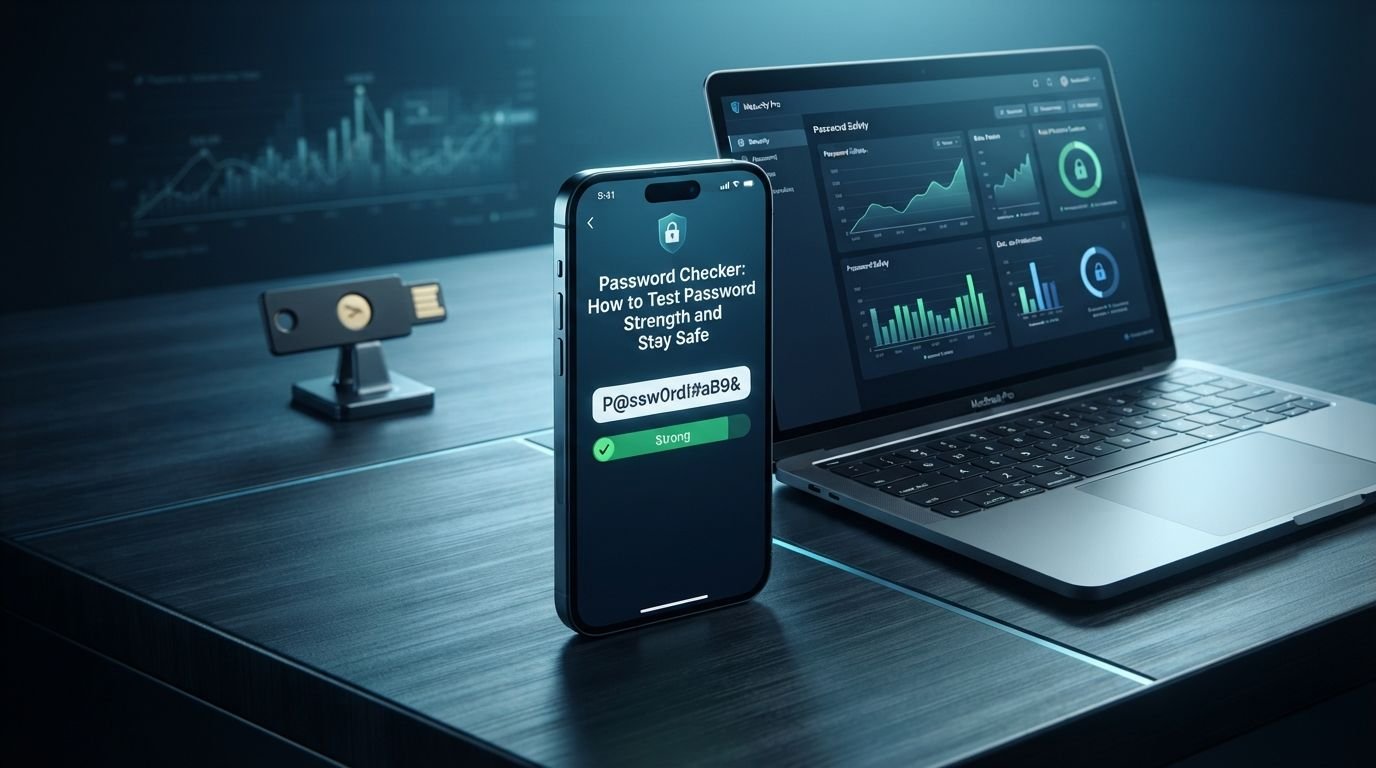
Password Checker: How to Test Password Strength and Stay Safe
A password checker is a useful tool for understanding whether a password may be easy to guess or difficult for attackers to crack. From email and social media to online banking, shopping, and work accounts, passwords help protect much of our digital lives. However, choosing a password that looks complicated does not always mean it is secure. A short password with random-looking symbols may still follow a pattern that attackers can predict.
A reliable password checker can help identify common weaknesses, estimate password strength, and sometimes warn users when a password has appeared in known data breaches. It gives people a clearer idea of how their password choices affect account security. Still, no checker can guarantee that an account will never be hacked. Password safety also depends on unique passwords, secure storage, multifactor authentication, and careful online behavior.
In this guide, you will learn how password-checking tools work, what their results mean, how to recognize a trustworthy checker, and what steps to take when a password receives a weak rating.
What Is a Password Checker?
A password checker is a digital security tool that evaluates a password and provides feedback about its strength. Depending on the tool, it may examine the password’s length, character patterns, predictability, repeated sequences, and similarity to commonly used passwords.
Some checkers provide a simple rating such as weak, medium, strong, or very strong. Others offer more detailed information, including possible guessing time, password length, and suggestions for improvement.
For example, a checker may identify a short password that contains a common name and a few numbers. Even if the password includes uppercase letters and a symbol, its predictable structure could make it easier to guess.
A more advanced service may also check whether a password appears in a database of previously exposed credentials. This is different from measuring strength. A password can be long and difficult to guess but still be unsafe if it has already been exposed in a breach.
The main purpose of these tools is to help users make better decisions before using a password to protect an important account.
Why Checking Password Strength Matters
People use online accounts for communication, entertainment, education, shopping, and financial activities. If someone gains access to an account, the consequences may extend beyond that single service.
An attacker who accesses an email account, for example, may try to use password-reset links to enter other accounts connected to the same email address. A compromised shopping account could expose saved personal information, while unauthorized access to a work account may put business data at risk.
Weak passwords create opportunities for several types of attacks:
- Password guessing: An attacker tries common passwords or information associated with the account owner.
- Brute-force attacks: Automated software attempts many possible password combinations.
- Dictionary attacks: Attackers test words, phrases, and frequently used password patterns.
- Credential stuffing: Stolen username and password combinations are tested on other websites.
- Phishing: A criminal tricks someone into entering login details on a fake website.
A password checker can help reduce some risks by identifying passwords that are short, predictable, or commonly used. However, it cannot prevent every attack. Phishing, malware, stolen session cookies, and other threats may bypass password strength entirely.
That is why checking a password should be one part of a wider security routine rather than the only protection for an account.
How Does a Password Checker Work?
Different tools use different methods, but most password-strength checkers examine several characteristics.
1. Password Length
Length is one of the most important factors in password strength. A longer password generally offers more possible combinations than a short one, making it harder to guess when it is unpredictable.
For example, a short password made from a common word may be easy to identify through automated guessing. A longer passphrase made from several unrelated words can offer better protection while remaining easier to remember.
The National Institute of Standards and Technology (NIST) recommends a minimum of 15 characters for passwords used as a single authentication factor in its current digital identity guidance. It also recommends allowing long passwords and passphrases.
A checker may therefore give a low rating to a password that is too short, even when it contains several character types.
2. Character Variety
Some tools examine whether a password includes different character types, such as:
- Uppercase letters
- Lowercase letters
- Numbers
- Special characters
- Spaces, where supported
Character variety can increase the number of possible combinations. However, variety alone does not guarantee strength.
For example, changing a familiar word by adding a capital letter, a number, and an exclamation mark may still produce a predictable password. Modern password guidance places strong emphasis on length, uniqueness, and avoiding commonly used or compromised passwords rather than relying only on rigid character-mixing rules.
3. Common Words and Password Patterns
A checker may look for familiar words, keyboard sequences, repeated characters, and predictable substitutions.
Passwords based on simple patterns are often weaker than users expect. Examples include:
- A common word followed by a few digits
- A first name and birth year
- Consecutive keyboard characters
- Repeated numbers or letters
- A familiar phrase with a symbol added at the end
These patterns are easy for people to create, but they are also common targets for password-guessing tools.
4. Repeated or Predictable Information
A password may contain personal details such as a name, birthday, phone number, or favorite team. Such information can sometimes be discovered through public profiles or social media.
Some checkers identify repeated sequences or common structures. They may not know your personal history, however, so they cannot always recognize every password that relates to your life.
Avoid using personal information as the foundation of a password, even if a checker gives it a positive score.
5. Known Compromised Passwords
Some services compare passwords against lists of credentials exposed in previous data breaches. If a password appears in one of these records, the tool may warn that it should not be used.
This check is important because password reuse creates a serious risk. A password that was once used on an unrelated website may remain dangerous if criminals have obtained it.
Not every checker includes a breach database, and a clean result does not prove that a password has never been exposed. The database may be incomplete or may not contain the latest incidents.
What Do Password Strength Results Mean?
Many tools use simple labels to explain their findings. The exact rating system varies, so users should treat the result as guidance rather than a guarantee.
Weak
A weak rating usually means the password is short, common, predictable, or built around a familiar pattern.
A weak password should not be used for an important account. Replace it with a longer, unique password generated by a trusted password manager.
Medium
A medium rating suggests that the password has some useful characteristics but still has weaknesses. It may be longer than a common password but include predictable words or number patterns.
Do not assume a medium rating is enough for banking, email, or other sensitive accounts. Improve it before relying on it.
Strong
A strong rating generally indicates that the password is sufficiently long and less predictable according to the checker’s model.
Even so, a strong rating does not prove that the password is unique or absent from breach records. It also cannot protect against phishing or malware.
Very Strong
A very strong rating usually means that the password is long and difficult for the tool to predict. Random passwords generated by reputable password managers often perform well in these checks.
However, even a very strong password can become unsafe if it is reused, shared, exposed, or entered into a fake website.
How to Use an Online Password Checker Safely
Checking a password should not create a new security problem. Before entering anything into an online tool, consider how the service handles the information you provide.
Follow these steps:
- Choose a trustworthy service. Look for clear privacy information, a secure website connection, and an explanation of how password testing works.
- Read its privacy policy. Find out whether the service stores submitted passwords, collects them for analytics, or sends them to another system.
- Prefer local checking. A checker that evaluates a password directly in your browser without sending it to a server can reduce exposure, although you should still review how the tool works.
- Avoid entering an active password into an unknown website. Do not test the password you currently use for email, banking, or another important account on a random checker.
- Use a sample instead. If you are learning how a tool works, test a fictional password rather than a real credential.
- Generate a replacement if needed. Use a reputable password manager to create a new, unique password.
- Enable additional protection. Turn on multifactor authentication wherever it is available.
A particularly important rule is simple: never share your actual password with another person or an untrusted service just to receive a strength score.
Password Checker vs. Password Generator
These tools are related, but they perform different jobs.
A password checker evaluates a password that already exists. It looks for weaknesses and provides a strength assessment.
A password generator creates a new password. It can produce random combinations of letters, numbers, and symbols or generate a longer passphrase.
| Feature | Password Checker | Password Generator |
|---|---|---|
| Main purpose | Evaluates password strength | Creates a new password |
| Checks length | Usually | Can set a preferred length |
| Detects patterns | Often | Can create random values |
| Creates passwords | Not usually | Yes |
| Breach checking | Sometimes | Depends on the service |
| Best use | Reviewing password quality | Creating unique credentials |
Using both tools can support a better password routine. A generator can create a strong password, while a checker can provide an additional assessment. A password manager may combine both features and store the resulting credentials securely.
What Makes a Password Strong?
A strong password should be difficult to guess, unique to one account, and stored safely. It should not depend on a simple word or personal detail that someone could discover.
Choose a Longer Password
Long passwords generally provide more resistance to guessing than short ones. NIST’s current guidance recommends at least 15 characters when a password is used as a single factor.
A passphrase can make length easier to manage. It uses multiple words rather than one short word with a few added symbols.
When creating a passphrase, avoid famous quotations, song lyrics, familiar sayings, or phrases connected to your personal information. A randomly generated combination of unrelated words is a better choice.
Make Every Password Unique
Do not use the same password for multiple websites. If one service suffers a data breach, attackers may test the exposed login details elsewhere.
For example, using one password for email, social media, and online shopping creates a connection between those accounts. If the password is stolen from one service, the others may also become vulnerable.
A unique password for every account limits the damage that one compromised service can cause.
Avoid Personal Details
Names, birthdays, pet names, favorite teams, and phone numbers may seem memorable, but they can be easier to guess than random information.
Even details that are not publicly visible may be discovered through phishing or other forms of social engineering.
Use randomly generated passwords or unrelated passphrases instead.
Do Not Depend Only on Symbols
Adding symbols can be useful, but it should not replace length and unpredictability.
A short, predictable password does not become secure simply because it ends with a special character. Focus on creating a long and unique password rather than making small changes to an old one.
How Password Managers Improve Account Security
Remembering a different password for every account can be difficult. A password manager helps solve this problem by creating, storing, and filling in login details.
Most reputable password managers protect stored information using encryption. Users unlock the password vault with a primary password or another supported authentication method.
Common features include:
- Random password generation
- Secure password storage
- Automatic login filling
- Weak-password alerts
- Reused-password warnings
- Breach monitoring in supported products
- Secure sharing features in some plans
A password manager can help users avoid the habit of reusing passwords. Instead of remembering dozens of complicated credentials, they need to protect access to the password vault.
Choose a reputable provider, enable multifactor authentication where available, and create a strong, unique primary password. Keep recovery options up to date so you do not lose access to the vault.
Password Strength and Data Breach Checks Are Not the Same
One common misunderstanding is that a strong password must also be a safe password. These are two different measurements.
A strength checker estimates how difficult a password may be to guess. A breach checker looks for evidence that a password has appeared in exposed data.
Consider two situations:
- Password A is long and unpredictable but was exposed in a previous data breach. It may receive a strong strength score, yet it should not be used.
- Password B has never appeared in a known breach but is short and predictable. It may pass a breach lookup while still being weak.
The safest approach is to use a unique password that is difficult to guess and has not been exposed.
If a service reports that your password has appeared in a breach, change it immediately on every account where you used it. If you reused it, update each affected account with a different password.
What to Do If Your Password Is Weak
A weak result is an opportunity to improve your security. You do not need to make a small change to the existing password. In many cases, replacing it completely is a better option.
Use this process:
Step 1: Identify the Affected Account
Decide which account uses the weak password. Give priority to email, banking, payment services, cloud storage, and accounts that can reset other passwords.
Step 2: Create a New Unique Password
Use a reputable password manager to generate a random password. If you prefer a passphrase, make it long and unpredictable.
Do not simply add another digit or symbol to the old password.
Step 3: Change the Password Through the Official Website
Open the service’s official website or app directly. Avoid password-reset links in unexpected emails or messages.
If you receive a warning about suspicious activity, check the account through its official security settings.
Step 4: Review Other Accounts
If the old password was reused, change it everywhere else. Give priority to accounts containing personal, financial, or business information.
Step 5: Turn On Multifactor Authentication
Multifactor authentication (MFA) adds another verification step during sign-in. Depending on the service, this may involve an authenticator app, security key, passkey, or another supported method.
MFA can reduce the damage caused by a stolen password, although the protection offered depends on the method and the attack.
Step 6: Review Account Activity
Check recent login history, connected devices, recovery email addresses, and phone numbers. Remove sessions or devices you do not recognize.
If you suspect someone has accessed your account, follow the provider’s account-recovery and security instructions.
Common Password Checker Mistakes to Avoid
Password tools are helpful, but using them incorrectly can create a false sense of security.
Trusting Every Website
Not every online checker is safe. Some services may collect information entered into their forms. Avoid unknown tools that do not explain their privacy practices.
Assuming a Green Score Means Complete Protection
A strong score only reflects the factors measured by that particular tool. It does not guarantee that the password is unique, secret, or protected from phishing.
Reusing a Password After Testing It
A password that receives a high score should not be used across several accounts. Uniqueness is essential.
Making Predictable Changes
Changing Password123 to a similar variation does not solve the underlying problem. Attackers often test common substitutions and patterns.
Ignoring Breach Alerts
If a trusted service reports that a password has been exposed, do not dismiss the warning because the password is long. Replace it and check for reuse.
Forgetting Account Recovery
Strong passwords cannot help if an attacker controls your recovery email or phone number. Protect recovery methods with unique credentials and MFA where possible.
Can a Password Checker Tell You How Long It Takes to Crack a Password?
Some tools display an estimated cracking time. This can help explain why one password may be harder to guess than another, but the number should not be treated as a prediction.
The result depends on assumptions such as the attacker’s hardware, guessing method, available password lists, password-storage system, and rate limits.
An estimate for an offline attack may differ greatly from an online login attempt. Websites can restrict failed sign-in attempts, while stolen password databases may allow attackers to test guesses outside the original service.
A cracking-time estimate is therefore a rough educational measure. It cannot tell you exactly how long a real attacker would need.
Password Checkers for Personal and Business Use
Password security matters to individuals, families, schools, and organizations.
For Personal Accounts
Individuals can use password-strength tools to review their password habits and identify reused or predictable credentials. Email and financial accounts deserve particular attention because they may contain sensitive information or provide access to other services.
For Small Businesses
Small businesses often use email platforms, customer-management systems, cloud storage, payment services, and staff accounts. A weak or reused password can expose business information.
Organizations should use password managers, MFA, appropriate access controls, and staff security training. They should also have a clear process for changing credentials when an account may be compromised.
For Families
Families can improve account security by using unique passwords for important services and enabling additional sign-in protection. Parents and guardians can also teach children not to share passwords through messages, games, or social media.
The aim is not to make password management complicated. It is to build simple habits that reduce avoidable risks.
The Future of Password Security: Passkeys and Multifactor Authentication
Passwords remain common, but account security is gradually moving toward alternatives such as passkeys.
A passkey uses cryptographic technology to authenticate a user through a supported device or platform. Depending on the service, the user may confirm access with a fingerprint, face recognition, device PIN, or another local method.
Unlike a traditional password, a passkey is designed to resist many forms of phishing because the authentication process is tied to the legitimate website or app.
Multifactor authentication also adds protection by requiring more than a password to complete a sign-in. An authenticator app or security key can provide an additional step.
These technologies do not make every security risk disappear. Users still need to protect their devices, recovery methods, and accounts. However, passkeys and MFA can reduce dependence on passwords alone.
Frequently Asked Questions About Password Checkers
What does a password checker do?
A password checker evaluates a password’s characteristics, such as length, predictability, repeated patterns, and common words. Some tools also compare passwords with known breach records. The exact features depend on the service.
Is it safe to enter my real password into an online checker?
Only use a checker you trust and understand. Avoid entering an active password into an unfamiliar website. A safer option is to use a password manager’s built-in security tools or a checker that clearly explains how it processes information locally.
What is considered a strong password?
A strong password is long, unique, and difficult to predict. NIST recommends at least 15 characters for passwords used as a single authentication factor. A randomly generated password or unpredictable passphrase is generally a better choice than a short, familiar phrase.
Can a password checker detect hacked passwords?
Some tools check whether a password appears in known breach databases. However, not every checker offers this feature, and no database can guarantee that it contains every exposed password.
Does adding symbols make a password secure?
Symbols can increase the number of possible combinations, but they do not automatically make a password strong. Length, uniqueness, and unpredictability matter. A predictable password with a symbol added at the end may still be easy to guess.
How often should I change my passwords?
You do not need to change every password on an arbitrary schedule if it remains unique and there is no sign of compromise. Change a password when it has been exposed, reused, shared, or otherwise placed at risk. Follow the service’s instructions if it reports suspicious activity.
Should I use the same password for multiple accounts?
No. Reusing passwords allows a breach at one service to put other accounts at risk. Use a different password for every account and store them in a reputable password manager.
Can a password checker prevent hacking?
No. It can help identify weak passwords, but it cannot stop every attack. Phishing, malware, account-recovery abuse, and stolen sessions can affect accounts even when passwords are strong. Use MFA and keep your devices secure.
Are free password checkers reliable?
Some free tools provide useful strength assessments, but price alone does not establish trustworthiness. Review the provider’s privacy policy, security practices, and explanation of how it handles submitted passwords before using it.
Is a password manager better than a password checker?
They serve different purposes. A checker evaluates password strength, while a password manager creates and stores unique credentials. Many password managers also include strength assessments and alerts for reused or exposed passwords, making them useful for ongoing account security.
Final Thoughts
A password checker can help you understand whether a password is short, predictable, or potentially exposed. It is a useful starting point for improving online safety, but its score should never be treated as a complete security guarantee.
For better protection, use long and unique passwords, avoid personal details, and store credentials in a reputable password manager. Enable multifactor authentication on important accounts and respond quickly to breach warnings. Where supported, consider using passkeys for an additional way to protect your sign-ins.
Good password security is not about creating the most complicated-looking combination. It is about making every account harder to access without permission and building habits that protect your information over time.