Bose A20: Complete Guide to Features, Specs & Aviation Use
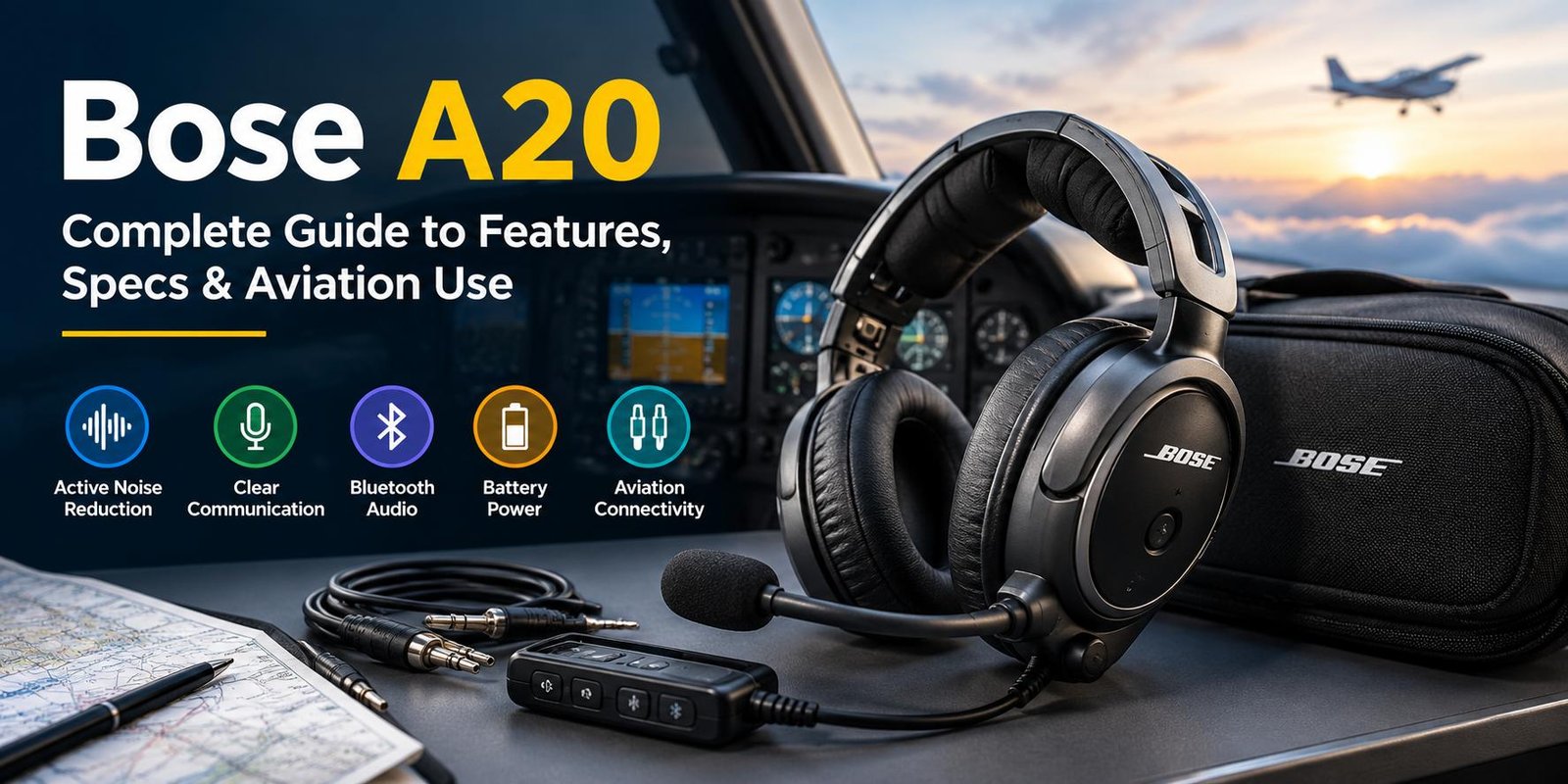
The Bose A20 is an aviation headset designed for pilots who need clear cockpit communication while reducing surrounding aircraft noise. It combines active noise reduction, a boom microphone, comfortable over-ear construction, and different connection options for aviation use. Selected A20 versions also include Bluetooth audio and an auxiliary audio connection.
Although Bose has moved on to newer aviation headset models, the A20 remains a well-known product among pilots and aviation enthusiasts. This guide explains its main features, connectivity, power options, comfort, noise reduction, and important things to consider before choosing one.
What Is the Bose A20?
The Bose A20 is an aviation headset made specifically for cockpit environments. Unlike ordinary consumer headphones, it includes a microphone and aviation-oriented connection and power options.
Its main purpose is to make cockpit communication easier to hear while reducing unwanted engine and cabin noise. Bose designed the A20 with both active and passive noise-reduction technologies.
The headset has also been available in different configurations, so the exact connector, power arrangement, and Bluetooth functionality can depend on the particular version.
Bose A20 Key Features
The A20 combines several features that are useful during flight.
Active Noise Reduction
One of the main features is active noise reduction. The headset uses microphones and electronic processing to detect unwanted cockpit noise and generate a signal that helps reduce it.
Bose designed the system for noisy aviation environments rather than ordinary home or office listening.
Clear Pilot Communication
The A20 includes a boom microphone for communication through an aircraft’s intercom and radio system. Clear voice transmission is particularly important when engine and cockpit noise are present.
The microphone configuration and electrical requirements can vary according to the specific headset and aircraft installation.
Bluetooth Audio
Selected Bose A20 versions include Bluetooth audio. This allows compatible mobile devices to provide audio to the headset without requiring a wired connection for that source.
Bose also included an auxiliary audio input for devices that do not use Bluetooth.
Lightweight Design
According to Bose’s technical documentation, the A20 weighs about 12 ounces. Its design was developed to reduce clamping pressure and remain comfortable during extended periods of use.
How Does Bose A20 Noise Reduction Work?
The headset uses a combination of electronic and physical noise reduction.
The active system uses microphones positioned around the earcups to sense surrounding sound. Electronic processing then produces a noise-reduction signal.
The ear cushions and earcup construction provide an additional passive barrier against outside sound. This combination is especially useful in an aircraft environment where continuous engine noise can make communication difficult.
Why Noise Reduction Matters in Aviation
Reducing background noise can make conversations and radio communication easier to understand. It can also make long flights more comfortable because the pilot is exposed to less continuous cockpit noise.
However, headset performance can depend on factors such as ear-cushion condition, fit, aircraft noise, temperature, and the specific aircraft installation.
Bose A20 Power Options
Power requirements depend on the A20 configuration.
Some versions can operate using two AA alkaline batteries, while aircraft-powered configurations can receive power directly from the aircraft. Bose documentation lists a typical battery life of at least 45 hours under specified general-aviation conditions, although actual performance can vary.
Battery Operation
Battery power can be useful when an aircraft does not provide the required headset power connection.
Fresh batteries should be carried on longer flights so that a depleted battery does not become an unnecessary problem.
Aircraft Power
Certain A20 configurations can use aircraft power instead of relying entirely on batteries. Some versions can also switch between aircraft and battery power.
Because connectors differ between aircraft, pilots should confirm compatibility before purchasing or installing a particular A20 configuration.
Bose A20 Connectivity Options
The A20 was offered with different aviation connector configurations.
Depending on the version, users may encounter:
- Dual General Aviation plugs
- 6-pin aircraft-powered connections
- U174 configurations
- Other specialized configurations
- Bluetooth audio on supported models
- Wired auxiliary audio
Bose introduced additional connection and cable options over the product’s life, including a coil-cord configuration intended for helicopter pilots.
Why the Connector Matters
An aviation headset is not simply a matter of choosing the headset you like. The connector must also match the aircraft’s intercom and power arrangement.
Before buying an A20, check the aircraft’s existing headset socket and determine whether aircraft power is available.
Bose A20 Comfort for Long Flights
Comfort is an important consideration for any aviation headset because pilots may wear it for several hours.
The A20 uses around-ear cushions and a padded headband. Bose states that the headset was designed with reduced clamping force compared with conventional headsets.
Comfort can still vary between users. Head shape, glasses, hair, ear-cushion condition, and headset adjustment can all affect the experience.
Replacing Ear Cushions
Ear cushions can gradually lose their shape through regular use. Worn cushions may affect both comfort and passive noise isolation.
Bose provides support resources for A20 owners, including instructions related to replacing ear cushions.
Bose A20 Bluetooth Features
Bluetooth is available on supported A20 versions.
With a compatible mobile device, Bluetooth can be used for audio such as music, navigation applications, or other supported audio sources. Bose also introduced customizable audio prioritization, allowing users to control how different audio sources interact with intercom communication.
The exact Bluetooth behavior can depend on the A20 version and control-module configuration.
Is Bose A20 FAA Certified?
Bose documentation identifies applicable A20 models as approved to TSO/ETSO C139 standards.
It is important to understand what this means. The FAA explains that a Technical Standard Order establishes a minimum performance standard for an article; TSO authorization by itself is not automatically approval to install the article on every aircraft. Aircraft-specific airworthiness and installation requirements still apply.
For actual aircraft installation questions, the aircraft manufacturer, avionics documentation, or a qualified aviation technician should be consulted.
Bose A20 Technical Specifications
Here are some specifications documented in Bose’s owner information:
| Specification | Bose A20 |
|---|---|
| Product type | Aviation headset |
| Weight | About 12 oz |
| Battery | Two AA alkaline batteries |
| Typical battery life | At least 45 hours under specified conditions |
| Bluetooth | Available on supported versions |
| Audio input | Auxiliary audio available |
| Noise reduction | Active + passive |
| Operating temperature | -15°C to 55°C in documented specifications |
| Maximum altitude for full cancellation | 15,000 feet in documented specifications |
| Certification | TSO/ETSO C139 on applicable models |
Specifications can differ between A20 variants, so the exact owner manual and product configuration should be checked before making an installation decision.
Bose A20 vs Regular Headphones
The A20 should not be viewed simply as an expensive pair of headphones.
Regular consumer headphones are primarily designed for entertainment and everyday listening. An aviation headset adds features intended for aircraft communication, including a boom microphone, aviation connectors, and cockpit-focused noise reduction.
For pilots, these differences can be more important than music performance alone.
Who Might Use the Bose A20?
The headset was designed for aviation use and can be relevant to:
Student Pilots
Students spend considerable time learning radio communication and cockpit procedures. A headset that provides clear communication can be useful during training flights.
Private Pilots
Private pilots may value noise reduction and comfort during longer recreational or cross-country flights.
Professional Aviation Users
Professional users who spend substantial time in aircraft may consider factors such as comfort, microphone performance, connector compatibility, maintenance, and long-term reliability.
The appropriate headset ultimately depends on the aircraft, flight environment, personal preferences, and operational requirements.
Things to Check Before Buying a Bose A20
If you are considering an A20, do not look only at the headset name.
Check the Connector
Make sure the connector matches your aircraft.
Check the Exact Model
A20 configurations are not all identical. Bluetooth, cable, microphone, and power arrangements can vary.
Inspect Used Units Carefully
If buying a used headset, examine:
- Ear cushions
- Headband
- Boom microphone
- Cable
- Connector
- Control module
- Battery compartment
- Bluetooth operation, if applicable
Confirm Replacement Parts
For an older aviation headset, check whether the required replacement accessories and service resources are available.
Common Bose A20 Problems
Like any electronic device, an A20 can develop problems through normal use.
Possible issues include:
- Weak or missing audio
- Microphone problems
- Bluetooth connection issues
- Battery-related problems
- Damaged cables
- Worn ear cushions
- Intermittent connections
- Control-module issues
Before assuming the headset has failed, check the batteries, connector, aircraft intercom settings, cable connections, and volume controls.
Bose continues to provide A20 support resources, including manuals, accessories, repair information, and troubleshooting resources.
How to Maintain a Bose A20
Proper care can help keep an aviation headset in good condition.
Keep the Headset Clean
Clean the exterior and cushions according to the manufacturer’s care instructions. Avoid exposing electronic components to unnecessary moisture.
Protect the Cable
Repeatedly bending or pulling the cable can cause damage over time. Store the headset in its carrying case when it is not being used.
Check the Batteries
If your version uses AA batteries, inspect them regularly and remove old batteries when the headset will be stored for an extended period.
Inspect the Ear Cushions
Look for cracking, flattening, or deterioration. Worn cushions can affect comfort and passive noise isolation.
Bose A20 Frequently Asked Questions
What is the Bose A20 used for?
The Bose A20 is an aviation headset designed for cockpit communication and noise reduction. It includes a boom microphone and aviation-specific connection options.
Does Bose A20 have Bluetooth?
Selected A20 versions include Bluetooth audio. Older or different configurations may not have the same wireless features, so the exact model should be checked.
How long do Bose A20 batteries last?
Bose documentation states that two AA alkaline batteries can provide at least 45 hours of operation under specified typical general-aviation conditions. Actual battery life varies with usage and environmental factors.
Is Bose A20 still supported?
Bose’s support website lists the A20 as a product sold from 2015 to 2025 and provides manuals, accessories, repair or replacement information, and other support resources.
Is Bose A20 suitable for every aircraft?
Not necessarily. Connector types, aircraft power, microphone requirements, and installation considerations can vary. Always verify compatibility with the aircraft before purchase or installation.
Final Thoughts
The Bose A20 is a specialized aviation headset built around cockpit communication, active noise reduction, comfort, and flexible connectivity. Its available configurations include different aviation connectors, battery or aircraft power options, and Bluetooth functionality on supported models.
For anyone considering an A20, the most important steps are to identify the exact headset version, confirm aircraft compatibility, inspect the condition if buying used, and check the available support and replacement options. With those details confirmed, it becomes much easier to determine whether an A20 configuration fits a particular aviation setup.