
Subnet Mask Guide: How It Works and How to Calculate It
Every device on a network has an IP address, but an address alone does not tell you which devices are neighbors and which sit on a different network. That job belongs to the subnet mask. This subnet mask guide explains what it is, how to read it, and how to use it in real calculations, without heavy jargon.
What Is a Subnet Mask?
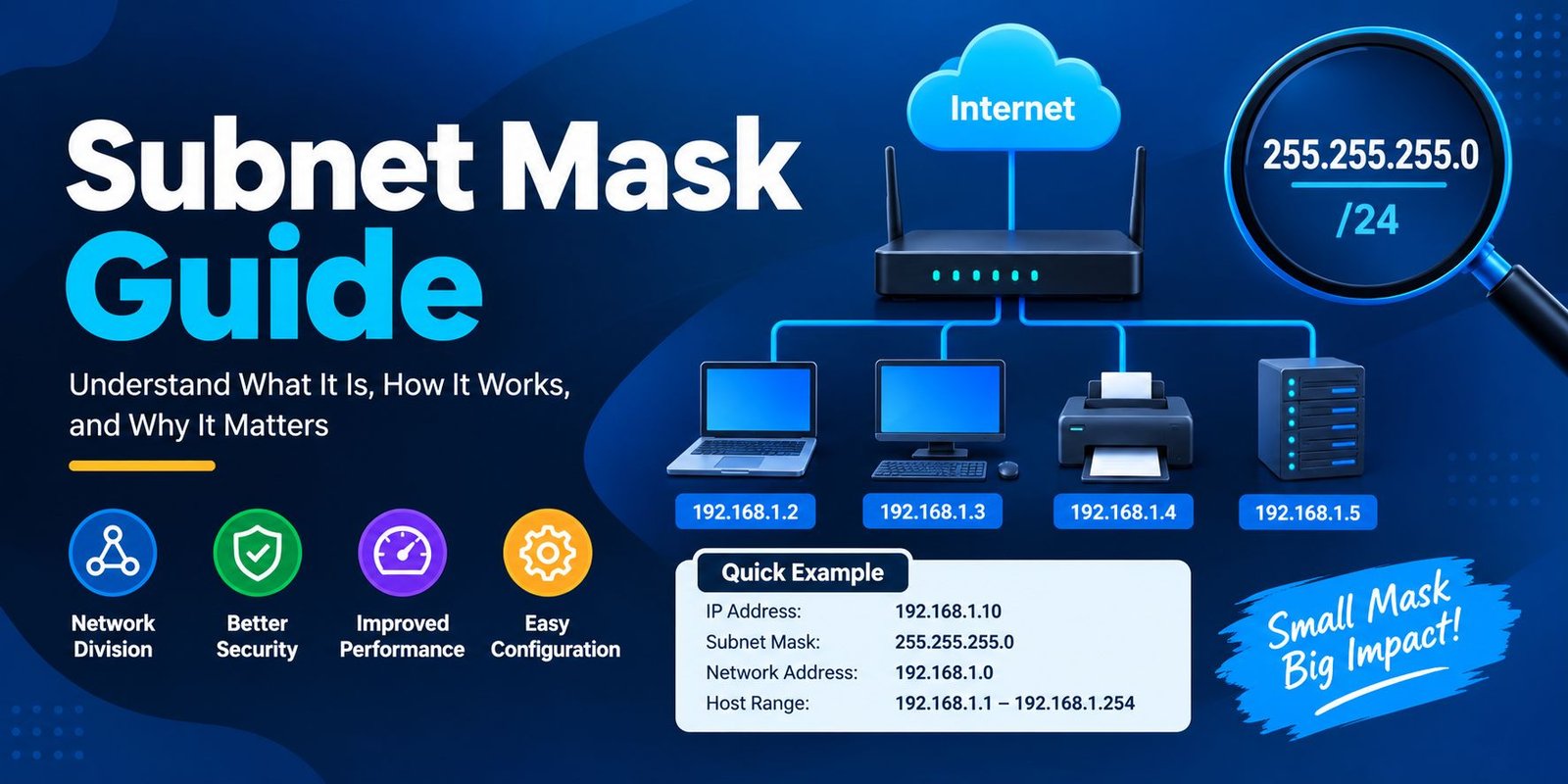
A subnet mask is a 32-bit number that splits an IPv4 address into two parts: the network portion and the host portion. The network portion identifies the network itself. The host portion identifies one specific device inside it.
Think of a street address. The street name tells you the area, and the house number tells you the exact building. The mask works like a rule that says where the street name ends and the house number begins.
You will usually see it written as four numbers, such as 255.255.255.0.
Who Needs This Subnet Mask Guide?
Anyone who sets up a home router, studies for a networking exam, works in IT support, or manages cloud servers will run into subnet masks sooner or later. Understanding them helps you fix connection problems, plan IP ranges, and keep networks organized and secure.
How an IP Address Is Split
An IPv4 address has four sections called octets, each holding a number from 0 to 255. Behind the scenes, each octet is 8 binary digits, so the full address is 32 bits.
The mask marks which bits belong to the network and which belong to hosts. A 1 in the mask means “this bit is part of the network.” A 0 means “this bit is part of the host.”
Reading a Subnet Mask in Binary
Take the common mask 255.255.255.0. In binary, it looks like this:
11111111.11111111.11111111.00000000
The first 24 bits are ones, so the first three octets describe the network. The last 8 bits are zeros, so the last octet is free for hosts. With 8 host bits, you get 256 possible addresses in that network.
A valid mask always has all its ones on the left and all its zeros on the right. A value like 255.0.255.0 is not valid.
CIDR Notation Explained
Writing long masks gets tiresome, so engineers use CIDR notation. It adds a slash and a number after the IP address, and that number counts how many bits are set to 1.
- 255.255.255.0 becomes /24
- 255.255.0.0 becomes /16
- 255.0.0.0 becomes /8
So 192.168.1.10/24 means the same thing as 192.168.1.10 with the mask 255.255.255.0. CIDR is shorter, easier to read, and used almost everywhere today.
Quick Reference Table
Keep this subnet mask guide handy as a cheat sheet. The table shows common masks and how many devices each one supports.
| CIDR | Subnet Mask | Usable Hosts |
|---|---|---|
| /8 | 255.0.0.0 | 16,777,214 |
| /16 | 255.255.0.0 | 65,534 |
| /24 | 255.255.255.0 | 254 |
| /25 | 255.255.255.128 | 126 |
| /26 | 255.255.255.192 | 62 |
| /27 | 255.255.255.224 | 30 |
| /28 | 255.255.255.240 | 14 |
| /29 | 255.255.255.248 | 6 |
| /30 | 255.255.255.252 | 2 |
Usable hosts are always two fewer than the total addresses, because two are reserved in every subnet.
How to Calculate Hosts per Subnet
The next part of this subnet mask guide gives you the formulas, and they are simple. Count the number of zero bits in the mask. Call that number n.
Usable hosts = 2ⁿ − 2
For a /26 mask, there are 6 host bits (32 − 26 = 6). That gives 2⁶ = 64 addresses, and 64 − 2 = 62 usable hosts.
The two addresses you subtract are:
- The network address, the first address, which names the subnet itself
- The broadcast address, the last address, used to reach every device in the subnet
How to Find the Network Address
To find which network a device belongs to, combine the IP address and the mask using a bitwise AND. Where both bits are 1, the result is 1. Everywhere else, it is 0.
Example: IP address 192.168.10.45 with mask 255.255.255.0
- The first three octets of the mask are all ones, so they stay as they are: 192.168.10
- The last octet of the mask is zeros, so it becomes 0
Network address: 192.168.10.0
For a mask like /24, you can do this in your head. The tricky cases come when the mask does not end neatly on an octet boundary, which is where subnetting starts.
A Simple Subnetting Example
Say you have the network 192.168.1.0/24 and want to split it into four smaller subnets. Borrow 2 bits from the host portion, which changes the mask to /26 (255.255.255.192).
Each new subnet has 64 addresses, so the blocks look like this:
| Subnet | Network Address | Usable Range | Broadcast |
|---|---|---|---|
| 1 | 192.168.1.0 | .1 to .62 | 192.168.1.63 |
| 2 | 192.168.1.64 | .65 to .126 | 192.168.1.127 |
| 3 | 192.168.1.128 | .129 to .190 | 192.168.1.191 |
| 4 | 192.168.1.192 | .193 to .254 | 192.168.1.255 |
Now try a device at 192.168.1.130/26. It falls in the third block, so its network address is 192.168.1.128 and its broadcast address is 192.168.1.191.
The useful trick is the “block size,” which is 256 minus the last mask octet. Here, 256 − 192 = 64. Subnets always start at multiples of that number.
Why Subnetting Is Used
Better organization. You can separate departments, floors, or device types, such as staff laptops, printers, and cameras.
Improved security. Traffic between subnets can pass through a router or firewall, where rules can limit access.
Less congestion. Broadcast traffic stays inside its own subnet instead of flooding the whole network.
Efficient use of addresses. You allocate only as many addresses as each group needs, rather than wasting a big range.
The Subnet Mask and the Default Gateway
Your device uses the mask to decide whether a destination is local or remote. If the destination falls in the same subnet, the device sends data directly. If not, it passes the data to the default gateway, usually your router, which forwards it on.
This is why a wrong mask causes odd problems. A device might think a neighbor is on a different network, or the reverse, and communication fails even though the cable and Wi-Fi are fine.
Common Mistakes to Avoid
A practical subnet mask guide should also warn you about the errors that trip up beginners:
- Forgetting to subtract two addresses. The network and broadcast addresses cannot be assigned to devices.
- Mixing up masks across devices. Devices on the same network must use the same mask.
- Using an invalid mask. Ones must come first and zeros last, with no gaps.
- Assigning the network or broadcast address to a device. This leads to conflicts and failed connections.
- Overlapping subnets. Two subnets that share addresses cause routing confusion.
Tips for Learning Subnetting Faster
Reading a subnet mask guide once will not make it stick, but regular practice will.
- Memorize the powers of two up to 256. Most calculations rely on them.
- Learn the common masks in the table above until they feel familiar.
- Practice converting between CIDR notation and dotted decimal.
- Use the block size trick to find subnet boundaries quickly.
- Check your work with a subnet calculator, but do the math by hand first.
- Draw it out. A small diagram of subnets and ranges makes the logic much clearer.
What About IPv6?
IPv6 does not use dotted subnet masks. It uses prefix lengths only, such as /64, and the address space is far bigger. A /64 is the standard size for a single local network. The idea is the same, splitting an address into a network part and a host part, but the formatting is simpler.
Frequently Asked Questions
What is the most common subnet mask?
255.255.255.0 (/24) is the most common, especially on home and small office networks. It supports up to 254 devices.
Can two devices with different masks talk to each other?
Sometimes, but it often causes problems. Each device may decide differently whether the other is local, so using the same mask across a network is the safest choice.
What is the difference between a subnet mask and a default gateway?
The mask tells a device which addresses are on its own network. The gateway is the router the device uses to reach everything else.
Why do we subtract 2 when counting hosts?
One address is reserved for the network itself and one for broadcasts. Neither can be assigned to a normal device.
Conclusion
Once you see that a mask is simply a line dividing the network part from the host part, subnetting becomes far less intimidating. Learn the common CIDR values, practice the block size trick, and work through a few examples by hand. This subnet mask guide gives you the foundation, and every extra practice problem will make the numbers faster and more natural.






One Comment