
Grok AI: What It Is, Features, Benefits and How to Use It
Artificial intelligence has become a useful part of the digital world. Today, people use AI tools for learning, writing, research, programming, content creation, and many everyday activities. As the number of AI platforms continues to grow, users have more options than ever before.
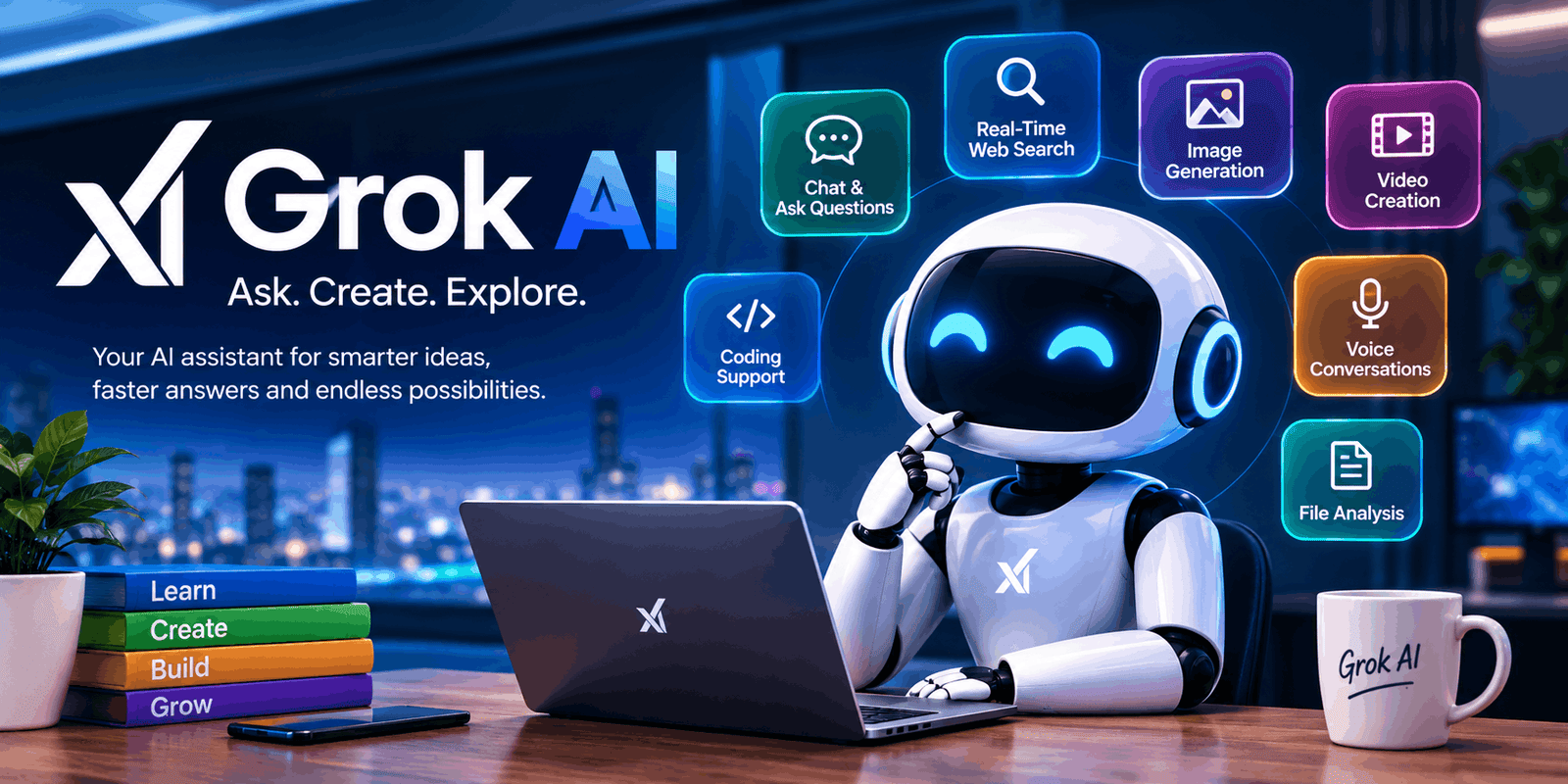
One platform that has attracted considerable attention is Grok AI. Developed by xAI, Grok is an artificial intelligence assistant designed to understand natural-language questions and provide conversational responses. It can also support tasks such as research, coding, file analysis, image creation, and other creative activities, depending on the features available to the user.
Unlike a traditional search engine, Grok allows users to continue a conversation. You can ask a question, review the response, and then request another explanation or provide additional instructions.
In this guide, we will look at what Grok is, how it works, its main features, practical uses, advantages, limitations, and some useful tips for beginners.
What Is Grok AI?
Grok AI is an AI assistant created by xAI. It is designed to understand written instructions and respond in a conversational way.
A user does not need to use complicated commands. Instead, they can simply describe what they need.
For example, you could ask:
Explain artificial intelligence in simple English.
After the answer, you could continue:
Give me three real-life examples.
You could then ask another question based on those examples. This makes the experience more interactive and easier to use for people who want to explore a subject gradually.
Grok is available through the web and supported mobile applications. It is also connected with X, giving users access to another way of interacting with the assistant.
How Does Grok Work?
Grok uses AI models to understand a user’s prompt and generate an appropriate response. The system looks at the words and context provided in a conversation before producing an answer.
For some questions, Grok can also use search capabilities to find current information. This can be useful because information on the internet changes frequently.
For example, information about technology, current events, companies, products, or online trends may change after an AI model has been trained. Search capabilities can therefore provide additional context for certain queries.
However, users should remember that an AI response is not automatically correct. Even when an answer appears confident, important information should be checked against trustworthy sources.
Main Features of Grok
Grok offers several capabilities that make it useful for different types of users.
1. Conversational AI
The basic function of Grok is conversation.
You can ask questions in normal language and continue the discussion with follow-up instructions. This is helpful when you want to learn something rather than simply receive a short answer.
For instance, a student could ask for an explanation of a difficult subject. Afterward, the student could request examples, a short summary, or practice questions.
This conversational approach can make complicated subjects easier to explore.
2. Web Search
Another useful capability is web search.
When current information is required, searching online can provide information that may not be available from an AI model’s existing knowledge alone.
For example, users may research recent technology updates, public announcements, current events, or online trends.
Even so, it is a good idea to open important sources and verify the information yourself.
3. Information From X
Grok can also work with public information available on X.
This can be useful for understanding discussions, opinions, and topics that are currently receiving attention on the platform.
For example, someone researching a new technology may want to see what people are publicly discussing about it.
Nevertheless, social media posts should not automatically be treated as verified facts. Different users may share incomplete or incorrect information.
4. Image Creation
Grok also provides AI-powered image-generation capabilities.
A user can describe an image idea in text and use the available creative tools to produce visual content.
For example:
Create a futuristic city with tall buildings, bright lights, and flying cars at night.
This type of tool can be useful for bloggers, designers, social media creators, and people working on creative projects.
The quality and availability of image features can vary depending on the current service and account.
5. Video Creation
AI-powered video features can also be used for creative projects.
Users can describe a visual concept and experiment with generating video content. This can be useful for social media ideas, creative experiments, and visual storytelling.
However, AI-generated videos should be reviewed carefully before being published, especially when accuracy or realism is important.
6. Voice Interaction
Grok can also support voice-based conversations on compatible platforms.
Instead of typing every message, users can communicate by speaking. This can be convenient when using a mobile device or when typing is not practical.
Voice interaction can also make an AI conversation feel more natural.
7. File Analysis
Another useful feature is the ability to work with supported files.
Users may be able to provide documents, spreadsheets, images, code, and other supported formats for analysis.
For example, you could ask an AI assistant to summarize a long document or identify important information in a spreadsheet.
This can save time when dealing with large amounts of information.
Still, confidential files should be handled carefully. Never upload sensitive information unless you understand the platform’s privacy and data policies.
8. Coding Help
Developers and students can use Grok for programming-related tasks.
It can help explain code, create examples, discuss programming concepts, and identify possible problems.
For beginners, this can be particularly helpful because they can ask follow-up questions when they do not understand something.
However, generated code should always be tested before being used in an important project.
How to Use Grok AI
Getting started with Grok is straightforward.
Step 1: Open Grok
Access Grok through its supported website or mobile application.
Step 2: Sign In
Use the available sign-in method to access the service.
The features you see may depend on your account and current plan.
Step 3: Write Your Prompt
Enter a question or instruction.
Try to explain exactly what you want.
For example, instead of:
Write about SEO.
Try:
Explain the basics of SEO to a beginner using simple English and five practical examples.
The second prompt provides more information about the desired result.
Step 4: Check the Response
Read the answer carefully.
If the subject is important, compare the information with reliable sources.
Step 5: Improve the Result
You can ask follow-up questions to change the response.
For example:
- Make this explanation shorter.
- Use simpler words.
- Add examples.
- Convert it into a checklist.
- Explain this section again.
- Create a summary.
As a result, you can gradually develop an answer that better fits your needs.
What Can Grok Be Used For?
Grok has applications across several areas.
For Students
Students can use AI to understand difficult concepts, create practice questions, summarize notes, and brainstorm ideas.
For example, a student studying history could ask for a timeline of important events and then request quiz questions based on it.
However, AI should support education rather than replace textbooks, teachers, and independent study.
For Bloggers
Bloggers can use Grok to brainstorm topics, organize articles, develop outlines, and improve drafts.
It can also help generate ideas for FAQs, headlines, introductions, and social media content.
A good approach is to use AI as a writing assistant while adding original research, examples, and personal expertise.
For Content Creators
Video creators and social media users can use AI to develop content ideas, scripts, captions, and visual concepts.
Image and video tools can also provide additional creative possibilities.
However, creators should review AI-generated content before publishing it.
For Developers
Programmers can use Grok to discuss code, learn concepts, troubleshoot potential problems, and create examples.
It can be particularly useful when learning a new programming language.
Still, developers should test generated code and check it for security and performance issues.
For Businesses
Businesses can use AI for brainstorming, research, writing, document analysis, and productivity.
For example, a business owner might ask an AI assistant to generate marketing ideas for a new service.
At the same time, confidential business information should be protected.
Benefits of Grok AI
There are several reasons users may find Grok useful.
Easy to Use
The conversational interface allows users to communicate using normal language.
Multiple Capabilities
Instead of using separate tools for every small task, users can access several AI capabilities within one platform.
Helpful for Research
Search capabilities can be useful when current online information is required.
Useful for Creativity
Image and video tools can support creative projects.
Supports Different Users
Students, writers, developers, creators, and professionals can all use AI for different purposes.
Limitations You Should Know
Grok is powerful, but it is not perfect.
AI Can Make Errors
An AI assistant can misunderstand a question or provide incorrect information.
Therefore, important facts should be verified before you rely on them.
Information Can Become Outdated
Technology and online information change quickly. Features that exist today may be updated later.
For that reason, users should check official sources when they need the latest information about the platform.
Privacy Is Important
Do not share passwords, financial details, confidential business information, or other sensitive data unnecessarily.
Before uploading private material, review the platform’s current privacy options and policies.
Human Review Is Still Necessary
AI can speed up many tasks, but it does not replace human judgment.
Important decisions should be made using appropriate professional advice and trustworthy sources.
Tips for Getting Better Results
The way you write your prompt can make a major difference.
Be Clear
Tell the AI exactly what you want.
Instead of:
Tell me about computers.
Try:
Explain how computers work for a complete beginner in 300 words.
Provide Context
Tell the AI who the content is intended for.
For example:
Explain this topic for a high-school student.
This helps create a more suitable response.
Mention the Format
You can request a specific format such as a table, list, tutorial, summary, or FAQ.
Ask for Changes
If the first response is not useful enough, ask for improvements instead of starting from the beginning.
For example:
Make the language easier and add two examples.
This can make the process faster.
Can Grok Help With SEO?
Yes, Grok can be useful during different stages of SEO content creation.
For example, website owners can use it to brainstorm topics, develop article structures, generate FAQ ideas, and improve drafts.
However, good SEO is not simply about repeating a keyword.
A useful article should answer the visitor’s question, provide accurate information, use clear headings, and offer a good reading experience.
Therefore, AI should be used as a supporting tool rather than as a replacement for a complete SEO strategy.
Is Grok AI Worth Trying?
For people interested in modern AI tools, Grok is certainly worth exploring.
Its conversational features and range of capabilities make it useful for many different tasks. Users can experiment with questions, writing, research, coding, creative work, and other activities.
However, every AI platform has strengths and limitations.
The best way to decide whether Grok suits you is to test it with real tasks that matter to you.
Start with simple prompts. Then try more detailed instructions and compare the results.
Frequently Asked Questions
What is Grok AI?
Grok is an artificial intelligence assistant developed by xAI. It can answer questions, assist with writing and coding, search for information, and provide various creative capabilities.
Is Grok AI free?
Grok offers free access, while paid options may provide additional usage limits or features. Plans and availability can change over time.
Where can I use Grok?
Grok can be accessed through supported web and mobile platforms. It is also available through X.
Can Grok search the web?
Yes. Grok has search capabilities that can help retrieve current online information for suitable queries.
Can Grok create images?
Yes. Grok provides AI image-generation capabilities through its creative tools, depending on current availability.
Can Grok create videos?
Grok also provides video-generation capabilities through its AI creative tools. Availability may depend on the user’s access and current service limits.
Can Grok help with coding?
Yes. It can explain programming concepts, create code examples, and help developers understand possible coding problems.
Is Grok always accurate?
No. AI systems can make mistakes. Important information should be verified using reliable sources.
Can students use Grok?
Yes. Students can use it for explanations, practice questions, summaries, and brainstorming. However, it should be used as a learning aid.
Can bloggers use Grok?
Yes. Bloggers can use it for ideas, outlines, drafts, FAQs, and editing. Human review is recommended before publishing.
Should I share private information with Grok?
It is better to avoid sharing sensitive or confidential information unless it is necessary and you understand the applicable privacy settings and policies.
Conclusion
Grok is an interesting AI assistant that combines conversational technology with a growing range of useful capabilities.
Users can ask questions, research topics, work with files, explore coding ideas, create visual content, and use other AI-powered features depending on their available access.
For students, it can make learning more interactive. Meanwhile, bloggers and creators can use it to develop ideas and organize their work. Developers can also use it as a coding assistant.
However, users should remember that AI can make mistakes. Consequently, important information should always be checked before it is used.
The best approach is to treat Grok as a helpful assistant rather than an unquestionable source. Give clear instructions, provide enough context, review the results, and add your own judgment.
Used in this way, Grok can become a practical tool for learning, research, creativity, and everyday digital work.


One Comment