
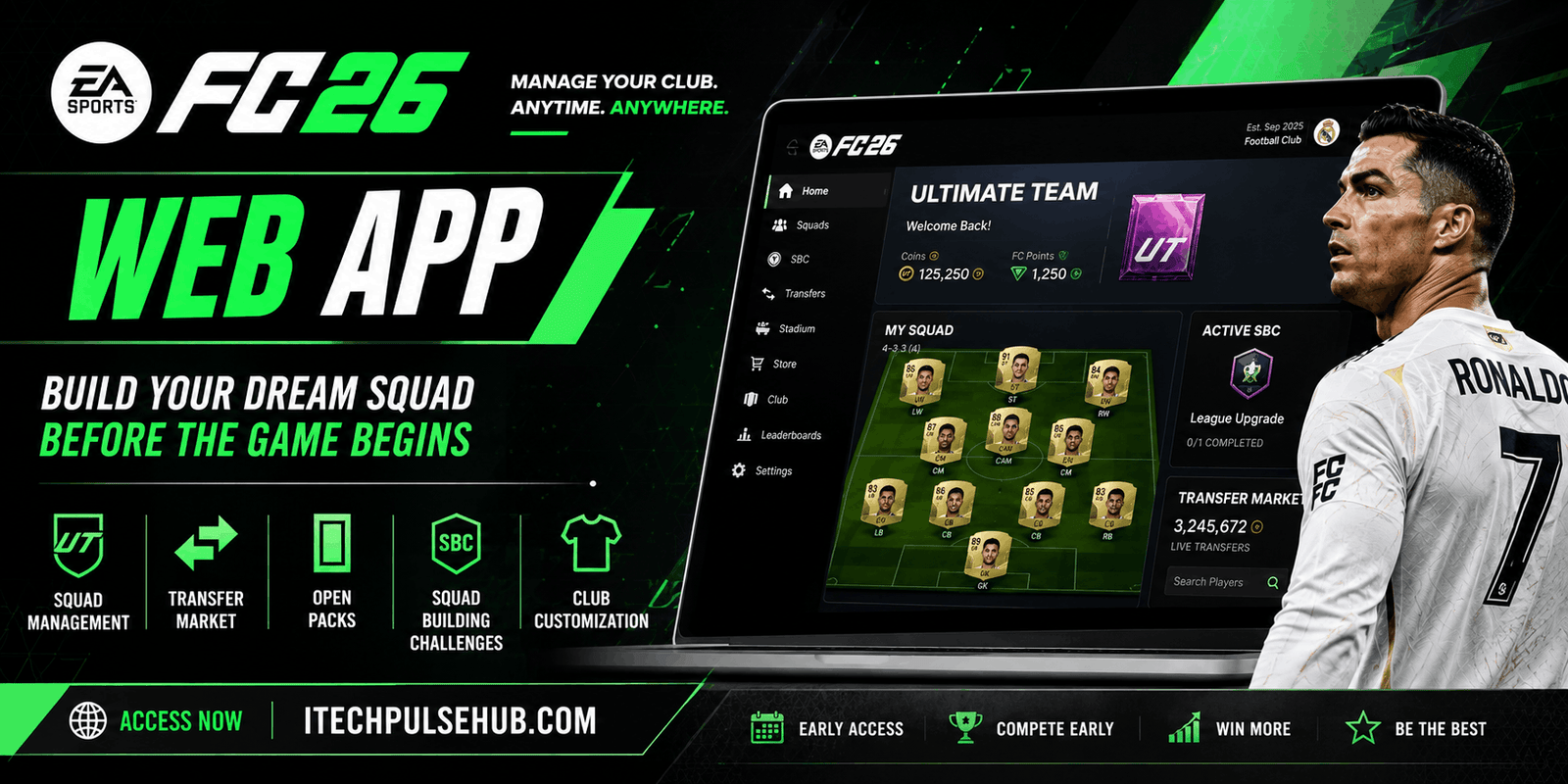
FC 26 Web App: Complete Guide, Features, Release Date
Introductions
The FC 26 Web App is one of the most exciting tools for football gaming fans around the world. Whether you are a hardcore Ultimate Team player or just getting started, the web app gives you early access to manage your team, trade players, and build your dream squad even before the game officially launches.
In this detailed guide, we will cover everything you need to know about the FC 26 Web App, including its features, expected release date, how to use it, trading tips, and why it is essential for Ultimate Team success.
What is the FC 26 Web App?
The FC 26 Web App is an online platform that allows players to access the Ultimate Team mode without needing to log into the console or PC game. It works directly in your browser, making it super convenient for users to manage their club anytime and anywhere.
This web-based application is designed to help players prepare their teams before the full game release. You can open packs, buy and sell players, complete Squad Building Challenges (SBCs), and organize your squad with ease.
FC 26 Web App Release Date (Expected)
Although the official release date may vary, the FC 26 Web App is expected to launch a few days before the main game release, just like previous editions.
Typically:
- Web App launches: 5–7 days before game release
- Companion App launches: 1–2 days after Web App
- Full game release follows shortly after
This early access gives players a huge advantage in building strong teams and earning coins before others.
Key Features of FC 26 Web App
The FC 26 Web App comes packed with powerful features that make it an essential tool for Ultimate Team players.
1. Squad Management
You can create, edit, and manage your Ultimate Team squad easily. Change formations, swap players, and optimize chemistry without opening the game.
2. Transfer Market Access
One of the most powerful features is access to the transfer market. You can:
- Buy players
- Sell players
- Bid on auctions
- Track market trends
This allows you to make coins even when you’re not playing the game.
3. Pack Opening
The Web App allows you to open packs and check your rewards. This is especially useful for early access rewards and welcome packs.
4. Squad Building Challenges (SBCs)
Complete SBCs directly from your browser to earn rewards like packs, coins, and special players.
5. Club Customization
Manage your club items such as kits, badges, stadium themes, and more.
How to Access FC 26 Web App
Using the FC 26 Web App is very simple. Follow these steps:
- Open your browser
- Visit the official FC Web App website
- Log in with your EA account
- Verify your identity if required
- Start managing your Ultimate Team
Make sure your account is linked to your console or PC version of the game.
Benefits of Using FC 26 Web App
The Web App offers several advantages that can give you a head start in Ultimate Team:
Early Team Building
You can start building your squad before the official release, giving you a competitive edge.
Coin Making Opportunities
Trading on the transfer market early helps you earn coins quickly.
Time Efficiency
Manage your team anytime, even when you’re away from your gaming setup.
Strategic Planning
Plan your squad, complete SBCs, and prepare for upcoming events in advance.
Best Tips to Use FC 26 Web App Effectively
To get the most out of the FC 26 Web App, follow these expert tips:
1. Start Trading Early
Buy players at low prices and sell them at higher prices to make profit.
2. Focus on SBCs
Complete easy SBCs early to get valuable rewards and packs.
3. Avoid Overspending
Don’t waste coins on expensive players at the start. Prices usually drop later.
4. Monitor Market Trends
Keep an eye on player prices and invest wisely.
5. Use Filters Smartly
Use search filters to find undervalued players in the transfer market.
Common Issues and Fixes
Sometimes users face issues while using the Web App. Here are some common problems and solutions:
Login Issues
- Make sure your EA account is correct
- Reset your password if needed
Transfer Market Locked
- Play matches in the main game to unlock access
Verification Errors
- Enable two-factor authentication
FC 26 Web App vs Companion App
Many users confuse the Web App with the Companion App. Here’s a quick comparison:
| Feature | Web App | Companion App |
|---|---|---|
| Platform | Browser | Mobile (Android/iOS) |
| Accessibility | PC/Laptop | Smartphone |
| Features | Full | Full |
| Convenience | Medium | High |
Both are useful, but the Companion App is better for on-the-go usage.
Why FC 26 Web App is Important
The FC 26 Web App is not just a tool—it’s a strategy platform. Players who use it effectively often gain a massive advantage in Ultimate Team.
From early trading to squad building, it helps you stay ahead of the competition. If you are serious about Ultimate Team, using the Web App is a must.
Future Expectations for FC 26 Web App
EA continues to improve its web app every year. In FC 26, we can expect:
- Faster interface
- Better market filters
- Improved SBC system
- Enhanced user experience
- More customization options
These updates will make the Web App even more powerful and user-friendly.
Conclusion
The FC 26 Web App is an essential tool for any Ultimate Team player who wants to stay ahead in the game. With features like squad management, transfer market access, and SBC completion, it offers everything you need to build a strong team before the game even launches.
By using smart strategies and trading techniques, you can maximize your coins and create a competitive squad early on. Make sure to log in as soon as the Web App is released and start building your Ultimate Team journey.


One Comment