eDesign: A Complete Guide to Digital Design and Tools
Introduction to eDesign
eDesign is a key part of the modern digital world. It means creating, editing, and presenting designs with digital tools, software, and online platforms. People use it for websites, social media graphics, marketing materials, presentations, logos, and many other creative projects.
As businesses move online, the demand for attractive and user-friendly designs keeps growing. Companies need strong visuals to share their message, attract customers, and build a recognizable brand. Students, freelancers, and content creators also use digital design tools to turn ideas into practical projects.
One big advantage of eDesign is flexibility. You can work from home, collaborate online, and update a project without starting over. Many platforms also offer templates, drag-and-drop editors, and AI features that make design easier for beginners.
In this guide, you will learn what eDesign means, how it works, which tools to use, its main benefits, and how to improve your skills.
What Is eDesign?
eDesign describes electronic or digital design made with computers, mobile devices, and online software. The term covers graphic design, website layouts, digital illustration, advertising graphics, and user interface design.
Traditional design relies on paper, pencils, and printed mockups. Digital design lets you build and change visual content directly on a screen. You can adjust colors, edit text, move elements, swap images, and export the result in different formats.
For example, a small business owner might create a promotional poster on an online platform. A developer might plan page layouts before building a website. A social media manager might prepare branded posts for several platforms.
The meaning of eDesign depends on context. It is not one software application or a technical standard. Instead, it describes a broad way of producing and managing digital designs.
How Does eDesign Work?
Most projects follow a similar path, from an idea to a finished digital product.
1. Define the Project
Decide what you want to communicate, who will see it, and where it will appear. A website banner needs a different layout from a business card or a phone app screen, so these answers guide your size, style, and tools.
2. Research and Plan
Study your audience and look at examples from your industry. Then outline the main message, colors, fonts, and images before you start designing.
3. Choose a Design Tool
Pick software that fits your skill and your project. Beginners may like online editors with templates, while experienced designers may need advanced tools for illustration, photo editing, or interface design. Consider ease of use, price, export options, and collaboration features.
4. Create the Design
Arrange your elements with a clear layout, readable text, balanced spacing, and suitable images. Avoid extra details, because a strong design delivers its message quickly.
5. Review and Improve
Check for spelling mistakes, inconsistent colors, poor alignment, and low-quality images. Ask someone from your target audience for feedback, and improve the design based on useful comments.
6. Export and Publish
Save the project in the right format. PNG and JPEG suit digital images, SVG works well for scalable graphics, and PDF is useful for documents and print-ready layouts. Always check what the publishing platform requires.
Popular Types of eDesign
Digital design covers several creative fields. Knowing them helps you choose a direction.
Graphic Design
Graphic design communicates ideas through visuals. Designers create logos, posters, advertisements, brochures, and social media graphics. A good design combines typography, color, imagery, and layout to deliver a clear message.
Web Design
Web design plans the look and structure of a website, including layouts, menus, buttons, and typography. Effective web design makes information easy to find. Responsive layouts matter because people visit sites on phones, tablets, and computers.
UI and UX Design
User interface (UI) design covers the visual elements people use, such as buttons, menus, forms, and app screens. User experience (UX) design looks at the whole experience, including usability, accessibility, and navigation.
The two fields are closely linked but not identical. An attractive interface can still give a poor experience if users struggle to finish tasks.
Social Media Design
This field includes posts, stories, thumbnails, profile graphics, and ads. Each platform has its own dimensions and style. Designers should keep text readable on small screens and place key details away from areas that the platform interface may cover.
Best eDesign Tools for Beginners and Professionals
The right tool depends on your budget, experience, and goals.
Canva
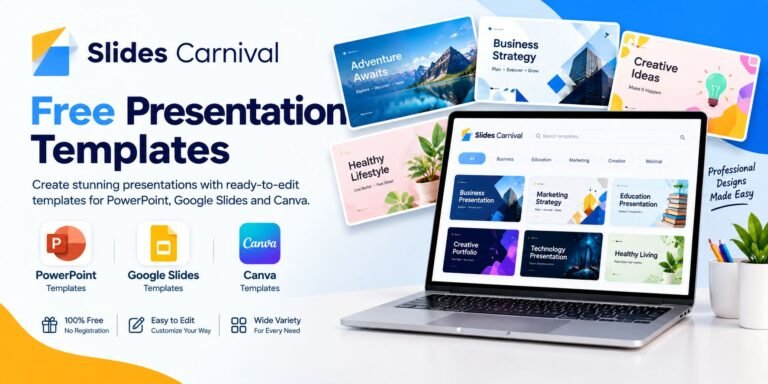
Canva is a popular online platform for beginners, small businesses, students, and creators. It offers templates for social graphics, presentations, and posters, and its drag-and-drop editor makes layouts easy. Some collaboration and AI features depend on the plan.
Adobe Photoshop
Photoshop is widely used for photo editing, image manipulation, and digital artwork. It gives detailed control over layers, masks, colors, and effects. It takes time to learn, but it offers great flexibility for complex projects.
Adobe Illustrator
Illustrator focuses on vector graphics. Designers use it for logos, icons, and illustrations that scale to any size without losing sharpness.
Figma
Figma is popular for interface design, interactive prototypes, and team projects. Designers, developers, and product teams can share feedback and test ideas before development begins.
Inkscape
Inkscape is a free, open-source vector editor. It is a practical choice for icons, diagrams, and illustrations if you want to avoid paid software.
Before you choose, check each platform’s current features, system requirements, licensing terms, and pricing.
Benefits of Using eDesign
Greater Flexibility
You can work from different places and use desktop or mobile tools. Online platforms also make it easy to share projects with clients and teammates.
Faster Editing
You can revise a digital project withoutrebuilding it. Changing text, replacing images, and trying new layouts all take little time, and templates cut repetitive work.
Lower Starting Costs
Many platforms offer free plans, open-source software, or basic features without a subscription. These options let beginners build skills before they pay for professional tools. Some advanced features and stock assets still cost money.
Easier Collaboration
Cloud-based tools support shared projects, comments, and live editing, which helps teams review work and decide faster.
Consistent Branding
Reusable templates, color palettes, fonts, and logo files help businesses keep a steady visual identity across websites, ads, and social accounts.
Essential Principles of Effective eDesign
Software alone does not create a professional result. You also need basic design principles.
Visual Hierarchy
Hierarchy guides viewers to the most important information first. You can build it with size, weight, color, spacing, and placement. A promotional graphic, for example, should show its main message before the secondary details.
Color Theory
Colors shape how people see a design and express a brand’s identity. Choose a limited palette that fits the purpose, and check text contrast carefully, especially over photos or colored backgrounds.
Typography
Fonts affect readability and personality. Choose fonts that suit the project, avoid mixing too many typefaces, and keep body text comfortable to read on a phone.
Alignment and Spacing
Consistent alignment creates order, and good spacing keeps a layout from feeling crowded. Use grids and guides when your tool offers them.
How to Start Learning eDesign
You do not need to be an expert to make your first project. Follow these steps:
- Choose one area, such as social graphics, website layouts, or logos.
- Learn the basics of one application, including text, images, alignment, color, layers, and exporting.
- Practice with small projects like a poster, a social post, or a simple website mockup.
- Study professional examples and notice their spacing, contrast, and typography.
- Ask for feedback and revise your work.
- Build a portfolio of your best projects, because it shows your ability better than a list of tools.
How Artificial Intelligence Is Changing eDesign
AI is bringing new ways to create and improve designs. Some tools can generate images, suggest layouts, remove backgrounds, or resize graphics. These features save time in the early stages. A business owner, for instance, might explore several visual directions with AI and then refine the best one by hand.
AI output still needs human review, though. Images may contain errors, layouts may not fit the platform, and generated text may be inaccurate. Check licensing terms, privacy policies, and commercial-use rules too. Do not upload confidential client information to a service unless its data practices are suitable.
The best approach combines automation with human judgment, originality, and careful editing.
Common eDesign Mistakes to Avoid
Using too many fonts: Multiple typefaces make a layout look inconsistent. Start with one or two that work together.
Choosing poor color combinations: Low contrast makes text hard to read. Test your colors before you publish.
Ignoring mobile users: A design that looks great on a large monitor can be hard to read on a phone. Preview it at different screen sizes.
Overusing effects: Too many shadows, gradients, and animations distract from the message.
Using low-quality images: Blurry or stretched images lower the quality of your work. Keep the correct aspect ratio.
Forgetting accessibility: Small text, unclear labels, and color-only instructions can exclude some users.
Ignoring licensing: Not every image, font, or template is free for every use. Check the license before you publish commercial work.
Frequently Asked Questions About eDesign
What is eDesign used for?
People use eDesign to create digital graphics, websites, logos, advertisements, presentations, social media content, and application interfaces.
Is eDesign suitable for beginners?
Yes. Many online tools offer templates and simple editing features. Learning basic visual principles will improve your results.
Which eDesign tool is best for beginners?
Canva is a practical starting point because of its templates and drag-and-drop editor. The best choice still depends on your project.
Can I learn eDesign for free?
Yes. Free tutorials, practice projects, and open-source tools can teach you the basics. Some platforms also offer free plans with limited features.
Is eDesign the same as graphic design?
Not exactly. Graphic design is a specific discipline focused on visual communication. eDesign is a broader term that can include graphics, websites, and interfaces.
Can AI help with eDesign?
Yes. AI can help generate ideas, edit images, suggest layouts, and automate repetitive tasks. Always review the results for quality, accuracy, originality, and licensi