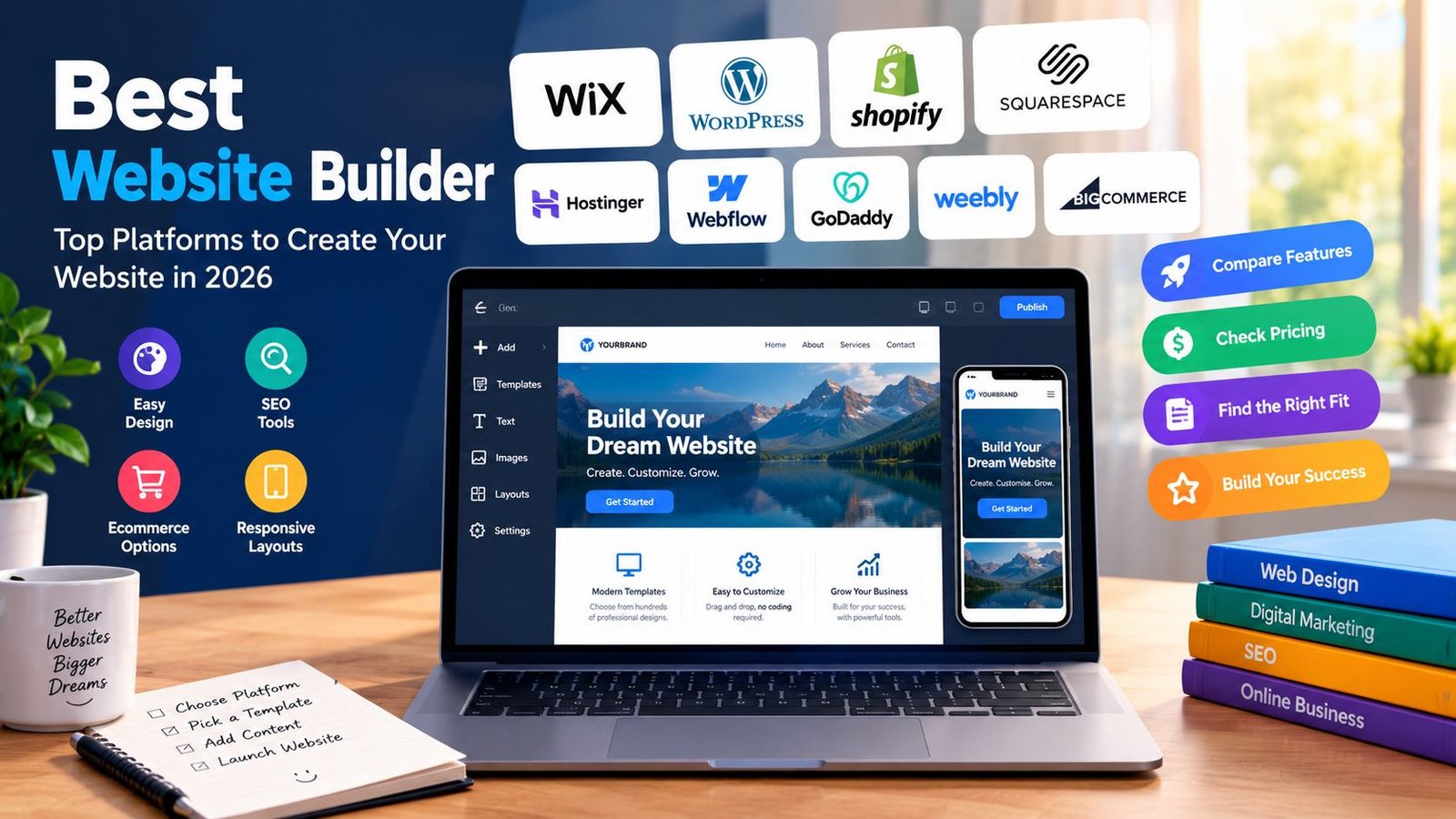
Best Website Builder: Top Platforms to Create a Website in 2026
Introduction
Choosing the best website builder is an important step when creating a website for a business, personal brand, online store, blog, or professional portfolio. A good platform makes it easier to design pages, publish content, manage products, and reach visitors without requiring advanced coding skills.
However, not every website builder offers the same features. Some platforms focus on beginners who want a simple drag-and-drop editor, while others provide advanced customization, powerful ecommerce tools, or flexible content management. The right choice depends on your budget, technical experience, website goals, and plans for future growth.
For example, a small business may need contact forms, service pages, and local SEO features. An online seller may require inventory management, secure payments, and shipping integrations. A blogger may care more about publishing tools, website speed, and search engine optimization.
The best website builder is therefore not necessarily the most expensive or feature-rich platform. It is the one that provides the tools you actually need without making website management unnecessarily complicated.
In this guide, we compare popular website builders, explain their main advantages and limitations, discuss essential features, and show you how to choose a suitable platform for your project.
What Is a Website Builder?
A website builder is an online platform or software application that helps users create and manage websites. Many builders include visual editors, ready-made templates, hosting options, and tools for publishing pages without writing code manually.
Instead of building every page from scratch, you can select a design, add your own text and images, adjust the layout, and publish the finished website.
Depending on the platform, additional features may include:
- Responsive website templates
- Drag-and-drop editing
- Custom domain connections
- Blogging and content management
- Search engine optimization settings
- Online payment processing
- Ecommerce product management
- Contact forms and customer inquiries
- Website analytics and reporting
- Security updates and hosting management
Some website builders are all-in-one services, meaning hosting, templates, security, and editing tools are available through one provider. Others offer more flexibility by separating the website software from the hosting service.
Understanding this difference can help you choose a platform that matches your preferred level of control.
Best Website Builder Platforms Compared
The following platforms serve different purposes. Their suitability depends on your project rather than a universal ranking.
1. Wix — Best for Beginners and Small Businesses
Wix is a popular website-building platform designed to make website creation accessible to users with limited technical experience.
<escape>Wix</escape> offers visual editing tools, professionally designed templates, business features, and options for adding functionality as your website develops.
Users can create business websites, portfolios, landing pages, blogs, and online stores through a largely visual workflow.
Key features
- Visual website editor
- Templates for different industries
- Business and contact forms
- Blogging functionality
- Ecommerce features on eligible plans
- SEO configuration tools
- App integrations and additional features
Advantages
Wix is useful for beginners who want to build a website without managing hosting and technical infrastructure separately. Its visual editor makes it easier to arrange page elements and experiment with different layouts.
The platform also offers tools for businesses that need service pages, booking functionality, and customer communication features.
Limitations
The available features depend on the selected plan. Advanced requirements may increase the overall cost, and users who want extensive control over the underlying website environment may find the platform restrictive.
Moving a complex website to another platform may also require substantial manual work.
Who should choose Wix?
Wix is worth considering for freelancers, local businesses, personal brands, and beginners who prioritize visual design and convenience.
2. WordPress — Best for Content Websites and Flexibility
WordPress is a widely used content management system that allows users to create websites ranging from personal blogs to large publishing platforms.
<escape>WordPress.org</escape> provides open-source software that can be installed on compatible hosting. It offers a flexible foundation for websites that need extensive control over content, design, and functionality.
It is important to distinguish WordPress.org from WordPress.com. WordPress.org refers to the open-source software, while WordPress.com offers a hosted service with its own plans and features.
Key features
- Customizable themes
- Blogging and publishing tools
- Plugins for additional functionality
- SEO plugin options
- User roles and content management
- Ecommerce support through compatible extensions
- Control over hosting with a self-hosted installation
Advantages
WordPress is particularly suitable for websites that publish substantial amounts of content. Website owners can organize articles into categories, manage authors, update pages, and expand functionality through themes and plugins.
It also provides significant flexibility for SEO. Depending on the setup, users can manage page titles, meta descriptions, internal links, structured data, redirects, and other optimization settings.
For a content-focused website, WordPress can provide a strong foundation for long-term publishing.
Limitations
A self-hosted WordPress website requires more maintenance than many all-in-one builders. Website owners may need to manage hosting, backups, updates, security, and plugin compatibility.
Some themes and plugins also introduce additional costs. Installing too many unnecessary extensions can make a website harder to maintain.
Who should choose WordPress?
WordPress is a strong option for bloggers, publishers, affiliate websites, educational resources, and businesses that want flexibility over their content and website structure.
3. Shopify — Best for Ecommerce Websites
Shopify is an ecommerce platform built for businesses that want to sell products online.
<escape>Shopify</escape> combines website creation with tools for managing products, orders, payments, customer information, and sales operations.
Unlike a general-purpose website builder, Shopify places online selling at the center of its design.
Key features
- Product and inventory management
- Online store themes
- Checkout and payment integrations
- Discount and promotional tools
- Shipping and order management
- Sales reporting
- App integrations
- Support for eligible sales channels
Advantages
Shopify can simplify the process of launching and operating an online store. Merchants can manage product listings, organize collections, track orders, and connect supported payment and shipping services through one system.
Its ecosystem also includes apps that extend store functionality, although the suitability and cost of individual apps vary.
Limitations
Subscription charges, payment processing fees, and paid applications can increase operating expenses. Some advanced customization may require technical knowledge or specialist assistance.
Shopify is primarily designed for commerce, so it may be more than a simple informational website needs.
Who should choose Shopify?
Shopify is worth considering for retailers, product-based businesses, and entrepreneurs who need a dedicated platform for online sales.
4. Squarespace — Best for Design-Focused Websites
Squarespace is known for its professionally designed templates and visual presentation.
<escape>Squarespace</escape> supports portfolios, creative businesses, personal websites, blogs, and selected ecommerce projects.
Its design-oriented approach can help users create a consistent visual identity without building every component manually.
Key features
- Professionally designed templates
- Visual page editing
- Blogging tools
- Portfolio layouts
- Business website features
- Ecommerce options
- Built-in website management tools
Advantages
Squarespace can be appealing to photographers, designers, artists, consultants, and creative professionals who want their work to look polished.
The platform also combines website design with several business-oriented functions, which can reduce the need to connect multiple separate services.
Limitations
Users seeking extensive technical customization may find some aspects less flexible than a self-hosted WordPress setup. Available functionality and selling features depend on the selected subscription.
A visually attractive template also does not guarantee good SEO, accessibility, or fast loading. Those areas still require attention.
Who should choose Squarespace?
Squarespace is suitable for users who prioritize presentation, design consistency, and a relatively straightforward website management experience.
5. Hostinger Website Builder — Best for Budget-Conscious Beginners
Hostinger Website Builder provides a visual website creation experience through Hostinger’s hosting ecosystem.
<escape>Hostinger</escape> offers website-building tools designed for users who want to create business websites, personal pages, landing pages, and eligible online stores.
The platform may appeal to people who prefer to manage their website through one provider rather than assembling several separate services.
Key features
- Visual page editor
- Ready-made design templates
- AI-assisted website creation features
- Business website tools
- SEO settings
- Ecommerce features on supported plans
- Hosting-related management tools
Advantages
The builder can simplify the initial setup process, especially for beginners who want to create a basic website without learning a complex content management system.
AI-assisted tools may help users generate an initial layout or organize content, although the resulting text and design should be reviewed before publication.
Limitations
Pricing, introductory offers, renewal rates, included resources, and available features vary. Users should examine the full terms rather than choosing a plan based only on its advertised starting price.
People who need specialized plugins, complex publishing workflows, or extensive backend customization may prefer another platform.
Who should choose Hostinger Website Builder?
It is worth comparing for personal projects, small business websites, and beginners who want a relatively simple setup with hosting-related services.
6. Webflow — Best for Advanced Visual Design
Webflow combines visual website design with tools that offer considerable control over page structure and styling.
<escape>Webflow</escape> can be useful for designers, agencies, and businesses that want to create distinctive websites without manually writing every line of front-end code.
Its interface exposes concepts related to layout, typography, responsive design, and reusable components.
Key features
- Visual layout and styling controls
- Responsive design tools
- Reusable components
- Content management features
- Design customization
- SEO configuration options
- Integration possibilities
Advantages
Webflow gives designers detailed control over how website elements are positioned and styled. This can make it suitable for marketing websites, agency portfolios, and brands that require a more distinctive design.
It can also reduce dependence on prebuilt templates when the project needs a custom visual identity.
Limitations
The learning curve can be steeper than that of simpler builders. Users must understand basic design concepts to take full advantage of its controls.
Plan limits and additional services should also be reviewed before launching a large website.
Who should choose Webflow?
Webflow is worth considering for experienced designers, creative agencies, and businesses that prioritize visual control and customized layouts.
7. GoDaddy Website Builder — Best for Simple Business Websites
GoDaddy offers a website-building service alongside its domain registration and other online business products.
<escape>GoDaddy</escape> provides tools that can help small businesses create a basic online presence, publish contact information, and promote services.
Key features
- Website templates
- Visual editing
- Domain-related services
- Business information pages
- Contact and marketing tools
- Ecommerce capabilities on eligible plans
Advantages
GoDaddy may be convenient for business owners who want to manage a domain and a straightforward website through a familiar provider.
A simple website can be useful for displaying opening hours, service descriptions, contact details, and location information.
Limitations
Businesses with specialized content requirements or advanced customization needs should compare its functionality with more flexible platforms.
Available tools, plan limitations, and renewal costs should be checked before committing.
Who should choose GoDaddy?
GoDaddy is an option for local businesses, independent professionals, and users who want a relatively simple business website.
8. Weebly — Worth Considering for Basic Websites
Weebly is a website-building platform associated with Square. Its availability, support arrangements, and current feature set should be reviewed carefully before choosing it for a new project.
Historically, the platform has offered a relatively straightforward way to build websites using visual editing tools.
Potential strengths
- Beginner-oriented website creation
- Basic page layouts
- Simple content publishing
- Options connected with small-business selling workflows
Potential limitations
Users should verify current product support, plan availability, integrations, and the long-term suitability of the platform for a new website.
Who should consider it?
Weebly may be relevant to people maintaining an existing website, but anyone starting a new project should compare current alternatives before making a long-term commitment.
9. BigCommerce — Best for Growing Online Stores
BigCommerce is an ecommerce platform designed for businesses that need product management, online selling tools, and options for expanding their sales operations.
<escape>BigCommerce</escape> is particularly relevant to merchants who expect their online store to develop beyond a small catalog.
Key features
- Product catalog management
- Ecommerce website themes
- Order processing tools
- Payment integrations
- Sales and reporting features
- Marketing integrations
- Support for more advanced commerce workflows
Advantages
BigCommerce provides features intended for businesses with substantial ecommerce requirements. Depending on the plan and setup, it can support a range of selling and integration needs.
Limitations
The platform may be unnecessarily complex for a basic business website. Costs, plan conditions, and feature availability should be assessed in relation to the store’s expected needs.
Who should choose BigCommerce?
It is worth comparing for growing retailers and businesses that need a commerce-focused platform with room to expand.
10. Google Sites — Best for Simple Information Websites
Google Sites is a straightforward website creation service designed for sharing information and organizing content.
<escape>Google Sites</escape> can be useful for internal team resources, educational projects, event information, and simple informational websites.
Key features
- Simple page creation
- Google Workspace integration
- Content sharing
- Collaborative editing options
- Basic layout controls
Advantages
Google Sites is easy to approach for users who need a basic informational website rather than a sophisticated online business.
It can be useful for organizing project resources, sharing team documentation, or publishing simple pages.
Limitations
Its design and customization capabilities are more limited than those of many commercial website builders. It is not the first choice for businesses that need advanced ecommerce, extensive publishing controls, or a highly customized brand experience.
Who should choose Google Sites?
It is suitable for basic informational projects, internal documentation, and simple collaborative websites.
Best Website Builder Comparison Table
The following table summarizes the general strengths of the platforms discussed above. It is a qualitative comparison, not a live performance test.
| Platform | Best For | Ease of Use | Main Strength |
|---|---|---|---|
| Wix | Small businesses and beginners | Beginner-friendly | Visual editing |
| WordPress.org | Blogs and content websites | Moderate | Flexibility |
| Shopify | Online stores | Beginner to moderate | Ecommerce tools |
| Squarespace | Creative websites | Beginner-friendly | Design templates |
| Hostinger Builder | Budget-conscious beginners | Beginner-friendly | Simplified setup |
| Webflow | Designers and agencies | Moderate to advanced | Visual control |
| GoDaddy | Simple business sites | Beginner-friendly | Convenient setup |
| Weebly | Existing basic websites | Generally simple | Straightforward editing |
| BigCommerce | Growing retailers | Moderate | Commerce features |
| Google Sites | Simple information sites | Beginner-friendly | Easy collaboration |
The most appropriate choice depends on the type of website you plan to create, the features you need, and how much maintenance you are comfortable handling.
How to Choose the Best Website Builder for Your Needs
Before purchasing a subscription or registering a domain, define the purpose of your website. This makes it easier to eliminate platforms that do not support your requirements.
1. Identify Your Website Type
Different projects need different features.
A blog needs reliable publishing tools and a sensible category structure. A business website may need service pages, contact forms, and appointment booking. An online store requires product management, payment processing, and order handling.
Write down the features you need before comparing platforms.
For example, if you only need a homepage, an About page, a contact page, and a few service descriptions, a complicated ecommerce platform may be unnecessary.
2. Establish a Realistic Budget
The cost of a website includes more than its monthly subscription.
Depending on the platform, you may also pay for a domain, premium templates, plugins, business email, payment processing, stock images, and professional assistance.
A useful budget should account for both the initial setup and recurring expenses.
Check whether a discounted introductory price changes when the subscription renews. Also confirm whether your preferred features require a higher-tier plan.
A cheaper plan is not automatically the best value if it lacks an essential function.
3. Evaluate Ease of Use
If you have never built a website, an editor with clear controls and helpful documentation may save considerable time.
Try a platform’s available demo or trial before making a decision. Create a test page, add an image, edit a heading, and preview the result on mobile.
If these basic tasks are confusing, consider whether the platform’s advanced features are worth the additional learning effort.
Experienced users may prefer a more flexible system even when it requires more initial configuration.
4. Check Mobile Responsiveness
A modern website should work well on smartphones, tablets, and desktop computers.
Choose a builder that supports responsive layouts and lets you preview pages at different screen sizes.
Check that text remains readable, navigation is convenient, images scale correctly, and buttons are easy to use.
Do not assume that every template automatically produces a perfect mobile experience. Review important pages before publishing.
5. Examine Customization Options
A website should reflect your brand and provide a consistent experience.
Check whether you can change colors, fonts, spacing, navigation, page layouts, and other important design elements.
If you expect to add new features later, review the platform’s integration ecosystem and customization limitations.
A simple project may need only a few design controls. A growing business may need a more flexible foundation.
6. Review Hosting and Domain Options
Many all-in-one website builders include hosting with their paid plans. Other solutions require you to select a separate hosting provider.
A custom domain, such as example.com, generally provides a more professional presentation than a long address on a free subdomain.
Before purchasing, confirm whether the plan allows a custom domain, whether a domain is included temporarily or permanently, and what happens when the subscription expires.
Also review backup options, data export capabilities, and the process for moving your website if you later change platforms.
Is SEO Important When Choosing a Website Builder?
Yes. Search engine optimization helps search engines discover, understand, and index useful website content.
However, no builder can guarantee that a website will rank highly in Google. Search performance depends on content quality, relevance, competition, technical implementation, user experience, and many other factors.
When comparing platforms, review the following SEO capabilities.
Page Titles and Meta Descriptions
You should be able to customize the title and meta description for important pages.
Titles help communicate the page’s subject, while meta descriptions may help searchers understand what the page offers. Search engines can generate different snippets, so a description is not guaranteed to appear exactly as written.
Clean URLs
Choose a platform that allows sensible, readable page addresses.
For example, a descriptive address such as /website-builder-guide/ is easier to understand than a long string of unnecessary parameters.
Keep URLs meaningful and avoid changing established addresses without a good reason.
Image Optimization
Large image files can slow down a website.
Look for convenient image management and support for appropriate image formats. Compress images without making them unnecessarily blurry, and use descriptive alternative text when an image conveys meaningful information.
Decorative images should not be given misleading alt text.
Mobile Performance
Check how the website behaves on mobile devices and test important pages using available performance tools.
A responsive layout is important, but it does not automatically guarantee fast loading. Image size, scripts, fonts, third-party integrations, and page complexity also affect performance.
XML Sitemaps and Indexing
A suitable website setup should help search engines discover relevant pages.
Check whether the platform generates an XML sitemap and allows you to manage indexing settings appropriately.
For many websites, connecting Google Search Console is a useful way to monitor indexing, search visibility, and reported technical issues.
Content Organization
A website with a clear structure is easier for visitors to navigate.
Use meaningful headings, descriptive internal links, relevant categories, and logical page relationships. Avoid creating many nearly identical pages solely to target slightly different keywords.
Publishing fewer, more useful pages is often a better long-term strategy than producing large amounts of repetitive content.
Best Website Builder for Different Users
The best choice changes depending on the goal of the project.
Best Website Builder for Beginners
Wix and Hostinger Website Builder are worth comparing if you want a visual editor and a relatively straightforward setup.
Google Sites may be sufficient for a very basic informational project.
Before deciding, check the available templates, domain options, pricing, and limitations of the free or entry-level plans.
Best Website Builder for Blogging
WordPress.org is a strong option for people who want control over categories, articles, publishing schedules, and content organization.
It is particularly relevant to publishers who plan to expand their website over time.
However, the software requires suitable hosting and ongoing maintenance. If you prefer not to manage these tasks, compare hosted publishing services as well.
Best Website Builder for Ecommerce
Shopify is a strong candidate for businesses that prioritize selling products online.
BigCommerce is another option worth comparing, particularly for merchants with more extensive commerce requirements.
WordPress with an appropriate ecommerce extension may suit users who want more control over the broader website environment.
The best option depends on catalog size, payment requirements, shipping arrangements, integrations, and operating costs.
Best Website Builder for Small Businesses
Wix, Squarespace, WordPress, and Hostinger Website Builder can all be suitable for different small-business projects.
A local service business may need only service pages, location details, testimonials, and a contact form. A business selling appointments or products may need additional functionality.
Select the platform that supports the actual business workflow rather than paying for features you will never use.
Best Website Builder for Designers
Webflow is worth considering when custom layouts and detailed visual control are priorities.
Squarespace can be appealing to designers who prefer professionally designed templates and a simpler editing process.
The right choice depends on how much control you need over layout and how much time you want to spend maintaining the website.
How Much Does a Website Builder Cost?
Website builder costs vary considerably by provider, subscription level, location, billing period, and promotional offer.
Some services provide limited free plans or trials. Paid plans may include a custom domain for a specified period, hosting, additional features, or ecommerce functionality.
The following table explains common cost categories without relying on prices that may quickly become outdated.
| Cost Category | What to Check |
|---|---|
| Free plan | Branding, storage, and feature restrictions |
| Website subscription | Included features and renewal price |
| Domain name | Registration and renewal charges |
| Hosting | Included resources and performance limits |
| Premium templates | One-time or recurring fees |
| Plugins and apps | Additional subscription costs |
| Ecommerce | Transaction and payment processing fees |
| Number of mailboxes and storage | |
| Maintenance | Updates, backups, and technical assistance |
For a simple informational website, a basic plan may be sufficient. A business website with custom functionality or a busy online store may require a larger budget.
Compare the total annual cost rather than looking only at the advertised monthly price.
Free vs. Paid Website Builders
A free website builder can be a useful way to learn website design or publish a simple project without committing to a subscription.
However, free plans often include restrictions. These may involve platform branding, subdomains, storage, integrations, ecommerce tools, or limited customization.
Paid plans may provide a custom domain connection, more features, additional resources, and a more professional presentation.
Neither option is automatically right for everyone.
If you are experimenting with an idea, a free plan may be sufficient. If you are building a business website, publishing a serious content project, or planning to sell products, carefully compare the limitations before deciding.
Also consider what happens if you want to upgrade, export your content, or move to another platform later.
Common Website Builder Mistakes to Avoid
Choosing the wrong platform can create unnecessary expenses and make future changes difficult. Avoid these common mistakes.
Choosing Only by Price
A low introductory price may look attractive, but it does not tell you the full cost of running a website.
Review renewal rates, required add-ons, domain charges, and any transaction fees that apply to your project.
Ignoring SEO Features
A visually appealing website can still struggle to attract search traffic if its content is weak, pages are poorly organized, or important technical features are missing.
Review SEO controls before committing to a platform.
Using Too Many Plugins or Apps
Additional integrations can provide valuable functionality, but each one may introduce costs, maintenance requirements, or performance concerns.
Install only the tools that serve a clear purpose.
Neglecting Mobile Visitors
Always review the mobile version of your website before publishing.
Check navigation, headings, forms, images, and buttons to ensure that the experience remains usable on smaller screens.
Forgetting Backups and Ownership
Before investing heavily in a website, understand who controls its content, domain, and hosting account.
Check the available export and backup options. Some platforms make moving a website easier than others, and a complete migration may require rebuilding certain features.
Publishing Content Without Reviewing It
Templates and AI tools can speed up website creation, but their output should be checked for accuracy, originality, readability, and relevance.
Make sure that every page provides useful information rather than repeating generic statements simply to fill space.
How to Build a Website Using a Website Builder
After choosing a suitable platform, follow a structured process.
Step 1: Define the purpose. Decide whether you are creating a blog, portfolio, business website, or online store.
Step 2: Choose your platform. Compare features, total cost, ease of use, and future flexibility.
Step 3: Register a domain. Select a short, relevant address that is easy to remember and spell.
Step 4: Select a template. Choose a design that suits your content and works well on mobile devices.
Step 5: Create essential pages. Most small websites need a homepage, an About page, a contact page, and relevant service or content pages.
Step 6: Add original content. Use clear headings, useful explanations, appropriate images, and descriptive links.
Step 7: Configure SEO. Review page titles, meta descriptions, URL structures, image alt text, indexing settings, and internal links.
Step 8: Test the website. Check navigation, forms, mobile layouts, page loading, and important links.
Step 9: Publish and monitor. Connect appropriate analytics and search tools, monitor issues, and improve the website as you learn how visitors use it.
A planned approach makes the project easier to manage and reduces the need for major corrections after launch.
Frequently Asked Questions
1. What is the best website builder in 2026?
There is no single winner for every project. Wix is worth considering for visual website creation, WordPress.org for flexible publishing, Shopify for ecommerce, Squarespace for design-focused websites, and Webflow for advanced visual control. Compare the platforms against your specific requirements.
2. Which website builder is easiest for beginners?
Wix and Hostinger Website Builder are worth comparing if you want a visual editing experience. Google Sites may be even simpler for basic informational projects. Ease of use depends on the type of website and the features you need.
3. Can I build a website without coding?
Yes. Many modern website builders offer visual editors, templates, and prebuilt components. These tools allow users to create and publish websites without writing code for every element. More specialized customization may still require technical knowledge.
4. Which website builder is best for SEO?
WordPress.org offers extensive flexibility for SEO through its themes, settings, and plugins. However, other platforms also provide useful SEO controls. Rankings depend on content quality, technical implementation, competition, and user experience rather than the platform alone.
5. Is WordPress better than Wix?
WordPress.org generally offers more control over hosting, extensions, and website customization, but it requires additional maintenance. Wix provides a more integrated visual editing experience. The better option depends on your technical comfort, publishing needs, and desired level of control.
6. Which website builder is best for an online store?
Shopify is a strong option for dedicated ecommerce websites. BigCommerce is another platform to compare, while WordPress with an ecommerce extension may suit users who prefer a more customizable website environment.
7. Can I create a website for free?
Yes. Some website builders offer free plans, although they may limit custom domains, storage, integrations, branding, or ecommerce functionality. Review the restrictions to ensure that the plan supports your intended use.
8. Do I need to buy a domain name?
You can often begin with a provider’s subdomain. However, a custom domain usually offers a more professional and memorable address for a business or established online project. Check whether the builder includes domain registration or requires a separate purchase.
9. Can I change website builders later?
Yes, but moving a website can require work. Text and images may be transferable, while design layouts, plugins, forms, ecommerce features, and other functionality may need to be recreated. Check export options and migration requirements before choosing a platform.
10. How long does it take to build a website?
A simple website may take a few hours or several days, depending on the design and content. Larger business websites and online stores may take weeks or longer. The time required depends on the number of pages, integrations, products, and testing requirements.
11. Is a website builder suitable for a professional business?
Yes. Many website builders support professional business websites, including contact forms, service pages, booking tools, and online sales. Choose a platform that meets your security, branding, performance, and operational requirements.
12. What should I check before buying a website builder plan?
Review the renewal price, included features, domain terms, storage limits, ecommerce capabilities, SEO settings, support options, and content export policies. Make sure that the plan includes the tools your project actually needs.
Conclusion
Finding the best website builder starts with understanding your goals, budget, and technical requirements. Different platforms excel in different areas, so comparing their strengths and limitations is more useful than relying on a universal ranking.
Wix and Hostinger Website Builder are worth exploring for beginners who want visual editing tools. WordPress.org is a flexible option for bloggers and publishers. Shopify is designed for online selling, Squarespace emphasizes polished design, and Webflow provides detailed visual customization.
Before making a decision, compare the complete cost, mobile experience, SEO features, integrations, maintenance requirements, and options for moving your website in the future.
Most importantly, remember that the platform is only one part of a successful website. Useful content, clear navigation, accessible design, reliable performance, and regular improvements all contribute to a better experience for visitors.
Choose a website builder that supports your immediate needs while leaving enough room for your project to grow.