Pager: What It Is, How It Works, History, Types, and Modern Uses
Introduction
A pager is a small electronic communication device that receives messages and alerts users when someone wants to contact them. Before smartphones and instant messaging became common, pagers were widely used by doctors, emergency workers, business professionals, and people who needed to stay reachable while away from a telephone.
Although mobile phones have replaced pagers in many everyday situations, these devices still have important uses in healthcare, emergency response, industrial facilities, and other environments where reliable communication is essential.
Understanding what a pager is, how it works, and why organizations continue to use it can help readers appreciate its role in the development of modern communication technology.
In this guide, we explain the meaning of a pager, its history, different types, advantages, limitations, and how it compares with smartphones.
What Is a Pager?
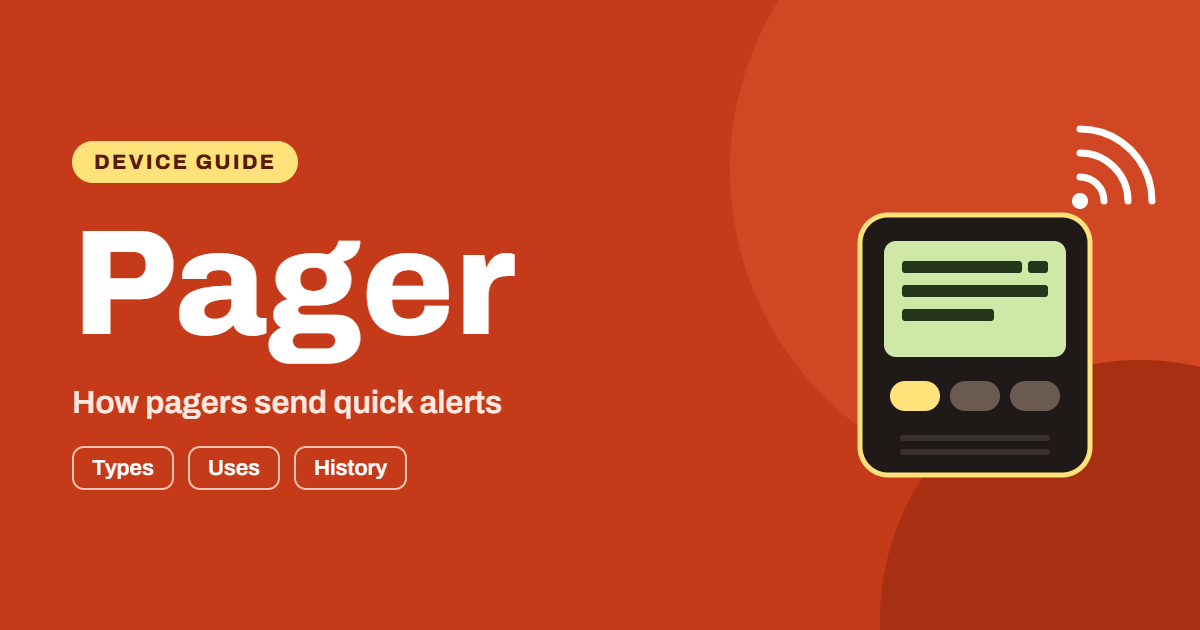
A pager is a portable electronic device designed to receive short messages or notification signals through a paging network. When someone sends a message to a pager, the device alerts its user through a sound, vibration, or visual notification.
Traditional pagers generally receive information rather than send it. For example, a hospital employee might receive a notification asking them to contact a particular department or respond to an urgent situation.
Most traditional pagers do not provide the same communication features as modern smartphones. They usually have limited displays, simple controls, and long battery life.
Some pagers display only a notification or telephone number, while others can receive text messages containing additional information.
What Does Pager Mean?
The word “pager” refers to a device that alerts a person when someone needs their attention. The name comes from the paging process, which involves sending a signal or message to a particular recipient.
Pagers are also called beepers because older models often produced a beeping sound when they received a notification.
Today, the term can describe traditional one-way devices as well as more advanced communication systems used in professional environments.
How Does a Pager Work?
A pager operates through a communication system that sends messages from a sender to a receiving device. Although the details vary between systems, the basic process is relatively simple.
Step 1: Someone Sends a Message
The process begins when a person wants to contact the pager user. Depending on the system, the sender may call a paging service, use a telephone, or enter a message through an authorized computer application.
Step 2: The Paging System Processes the Message
The paging service identifies the intended recipient and prepares the message for transmission. Each pager typically has an assigned identification number or address that helps the system direct messages to the correct device.
Step 3: A Radio Signal Transmits the Message
The paging network broadcasts the message through radio signals. A compatible pager monitors the appropriate frequency and checks whether an incoming message is intended for it.
Step 4: The Pager Alerts the User
When the device recognizes its assigned signal, it notifies the user. Depending on the model, it may beep, vibrate, flash, or display a message.
Step 5: The User Responds
With a traditional one-way pager, the user usually needs another communication method to respond. They might return a telephone call or contact the sender through an internal communication system.
Two-way paging devices can support responses directly, although their capabilities depend on the technology and network.
A Brief History of Pagers
The history of pagers reflects the development of wireless communication. Early paging systems helped organizations contact employees quickly without requiring them to remain beside a telephone.
Early Paging Technology
Early paging systems appeared during the twentieth century. One important development was the use of radio signals to notify people outside traditional telephone networks.
These systems were particularly useful in professional settings where quick communication could make a significant difference.
Growth in Hospitals and Businesses
Pagers became increasingly popular among doctors, nurses, emergency personnel, and business professionals. Hospitals used them to reach staff members who moved between departments or worked in different areas of a medical facility.
Businesses also used paging systems to contact employees who needed to remain available while working away from their desks.
The Rise of Personal Pagers
As technology improved, pagers became smaller, more portable, and more affordable. During the 1980s and 1990s, they became popular among consumers in many countries.
Some models displayed telephone numbers, while more advanced devices supported short text messages.
The Smartphone Era
Mobile phones gradually replaced pagers for everyday personal communication. Smartphones introduced voice calls, messaging applications, internet access, video calls, and numerous other features in one device.
However, pagers continued to serve specialized professional needs. Their simplicity, battery efficiency, and ability to receive broadcast messages remain useful in certain environments.
Different Types of Pagers
Pagers come in several forms. Each type offers different features depending on the user’s communication needs.
1. Tone-Only Pager
A tone-only pager is one of the simplest paging devices. It alerts the user with a sound, vibration, or another basic signal.
The notification tells the recipient that someone wants their attention, but the device does not display the full message.
The user may need to call a designated number or consult another communication system to learn why they were contacted.
Common uses:
- Basic emergency alerts
- Simple staff notifications
- Industrial warning systems
- Situations requiring a quick attention signal
2. Numeric Pager
A numeric pager displays numbers, often including a telephone number that the recipient can call.
This type was especially useful before mobile phones became widely available. A person receiving a numeric page could locate a nearby telephone and return the call.
Numeric pagers generally provide more information than tone-only devices while remaining simple to operate.
3. Alphanumeric Pager
An alphanumeric pager can display letters and numbers. This allows users to receive short text messages instead of only a notification or telephone number.
For example, a message might identify a department, provide a callback number, or communicate a brief instruction.
Healthcare organizations and businesses have used these devices to share concise information with staff members.
4. Two-Way Pager
A two-way pager supports communication in both directions when the device and network provide that capability.
Depending on the model, users may be able to send a predefined response, acknowledge a message, or transmit a short reply.
These features can help organizations confirm whether a notification has reached the intended person.
5. Hospital Pager
Hospital pagers are designed for professional communication in healthcare environments. They help medical staff receive notifications while moving between patient rooms, operating areas, laboratories, and other parts of a facility.
Some hospital paging systems prioritize broad coverage and dependable delivery over advanced consumer features.
Their exact capabilities depend on the equipment, radio infrastructure, and local communication arrangements.
6. Emergency Pager
Emergency pagers deliver alerts to people who must respond quickly to urgent situations. These users may include emergency responders, security personnel, technical teams, or designated members of an incident response organization.
Emergency paging systems can be configured to send alerts to selected individuals or groups.
Organizations should design these systems carefully and maintain backup communication methods because no technology can guarantee uninterrupted service in every situation.
Main Features of a Pager
The features available on a pager depend on its age, design, and intended purpose. Traditional models tend to focus on a small number of essential functions.
Message Notifications
A pager alerts users when they receive a new message. The alert may be audible, visual, or vibration-based.
This feature allows users to notice incoming communications without continuously checking a screen.
Compact Design
Many pagers are small enough to attach to a belt, clip onto clothing, or carry in a pocket.
Their compact construction makes them practical for workers who need to move frequently throughout a workplace.
Long Battery Life
Traditional pagers are designed to consume relatively little power. Because many models perform limited functions and spend most of their time waiting for incoming signals, they can operate for extended periods on a suitable battery.
Actual battery life varies by device, battery condition, network coverage, and usage.
Simple Operation
Most traditional pagers have straightforward controls and limited menus. Users can often learn the essential functions without extensive technical training.
This simplicity can be valuable in workplaces where employees need to respond quickly rather than operate complicated software.
Radio-Based Communication
Pagers receive information through radio signals. Depending on the system, a message may be transmitted from a dedicated paging transmitter or a network of transmitters.
Radio coverage and performance depend on the frequency, system design, buildings, terrain, and other environmental conditions.
Group Messaging
Some paging systems allow a message to reach multiple devices simultaneously. This can be helpful when a department, response team, or group of employees needs the same information.
Group paging can reduce the time required to notify multiple people individually.
Common Uses of Pagers Today
Although pagers are less common among general consumers, they remain relevant in several professional settings.
Healthcare and Hospitals
Healthcare organizations may use pagers to contact clinicians, support staff, and on-call personnel.
Medical staff often move between different rooms and departments, making dependable notifications important.
A paging system can provide a simple way to alert an employee that they need to contact a department or respond to an event.
However, a pager should not automatically be considered a complete clinical communication solution. Hospitals must evaluate message privacy, delivery confirmation, security, and applicable healthcare regulations when selecting communication technology.
Emergency Services
Emergency organizations may use paging systems to notify designated personnel about incidents, schedule changes, or urgent operational requirements.
A message can reach multiple people without requiring the sender to call each recipient separately.
Depending on the organization, paging may work alongside radios, mobile phones, dispatch software, and other communication tools.
Industrial Facilities
Factories, warehouses, and other industrial workplaces sometimes use paging systems for operational alerts.
Workers may need to receive messages about equipment problems, maintenance requests, safety notices, or changes in production schedules.
A dedicated paging system can help deliver short alerts to staff who move around a large facility.
Hospitality Businesses
Hotels, restaurants, and service businesses may use pager-style devices to notify customers when a table, appointment, or service is ready.
These customer notification systems often use short-range radio communication and are different from traditional wide-area paging networks.
For example, a restaurant might give a guest a small vibrating device that alerts them when their table becomes available.
Security Teams
Security departments can use paging technology to notify personnel about incidents, inspections, or other responsibilities.
A paging system may support communication across a building or campus, depending on its design and coverage.
Organizations should establish procedures for urgent situations and avoid relying on a single communication method.
Remote and Large Worksites
Some large facilities have areas where cellular coverage is inconsistent. A dedicated paging network may provide useful coverage when properly designed.
However, paging does not automatically work everywhere. The organization must confirm that its transmitters, frequencies, and receiving devices are suitable for the actual environment.
Advantages of Using a Pager
Pagers offer several benefits for organizations that need simple and reliable notifications.
1. Low Power Consumption
Many traditional pagers use little electricity because they perform fewer tasks than smartphones. This can reduce the frequency of battery replacement or charging.
2. Simple Communication
A pager focuses on receiving alerts and short messages. Users do not need to navigate social media, entertainment applications, or complicated menus to receive a basic notification.
3. Wide-Area Coverage in Suitable Systems
Some paging networks can broadcast signals across large areas. A single transmission may reach many compatible devices within the network’s coverage area.
The actual coverage depends on the system infrastructure, geography, and radio conditions.
4. Group Notifications
Organizations can configure certain paging systems to notify several users at once.
This is useful when multiple employees need the same announcement or when a response team must be alerted simultaneously.
5. Fewer Distractions
Traditional pagers generally do not provide social media feeds, games, or a constant stream of consumer notifications.
For some workplaces, this limited functionality can help employees focus on their responsibilities.
6. Practical for Dedicated Tasks
A pager may be appropriate when an employee only needs to receive short alerts and does not require a full smartphone.
A purpose-built device can be easier to manage in certain operational environments.
Disadvantages of Pagers
Pagers also have limitations that organizations and individual users should consider.
Limited Communication
A basic one-way pager cannot send a direct reply. Users usually need a telephone, radio, or another device to respond.
This creates an extra step when the sender needs confirmation or a detailed conversation.
Limited Message Length
Traditional pagers often have small displays and restricted message capacity. Long instructions, documents, and complex information are not well suited to these devices.
Dependence on Network Infrastructure
A pager requires a compatible paging service or local system. If the network is unavailable, damaged, incorrectly configured, or outside its coverage area, messages may not arrive as intended.
Privacy and Security Concerns
Not every paging system provides strong encryption or modern access controls. Sensitive information should not be transmitted unless the organization has verified that the system meets its security requirements.
Organizations should also consider how devices are assigned, how messages are stored, and whether unauthorized people could access displayed information.
Fewer Modern Features
Compared with smartphones, most pagers lack internet browsing, video calls, navigation, application support, and advanced messaging features.
This makes them unsuitable as a complete replacement for a modern mobile device in many situations.
Pager vs. Smartphone: What Is the Difference?
Pagers and smartphones both support communication, but they serve different purposes.
| Feature | Traditional Pager | Smartphone |
|---|---|---|
| Primary purpose | Alerts and short messages | General communication and computing |
| Voice calls | Usually requires another device | Usually supported |
| Internet access | Generally unavailable | Widely available |
| Battery use | Often low | Varies by device and usage |
| Message display | Usually limited | Full-featured messaging |
| Applications | Limited or unavailable | Supports many applications |
| Multimedia | Usually unavailable | Photos, audio, and video |
| Network requirements | Paging network or local system | Cellular, Wi-Fi, or other supported connections |
| Best suited for | Dedicated notifications | Everyday communication and multiple tasks |
Which Device Is Better?
A smartphone is generally more practical for everyday personal communication because it combines calls, messaging, internet access, and applications.
A pager may be useful when an organization needs dedicated alerts, simple operation, or a specialized communication network.
The best choice depends on the environment, coverage requirements, security policies, budget, and the type of messages users need to receive.
In some workplaces, using both devices may provide more flexibility than relying on either one alone.
Are Pagers More Reliable Than Smartphones?
Pagers are sometimes described as more reliable than smartphones, but the answer depends on the communication system being compared.
Certain paging networks can broadcast one-way messages to many devices simultaneously. Some systems are designed to provide coverage across large buildings, campuses, or regions.
A pager may also use less battery power than a smartphone and remain ready to receive notifications for long periods.
However, a paging system can still experience outages, interference, transmitter failures, or coverage gaps. Smartphones can also be highly dependable when supported by strong cellular networks, Wi-Fi, and appropriate backup arrangements.
Reliability depends on factors such as:
- Network design and coverage
- Power backup for transmitters
- Device condition and battery status
- Building materials and physical obstacles
- Message delivery confirmation
- Maintenance and emergency procedures
For critical operations, organizations should test their communication systems regularly and maintain suitable backup methods.
How Much Does a Pager Cost?
The cost of a pager varies according to its type, condition, features, and intended use.
A basic used pager may cost less than an advanced professional device. Modern commercial paging systems can involve additional expenses for transmitters, antennas, software, installation, maintenance, and service agreements.
Before purchasing a pager, consider the following costs:
Device price: The initial cost of the receiving unit.
Network fees: Some services require a recurring subscription or other service charges.
Infrastructure: Organizations operating their own paging network may need transmitters and supporting equipment.
Maintenance: Batteries, replacement devices, repairs, and system testing can add to the total cost.
Training: Staff may need instructions on receiving alerts and following response procedures.
Because prices and service availability vary by location, buyers should request current quotes from reputable suppliers and confirm compatibility with the intended paging network.
How to Choose the Right Pager
Selecting a pager requires more than comparing prices. The device should match the user’s communication requirements and operating environment.
Identify Your Main Purpose
First, determine whether you need a basic alert device, a numeric pager, a text-capable pager, or a professional paging solution.
A restaurant customer notification system has different requirements from a hospital communication network.
Check Network Compatibility
Confirm that the pager supports the frequency, protocol, and network used by the service provider.
A device purchased from an unrelated supplier may not work with the intended system.
Consider Coverage
Check whether the paging system provides sufficient coverage in the areas where the device will be used.
For hospitals and industrial facilities, test performance in rooms, basements, stairwells, and other challenging locations.
Evaluate Battery Requirements
Look at battery type, expected operating time, charging needs, and replacement availability.
For critical work, establish a routine for checking battery condition.
Review Message Capabilities
Decide whether users need simple alerts, numeric information, text messages, or two-way communication.
Choose a system that provides the necessary features without adding unnecessary complexity.
Consider Security
If messages may contain confidential information, review encryption, access controls, data retention, and applicable legal requirements.
Do not assume that every pager offers the same level of security.
Plan for Maintenance
A paging system needs proper configuration, regular testing, and a clear process for handling device failures.
Organizations should also train employees to recognize alerts and understand what action to take.
How to Maintain a Pager
Proper maintenance can help a pager remain functional and ready for use.
Check the Battery
Replace or recharge the battery according to the manufacturer’s instructions. If the device is used for critical notifications, establish a schedule for checking its power status.
Inspect the Display
If the pager has a screen, check that messages are readable and that the display works correctly.
Damaged buttons or a failing display can make the device difficult to use.
Test Reception
Follow the paging service provider’s approved testing procedure to confirm that the device receives messages.
A successful test can help identify coverage or configuration problems before an important notification is needed.
Keep the Device Clean
Use the cleaning method recommended by the manufacturer. Avoid exposing the device to liquids or cleaning products that could damage its components.
Store It Properly
Protect the pager from extreme temperatures, moisture, impact, and other conditions that could affect its operation.
Update Contact Information
If the paging system uses a recipient directory or assigned identification number, ensure the information remains correct.
Incorrect routing details can prevent messages from reaching the intended user.
Are Pagers Still Used Today?
Yes, pagers are still used in some professional environments, although their popularity varies by region and industry.
Healthcare organizations, emergency response teams, industrial sites, and specialized businesses may continue to use paging systems when they suit their operational requirements.
Some organizations retain pagers because existing infrastructure already supports them. Others may value their simple notification process or the characteristics of a dedicated broadcast network.
Nevertheless, many workplaces have moved to secure messaging applications, smartphones, wireless communication platforms, and integrated alert systems.
The future of paging depends on the needs of each organization. Rather than disappearing completely, paging technology continues to occupy a specialized role in modern communication.
Frequently Asked Questions About Pagers
What Is a Pager Used For?
A pager is used to notify someone that they have received an alert or message. Common uses include hospital communications, emergency notifications, industrial alerts, and customer service notifications.
Do Pagers Still Work?
Yes, some pagers remain operational through compatible paging networks or local communication systems. However, availability depends on the device, network, service provider, and country.
Can a Pager Receive Text Messages?
Some pagers can receive short text messages. Alphanumeric pagers display letters and numbers, while basic tone-only and numeric models have more limited capabilities.
Can You Call Someone From a Pager?
Most traditional one-way pagers cannot make telephone calls. The recipient usually needs a separate telephone or another communication device to respond.
Two-way paging systems may offer limited reply functions, depending on their design.
Why Do Hospitals Use Pagers?
Some hospitals use pagers because they provide a straightforward way to notify staff members who move throughout a facility. Their suitability depends on coverage, security, clinical requirements, and the organization’s communication policies.
Are Pagers Better Than Smartphones?
Neither device is better for every situation. Smartphones offer more features and interactive communication, while pagers can be useful for dedicated alerts and specialized paging systems.
Do Pagers Need Wi-Fi?
Traditional pagers generally do not require Wi-Fi. They typically receive messages through radio-based paging networks. Other modern notification devices may use different technologies, so requirements vary by model.
Do Pagers Have GPS?
Most traditional pagers do not have built-in GPS functionality. Specialized modern devices may include additional location features, but these are not standard across all pagers.
Are Pagers Secure?
Security depends on the device and the paging network. Some systems may lack modern encryption or access controls. Organizations should evaluate security before sending confidential or sensitive information.
How Long Does a Pager Battery Last?
Battery life varies by model, battery type, signal conditions, and usage. Many traditional pagers are designed for low power consumption, but users should follow the manufacturer’s guidance and test devices regularly.
Conclusion
A pager is a compact communication device that receives alerts and messages through a paging network. Although smartphones have replaced pagers for many everyday activities, paging technology remains useful in certain professional environments.
Its simple operation, low power consumption, and ability to deliver notifications to multiple recipients can make it a practical option for healthcare, emergency response, industrial operations, and specialized customer service systems.
However, pagers also have limitations, including restricted messaging, limited interactive features, and dependence on compatible network infrastructure.
Before choosing a pager, evaluate your communication requirements, coverage, security, maintenance needs, and budget. For some organizations, a dedicated paging system may be useful alongside smartphones and other modern communication tools.
Understanding these advantages and limitations makes it easier to decide whether a pager is the right solution for your needs.