Slides Carnival: Free Presentation Templates
What Is Slides Carnival?
Creating a professional presentation from scratch can take a lot of time. Choosing fonts, colors, layouts, images, and slide designs can become difficult, especially when you have a deadline.
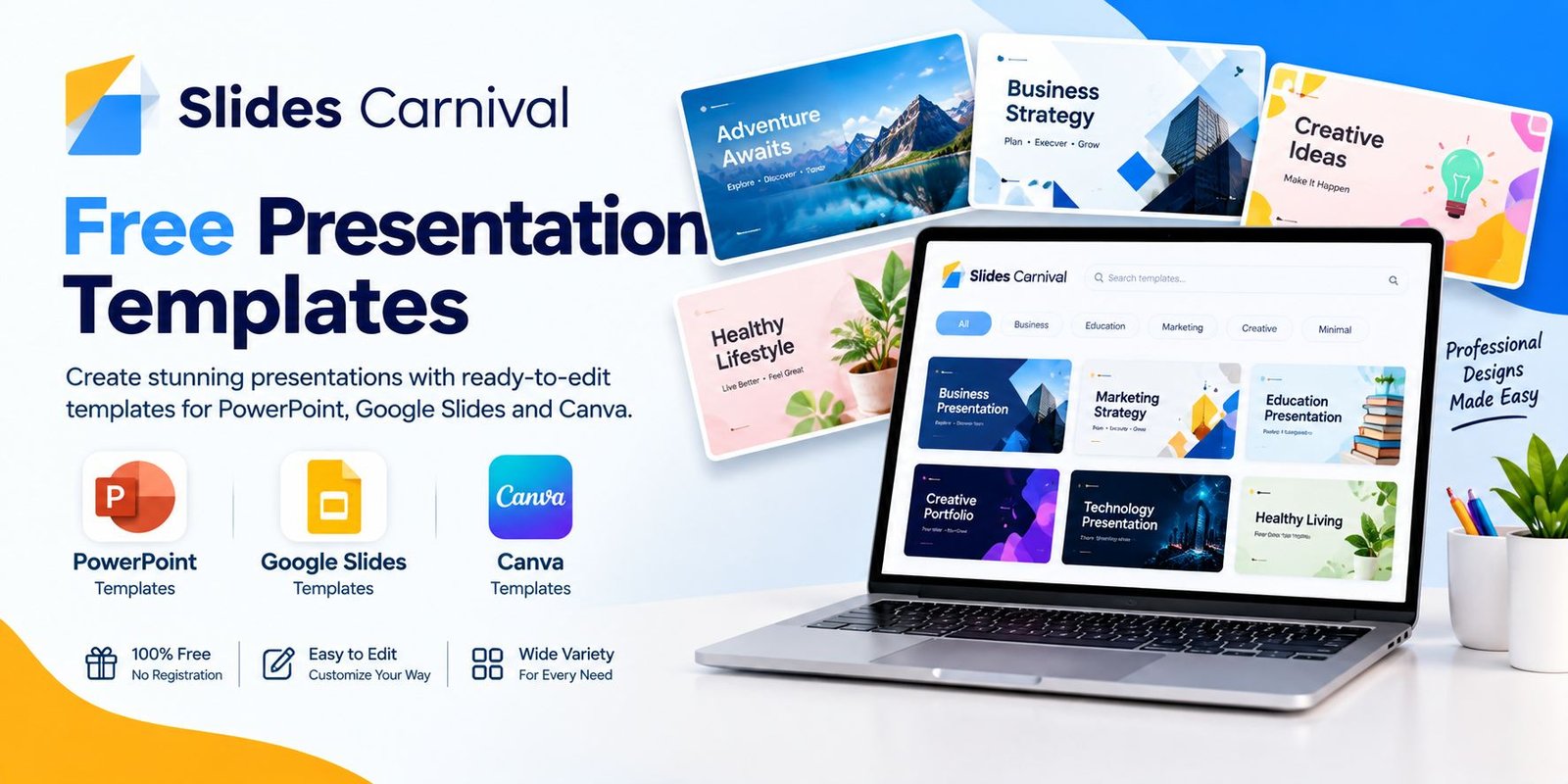
Slides Carnival is a platform that provides ready-made presentation templates that can help users create attractive presentations without starting from an empty slide. Its library includes templates for different topics, industries, styles, colors, and presentation needs.
The platform supports popular presentation tools such as PowerPoint, Google Slides, and Canva. Many templates are customizable, so you can replace the sample text, images, colors, and other elements with your own content.
It can be useful for students, teachers, business professionals, marketers, freelancers, and anyone who needs to prepare a presentation quickly.
What Can You Find on Slides Carnival?
The platform has a large collection of presentation designs covering different subjects and visual styles.
1. PowerPoint Templates
PowerPoint users can choose from a wide range of ready-to-edit presentation templates.
Templates are available for areas such as:
- Business
- Education
- Marketing
- Sales
- Finance
- Consulting
- Real estate
- Startups
- Healthcare
- Travel
- Sports
- Technology
The official PowerPoint template section currently lists more than 1,800 templates, although the number can change as the library is updated.
2. Google Slides Templates
Google Slides users can also find templates that can be opened and edited online.
This can be convenient for people who work from different computers or collaborate with other team members. Users can select a Google Slides option and make an editable copy in their Google account.
3. Canva Presentation Templates
Canva is another important part of the platform’s current template collection.
Users can open supported templates in Canva and customize them using Canva’s editor. This gives users access to features such as drag-and-drop editing, graphics, images, animations, fonts, and other design options.
The Canva template section currently lists thousands of templates, so users have many designs to explore.
Key Features of Slides Carnival
There are several features that make the platform useful for presentation creation.
Large Template Library
Users can browse templates by topic, style, color, industry, and other categories. This makes it easier to find a design that matches the purpose of a presentation.
Multiple Presentation Platforms
Templates are available across popular platforms, including PowerPoint, Google Slides, and Canva. However, the exact platforms supported can vary from one template to another.
Customizable Designs
Most templates are designed to be edited. You can change text, add your own images, adjust colors, and modify other elements to match your project.
Different Design Styles
The library includes minimalist, professional, colorful, modern, creative, aesthetic, corporate, dark, and many other visual styles.
Free Access
The platform states that its templates are free to use, with no registration or download limits. Attribution to SlidesCarnival is required under its usage terms.
How Does Slides Carnival Work?
Using a presentation template is fairly simple.
Step 1: Choose a Template
Start by browsing the template library. You can search based on your presentation topic or preferred design style.
For example, you might search for:
- Business presentation
- Marketing plan
- School project
- Portfolio
- Pitch deck
- Company presentation
- Lesson presentation
- Research presentation
Step 2: Check the Available Platform
Before downloading or opening a template, check whether it supports your preferred platform.
Depending on the template, you may see options for Canva, Google Slides, or PowerPoint.
Step 3: Open or Download the Template
Select the appropriate platform button and follow the instructions.
For Google Slides, users can sign in and make a copy. For PowerPoint, the template can be downloaded. Canva templates can be opened directly in Canva for editing.
Step 4: Add Your Own Content
Replace the sample information with your own text and visuals.
You can add things such as:
- Headings
- Images
- Charts
- Statistics
- Tables
- Company information
- Contact details
- Product information
Step 5: Review Your Presentation
Before presenting, check every slide for spelling mistakes, incorrect information, poor image quality, and inconsistent formatting.
A template gives you the design foundation, but your content still determines the quality of the final presentation.
Who Can Use Slides Carnival?
Students
Students can use presentation templates for assignments, class projects, research presentations, and academic topics.
A ready-made layout can save time and help students focus more on their content.
Teachers
Teachers can create lesson presentations, educational activities, classroom materials, and training slides.
Business Professionals
Business users can create company presentations, reports, proposals, pitch decks, marketing presentations, and project updates.
Marketers
Marketing teams can use templates for campaign plans, product presentations, social media strategies, market research, and reports.
Freelancers
Freelancers can create portfolios, proposals, client presentations, and project reports without designing every slide from scratch.
Benefits of Using Presentation Templates
Saves Time
Designing a presentation from an empty document can take hours. A template provides a starting structure, which can reduce the amount of design work required.
Makes Presentations More Consistent
A good template normally uses a consistent combination of fonts, colors, spacing, and layouts. This can make a presentation look more organized.
Helps Beginners
Not everyone has professional graphic design skills. Templates allow beginners to start with an existing design and customize it for their needs.
Provides Creative Inspiration
Even when you do not use a template exactly as provided, browsing different designs can give you ideas for layouts, colors, and presentation structures.
Supports Different Presentation Needs
Because the library covers business, education, marketing, medical, finance, technology, and many other topics, users can find designs for different types of projects.
Is Slides Carnival Free?
Yes. The official website states that its presentation and document templates are free to use, with no registration or download limits. However, users need to follow the applicable attribution requirements.
The platform’s license information says users can use templates for personal or commercial projects under the Creative Commons Attribution 4.0 License, provided they keep appropriate credit. Users can modify and build upon templates, but they cannot simply resell or redistribute an unmodified template as-is.
Therefore, always check the current license and attribution instructions before using a template for a commercial project.
Is Slides Carnival Good for Professional Presentations?
It can be useful when you need a polished starting point without spending significant time creating a design yourself.
However, a professional presentation should not simply copy the template’s sample content. Replace the placeholder information with accurate, relevant material and adjust the design to fit your brand or project.
For business presentations, for example, you can add your company colors, logo, charts, product information, and original data.
Slides Carnival vs Creating a Presentation From Scratch
Creating slides manually gives you complete control over every design element. However, it also requires more time and design effort.
Templates provide a different approach. You start with an existing structure and then customize it.
A template may be more convenient when:
- You have a short deadline
- You are not confident with graphic design
- You need a professional-looking starting point
- You want consistent slide layouts
- You need several slides quickly
On the other hand, creating slides from scratch may be preferable when you need a highly customized brand design or a unique presentation structure.
Tips for Creating Better Presentations
Using a template does not automatically make a presentation effective. Follow these simple tips:
Keep Text Short
Avoid putting large blocks of text on your slides. Use short points and explain the details while presenting.
Use High-Quality Images
Choose clear and relevant images that support your message.
Maintain Visual Consistency
Try to keep fonts, colors, spacing, and image styles consistent throughout the presentation.
Highlight Important Information
Use headings, numbers, charts, or visual elements to make important information easier to notice.
Remove Unnecessary Elements
If a template contains decorative elements that do not support your message, consider removing them.
Add Original Content
Your presentation should contain your own information, ideas, analysis, examples, or data rather than simply keeping the template’s sample content.
What Happened to SlidesCarnival?
SlidesCarnival has joined the Canva family. According to its official website, this change has expanded the platform’s options for creating and editing content, while many templates continue to be available for Canva, Google Slides, and PowerPoint.
The platform has also expanded beyond presentations and now offers templates for documents and spreadsheets, along with several productivity and AI-related tools.
Frequently Asked Questions
Is Slides Carnival free?
Yes. SlidesCarnival states that its templates are free to use, with no registration or download limits. Appropriate attribution is required.
Can I use SlidesCarnival templates for commercial projects?
Yes, the official license allows commercial use when the required attribution is provided and you follow the other usage conditions. Unmodified templates cannot simply be resold or redistributed as-is.
Does SlidesCarnival work with PowerPoint?
Yes. The platform provides PowerPoint templates that can be downloaded and edited.
Can I use SlidesCarnival with Google Slides?
Yes. Many templates are available for Google Slides, where users can make an editable copy through their Google account.
Does SlidesCarnival have Canva templates?
Yes. SlidesCarnival currently provides a large collection of Canva presentation templates that can be customized through Canva.
Do I need an account to download templates?
The official website states that there are no registration or download limits for its free templates. However, individual platforms such as Canva or Google may require their own account for editing.
Can I edit the templates?
Yes. Templates are designed to be customized with your own text, images, colors, and other presentation content.
Final Thoughts
Slides Carnival can be a useful resource for anyone who wants to create attractive presentations without designing every slide from the beginning. Its library covers many topics and styles, while support for PowerPoint, Google Slides, and Canva gives users several ways to edit their presentations.
The free access is another useful feature, although users should remember to follow the required attribution and licensing rules.
Whether you are preparing a school project, business proposal, marketing plan, portfolio, or professional report, starting with a suitable template can save time and provide a cleaner visual structure. The key is to customize the design and add useful, original content that matches your audience and presentation goal.