Otter AI: Features, Pricing, Uses & How It Works
Meetings, interviews, lectures, and online discussions often contain important information. However, taking notes while listening can be difficult. This is where AI-powered transcription tools can help.
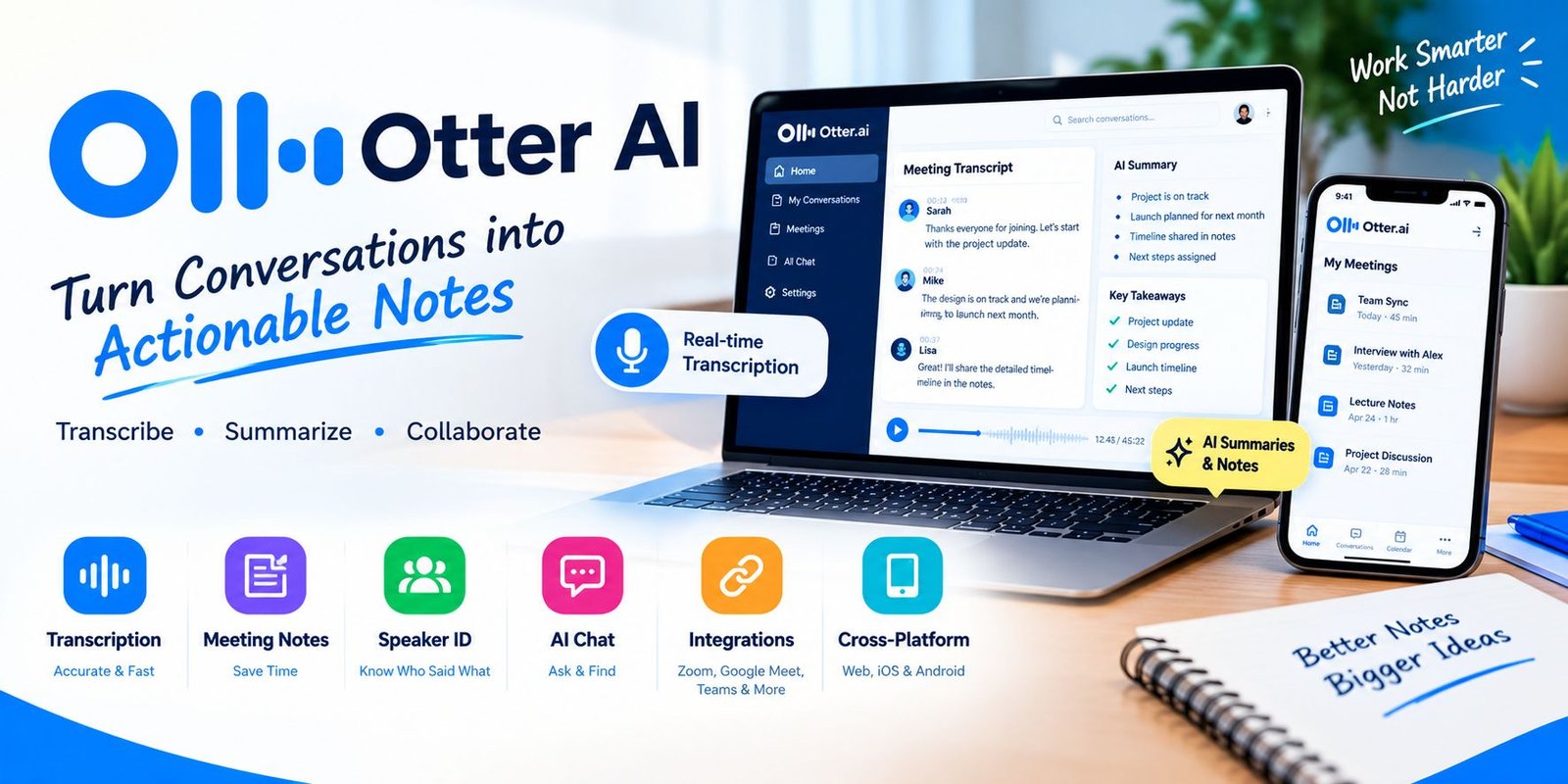
Otter AI is a productivity tool that records conversations, converts speech into text, creates summaries, and helps users find important information from meetings and recordings. It can be used through the web, iOS, and Android apps.
In this guide, we will explain what Otter AI is, how it works, its main features, pricing, benefits, use cases, and tips for getting better results.
What Is Otter AI?
Otter AI is an AI-powered meeting and transcription platform designed to turn spoken conversations into searchable and shareable notes.
It can transcribe live conversations and online meetings in real time. Users can also upload existing audio and video files for transcription. After processing a recording, Otter can create summaries, identify speakers, highlight important points, and organize information into useful notes.
The platform supports meetings on services such as Zoom, Google Meet, and Microsoft Teams. Its Notetaker can automatically join scheduled meetings when connected to a supported calendar.
How Does Otter AI Work?
Using Otter is relatively simple. The basic process usually involves recording or importing a conversation and then allowing the platform to process it.
Here is how the process works:
- Record or import audio – Record a conversation or upload an existing audio/video file.
- Automatic transcription – Otter processes the recording and converts speech into text.
- Speaker identification – The system can organize dialogue by speaker.
- AI summaries – Important points and meeting details can be summarized.
- Review and edit – Users can correct text, speakers, and timestamps.
- Search and share – Conversations can be searched, organized, and shared with others.
This workflow can save time because users do not need to manually write every detail during a conversation.
Key Features of Otter AI
1. Real-Time Transcription
One of the main features is live transcription. Otter can convert spoken conversations into text while a meeting or recording is taking place.
This can be useful for meetings, interviews, lectures, webinars, and other conversations where keeping accurate notes matters.
2. AI Meeting Summaries
After a meeting, Otter can create an automated summary. This helps users review the main topics without reading an entire transcript.
Meeting summaries can also help teams identify important points and follow-up tasks.
3. Otter Notetaker
Otter Notetaker is designed to automatically join supported online meetings and create notes.
It can work with Zoom, Google Meet, and Microsoft Teams. Users can connect their calendar so scheduled meetings can be synced with Otter.
4. AI Chat
Otter includes an AI Chat feature that allows users to ask questions about their meetings and conversations.
For example, you could ask about a decision discussed in a meeting or request a summary of a particular topic. The newer Chat experience can work across conversations and, where available, connected apps.
5. Speaker Identification
When multiple people are talking, Otter can identify and organize speakers in the transcript.
Users can also edit speaker names and conversation text when corrections are needed.
6. Audio and Video Transcription
Otter is not limited to live meetings. Users can import existing recordings for automatic transcription.
Supported formats include common audio and video types such as MP3, M4A, WAV, MP4, MOV, AVI, and others. Otter’s current help documentation says imported files can be up to 5 GB.
7. Searchable Conversations
Instead of listening to an entire recording again, users can search their conversations by keywords, speakers, or dates.
This makes it easier to find specific information inside long meeting transcripts.
8. Export Options
Otter allows users to export conversation information in different formats. Its transcription page lists options including TXT, DOCX, PDF, and SRT.
SRT files can be useful when creating captions or subtitles for videos.
Who Can Use Otter AI?
Otter can be useful for different types of users.
Students
Students can use transcription and summaries to review lectures, discussions, and study sessions.
Professionals
Business professionals can use it to capture meeting notes, decisions, and action items.
Journalists and Researchers
Interviews can be recorded and converted into searchable text, making it easier to review conversations.
Content Creators
Creators can use transcripts to turn spoken content into written material or captions.
Remote Teams
Remote teams can use automated meeting notes to keep everyone informed, even when someone cannot attend a meeting.
Otter AI Pricing
Otter currently provides a Basic free plan along with paid Pro, Business, and Enterprise plans. Pricing and usage limits can change, so users should check the official pricing page before purchasing.
Basic – Free
The current Basic plan includes features such as:
- Live transcription
- Speaker identification
- AI Chat
- 300 transcription minutes per month
- 3 lifetime audio/video file imports
- iOS and Android apps
- Zoom, Microsoft Teams, and Google Meet support
The free plan is useful for people who want to test the service before paying for additional usage.
Pro
The current pricing page lists Pro at $16.99 per user/month when billed monthly, with a lower effective price on annual billing.
It includes higher transcription limits, advanced AI workflows, additional imports, longer meetings, advanced search, export options, and other features.
Business
The Business plan is designed for larger teams and currently includes features such as unlimited meetings and in-app recordings, custom AI workflows, additional administration features, and support for multiple concurrent meetings.
Enterprise
Enterprise is intended for larger organizations that need advanced controls and customized capabilities. Features listed by Otter include SSO, SCIM, domain capture, enterprise security controls, API and webhooks, and custom integrations.
Note: Prices, limits, discounts, and features can change over time. Always check the official Otter pricing page before making a purchase.
Benefits of Using Otter AI
There are several reasons people use AI transcription and meeting-note tools.
Saves Time
Instead of manually writing notes, users can focus on the conversation while Otter handles transcription.
Easier Meeting Review
A searchable transcript and summary can make it faster to review a long meeting.
Better Organization
Conversations can be organized into folders and shared with teammates.
Useful for Remote Work
Automatic meeting notes can help teams keep track of discussions and decisions.
Supports Multiple Devices
Otter is available on the web as well as iOS and Android, making conversations accessible across devices.
How to Use Otter AI
Getting started does not require complicated technical knowledge.
Step 1: Create an Account
Sign up for an Otter account and verify your email address.
Step 2: Choose Your Recording Method
You can record directly with Otter or connect it to supported meeting platforms.
Step 3: Start Your Meeting or Recording
For online meetings, Otter Notetaker can join supported meetings when properly configured.
Step 4: Review the Transcript
After recording, review the generated transcript and correct any speaker names or words that need editing.
Step 5: Read the Summary
Use the automated summary and takeaways to quickly understand the important parts of the conversation.
Step 6: Share or Export
Depending on your plan and needs, you can share the conversation or export the information into supported formats.
Otter’s official Quick Start Guide also provides instructions for setting up an account, using Notetaker, recording conversations, and working with transcripts.
Is Otter AI Good for Students?
Otter can be useful for students who need help organizing spoken information.
For example, a student may record a permitted lecture and later use the transcript to review important topics. Searchable text can also make it easier to find a specific term or discussion point.
However, students should follow their school’s policies and obtain permission when recording classes or other people.
Is Otter AI Useful for Businesses?
Yes, meeting transcription can be useful in many business workflows.
Teams can use it to document meetings, review decisions, identify action items, and share important information with people who were not present.
Business and Enterprise plans also provide additional administrative and collaboration features for organizations.
What Are the Limitations?
Although AI transcription can be helpful, it should not be treated as perfect.
Background noise, overlapping speakers, accents, poor microphones, and unclear speech can affect transcription quality. Users should review important transcripts before relying on them for sensitive decisions.
There are also plan limits. Free users receive fewer transcription minutes and file imports than paid subscribers.
Privacy is another important consideration. Before recording a meeting or conversation, make sure you have the required permission and follow applicable workplace, school, and local rules.
Otter AI vs Manual Note-Taking
Manual note-taking requires a person to listen, understand, and write important points at the same time.
An AI transcription tool can handle much of the transcription work automatically. This allows people to pay more attention to the discussion.
However, manual notes can still be valuable because a person can focus only on the information that matters most. A practical approach can be to use automated transcription and then review the important points manually.
Frequently Asked Questions
Is Otter AI free?
Yes. Otter offers a Basic free plan with limited monthly transcription and file-import allowances. Paid plans provide higher limits and additional features.
Can Otter transcribe Zoom meetings?
Yes. Otter supports Zoom meetings and can provide real-time transcription, meeting notes, and summaries.
Can Otter transcribe Google Meet?
Yes. Otter Notetaker supports Google Meet and can automatically join supported scheduled meetings when configured with a calendar.
Can Otter transcribe Microsoft Teams meetings?
Yes. Microsoft Teams is one of the meeting platforms supported by Otter Notetaker.
Can Otter transcribe audio files?
Yes. Users can upload supported audio files and receive automatic transcriptions, summaries, action items, and other AI-generated meeting information.
Does Otter have a mobile app?
Yes. Otter provides apps for iOS and Android, in addition to its web experience.
Final Thoughts
Otter AI combines transcription, automated meeting notes, summaries, speaker identification, AI Chat, and collaboration features in one platform. It can be useful for students, professionals, researchers, content creators, and teams that regularly work with spoken information.
The free plan provides a way to test the core features, while paid plans offer higher usage limits and additional tools for individuals and organizations. Since features and prices can change, checking the official pricing information before subscribing is recommended.
For anyone who spends a lot of time in meetings or working with recorded conversations, an AI transcription workflow can make information easier to capture, search, and review.