
QuickBooks Online: Features, Pricing, Benefits & How It Works
Managing business finances can become difficult when you have to track sales, expenses, invoices, bills, and payments manually. Fortunately, online accounting software can make these tasks easier.
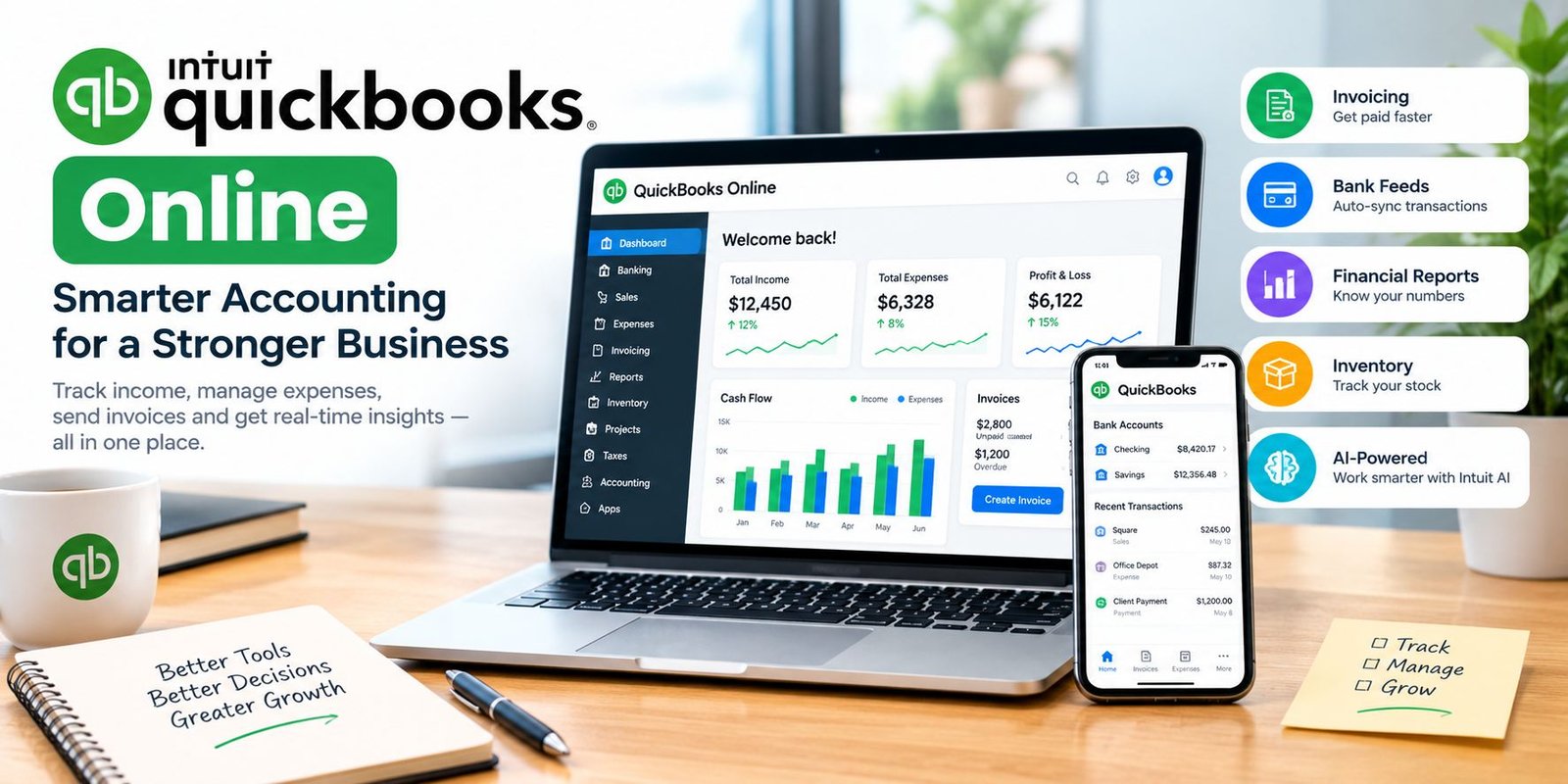
QuickBooks Online is a cloud-based accounting solution designed to help businesses manage their finances from a computer or mobile device. It offers tools for invoicing, expense tracking, bank connections, reports, inventory, taxes, and more.
In addition, QuickBooks has introduced new AI-powered features that can help automate routine accounting tasks and provide business insights.
What Is QuickBooks Online?
QuickBooks Online is an online accounting platform from Intuit. Instead of installing traditional accounting software on one computer, businesses can access their financial information through the cloud.
This approach makes it easier to work from different locations. For example, a business owner can check invoices, review expenses, or look at financial reports while working from a laptop or mobile phone.
The platform is designed for different types of businesses, including freelancers, small businesses, growing companies, and professional service providers.
How Does QuickBooks Online Work?
QuickBooks Online brings several accounting tasks together in one place.
After creating an account, you can set up your business information and connect supported bank accounts. Transactions can then be imported into the accounting system for review and categorization.
You can also create invoices, record expenses, manage bills, track payments, and generate reports.
Because the information is stored in the cloud, you can access your account from supported devices without keeping the accounting data on only one computer.
Key Features of QuickBooks Online
There are several features that make online accounting easier for business owners.
1. Invoicing
Creating and sending invoices is one of the most useful accounting tasks for a business.
QuickBooks lets users create professional invoices, customize them, send them to customers, and track payments. You can also send payment reminders to help manage outstanding invoices.
This can reduce the need for separate invoice templates and manual spreadsheets.
2. Income and Expense Tracking
Keeping track of income and expenses helps you understand where your money is coming from and where it is going.
You can record business expenses and organize financial information in one place. The platform also supports receipt capture, which can help keep expense records organized.
As a result, it becomes easier to prepare financial information when you need it.
3. Bank Feeds
QuickBooks can connect with supported bank accounts and import transactions automatically.
Instead of entering every transaction manually, you can review imported transactions and match or categorize them.
This can save time and reduce data-entry mistakes.
4. Financial Reports
Reports help business owners understand their financial position.
Depending on the plan and available features, users can access reports such as:
- Profit and loss
- Balance sheet
- Cash flow information
- Sales reports
- Expense reports
- Accounts receivable reports
- Accounts payable reports
These reports can help you make better business decisions.
5. Inventory Management
Businesses that sell physical products can use inventory features to monitor products and quantities.
Keeping inventory information organized can help reduce stock problems and give business owners a clearer view of their products.
QuickBooks also provides inventory-related tools in its plans and product offerings.
6. Tax Tracking
Tax management is another important part of accounting.
QuickBooks provides tools for organizing expenses and tracking applicable sales taxes. However, tax features can vary by country, region, and subscription plan.
Therefore, businesses should check which tax features are available in their location before choosing a plan.
7. Mobile Access
Business owners do not always work from a desk.
The QuickBooks mobile app can help users view business information, send invoices, check account balances, review transactions, and manage other tasks while away from a computer. The mobile and browser experiences can stay synchronized.
QuickBooks Online and AI Features
One of the biggest recent developments is the addition of AI-powered capabilities.
Intuit Intelligence is built into QuickBooks and is designed to help users get answers, automate routine work, and understand business data.
For example, users can ask questions in natural language and request help with tasks such as creating invoices, reviewing transactions, generating reports, or identifying unusual activity.
Some AI-powered workflows can also help with recurring tasks. For example, QuickBooks can identify repetitive activities and offer automation options.
However, AI features can depend on the subscription plan, account type, availability, and region. Some current features are also released as beta features.
QuickBooks Online Pricing
QuickBooks offers several subscription options. Pricing can change based on location, promotions, billing terms, and plan.
At the time of writing, the U.S. QuickBooks pricing page lists four main QuickBooks Online plans:
| Plan | Regular Listed Price |
|---|---|
| Simple Start | $38/month |
| Essentials | $85/month |
| Plus | $140/month |
| Advanced | $340/month |
The official page may also show promotional prices for new customers, so it is important to check the current pricing before subscribing.
Features also differ between plans. For example, higher plans can provide additional tools for bills, inventory, users, reporting, and advanced business management.
If you are outside the United States, including Pakistan, pricing and available features may be different. The local QuickBooks site should be checked before making a purchase.
Benefits of QuickBooks Online
Using an online accounting platform can provide several advantages.
Easy Access
Because your accounting information is stored online, you can access it from supported devices.
Less Manual Work
Bank feeds, automated categorization, recurring transactions, and AI-powered features can reduce repetitive work.
Better Organization
Invoices, expenses, receipts, reports, and other financial information can be managed in one system.
Business Insights
Financial reports can help you understand sales, expenses, profit, and cash flow.
Accountant Collaboration
You can give accountants or other authorized users access to your books, depending on your plan and permissions.
Is QuickBooks Online Good for Small Businesses?
For many small businesses, online accounting software can be useful because it combines several financial tasks in one platform.
A freelancer may use it for invoices and expenses. A small online store may need inventory and sales tracking. Meanwhile, a growing company may need more advanced reports and user access.
However, the best choice depends on your business size, accounting needs, budget, and location.
You should compare the available plans before subscribing.
QuickBooks Online vs. Traditional Accounting Software
Traditional accounting software may require installation and local data storage. Online accounting software works differently.
With an online system, updates and improvements can be delivered through the cloud. You can also work from multiple supported devices.
On the other hand, online accounting requires an internet connection for many tasks and may involve an ongoing subscription.
Therefore, businesses should consider both convenience and long-term cost.
How to Get Started
Getting started does not have to be complicated.
Step 1: Choose a Plan
First, review the available plans and select one that matches your business requirements.
Step 2: Create Your Account
Sign up and provide the required business information.
Step 3: Set Up Your Company
Add information such as your business name, accounting preferences, customers, vendors, and chart of accounts.
Step 4: Connect Your Bank
If supported, connect your business bank accounts so transactions can be imported.
Step 5: Add Customers and Products
Enter customer information and add products or services that you sell.
Step 6: Create Your First Invoice
Create an invoice using the available templates and send it to your customer.
Step 7: Review Your Reports
Once transactions are recorded, review your financial reports regularly.
This process can help you keep your books organized from the beginning.
Is QuickBooks Online Worth It?
The answer depends on what you need.
If you want a platform that combines invoicing, expense tracking, bank feeds, reporting, and other accounting tools, it can be a useful option.
Moreover, the addition of AI-powered features makes the platform more interesting for businesses that want to reduce repetitive financial tasks.
However, subscription costs and feature availability should be considered before making a final decision.
Tips for Using QuickBooks Effectively
To get better results from your accounting software, follow a few simple habits.
Keep transactions organized: Review and categorize transactions regularly.
Save receipts: Keep digital copies of important business receipts.
Reconcile accounts: Regularly compare your accounting records with bank statements.
Review reports: Do not only record transactions. Use reports to understand business performance.
Protect your account: Use strong account security and only give access to trusted users.
Keep your books current: Regular bookkeeping is easier than trying to organize months of transactions at once.
Frequently Asked Questions
What is QuickBooks Online used for?
It is used to manage business finances, including income, expenses, invoices, bills, bank transactions, reports, and other accounting tasks.
Is QuickBooks Online cloud-based?
Yes. It is an online accounting platform, so financial information can be accessed through supported devices and browsers.
Can I use QuickBooks on my phone?
Yes. QuickBooks provides a mobile app that allows users to perform various business and accounting tasks from a mobile device.
Does QuickBooks Online have AI?
Yes. Intuit Intelligence provides AI-powered capabilities inside QuickBooks Online. Depending on availability and plan, it can answer questions, help with tasks, automate some workflows, and provide business insights.
Is QuickBooks Online free?
QuickBooks Online has paid subscription plans. Pricing and promotions can vary by country and plan, so users should check the official pricing page for the latest offer.
Is QuickBooks good for freelancers?
It can be useful for freelancers who need tools for invoicing, expense tracking, income management, and financial reports. The right plan depends on the freelancer’s specific needs.
Conclusion
QuickBooks Online provides a convenient way to manage many everyday accounting tasks from one platform. Businesses can use it for invoicing, expense tracking, bank feeds, financial reports, inventory, taxes, and mobile access.
Furthermore, new AI-powered capabilities are making it easier to automate repetitive work and get useful information from business data.
Before choosing a subscription, compare the plans, pricing, available features, and local requirements. With the right setup and regular bookkeeping, QuickBooks can help make financial management more organized and efficient.


One Comment