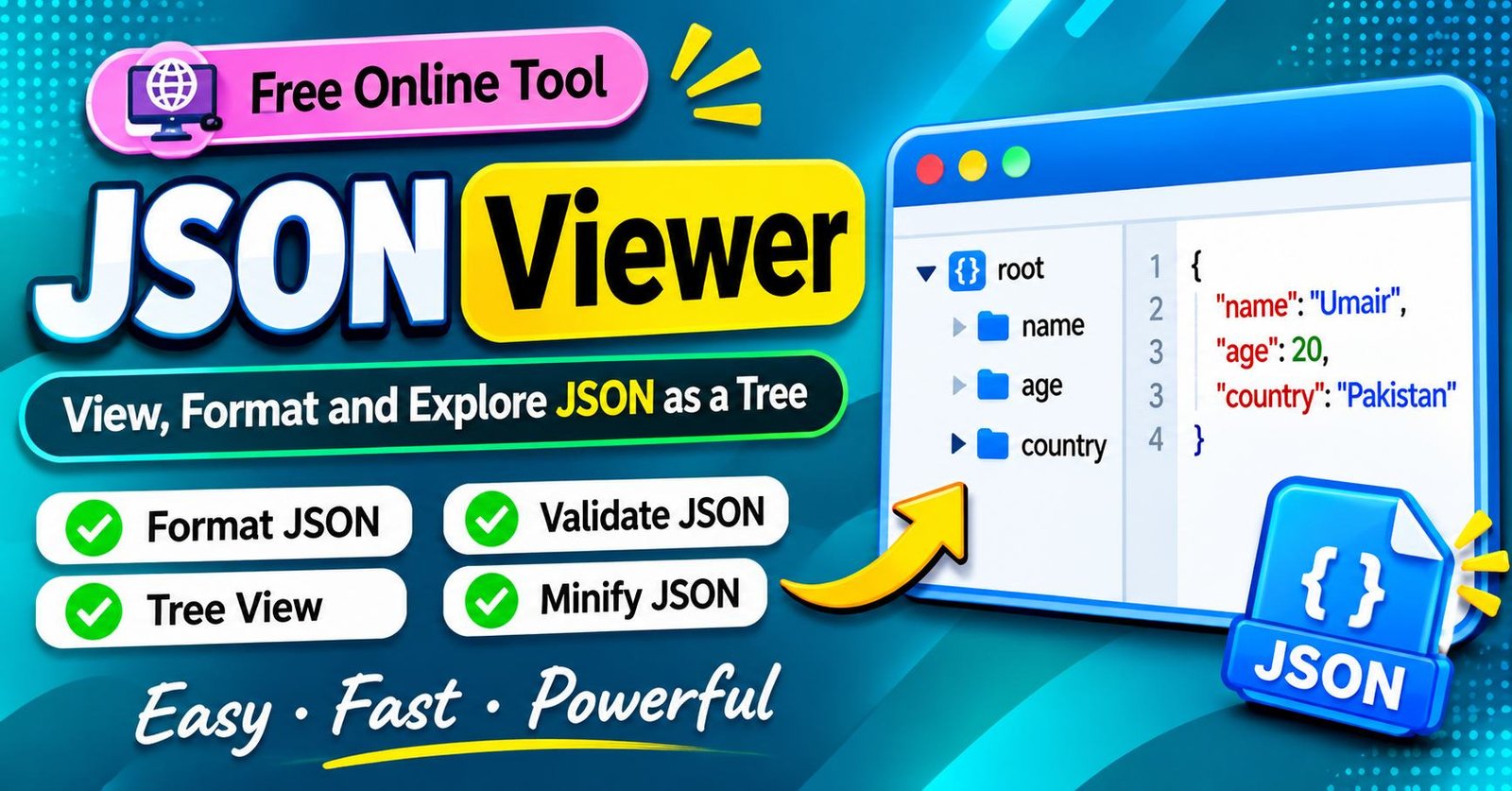
JSON Viewer: Features, Uses, Benefits, and How It Works
Introduction
JSON Viewer is a useful tool for opening, reading, formatting, and understanding structured data. It is commonly used by web developers, software engineers, students, testers, and people who regularly work with digital information. As websites and applications exchange information through APIs and online services, JSON has become an important part of modern technology.
Although JSON is widely used, its information can sometimes be difficult to understand when displayed as unorganized text. Large documents may contain hundreds or thousands of entries, making it challenging to locate specific information. A JSON Viewer helps solve this problem by presenting data in a more organized and readable format.
A JSON Viewer can make it easier to explore information, identify individual properties, check data structures, and understand how different sections are connected. Depending on the tool, users may also find features such as formatting, syntax highlighting, validation, searching, and expandable navigation.
These features make JSON Viewers useful for both beginners and experienced professionals. Someone learning web development can use a viewer to understand structured information, while an experienced developer can use it to inspect API responses and investigate application problems.
This article explains what a JSON Viewer is, how it works, where it is used, its important features, and what users should consider when choosing a reliable tool.
What Is a JSON Viewer?
A JSON Viewer is a software tool or online utility that displays JSON information in a readable and organized way. It helps users examine structured content without needing to understand every technical detail of how the information was created.
JSON is a lightweight data format used to store and exchange information between applications. Websites, mobile applications, online platforms, and software systems frequently depend on it to communicate with servers.
When an application requests information from an online service, the response may contain several categories of data. These can include names, descriptions, account information, product details, settings, and other records.
A JSON Viewer makes this information easier to inspect. Instead of presenting everything as one complicated block of text, it can organize the content into separate sections.
Many tools also provide visual features that help users distinguish different types of information. This can make large documents easier to understand and navigate.
A JSON Viewer is primarily designed for viewing and inspecting information. Some advanced tools also allow editing, but their available capabilities depend on the software.
Why Is JSON Important?
JSON plays an important role in modern software because it provides a convenient way to exchange structured information.
Web applications often need to communicate with remote servers. For example, an online shopping platform may request product information from a server before displaying items to customers.
That information may include product names, descriptions, prices, availability, and other details. JSON provides a structured way to transfer these records between different parts of the application.
JSON is also supported by many programming languages and development environments. This makes it useful for projects that involve multiple technologies.
Another reason for its popularity is its relatively simple structure. Developers can understand and process JSON without using complicated data formats.
However, as information becomes larger and more complex, reading it manually can become difficult. This is where a JSON Viewer becomes useful.
How Does a JSON Viewer Work?
A JSON Viewer works by reading the information provided by the user and interpreting its structure.
The process generally begins when someone opens a JSON file, pastes content into an online editor, or accesses a supported data source.
The viewer then checks the document and attempts to understand how its information is organized. This process is commonly called parsing.
If the document follows the expected JSON format, the tool can display the information in an organized layout.
Some viewers use a traditional text editor with indentation and syntax colors. Others provide a tree-style interface that allows users to expand and collapse different sections.
Advanced tools may also provide search options, validation messages, and editing controls.
If the information contains a syntax problem, the viewer may display an error message. Depending on the software, the message can help users identify where the problem occurred.
The exact process and available features vary between online utilities, desktop applications, and development extensions.
Main Features of a JSON Viewer
A JSON Viewer can include several features that make working with structured information easier. Not every tool provides all of them, but many modern viewers offer a combination of basic and advanced functions.
JSON Formatting
Formatting is one of the most useful features of a JSON Viewer.
Information received from an application or online service may be compressed into a difficult-to-read format. Formatting organizes the content with appropriate spacing and indentation.
This makes it easier to understand the relationship between different sections.
Developers can examine individual properties without manually separating large amounts of text.
Formatting is especially helpful when working with API responses, application settings, and exported information.
Syntax Highlighting
Syntax highlighting improves readability by displaying different parts of the document in different colors.
For example, property names, text values, numerical information, and other elements may appear with separate visual styles.
This makes it easier to identify important information quickly.
Syntax highlighting can be particularly valuable when examining long documents because it reduces the effort required to distinguish different elements.
Tree View
Tree view presents information in a hierarchical structure.
Instead of showing every section at the same time, the viewer organizes content into expandable categories.
Users can open a particular section to explore its contents and collapse it when they no longer need it.
This approach is useful for documents containing deeply nested information.
For example, an application response may include customer details, contact information, delivery information, and purchase records. A tree interface makes these different sections easier to explore.
JSON Validation
Validation checks whether a document follows JSON formatting rules.
Even a small syntax mistake can prevent an application from reading information correctly.
Common problems include missing quotation marks, incorrect punctuation, unmatched brackets, and improperly structured content.
A JSON validator can identify these problems and provide an explanation.
This feature is helpful when preparing information for an API, application, or development project.
However, syntax validation does not guarantee that the information itself is accurate. It only checks whether the document follows the required format.
Search Functionality
Searching is important when working with large JSON documents.
A file may contain hundreds of records, making manual inspection time-consuming.
A search feature allows users to locate a particular property or value by entering a relevant term.
For example, a developer examining customer information may want to find a specific account field without reading the entire document.
Advanced viewers may support searching across nested sections and multiple records.
Expand and Collapse Options
Expand and collapse controls make large documents easier to manage.
Users can open the sections they want to examine and hide the information they do not currently need.
This reduces unnecessary scrolling and helps keep the interface organized.
The feature is particularly useful when dealing with complicated API responses or large application settings.
Editing Support
Some JSON Viewers provide editing functionality.
Users can update existing information, add new properties, remove unnecessary content, or modify values.
Editing support can be useful when preparing configuration files or correcting information during development.
However, not every JSON Viewer allows direct editing. Some tools are designed only for reading and inspecting data.
Users should also keep an original copy of important files before making changes.
Minification
Minification removes unnecessary spaces and line breaks from a JSON document.
The result is a smaller, more compact version of the information.
Developers sometimes use minification when preparing data for specific applications or reducing unnecessary formatting.
However, compact information is generally harder for people to read manually.
A formatted version is usually more convenient when inspecting data, while minification may be useful for particular technical requirements.
How to Use a JSON Viewer
Most JSON Viewers are designed to be easy to use. Although their interfaces may differ, the general process is similar across many online tools and desktop applications.
Step 1: Choose a JSON Viewer
Start by selecting an online JSON Viewer or a desktop application.
If you only need to inspect information occasionally, a browser-based utility may be sufficient.
For regular development work, a desktop editor or programming environment with JSON support may be more convenient.
Step 2: Open Your JSON Data
Prepare the information you want to examine.
It may come from an application, an API response, a downloaded file, or a software project.
Make sure you have permission to access the information, especially when it contains private or business-related records.
Step 3: Import or Paste the Information
Depending on the selected tool, you may be able to paste information into an editor or upload a supported file.
Some applications also allow users to open files directly from their computers.
The available options depend on the viewer.
Step 4: Format the Content
If the information is difficult to read, use the formatting option.
The viewer will organize the content with suitable indentation and spacing.
This can make complicated sections easier to understand.
Step 5: Explore Different Sections
Examine the information and identify the sections that matter to your task.
If the viewer provides tree navigation, expand the relevant categories.
You can then inspect individual properties without reviewing the entire document.
Step 6: Search for Specific Information
Use the search feature when available.
Enter the name of the property or information you want to locate.
This is especially useful when working with large documents.
Step 7: Check for Errors
If the tool provides validation, use it to check the document.
Read any error messages carefully and correct the reported problems.
After making changes, validate the document again before using it in another application.
Step 8: Save Your Work
If editing is supported, save or export the updated document.
Keep a backup of the original file if the information is important.
This helps prevent accidental data loss.
Online JSON Viewer vs Desktop JSON Viewer
Users can work with JSON through online tools or installed desktop applications. Both options can be useful, but they serve slightly different needs.
Online JSON Viewer
An online JSON Viewer works through a web browser.
Users generally do not need to install additional software. They can open the website, provide their information, and use the available features.
Online tools are convenient for occasional tasks and quick inspections.
They may also work across different operating systems, provided the browser is supported.
However, privacy should always be considered. Some online services process information on their own servers, while others may perform operations locally inside the browser.
Users should understand how a website handles uploaded information before submitting sensitive documents.
Desktop JSON Viewer
A desktop JSON Viewer is installed directly on a computer.
It may provide additional features such as offline access, local file management, advanced editing, and integration with development environments.
Desktop applications can be especially useful for developers who work with structured information regularly.
They may also be better suited to workflows involving multiple files.
The main disadvantage is that users may need to install updates and manage the application.
Which Option Should You Choose?
The best choice depends on your needs.
An online JSON Viewer is convenient for quick tasks and occasional inspections.
A desktop application may be more suitable for professional development, offline access, and regular file management.
If you frequently handle confidential information, consider using a trusted local tool instead of uploading files to an unfamiliar website.
Common Uses of a JSON Viewer
JSON Viewers are useful in several areas of technology. Their main purpose is to make structured information easier to inspect and understand.
Inspecting API Responses
APIs allow different applications to communicate with one another.
When a website requests information from a remote service, the server may return a structured response containing several records.
A JSON Viewer helps developers inspect this information and understand what the server has returned.
For example, a weather application may receive information about temperatures, locations, humidity, and forecasts.
If the application displays unexpected information, developers can examine the response to investigate the issue.
Web Development
Web developers regularly work with JSON in websites and online applications.
It may be used for communication between frontend and backend systems, application settings, and data exchange.
A JSON Viewer makes it easier to inspect these files and understand how information is organized.
Developers can also use it when reviewing changes to project settings.
Mobile Application Development
Mobile applications frequently communicate with remote servers.
JSON may be used to transfer user information, application settings, notifications, and other records.
Developers can examine these responses with a JSON Viewer when testing application behavior.
This helps them understand whether information is being received correctly.
Database Management
Some database systems support JSON documents and related data structures.
Developers and database administrators may need to inspect exported records or examine structured information.
A JSON Viewer can make this information easier to read.
However, it should not be confused with a full database management application. A viewer is mainly intended for inspecting data rather than managing complete database systems.
Configuration File Inspection
Many software applications use JSON files for configuration.
These files may control application preferences, project settings, extensions, and other options.
A JSON Viewer can help users locate specific settings and understand how different sections are organized.
Care is necessary when editing configuration files because incorrect changes may affect application behavior.
Software Testing
Software testers use JSON Viewers when examining information returned by applications and APIs.
They may need to check whether a response contains the expected information or whether a particular property is missing.
A viewer can make these checks easier and help testers investigate unexpected results.
Programming Education
Students learning web development and programming can use JSON Viewers to understand structured data.
They can explore how information is organized and learn how different elements relate to one another.
This can make technical concepts easier to understand without requiring advanced programming knowledge.
JSON Viewer for Developers
Developers often need to inspect structured information while building and maintaining software.
A JSON Viewer can support several common development tasks.
Debugging Application Problems
When an application does not display information correctly, developers may need to investigate the data it receives.
A JSON Viewer makes it easier to examine API responses and identify unexpected values.
For example, if a shopping application displays incorrect product information, a developer can inspect the server response to determine whether the issue comes from the returned data or the frontend application.
Understanding Nested Information
Some applications return information organized into multiple levels.
Reading deeply nested content as plain text can be difficult.
A tree-based JSON Viewer provides a clearer way to explore these sections.
Developers can expand the areas they need and hide unrelated information.
Checking Required Properties
Applications often depend on particular properties being present in a response.
If a required property is missing or contains an unexpected value, the application may not behave correctly.
A JSON Viewer helps developers inspect these properties during development and testing.
Reviewing Configuration Changes
Developers may need to compare configuration files after updates.
A JSON Viewer can help them inspect individual settings and understand how the files are organized.
For more advanced comparisons, a dedicated file comparison tool may be necessary.
Preparing Test Information
Developers often create sample information to test application features.
A JSON Viewer can help them inspect and validate this information before using it in a project.
This can reduce mistakes caused by incorrect formatting.
Common JSON Errors and Their Solutions
JSON follows specific formatting rules. If a document does not follow those rules, applications may fail to process it.
Understanding common problems can help users correct mistakes more quickly.
Missing Quotation Marks
JSON requires double quotation marks around property names and text values.
If quotation marks are missing, the document may become invalid.
Users should review the affected section and make sure all required quotation marks are present.
Incorrect Commas
Commas separate properties and items in JSON documents.
An extra comma after the final item can cause a syntax error.
Removing unnecessary punctuation may resolve the problem.
Unmatched Brackets
JSON objects and arrays require correctly matched opening and closing brackets.
If one is missing, the document may not be processed correctly.
A validator can help identify the approximate location of the problem.
Using Single Quotation Marks
Standard JSON requires double quotation marks for strings.
Single quotation marks may be accepted in some programming languages, but they are not valid for standard JSON strings.
Users should check quotation marks when a document fails validation.
Incorrect Data Types
JSON supports several data types, including strings, numbers, objects, arrays, Boolean values, and null.
Using an unexpected type may cause problems in an application even if the document is syntactically valid.
For example, an application expecting a number may not handle a text value in the same way.
Users should check the expected data type when investigating an issue.
Invalid Special Characters
Some special characters must be escaped when used inside JSON strings.
Incorrect handling of quotation marks, backslashes, and other characters can cause parsing problems.
A validator can help identify these issues.
JSON Viewer and JSON Formatter
JSON Viewer and JSON Formatter are closely related, but they do not always provide the same features.
A JSON Formatter focuses on making information easier to read through indentation and spacing.
A JSON Viewer may offer additional functions, including syntax highlighting, search, validation, and tree navigation.
Many online tools combine both capabilities.
For example, someone may use formatting to organize a document and then use the viewer’s navigation feature to explore a particular section.
The difference mainly depends on the tool’s design and available features.
JSON Viewer and JSON Validator
A JSON Viewer displays and organizes information, while a JSON Validator checks whether a document follows JSON syntax rules.
Some viewers include built-in validation, but others provide only basic viewing and formatting.
Validation is important because a document can appear readable while still containing syntax errors.
A validator checks the structure and identifies problems that may prevent the information from being processed correctly.
It is also important to understand that validation does not guarantee that the information is factually correct.
For example, a document may follow every JSON formatting rule while still containing an incorrect product price or outdated account detail.
Is JSON Viewer Free?
Many JSON Viewers are available without charge.
Free tools commonly provide basic functions such as opening, formatting, and inspecting JSON information.
Some also include syntax highlighting, validation, and search features.
Advanced functionality may depend on the application or service. Certain tools may offer additional capabilities through paid versions, subscriptions, or professional software packages.
For occasional use, a free JSON Viewer may provide everything a user needs.
Before choosing a tool, review its features and check whether it supports your required file size and workflow.
Is an Online JSON Viewer Safe?
The safety of an online JSON Viewer depends on how it handles the information users provide.
Some services process information directly inside the browser. Others may transmit uploaded content to their servers.
This distinction is important when working with confidential information.
JSON documents may contain customer records, private account details, internal project settings, or authentication credentials.
Users should avoid submitting sensitive information to websites they do not trust.
Useful safety practices include:
- Choose services with clear privacy policies.
- Avoid uploading confidential business records.
- Remove passwords and access credentials from sample files.
- Check how the website processes uploaded information.
- Use trusted desktop software for sensitive documents.
- Keep important files stored securely.
Taking these precautions can reduce unnecessary privacy risks.
How to Choose the Best JSON Viewer
Choosing the right JSON Viewer depends on your experience, the size of your files, and the tasks you need to complete.
Simple Interface
A good viewer should be easy to understand.
Users should be able to open information, explore different sections, and locate important features without unnecessary complexity.
Beginners may prefer tools with a straightforward design.
Formatting Options
Formatting is essential for making large documents readable.
Look for a viewer that provides clear indentation and organized presentation.
Validation Support
Validation helps identify syntax errors before information is used in an application.
A useful tool should provide understandable error messages whenever possible.
Search Capabilities
Search is especially valuable when examining large files.
It allows users to locate specific information without manually reviewing every section.
Large File Support
Some viewers may have difficulty processing extremely large documents.
If you regularly work with large datasets, choose a tool designed to handle them efficiently.
Privacy Protection
Privacy should be an important consideration when selecting an online service.
Review the provider’s information-handling practices and avoid uploading confidential documents to unknown platforms.
Export Options
Some tools allow users to copy or download formatted information.
This can be useful when moving data between different applications or development environments.
JSON Viewer for Beginners
A JSON Viewer can be useful for people who are new to programming.
You do not need to be an experienced developer to understand the basic purpose of these tools.
The first step is learning that JSON organizes information into different elements.
These elements can represent names, descriptions, numerical values, lists, and other types of information.
A viewer makes these relationships easier to explore by organizing the document visually.
Beginners can start by opening small files and identifying the different sections.
They can then learn how formatting, validation, and search features work.
With regular practice, understanding larger documents becomes easier.
JSON Viewers can also support programming lessons by helping students understand how applications exchange information.
JSON Viewer for Large Files
Large JSON documents may contain thousands of records and several levels of nested information.
These files can be difficult to inspect manually.
A JSON Viewer can make the process more manageable, but performance depends on the software and the device being used.
Some browser-based tools may become slower when handling very large documents.
Users working with large files should consider tools that provide efficient navigation and search.
It can also help to collapse unnecessary sections and focus only on the information needed for a particular task.
If a document is extremely large, specialized development software or command-line utilities may offer better performance.
Choosing an appropriate tool can save time and make large datasets easier to manage.
Can You Edit Files With a JSON Viewer?
Some JSON Viewers allow users to edit information directly, while others only provide viewing features.
Editing tools may allow users to update existing properties, remove unnecessary information, or add new content.
These features can be helpful when working with application settings and development projects.
However, users should understand the structure of the document before making changes.
Incorrect edits can cause applications to stop reading the information correctly.
It is also important to keep an original copy before changing an important file.
After editing, use a validator to check whether the updated document follows the required formatting rules.
JSON Viewer vs Code Editor
A JSON Viewer is mainly designed to display and inspect structured information.
A code editor is a broader application used to write, edit, and manage programming files.
Modern code editors often include JSON-related features such as formatting, syntax highlighting, validation, and navigation.
A JSON Viewer may be more convenient when someone only needs to inspect a file quickly.
A code editor may be more appropriate for developers who work with multiple programming languages and software projects.
The best option depends on the user’s workflow.
Someone who occasionally opens JSON documents may not need a complete development environment.
However, developers working on large projects may benefit from the additional tools available in a code editor.
Benefits of Using a JSON Viewer
JSON Viewers offer several advantages for people working with structured information.
Improved Readability
Formatting and indentation make complicated documents easier to understand.
Faster Information Search
Search features help users locate particular properties and values quickly.
Easier Troubleshooting
Validation features can identify common formatting problems.
Better Development Workflow
Developers can inspect API responses, application settings, and exported information more efficiently.
Useful Learning Experience
Students can explore structured information and understand how JSON works.
Convenient Access
Online viewers provide quick access through supported web browsers.
Organized Navigation
Tree-based interfaces make nested information easier to explore.
Limitations of JSON Viewers
Although JSON Viewers are useful, they also have limitations.
They Cannot Guarantee Accurate Information
A viewer can display information and check its formatting, but it cannot guarantee that every value is correct.
Users may still need to verify the information through its original source.
Performance Can Vary
Large files may take longer to open, particularly when using browser-based tools.
Not Every Viewer Supports Editing
Some tools only display information and do not allow users to modify it.
Privacy Depends on the Service
Online tools may handle uploaded information differently.
Users should review privacy practices before submitting confidential content.
They Are Not Complete Development Platforms
A JSON Viewer is designed for inspecting structured information. It does not replace a full code editor, database management system, or specialized development environment.
Understanding these limitations helps users select the right software for their needs.
The Future of JSON Viewing Tools
JSON continues to play an important role in web development, mobile applications, cloud services, and software communication.
As applications become more connected, developers will continue to need tools that make structured information easier to inspect.
Future JSON Viewers may provide improved support for very large documents, better search features, and stronger integration with development environments.
Some tools may also introduce intelligent assistance that helps users understand complicated data structures and identify possible problems.
Improved error messages and easier navigation could make these tools more accessible to beginners.
Despite these developments, the main purpose of a JSON Viewer will remain the same: helping users read, explore, and understand structured information efficiently.
Frequently Asked Questions About JSON Viewer
What Is a JSON Viewer Used For?
A JSON Viewer is used to open, format, and inspect JSON documents. It makes structured information easier to read and understand.
Is JSON Viewer Free to Use?
Many JSON Viewers are free. Some provide basic viewing and formatting, while advanced features may depend on the software.
Can I Open JSON Files Online?
Yes. Online JSON Viewers allow users to open and inspect supported documents through a web browser.
Does JSON Viewer Require Programming Knowledge?
No. Basic JSON Viewers are generally easy to use. Beginners can explore information without advanced programming experience.
Can JSON Viewer Find Errors?
Some JSON Viewers include validation features that identify formatting and syntax errors.
What Is the Difference Between JSON Viewer and JSON Formatter?
A JSON Formatter organizes information for readability. A JSON Viewer may also include search, validation, syntax highlighting, and navigation features.
Can I Edit Information in a JSON Viewer?
Some viewers support editing, but others only display information. Check the available features before choosing a tool.
Is JSON the Same as JavaScript?
No. JSON is a data format, while JavaScript is a programming language. They are related historically, but they serve different purposes.
Can I Use a JSON Viewer on Mobile?
Yes. Many browser-based tools work on mobile devices, although the experience depends on screen size and the website’s design.
Is an Online JSON Viewer Safe?
It depends on the service. Avoid uploading confidential information to unfamiliar websites and review the provider’s privacy policy.
Why Does My JSON File Show an Error?
The document may contain missing quotation marks, incorrect punctuation, unmatched brackets, or another formatting problem.
Can JSON Viewers Handle Large Documents?
Some can handle large documents, but performance varies. Specialized software may be more suitable for extremely large files.
What Is Tree View in a JSON Viewer?
Tree view organizes information into expandable sections. It helps users explore nested content without displaying everything at once.
Can a JSON Viewer Change the Original File?
A viewer that only displays information generally does not change the original file. Editing tools may allow changes, depending on their features.
Who Uses JSON Viewers?
Web developers, software engineers, testers, students, and data professionals use JSON Viewers to inspect structured information.
Conclusion
JSON Viewer is a practical tool for anyone who needs to work with structured information. It makes JSON documents easier to read, inspect, and understand through organized presentation and useful navigation features.
Developers can use these tools to examine API responses, review configuration settings, and investigate application problems. Students and beginners can use them to understand how modern applications organize and exchange information.
Features such as formatting, syntax highlighting, validation, search, and tree navigation can make everyday tasks more efficient.
The right JSON Viewer depends on your requirements. An online utility may be suitable for quick inspections, while a desktop application or code editor may provide a better experience for regular development work.
By selecting a reliable tool and following good data-handling practices, users can make JSON inspection simpler, more organized, and more efficient.