Language Translator: Features and Benefits
Introduction
A language translator is a useful tool that helps people understand and communicate in different languages. Whether you are a student learning a foreign language, a traveler visiting another country, a business owner communicating with international customers, or a professional working with global teams, a language translator can make communication easier.
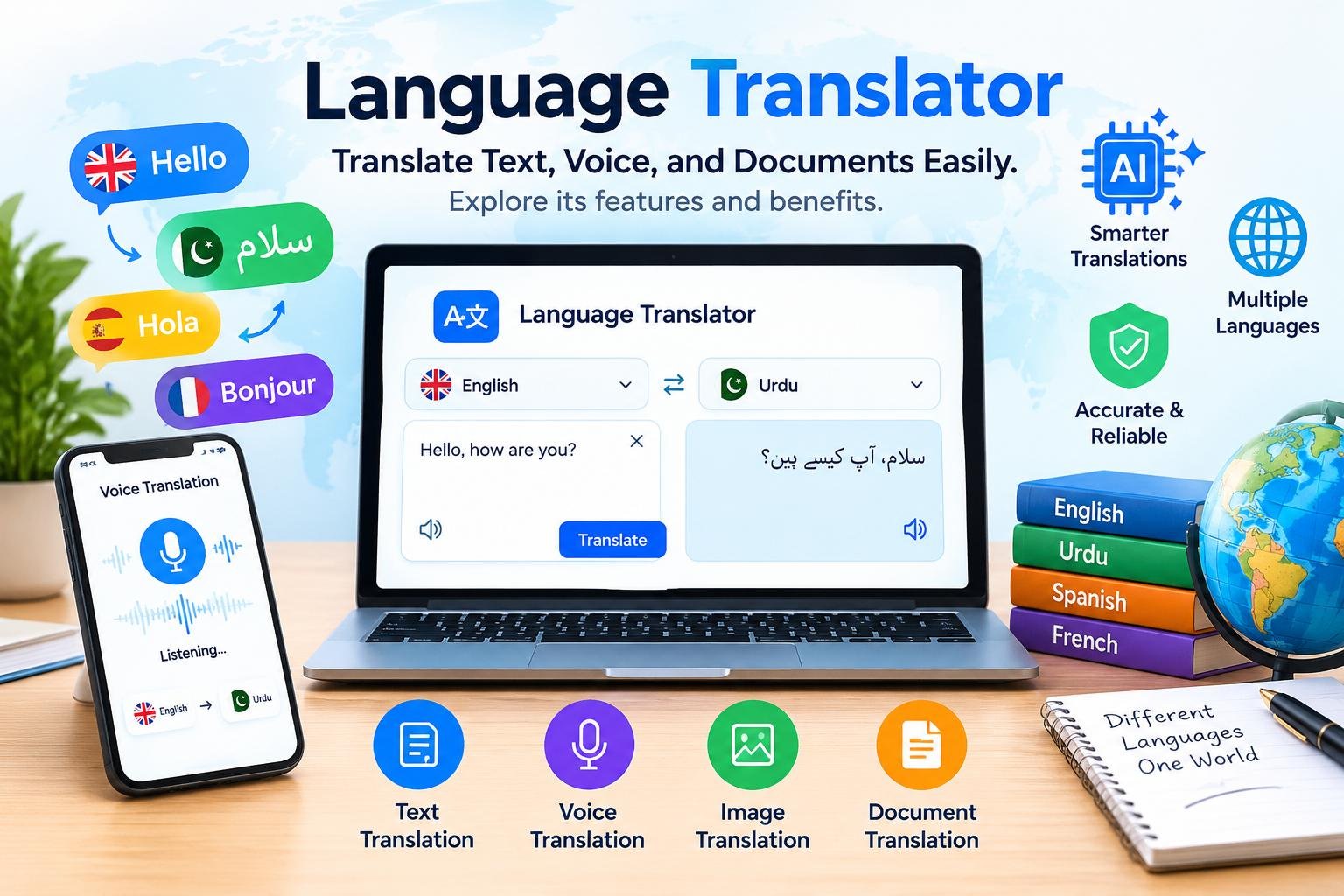
Today, language translation tools are available through websites, mobile applications, desktop software, and AI-powered platforms. Many tools can translate individual words, complete sentences, paragraphs, documents, and even spoken conversations. Some also support voice input, image translation, handwriting recognition, and real-time communication.
As international communication continues to grow, the demand for reliable translation services is increasing. People want quick translations that preserve the original meaning while remaining easy to understand. Modern technology has made this process faster, although translation quality still depends on the languages, context, subject, and tool being used.
In this guide, you will learn what a language translator is, how it works, which features matter most, and how to choose a suitable translation tool. We will also explore the differences between machine translation and human translation, discuss privacy considerations, and explain how students, travelers, businesses, and content creators can benefit from translation technology.
What Is a Language Translator?
A language translator is a tool, application, service, or professional that converts information from one language into another. The original language is called the source language, while the language receiving the translated information is called the target language.
For example, someone who speaks Urdu but needs to understand an English article can use an English-to-Urdu translator. Similarly, a traveler who speaks English may use a Japanese translator to understand signs or communicate with local people.
Language translators can work with different forms of information, including written text, speech, images, and digital documents. Their capabilities depend on the technology and services they support.
A basic translator may provide word-by-word translations, while an advanced AI translator can analyze sentence structure and surrounding context to produce more natural results.
However, translation is not always a simple process of replacing words. Languages have different grammar rules, expressions, cultural references, and ways of communicating ideas. A good translation tool attempts to preserve the meaning of the original message rather than translating every word literally.
For everyday communication, an online language translator can be a convenient starting point. However, important legal, medical, financial, or official documents may require a qualified human translator.
How Does a Language Translator Work?
Modern translation tools use different technologies to interpret text or speech and produce results in another language.
Earlier computer translation systems often relied on predefined rules and dictionaries. Modern systems increasingly use machine learning and neural networks to understand relationships between words and sentences.
1. Text Processing
The translation process begins when a user enters text or uploads supported content.
The system identifies the input and processes it according to its capabilities. Some tools can automatically detect the source language, while others ask users to select it manually.
For instance, you might enter a sentence in English and choose Urdu as the target language.
2. Language Analysis
The translation system analyzes words, sentence structure, and relationships between different parts of the text.
This stage matters because the same word can have several meanings depending on its context. A reliable system attempts to determine which meaning fits the sentence.
3. Machine Learning and AI
Many modern translation services use neural machine translation, a technology that learns patterns from large collections of multilingual text.
AI-based systems can use these patterns to generate translations that sound more natural than simple word substitutions.
Some advanced tools also use broader language models to interpret context, rewrite sentences, or explain differences between expressions.
Nevertheless, AI systems can still misunderstand idioms, technical vocabulary, sarcasm, and culturally specific phrases.
4. Translation Generation
After analyzing the input, the system generates text in the target language.
The output may preserve the general meaning, but the sentence structure can differ from the original. This is normal because languages express ideas in different ways.
5. Review and Correction
The final step is reviewing the translated content.
Users should check names, dates, numbers, technical terms, and important instructions. For professional writing, editing the result can improve readability and accuracy.
The amount of review needed depends on the purpose of the translation and the potential consequences of an error.
Types of Language Translators
Different translation tools serve different purposes. Understanding these categories can help you select the right solution.
1. Online Language Translator
An online language translator works through a website or browser-based service. Users typically enter text, choose languages, and receive a translation.
These tools are convenient because they do not always require installing additional software.
Online translators are useful for understanding emails, translating short messages, reading foreign-language websites, and learning unfamiliar words.
However, they usually depend on an internet connection. Some services may offer limited offline functionality through separate applications.
2. AI Language Translator
AI language translators use artificial intelligence to process text and generate translations.
Depending on the service, they may understand surrounding context, adjust tone, explain difficult expressions, and rewrite translations for different audiences.
For example, an AI translator may help turn an informal English message into a more professional Spanish version.
These capabilities can be valuable for writers, students, marketers, and international teams.
However, AI-generated translations should not automatically be considered correct. Users should verify important information, especially when translating specialized or sensitive material.
3. Voice Language Translator
A voice translator converts spoken language into another language. Some tools display the translated text, while others can read the result aloud.
A typical process involves speech recognition, translation, and optional text-to-speech generation.
Voice translators are useful for conversations, travel, interviews, and language practice.
Their performance can vary depending on background noise, pronunciation, accents, speaking speed, and internet connectivity.
4. Camera and Image Translator
An image translator identifies text within a picture and translates it into another language.
This feature may use optical character recognition, commonly called OCR, to recognize printed words before translating them.
It can help users understand restaurant menus, product labels, signs, instructions, and other visual information.
Image translation works best when the text is clear and readable. Handwriting, unusual fonts, poor lighting, and complicated layouts can reduce accuracy.
Users should also be cautious when translating safety instructions or official documents from images because small recognition errors can change the meaning.
5. Document Translator
A document translator processes files containing written information.
Depending on the service, supported formats may include DOCX, PDF, PPTX, and TXT files.
Document translation is useful for reports, presentations, educational materials, business documents, and research.
Before uploading a file, check whether the tool preserves formatting, tables, images, headings, and page layout.
Confidential documents should only be uploaded to services with suitable privacy and security practices.
6. Website Translator
A website translator helps users read web pages written in unfamiliar languages.
Some browsers provide built-in translation features, while other services translate website content through dedicated tools.
Website translation can make international news, educational resources, product pages, and research more accessible.
However, navigation labels, embedded text, forms, and interactive elements may not always translate correctly.
7. Offline Language Translator
An offline translator works without a continuous internet connection, usually by using downloaded language resources.
Offline translation can be particularly useful when traveling, working in areas with weak connectivity, or trying to reduce mobile data usage.
The available languages and features depend on the application.
Offline systems may provide different results from online services because they use different models or resources. Users should download language packs in advance and test the features they need.
8. Human Language Translator
A human translator is a professional who converts written information from one language into another.
Human translators can interpret cultural references, specialized terminology, intended tone, and subtle meanings that automated systems may miss.
Professional translation is particularly valuable for legal agreements, literary works, medical documentation, official certificates, and complex business communications.
For certain documents, you may need a certified or otherwise qualified translator, depending on the requirements of the receiving organization.
Key Features to Look for in a Language Translator
Not every translation tool provides the same capabilities. Before choosing a service, consider the following features.
Wide Language Support
A useful language translator should support the languages you need.
Some tools cover many widely spoken languages, while others specialize in particular language pairs.
Check whether the service supports both the source and target languages and whether its features are available for that specific pair.
Automatic Language Detection
Automatic detection identifies the language of the entered text.
This feature is helpful when users receive unfamiliar messages or work with content from several countries.
However, short phrases, names, and words shared by multiple languages can be difficult to identify correctly.
Natural and Contextual Translation
A good translator should preserve meaning and produce understandable sentences.
Contextual translation is especially important for idioms, informal conversations, and phrases that have different meanings in different situations.
Voice Input and Output
Speech features allow users to speak instead of typing and listen to translated text.
These options are useful for accessibility, pronunciation practice, and face-to-face communication.
Check whether voice translation supports your languages and whether it requires an internet connection.
Camera Translation
Camera translation can save time when reading printed information.
It is particularly useful for travelers and people working with product packaging, menus, and signs.
Document Support
If you frequently translate reports or presentations, choose a tool that supports the necessary file formats and preserves important formatting.
Always check file-size limits and whether the service requires an account or paid subscription.
Ease of Use
A simple interface makes translation faster and reduces confusion.
Look for clear language selectors, readable results, easy copying, and convenient ways to switch between source and target languages.
Privacy and Security
Some translation services process text on remote servers. Others may provide local processing for certain tasks.
Review the service’s privacy policy, data retention practices, and terms before submitting sensitive information.
Cost and Usage Limits
Many translation tools provide free features, but advanced options may require payment.
Compare character limits, document restrictions, supported languages, and subscription conditions before committing to a paid service.
Benefits of Using a Language Translator
Translation technology provides several benefits for individuals, organizations, and online communities.
1. Faster Communication
A language translator can help users understand foreign-language messages without manually looking up every word.
This is especially useful when reading emails, communicating with international customers, or reviewing information from different countries.
Although translations may require editing, the initial result can save considerable time.
2. Improved Learning
Students can use translation tools to understand unfamiliar vocabulary, compare sentence structures, and explore how expressions differ between languages.
For example, a learner studying English can translate a sentence into Urdu to understand its general meaning and then compare the original wording.
However, relying entirely on automatic translation can limit learning. It is better to use the tool as a study aid while continuing to practice reading, writing, speaking, and listening.
3. Easier Travel
Travelers may need to understand transport information, menus, hotel instructions, and everyday conversations.
A mobile translator can help them communicate basic needs and understand unfamiliar phrases.
For better preparation, travelers should download offline language resources when available and learn essential local expressions.
4. Global Business Opportunities
Businesses often communicate with customers, suppliers, and partners who speak different languages.
Translation tools can help teams understand incoming messages, prepare draft communications, and review international information.
Nevertheless, important contracts, marketing claims, and customer-facing documents may require professional review to ensure accuracy and cultural suitability.
5. Greater Access to Information
A language translator can help users explore educational resources, news articles, technical guides, and other material published in foreign languages.
This makes information more accessible to people who do not speak the original language fluently.
However, translated content can contain errors, so users should verify important facts against reliable sources whenever possible.
6. Support for Content Creators
Writers, bloggers, website owners, and social media managers can use translation tools to prepare draft versions of content for international audiences.
For example, an English article may be translated into another language before being reviewed by a fluent speaker.
Publishing translated material requires more than changing words. Cultural references, search intent, terminology, formatting, and local expectations should also be considered.
7. Accessibility
Translation features can help some users access information that would otherwise be difficult to understand.
Text-to-speech features may also support people who prefer listening to written content.
The actual accessibility benefits depend on the user’s needs and the capabilities of the selected service.
Language Translator for Students
Students often use translators to understand lessons, research material, vocabulary, and educational instructions.
When used responsibly, these tools can support learning rather than replace it.
Understanding Difficult Words
A translator can provide a quick explanation of unfamiliar words.
Students should also review example sentences and dictionaries because a word may have several meanings.
Learning Sentence Structure
Comparing the original sentence with its translation can reveal differences in grammar and word order.
This approach helps learners understand how ideas are expressed in different languages.
Improving Vocabulary
Students can maintain a vocabulary list containing new words, definitions, example sentences, and translations.
Reviewing this list regularly can improve retention.
Avoiding Overdependence
Automatically translating an entire assignment without understanding it may prevent students from developing their own language skills.
Students should follow their school’s academic rules and use translation tools to support comprehension, revision, and learning.
Language Translator for Businesses
Businesses may use translation technology to communicate across international markets.
Common applications include translating customer inquiries, understanding product information, reviewing supplier messages, and preparing draft marketing materials.
Customer Support
Translation tools can help support teams understand customer messages written in unfamiliar languages.
For sensitive complaints or complicated technical issues, human review may be necessary to prevent misunderstandings.
International Marketing
Marketing content often requires adaptation rather than literal translation.
Words, humor, colors, cultural references, and buying preferences can differ between markets. A translation that works in one country may not communicate the same message elsewhere.
Product Information
Businesses may translate product descriptions, manuals, and basic instructions to reach more customers.
However, safety instructions and technical specifications should receive careful review before publication.
Business Documents
Internal documents can sometimes be translated with automated tools to help teams understand general information.
For legal agreements, financial records, confidential material, or official documents, organizations should use appropriate security controls and qualified reviewers.
Machine Translation vs. Human Translation
Both machine translation and human translation have useful applications. The best choice depends on the content, required accuracy, budget, and consequences of an error.
| Feature | Machine Translation | Human Translation |
|---|---|---|
| Speed | Usually very fast | Depends on the project |
| Cost | Often free or relatively inexpensive | Usually requires payment |
| Large text volumes | Can process substantial amounts quickly | May require more time |
| Cultural nuance | May miss subtle meanings | Can interpret context more carefully |
| Specialized terminology | Quality varies | Specialists can review terminology |
| Creative writing | May lose tone or style | Can preserve voice and intention |
| Official documents | May not meet formal requirements | Qualified translators may be required |
| Best use | Everyday understanding and drafts | High-stakes or nuanced communication |
Machine translation is convenient for many routine tasks, while human translation is valuable when precision, cultural understanding, and professional accountability are essential.
A combined workflow can also be effective: use machine translation for a first draft, then ask a qualified reviewer to correct errors and improve the result.
How to Choose the Best Language Translator
Selecting the right translator begins with identifying what you want to accomplish.
Step 1: Identify Your Language Pair
Check whether the service supports the exact languages you need.
Do not assume that a tool offering many languages provides identical quality for every language pair.
Step 2: Determine Your Purpose
Decide whether you need to translate short messages, conversations, websites, documents, or professional material.
A simple text translator may be sufficient for everyday communication, while document translation requires more specialized features.
Step 3: Test Translation Quality
Try several representative sentences, including questions, idioms, and longer passages.
Compare the output with a trusted dictionary or a reliable human translation when possible.
Step 4: Check Supported Features
Review whether the service offers voice input, camera translation, document processing, offline access, or other functions relevant to your needs.
Step 5: Review Privacy Policies
Understand how your text and files are handled before submitting personal or confidential information.
If the content is sensitive, use an approved service or consult your organization’s security requirements.
Step 6: Compare Pricing
Check whether free usage has restrictions and whether premium features require a subscription.
Choose a tool that meets your requirements without paying for unnecessary features.
Step 7: Verify Important Results
Review translated names, numbers, dates, measurements, and instructions.
For important communications, ask a fluent speaker or qualified professional to check the final result.
Common Translation Mistakes and How to Avoid Them
Even advanced translation tools can make mistakes. Understanding common problems can help users identify unreliable results.
Translating Words Without Context
A word may have different meanings depending on the sentence.
To reduce errors, provide the complete sentence or paragraph rather than translating an isolated word whenever context matters.
Misunderstanding Idioms
Idioms often have meanings that cannot be understood by translating each word literally.
For example, expressions used in everyday English may sound confusing when translated word for word into another language.
Check whether the target language has an equivalent expression.
Ignoring Tone
A message may be formal, friendly, humorous, or apologetic.
A translation can preserve the basic information while losing the intended tone. Review the result to ensure it suits the audience.
Overlooking Cultural Differences
Some phrases, examples, or references may not make sense to readers from another culture.
Localization can help adapt content to local expectations while preserving the original purpose.
Trusting Every Result
A fluent-sounding translation can still contain factual or grammatical errors.
Verify important content, especially when it includes health instructions, legal requirements, financial information, or technical procedures.
Ignoring Formatting
Documents may contain tables, headings, footnotes, and special characters that are difficult to preserve.
Always review the translated document before sharing or publishing it.
Privacy and Security When Using a Language Translator
Privacy is an important consideration because translation tools may receive text that contains personal or confidential information.
Before using a service, consider the following practices.
Avoid sharing unnecessary personal data. Remove account numbers, passwords, identity details, and other sensitive information when they are not required for the translation.
Read the privacy policy. Understand whether the service stores submitted text, how long it retains information, and whether it may use data to improve its systems.
Use trusted services. Choose tools with clear ownership, documented privacy practices, and appropriate security controls.
Review document permissions. When translating files, check what information they contain before uploading them.
Follow workplace policies. Businesses should use approved translation services when handling customer records, internal documents, or confidential material.
Check links and downloads. Avoid suspicious websites that require unnecessary installations or request excessive permissions.
These precautions can reduce risk, although privacy protections vary among providers and no online service should be assumed to offer identical guarantees.
The Future of Language Translation Technology
Language translation technology continues to develop through improvements in machine learning, speech recognition, and AI systems.
Several trends may influence how people use translation tools in the future.
More Natural Conversations
Advances in speech processing may help translation systems handle spoken conversations more smoothly.
However, accents, background noise, interruptions, and culturally specific expressions will remain important challenges.
Better Context Awareness
Newer systems may become better at interpreting surrounding information and selecting suitable expressions.
Even so, human review will remain important for complex or high-stakes material.
Improved Multimodal Translation
Translation tools increasingly combine text, images, audio, and other forms of input.
These features may help users understand signs, presentations, spoken instructions, and visual information through a single interface.
More Offline Capabilities
Some applications offer downloadable language resources for selected functions.
Offline processing can be useful where internet access is limited, although the supported languages and quality may differ from online services.
Personalized Language Assistance
Some tools may allow users to adjust tone, formality, and vocabulary for particular audiences.
Users should understand how personalization works and avoid providing sensitive information unnecessarily.
Although translation technology is improving, it is best viewed as a practical communication aid rather than a guarantee of perfect understanding.
Frequently Asked Questions About Language Translators
1. What is a language translator?
A language translator converts written or spoken information from one language into another. It can be a website, application, software program, or professional service.
2. How does an online language translator work?
An online translator processes entered text or other supported input and generates a version in the selected target language. Many modern tools use machine learning to improve translation quality.
3. Are language translators free?
Many translation services provide free features, although limits may apply to document size, usage, advanced functions, or supported features. Some services offer paid plans.
4. Which language translator is best?
The best option depends on your languages, purpose, budget, privacy requirements, and preferred features. Test the service with representative content before relying on it.
5. Can a language translator translate voice?
Yes. Some tools recognize spoken words, translate them, and display or read the result aloud. Performance varies with language support, pronunciation, and background noise.
6. Can I translate text from an image?
Yes. Image translation tools can recognize text within supported images and translate it. Clear images generally produce better results than blurry pictures or complicated layouts.
7. Can a language translator work offline?
Some applications support offline translation after users download the necessary language resources. The available languages and features depend on the application.
8. Is AI translation accurate?
AI translation can be useful for many everyday tasks, but accuracy varies by language pair, context, and subject. Important material should be reviewed before use.
9. Can I use a translator for schoolwork?
Translation tools can help students understand vocabulary, research material, and grammar. Students should follow academic policies and make sure they understand the work they submit.
10. Is machine translation better than human translation?
Neither option is best for every situation. Machine translation is often faster and more economical, while human translators can provide valuable judgment for complex, creative, cultural, or official content.
11. Can I translate a PDF document?
Some translation tools support PDF files. Formatting, tables, scanned pages, and image-based text may affect the result, so check the translated document carefully.
12. Are online translation tools safe?
Safety depends on the provider and how the service handles data. Review its privacy practices and avoid submitting confidential information to an unverified tool.
13. Can translators help with business communication?
Yes. Translation tools can help businesses understand messages, prepare draft emails, and communicate with international customers. Important business documents should receive appropriate review.
14. What is the difference between translation and localization?
Translation converts meaning from one language into another. Localization also adapts content to the cultural, linguistic, and practical expectations of a particular audience or market.
15. Why do translation tools sometimes make mistakes?
Errors may result from ambiguous wording, idioms, limited context, specialized terminology, poor image recognition, or differences between languages.
16. Can a language translator help me learn English?
Yes. It can explain unfamiliar words and help you compare sentence structures. For better learning, combine translation with reading, listening, speaking, and writing practice.
17. Do I need an internet connection?
Online translators generally require internet access. Some applications provide offline functionality after the necessary language resources have been downloaded.
18. Can a translator replace a professional translator?
Not in every situation. Professional translation may be necessary for legal, medical, official, creative, or other high-stakes content.
Conclusion
A language translator is a valuable tool for overcoming communication barriers and understanding information written or spoken in another language. From translating short messages to interpreting documents and conversations, modern translation technology offers convenient solutions for students, travelers, businesses, and content creators.
Different tools provide different features, including text translation, voice recognition, image processing, document support, and offline access. Choosing the right service requires considering language support, accuracy, usability, cost, and privacy.
Although AI-powered translation continues to improve, it can still misunderstand context, cultural references, idioms, and specialized terminology. Therefore, users should review important translations rather than assuming that every result is correct.
For everyday communication, an online language translator can save time and make information more accessible. For sensitive or official material, however, qualified human review may be necessary.
By choosing a suitable translation tool and using it responsibly, you can communicate more effectively, explore information from around the world, and develop a better understanding of different languages and cultures.