
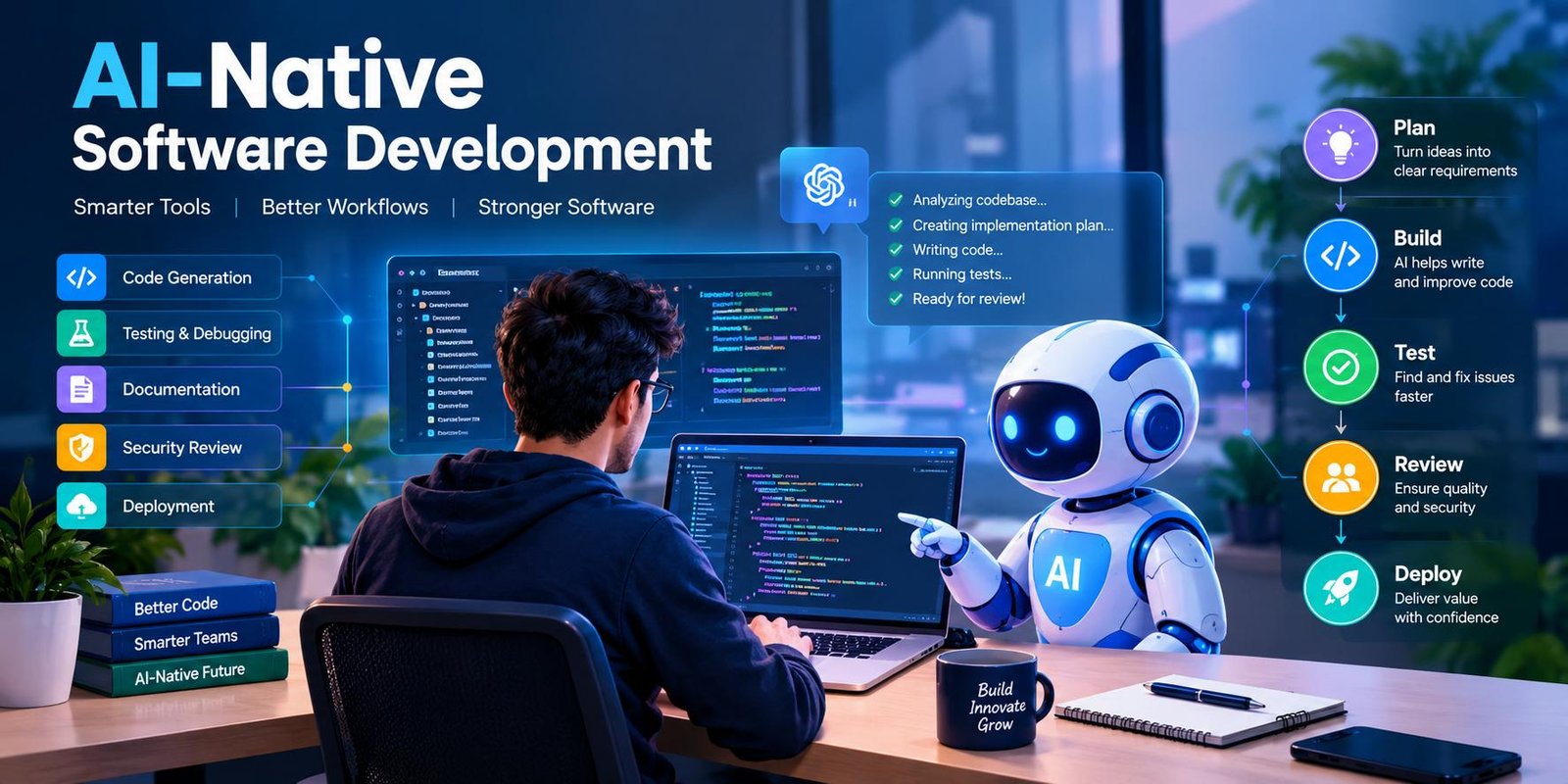
AI-Native Software Development: Complete Guide
Software development is changing quickly. AI is no longer limited to autocomplete or simple code suggestions. Modern development teams can use AI to understand requirements, explore codebases, create implementations, generate tests, investigate errors, and support documentation.
This broader approach is often called AI-native software development.
The idea is simple: instead of adding AI to an existing development process as an optional helper, teams design parts of their workflow around what AI can do well.
That does not mean handing an entire project to a machine. Human developers still need to make important decisions, check results, protect sensitive systems, and understand the software they are building.
This guide explains what AI-native development means, how it works, its benefits, risks, practical workflow, and what developers should know before adopting it.
What Is AI-Native Software Development?
AI-native software development is a way of building software in which artificial intelligence is involved throughout a significant part of the engineering process.
In a conventional workflow, a developer might:
- Read the requirements.
- Design the solution.
- Write the code.
- Create tests.
- Debug problems.
- Review the changes.
- Prepare documentation.
- Deploy the application.
With an AI-native approach, some of these activities can be shared with AI systems.
For example, a developer may explain a new feature in plain language. An AI coding agent can examine the relevant project files, suggest an implementation plan, modify selected files, create tests, and report problems found during testing.
The developer then evaluates those changes.
The important point is collaboration rather than blind automation.
AI handles suitable tasks. People remain responsible for engineering decisions.
AI-Assisted Development vs AI-Native Development
These terms can sound similar, but there is an important difference.
AI-Assisted Development
Here, AI usually helps with individual tasks.
A programmer might ask an AI assistant to:
- Explain unfamiliar code
- Complete a function
- Create a regular expression
- Write a unit test
- Find a possible bug
- Convert code between languages
The normal development process remains mostly unchanged.
AI is simply another tool available to the developer.
AI-Native Development
AI has a much larger role.
A team may design its development process around AI agents that can work through multiple related tasks.
The workflow may include:
- Requirement analysis
- Planning
- Code generation
- Test creation
- Debugging
- Documentation
- Code review
- Maintenance
This makes AI part of the development system rather than an occasional assistant.
How AI-Native Software Development Works
There is no single process that every company follows. However, a practical workflow can be divided into several stages.
1. Start With a Clear Requirement
Before asking an AI system to write code, explain the desired outcome.
For example, instead of saying:
Create a dashboard.
A better requirement could describe:
- Who will use the dashboard
- What information it displays
- Which data sources it uses
- Required filters
- Authentication rules
- Mobile requirements
- Expected behavior
Better instructions give AI less room to make incorrect assumptions.
2. Give the AI Relevant Context
An AI system needs to understand the environment in which its changes will operate.
Useful context may include:
- Existing source code
- Project documentation
- API specifications
- Database structure
- Coding standards
- Testing rules
- Dependency information
Giving an AI agent access to relevant context can produce much better results than asking it to solve a problem without seeing the surrounding project.
3. Create an Implementation Plan
For a larger task, planning should come before coding.
An AI agent can inspect the project and suggest:
- Which files need changes
- Which components are affected
- What new functions are required
- Which tests should be added
- Potential technical issues
A developer can review this plan before implementation begins.
4. Generate or Modify Code
Once the approach is approved, the AI can work on the implementation.
Depending on the tool, it may create new files or modify several existing files.
This is where AI agents can save significant time on repetitive programming tasks.
5. Run Automated Checks
Generated code should not be considered finished immediately.
The project can run:
- Unit tests
- Integration tests
- Type checks
- Linters
- Build checks
- Security scans
These checks provide feedback about the generated changes.
6. Investigate Failures
If a test fails, an AI agent can help analyze the error.
It may inspect the relevant code, identify a likely cause, suggest a correction, and run the test again.
The developer should still verify whether the proposed fix actually solves the underlying problem.
7. Conduct Human Review
This is one of the most important stages.
A developer should examine the final changes rather than accepting them automatically.
The review should consider:
- Correctness
- Security
- Performance
- Maintainability
- Architecture
- User requirements
- Error handling
Passing tests is valuable, but it does not prove that the overall design is good.
Important Parts of an AI-Native Development Environment
AI Coding Agents
Coding agents can perform multi-step tasks instead of simply completing the next line of code.
Depending on their permissions, an agent may inspect a repository, edit files, run commands, execute tests, and respond to errors.
This can make them useful for larger development tasks.
Large Language Models
Large language models provide much of the language and programming capability behind modern AI development tools.
They can interpret instructions, analyze code, generate text, and produce programming solutions.
Different models can have different strengths, costs, context limits, and performance.
Project Context
Context is extremely important.
An AI that understands the project’s architecture and conventions can make more appropriate changes than one working from a small code fragment.
Documentation, repository structure, tests, and project instructions can all improve the quality of AI-assisted work.
Automated Testing
Testing becomes especially valuable when AI is producing code quickly.
Tests provide measurable feedback.
They can tell the development system whether a particular change appears to behave as expected.
Version Control
Version control provides another layer of protection.
Developers can review changes, compare versions, and restore an earlier state when necessary.
This is especially important when an AI agent can modify several files during one task.
Benefits of AI-Native Software Development
Faster Development
AI can complete repetitive programming work quickly.
This may reduce the time required for routine implementation.
Rapid Prototyping
A team can turn an idea into a working prototype without manually creating every basic component.
This makes it easier to experiment with product concepts.
Reduced Repetitive Work
Developers can delegate suitable tasks such as:
- Boilerplate code
- Test scaffolding
- Documentation drafts
- Data transformations
- Simple refactoring
This can leave more time for complex engineering work.
Faster Debugging
AI can examine error messages and related code to suggest possible causes.
It can also help developers investigate unfamiliar parts of a large project.
Easier Code Exploration
New team members can ask an AI system to explain unfamiliar modules, functions, or workflows.
This can make large codebases easier to navigate.
Better Documentation Workflows
AI can create initial drafts of documentation based on existing code.
Human review is still necessary, especially for technical accuracy.
Challenges and Risks
AI-native development also introduces new concerns.
Incorrect Output
AI can produce code that looks reasonable but does not actually solve the problem.
A successful build does not guarantee correct behavior.
Security Problems
Generated code can contain weaknesses.
Developers should pay particular attention to:
- Authentication
- Authorization
- Input validation
- Database access
- File handling
- Secrets
- External APIs
Security checks should remain part of the normal development process.
Poor Architectural Decisions
AI may focus on solving the immediate task without fully understanding long-term system requirements.
A quick solution can create technical debt later.
Inconsistent Code Quality
Generated code may follow different patterns from the rest of the project.
Without review, this can make the codebase harder to maintain.
Overdependence on AI
Developers who accept generated code without understanding it may struggle when something goes wrong.
Programming fundamentals remain important.
Privacy Concerns
Projects may contain confidential business information, customer data, private source code, or credentials.
Teams need clear rules about what information can be shared with AI systems.
The Role of Specifications
Clear specifications become more valuable when AI is involved.
Consider two instructions:
Add user login.
and:
Add email-and-password authentication. Users should receive a clear error after invalid credentials, sessions should expire after a defined period, passwords must never be stored as plain text, and successful login should redirect users to the dashboard.
The second instruction gives the development system much more useful information.
A good specification can include:
- Goal
- User behavior
- Technical requirements
- Constraints
- Security rules
- Acceptance criteria
- Edge cases
This reduces unnecessary guessing.
AI-Native Development and Testing
Testing should grow alongside AI usage.
Unit Testing
Tests individual functions or components.
Integration Testing
Checks whether different parts of the application work together correctly.
End-to-End Testing
Simulates realistic user journeys.
Security Testing
Looks for weaknesses that ordinary functionality tests may not detect.
Manual Testing
People can still discover problems that automated systems miss.
A strong development process combines these approaches instead of depending entirely on AI-generated tests.
AI-Native Development for Small Businesses
Small teams may find this approach particularly useful.
A startup with a few developers can use AI for:
- Prototypes
- Internal dashboards
- API integrations
- Test creation
- Documentation
- Bug investigation
- Routine development
However, limited team size makes review even more important.
A single poorly reviewed change can affect a large part of a small product.
AI-Native Development for Large Companies
Large organizations have additional requirements.
They may manage:
- Thousands of repositories
- Multiple development teams
- Legacy applications
- Private customer information
- Strict compliance requirements
- Complex production systems
AI agents in such environments need controlled access.
Companies may also need policies covering:
- Data privacy
- AI usage
- Permissions
- Code review
- Logging
- Security
- Intellectual property
The larger the environment, the more important governance becomes.
AI-Native Development vs Vibe Coding
These concepts are sometimes confused.
Vibe coding generally describes a highly conversational approach where a person gives natural-language instructions and relies heavily on AI to produce the implementation.
AI-native development is broader.
A professional AI-native workflow can include:
- Formal requirements
- Architecture
- Testing
- Security reviews
- Version control
- Human approval
- Monitoring
In other words, AI-native development does not mean abandoning engineering discipline.
It means adapting engineering discipline to work effectively with AI.
How Developers Can Start Using AI-Native Workflows
You do not need to redesign an entire organization immediately.
Start with smaller tasks.
Step 1: Pick a Suitable Project
Choose a project where mistakes will not cause serious damage.
Step 2: Create Clear Instructions
Document project rules and coding conventions.
Step 3: Start With Low-Risk Tasks
Try AI with documentation, test generation, small refactoring tasks, or simple features.
Step 4: Review Every Change
Understand what the AI changed.
Step 5: Add Automated Checks
Run tests and other quality checks after AI-generated modifications.
Step 6: Increase Responsibility Gradually
Once the workflow proves reliable, AI can be given more complex tasks.
This gradual approach is safer than immediately allowing unrestricted autonomous access.
Best Practices
Keep AI Tasks Specific
A focused task is easier to review than a vague request covering an entire application.
Give Clear Context
Provide the information needed to make an informed change.
Use Version Control
Always maintain a reliable history of changes.
Protect Secrets
Never expose credentials unnecessarily.
Review Dependencies
Check packages and libraries introduced by generated code.
Test Before Deployment
Never skip validation simply because the code was generated by a sophisticated model.
Measure Quality
Do not judge success only by how quickly code is produced.
Also consider:
- Defects
- Security issues
- Maintainability
- Test coverage
- Review effort
- Deployment reliability
What Is the Future of AI-Native Software Development?
The role of AI in software engineering is likely to become broader.
AI systems are moving from simple code completion toward agents capable of handling connected tasks.
Future development environments may place more emphasis on describing what should be achieved while AI systems handle more of the intermediate implementation work.
Developers will still need to understand systems deeply.
In fact, architecture, security, product judgment, testing, and technical review may become even more important as AI produces larger amounts of code.
The strongest teams will likely be those that combine AI’s speed with human engineering judgment.
Frequently Asked Questions
What is AI-native software development?
It is a development approach where AI is deeply integrated into software engineering workflows. AI may assist with planning, coding, testing, debugging, documentation, and maintenance.
Is AI-native development the same as using ChatGPT for coding?
No. Using an AI chatbot for coding is one form of AI assistance. AI-native development involves integrating AI more deeply into the overall engineering workflow.
Can AI build an entire application?
AI can help create significant portions of an application, but complex software still requires requirements, architecture, testing, security review, and human oversight.
Does AI-native development eliminate programmers?
No. Developers remain responsible for technical decisions, system design, quality, security, and validating the final product.
What are AI coding agents?
AI coding agents are systems designed to perform multi-step programming tasks. Depending on their capabilities, they may inspect project files, modify code, execute tests, and investigate errors.
Is AI-native development safe?
It can be used safely when appropriate controls are in place. Teams should use permissions, testing, code review, security checks, and data-protection practices.
What skills do developers need in an AI-native environment?
Programming fundamentals remain important. Developers should also understand architecture, debugging, testing, security, AI limitations, requirements, and code review.
Conclusion
AI-native software development is changing the relationship between developers and their tools.
Instead of using AI only for occasional code suggestions, teams can integrate intelligent systems into planning, implementation, testing, debugging, documentation, and other engineering activities.
The biggest advantage is not simply generating code faster. It is reducing repetitive work and allowing developers to focus more attention on architecture, product requirements, security, and difficult technical decisions.
At the same time, AI output needs supervision. Generated code can contain mistakes, security weaknesses, unnecessary complexity, or assumptions that do not fit the project.
The best approach is therefore a balanced one: let AI handle suitable work, use automated systems for feedback, and keep humans responsible for important engineering decisions.
That combination can make software development faster without sacrificing the quality and discipline that reliable software requires.





2 Comments