CAT 8: Complete Guide to Speed, Uses, and Ethernet Cables
A fast and stable network needs more than a good internet plan. Your router, network adapter, switch, and Ethernet cable all play a role in data transfer. CAT 8 is a high-speed cable standard designed for demanding wired networks.
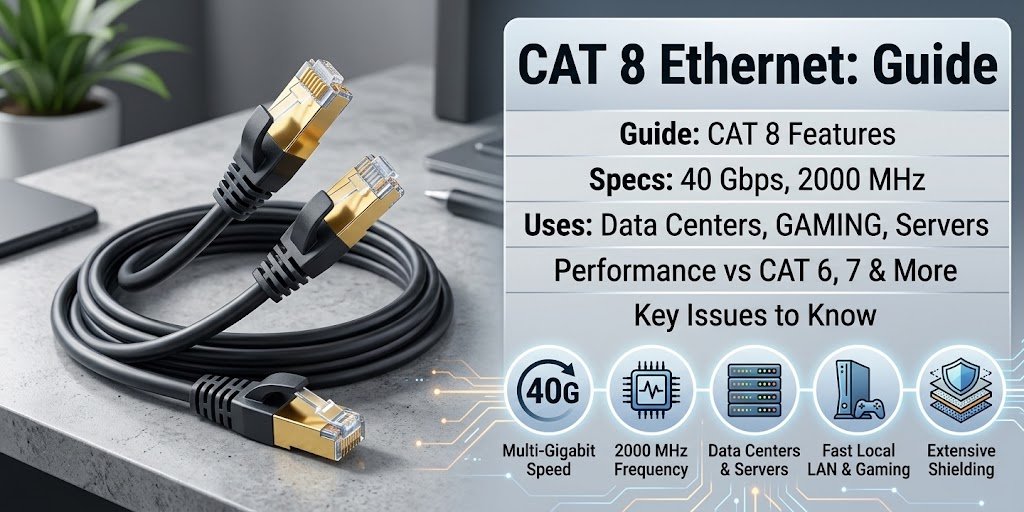
This cable can support data rates of up to 40 Gbps in suitable setups. It also supports frequencies up to 2000 MHz. These specifications make it useful for data centers, servers, and other high-performance network environments.
However, the fastest cable is not always the best choice for everyone. Most home users do not need this level of performance.
This guide explains the technology in simple language. You will learn about speed, distance, benefits, drawbacks, gaming use, home networking, and how to choose the right Ethernet cable.
What Is CAT 8?
Category 8 is an Ethernet cable standard created for very fast data connections. It belongs to the same family of network cables as Cat 5e, Cat 6, and Cat 7.
Its main advantage is its high bandwidth. The standard supports frequencies up to 2000 MHz and can handle speeds of up to 40 Gbps under the right conditions.
The cable works best with compatible networking hardware. A computer or router with a slower Ethernet port will not suddenly reach 40 Gbps just because you connect a faster cable.
How Does It Work?
Ethernet cables send data through electrical signals that travel along twisted copper wire pairs. The cable design helps maintain signal quality while data moves between network devices.
Shielding also plays an important role. It can help limit interference from nearby electrical equipment and other cables.
For the best results, the cable, connectors, network ports, and other hardware should work together as a complete system.
CAT 8 Speed and Frequency
Speed is one of the biggest reasons people consider this Ethernet standard. Its specifications are much higher than those of common home-network cables.
How Fast Is CAT 8?
A suitable setup can reach speeds of up to 40 Gbps. The standard also supports frequencies up to 2000 MHz.
Here is a simple comparison:
| Ethernet Category | Maximum Data Rate | Frequency |
|---|---|---|
| Cat 5e | Up to 1 Gbps | 100 MHz |
| Cat 6 | Up to 1 Gbps | 250 MHz |
| Cat 6a | Up to 10 Gbps | 500 MHz |
| Cat 7 | Up to 10 Gbps | 600 MHz |
| Category 8 | Up to 40 Gbps | 2000 MHz |
These figures show the cable’s capabilities. Your actual network speed can vary because of hardware, cable length, connectors, and configuration.
What Does 2000 MHz Mean?
Frequency describes how quickly a cable can handle changes in its electrical signal.
A higher frequency rating helps a cable handle demanding data transmission. The 2000 MHz rating puts this category well above many cables used in normal home networks.
Keep in mind that frequency does not equal internet speed. Your broadband plan and networking hardware still set important limits.
How Far Can CAT 8 Reach?
Cable distance matters when you want the highest network speeds.
The standard focuses on short-distance connections. For 25 Gbps and 40 Gbps Ethernet applications, the commonly stated channel limit is around 30 meters.
Longer runs can make it harder to maintain signal quality at very high frequencies. Therefore, another Ethernet category may work better for a larger home, office, or building.
Why Does Distance Matter?
Electrical signals can lose quality as they travel. Interference can also become more important over longer runs.
For example, a short connection between a server and switch can suit this type of cable very well. A long connection across several rooms may not need the same level of performance.
Main Benefits of CAT 8
This high-speed standard offers several useful advantages for the right network.
Very High Data Transfer
The biggest benefit is its ability to support extremely fast local network connections.
Users who move large files between compatible computers, servers, and storage systems can take advantage of high bandwidth.
High-Frequency Support
The 2000 MHz specification gives the cable a strong position among high-performance Ethernet options.
It can handle demanding local network traffic when the connected equipment supports the required speeds.
Better Protection From Interference
Many cables in this category use extensive shielding. This construction helps reduce electromagnetic interference and crosstalk.
Such protection can prove useful in server rooms and other areas with many electronic devices.
Useful for Professional Networks
High-speed Ethernet connections can help servers, switches, storage systems, and other professional equipment communicate efficiently.
For that reason, this technology often appears in data-center and enterprise networking discussions.
CAT 8 vs CAT 6
Cat 6 remains a popular choice for homes and offices. It can handle many common networking tasks without difficulty.
Category 8 offers much higher specifications, but most users will not notice the difference unless their hardware can use the extra capacity.
When Cat 6 Makes Sense
A Cat 6 cable can work well for:
- Home internet
- Office networks
- Online gaming
- Video streaming
- Video calls
- General browsing
- Gigabit Ethernet
- Regular file sharing
For many users, it provides a good balance between speed, cost, and flexibility.
When Category 8 Makes More Sense
The faster option becomes more useful when you have:
- Multi-gigabit networking equipment
- High-speed servers
- Large local file transfers
- Advanced storage systems
- Short network connections
- Professional switches
As a result, your equipment should guide the buying decision rather than the cable’s speed rating alone.
CAT 8 vs CAT 7
Cat 7 and Category 8 both target high-performance networks. However, the newer standard supports a higher frequency and higher data rates over its intended short connections.
Cat 7 can still meet the needs of many advanced networks. On the other hand, Category 8 targets environments that require very high local bandwidth.
Before choosing between them, check the supported speeds of your network devices and the distance between them.
Is CAT 8 Good for Gaming?
Yes, you can use this cable for gaming. A wired connection can provide a stable link between a gaming PC or console and your router or network switch.
However, the cable alone will not guarantee lower ping.
Online latency also depends on your internet provider, server location, routing, congestion, and the quality of your network connection.
When Should Gamers Consider It?
It may make sense for gamers who have:
- Multi-gigabit network equipment
- A fast local network
- A home server
- Large game-file transfers
- A short cable run
For a normal broadband connection, though, Cat 6 or Cat 6a will often provide enough performance.
Is CAT 8 Good for Home Use?
Most homes do not require this level of Ethernet performance.
For example, imagine that your router and computer both support only 1 Gbps Ethernet. Connecting them with a 40 Gbps-capable cable will not upgrade those ports.
Still, some advanced home users may benefit from the extra capacity. This includes people who run home servers, network storage, or multi-gigabit equipment.
When It Makes Sense at Home
Consider this option if:
- Your devices support multi-gigabit Ethernet.
- You regularly transfer large files.
- You use a fast NAS or home server.
- Your switch has high-speed ports.
- You need a short, high-bandwidth connection.
When You Can Choose a Cheaper Cable
A lower category may be enough if your main activities include:
- Web browsing
- Social media
- Streaming
- Video calls
- Office work
- Standard online gaming
In these cases, Cat 6 or Cat 6a can provide excellent value.
How to Choose a CAT 8 Cable
The number printed on a cable package should not be your only consideration. Think about your network first.
Check the Length
Measure the distance between the devices you want to connect.
A short cable is easier to manage and fits the type of high-speed connection this standard targets.
Check the Construction
Look at shielding, connector quality, flexibility, and overall build.
A reliable cable from a reputable manufacturer is more important than flashy packaging or unrealistic speed claims.
Check Your Network Ports
Before spending money on a new cable, check your router, switch, computer, server, and network adapter.
If your equipment supports only Gigabit Ethernet, a premium cable cannot change that hardware limit.
Common Mistakes to Avoid
A few simple mistakes can lead to unnecessary spending.
Expecting Faster Internet
An Ethernet cable cannot increase the internet speed included in your broadband plan.
If your service provides 500 Mbps, installing a cable capable of much higher speeds will not turn that connection into a 40 Gbps internet service.
Buying More Than You Need
Higher specifications can sound attractive. Nevertheless, they do not always provide better value.
Someone with a basic home network may gain little from paying extra for professional-grade cabling.
Ignoring Other Hardware
The cable is only one part of the network.
Your router, switch, network adapter, and connected devices must support the desired speed before you can benefit from a high-performance connection.
Forgetting the Distance
The highest speeds depend on suitable cable lengths and network conditions.
Always consider distance when planning a high-speed wired network.
Category 8 for Data Centers
Data centers handle large amounts of information between servers, switches, and storage systems. As a result, fast local connections can play an important role.
Short, high-speed links can help compatible equipment move large amounts of data efficiently.
Why High-Speed Cabling Matters
A large data center can contain thousands of network connections. Faster links can help reduce transfer times and support demanding workloads.
The right cable still depends on the network design. Professionals normally consider speed, distance, equipment, cost, and future expansion before selecting a cabling standard.
Frequently Asked Questions
What does CAT 8 mean?
It means Category 8, an Ethernet cable standard designed for high-speed wired networking. It supports frequencies up to 2000 MHz.
How fast is CAT 8 Ethernet?
Under suitable conditions, the standard can support speeds of up to 40 Gbps over short connections.
Is CAT 8 better than Cat 6?
It has higher technical specifications, but that does not make it the best option for every user. Cat 6 can handle many home and office networks very well.
Can CAT 8 increase internet speed?
No. Your internet plan and network hardware determine the available internet speed. A faster Ethernet cable cannot bypass those limits.
Is CAT 8 good for gaming?
It can provide a fast and stable wired connection. However, factors such as server location, routing, and your ISP usually have a bigger effect on gaming ping.
Is CAT 8 worth buying?
It can be worthwhile for compatible multi-gigabit networks, servers, storage systems, and short high-speed connections. For basic home use, a cheaper category may offer better value.
Final Thoughts
CAT 8 offers impressive performance for users who need high-speed wired networking. Its support for up to 40 Gbps and 2000 MHz makes it suitable for demanding local connections.
Even so, buying the fastest cable does not automatically improve every network. Your router, switch, network adapter, internet plan, and cable length all matter.
For everyday browsing, streaming, office work, and many gaming setups, Cat 6 or Cat 6a can be a sensible choice. Advanced users with multi-gigabit equipment may find the higher specification more useful.
The best Ethernet cable is therefore the one that matches your actual network requirements, not simply the one with the biggest number on the label.