
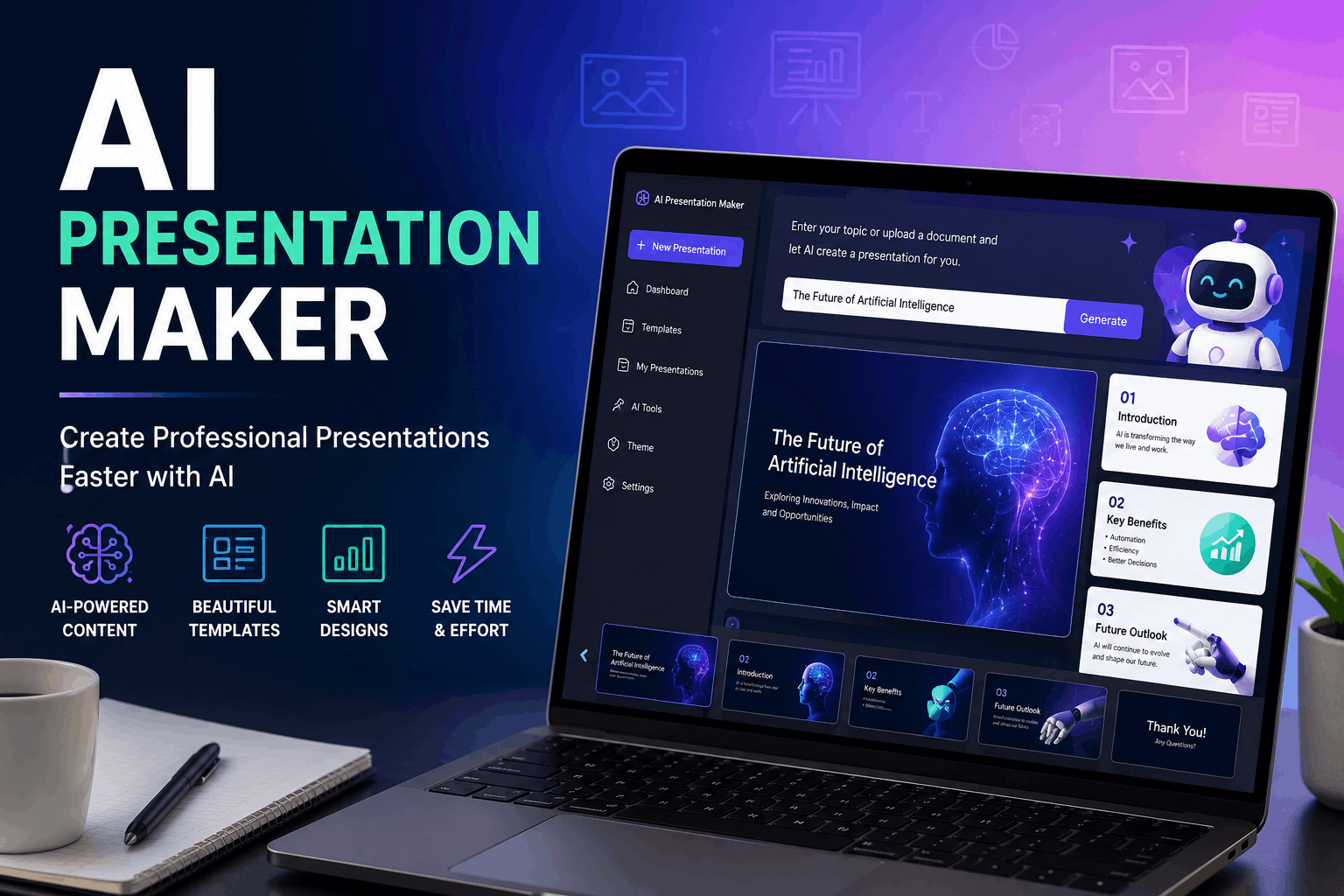
AI Presentation Maker: Create Professional Presentations With AI
Creating a professional presentation can take hours. From choosing a design and organizing information to writing slide content and finding the right visuals, there are many steps involved. An AI presentation maker can simplify this entire process.
AI presentation tools can turn a simple idea, topic, or written prompt into a structured presentation within minutes. They can help generate slide content, suggest layouts, create visual designs, and make presentations easier to edit.
Whether you are a student, teacher, business professional, marketer, or content creator, an AI presentation maker can save time and help you create better-looking slides.
What Is an AI Presentation Maker?
An AI presentation maker is a tool that uses artificial intelligence to help users create presentations automatically.
Instead of designing every slide manually, you can provide a topic or description and let the AI generate a presentation structure. Depending on the tool, it may create:
- Slide titles
- Text and bullet points
- Presentation outlines
- Visual layouts
- Images or graphics
- Charts and diagrams
- Speaker notes
- Design themes
You can then review the generated presentation and make changes before presenting it.
How Does an AI Presentation Maker Work?
Most AI presentation makers follow a simple process.
First, you enter a topic, prompt, document, or other source material. The AI analyzes the information and identifies the main points.
It then organizes those points into a logical presentation structure. The tool may create individual slides and apply a suitable design automatically.
A typical workflow looks like this:
Enter your topic → Generate an outline → Create slides → Customize the design → Review the content → Present
The exact features vary from one AI presentation tool to another.
Why Use an AI Presentation Maker?
Creating presentations manually gives you complete control, but it can also be time-consuming. AI can handle many repetitive parts of the process.
1. Save Time
One of the biggest advantages is speed. Instead of spending hours creating the initial structure, you can generate a starting point within minutes.
This is especially useful when you need to prepare a presentation quickly.
2. Create a Presentation From a Simple Prompt
You don’t always need to start with a blank slide.
For example, you could enter:
“Create a 10-slide presentation about the benefits of renewable energy for college students.”
The AI can use this instruction to create a basic presentation structure.
3. Improve Slide Structure
A good presentation should have a logical flow. AI can help organize information into sections such as introduction, key points, examples, and conclusion.
You can then adjust the structure according to your audience.
4. Get Professional Design Ideas
Choosing fonts, layouts, spacing, and visual elements can be difficult if you are not a designer.
Many AI presentation makers automatically suggest layouts and design combinations, making it easier to create visually consistent slides.
5. Make Content Easier to Understand
AI can help simplify complicated information and turn long paragraphs into concise bullet points.
This is useful because presentation slides generally work better when they communicate key ideas quickly rather than containing large blocks of text.
How to Create a Presentation With AI
You can create an AI-generated presentation by following these steps.
Step 1: Choose Your Topic
Start with a clear topic.
For example:
- Digital marketing trends
- Artificial intelligence in education
- Business growth strategies
- Climate change
- Personal finance
- Introduction to cybersecurity
A specific topic usually produces a more focused presentation.
Step 2: Define Your Audience
Think about who will see the presentation.
A presentation for high school students should use different language and examples than a presentation for business executives.
Tell the AI about your audience when possible.
For example:
“Create a presentation about artificial intelligence for beginners with no technical background.”
This gives the AI useful context.
Step 3: Specify the Number of Slides
Tell the AI approximately how many slides you need.
For example:
“Create an 8-slide presentation about social media marketing for small businesses.”
This can help keep the presentation focused.
Step 4: Generate the Presentation
Enter your topic and instructions into your chosen AI presentation maker.
The tool may generate an outline first. Review the outline before creating the final slides if that option is available.
Make sure the structure covers the most important information.
Step 5: Review the AI-Generated Content
Never assume that AI-generated information is automatically correct.
Check:
- Facts
- Statistics
- Dates
- Names
- Sources
- Grammar
- Examples
If the presentation contains statistics or important claims, verify them using reliable sources.
Step 6: Customize the Slides
After generating the presentation, personalize it.
You can change:
- Colors
- Fonts
- Images
- Slide layouts
- Titles
- Text
- Charts
- Icons
- Branding
Your goal should be to make the presentation fit your audience and purpose.
Step 7: Practice Before Presenting
A well-designed presentation is only part of a successful presentation.
Read through the slides and practice explaining each point in your own words.
Avoid simply reading every word displayed on the screen.
Best AI Presentation Maker Use Cases
AI presentation tools can be useful in many situations.
Students
Students can use AI to create presentations for:
- School projects
- College assignments
- Research topics
- Class presentations
- Group projects
For example, a student could provide a research topic and ask AI to organize the main ideas into a presentation outline.
Teachers
Teachers can use AI presentation makers to prepare:
- Lesson slides
- Classroom activities
- Educational diagrams
- Course introductions
- Training materials
AI can help teachers reduce the time spent creating the initial slide structure.
Businesses
Businesses can use AI presentations for:
- Sales pitches
- Business proposals
- Company reports
- Marketing presentations
- Training sessions
- Internal meetings
Teams can create a first draft quickly and then customize it according to company requirements.
Marketers
Marketers can use AI to create presentations about:
- Campaign strategies
- Market research
- Customer insights
- Marketing plans
- Product launches
- Performance reports
AI can help organize large amounts of information into a more presentation-friendly format.
Content Creators
Content creators can transform articles, research, or ideas into slide-based content for educational and social media purposes.
AI Presentation Maker vs. Traditional Presentation Software
Traditional presentation software gives you more direct control over every element. You typically choose a template, add slides, write content, and arrange each element yourself.
An AI presentation maker automates more of these tasks.
| Feature | Traditional Software | AI Presentation Maker |
|---|---|---|
| Slide creation | Mostly manual | AI-assisted |
| Content generation | Usually manual | AI can generate drafts |
| Design suggestions | Templates | AI-powered suggestions |
| Speed | Depends on the user | Usually faster |
| Customization | High | Usually high |
| Research verification | User responsibility | User responsibility |
AI does not necessarily replace traditional presentation software. Instead, it can make the initial creation process faster.
How to Write Better Prompts for AI Presentations
The quality of an AI-generated presentation often depends on the instructions you provide.
Instead of writing:
“Make a presentation about AI.”
Give the AI more information:
“Create a 10-slide presentation about how artificial intelligence is changing education. The audience is university students. Use simple language, include practical examples, and end with a summary slide.”
A useful prompt can include:
Topic + audience + number of slides + tone + key points + desired format
This gives the AI a clearer understanding of what you want.
Useful AI Presentation Prompts
Business Presentation Prompt
Create a 10-slide business presentation about strategies for growing a small online business. Use professional language, practical examples, and a clear conclusion.
Educational Presentation Prompt
Create an 8-slide educational presentation explaining artificial intelligence to beginners. Use simple language, examples, and short bullet points.
Marketing Presentation Prompt
Create a 12-slide presentation about a digital marketing strategy for a new e-commerce business. Include SEO, social media, email marketing, paid advertising, and key performance metrics.
Research Presentation Prompt
Create a research presentation about climate change. Organize the presentation into an introduction, causes, effects, evidence, possible solutions, and conclusion. Keep the information concise and easy to present.
Tips for Creating Better AI Presentations
Keep Slides Simple
Don’t put an entire article on a single slide. Use short points that support what you are saying.
Use Visuals Carefully
Images, charts, diagrams, and icons can make information easier to understand, but unnecessary visuals can make slides look cluttered.
Maintain Consistent Design
Use a consistent style throughout the presentation. Keep fonts, spacing, headings, and layouts reasonably uniform.
Edit AI-Generated Text
AI-generated content may sound generic. Rewrite important sections so the presentation reflects your own voice and knowledge.
Verify Important Information
AI can make mistakes. Always check important facts, statistics, quotations, and references before using them publicly.
Limitations of AI Presentation Makers
Although AI presentation tools are useful, they are not perfect.
AI Can Make Mistakes
Generated information may contain inaccurate or outdated claims.
Designs May Need Editing
An automatically generated layout may not always match your preferences or brand.
Content Can Sound Generic
AI-generated text may lack the personal perspective or unique examples that make a presentation memorable.
Human Review Is Still Important
You should always review the presentation before presenting it to an audience.
Frequently Asked Questions
What is the best AI presentation maker?
The best tool depends on your needs. Some users prioritize automatic design, while others need collaboration, templates, editing flexibility, or export options. Compare features before choosing a tool.
Can AI create an entire presentation?
Yes. Many AI presentation tools can generate an outline, slide content, and visual design from a topic or prompt. However, you should review and customize the result before using it.
Can I use AI to create PowerPoint presentations?
Some AI tools can create or export presentations in formats compatible with common presentation software. Available export options depend on the specific tool.
Are AI-generated presentations free?
Some AI presentation makers offer free plans or limited free usage, while others require a paid subscription for advanced features. Check the current pricing and feature limits of the tool you choose.
Can students use AI presentation makers?
Yes. Students can use them to brainstorm ideas, organize research, create presentation drafts, and improve slide structure. Students should follow their school’s or institution’s AI-use policies.
Can AI create presentations from documents?
Some AI presentation tools allow users to upload documents or provide existing content and then generate slides from that material. The available file types and features vary by platform.
Do AI presentations need editing?
Yes. Editing is highly recommended. Review the content for accuracy, remove unnecessary information, improve the design, and make sure the presentation matches your audience.
Final Thoughts
An AI presentation maker can turn the presentation creation process from a time-consuming task into a much faster workflow. Instead of starting with an empty slide deck, you can use AI to generate an initial structure, develop slide content, and suggest visual designs.
However, the best presentation is rarely the one that AI generates without any changes. Use AI for speed and ideas, then add your own knowledge, examples, visuals, and perspective.
Whether you are preparing a school project, business proposal, marketing strategy, or educational lesson, AI can give you a strong starting point and help you spend more time improving the final presentation.



2 Comments